

bibisco is a novel-design app with a free Community Edition, and Scrivener is a paid writing and organising app with Compile. Pick bibisco for guided story design, a free start or Linux. Pick Scrivener to import a Word draft, compile to more formats, or write on an iPad without a subscription. bibisco cannot import Word files at all.

Every bibisco fact here comes from bibisco.com, and every Scrivener fact from Literature & Latte's own pages, all read on 20 October 2026. Prices are as of October 2026. No standards body ranks writing software, so this page names no winner.
bibisco vs Scrivener at a glance
| bibisco | Scrivener | |
|---|---|---|
| Main job | Novel planning and writing | Long-form writing and organising, with Compile for output |
| Desktop platforms | Windows 10+, macOS 10.13+, Linux; 64-bit only | macOS 11+, Windows 10+ (64-bit) |
| Phone and tablet | Android, iPhone and iPad apps, free with Community features; sync through bibisco Everywhere (as of October 2026) | iOS and iPadOS app |
| Price | Community free; Supporters $69 once | $59.99 once for macOS or Windows; iOS $23.99 |
| Mobile or second platform | Mobile apps free; sync via bibisco Everywhere, $3.49/month or $29.99/year | Crossgrade to the other desktop platform, $37.95 |
| Licence covers | Your or your family's computers, any operating system | One platform per licence, household licence |
| Updates | Free for two years, then upgrades at 50% off | Minor updates free; major versions may be paid |
| Trial | 30 days of Supporters features inside Community | 30 days of actual use, macOS and Windows |
| Refund | 30-day money-back guarantee (Supporters) | Within 30 days |
| Imports | Its own .bibisco2 archives only |
Word, plain text, Final Draft, images, PDFs, movies, sound, web pages |
| Exports | PDF, DOCX, TXT, archive; EPUB on Supporters | Word, RTF, OpenOffice, PDF, Final Draft, plain text, EPUB, Kindle |
| Sync | bibisco Everywhere, or your own Google Drive, Dropbox or OneDrive folder | "sync using Dropbox or transfer with iTunes" |
| Open-source licence | "licensed under the terms of GNU GPL License" | None stated |
| AI | None mentioned | None, per Literature & Latte |
What is the difference between bibisco and Scrivener?
The difference is where the structure comes from. bibisco gives you one. Scrivener leaves you to build your own.
bibisco's own comparison page puts it as "Scrivener organizes documents. bibisco helps you design a novel". bibisco has dedicated areas for premise, fabula, setting and storylines, a character interview, locations and objects, and chapters made of scenes. Supporters adds mind maps, a timeline, a novel outline and "Analysis", which bibisco describes as analysing "the presence of characters across scenes" and "the balance of the narrative".
The Community Edition's source is public. Its GitHub repository, licensed GPL-3.0, says "this is the repository of bibisco Community Edition".
Scrivener describes itself as a toolkit for long writing projects. Literature & Latte's overview lists a Binder, a Corkboard of index cards and an Outliner with synopses and metadata. It adds Scrivenings (several sections edited as one document), Snapshots with Compare, Collections, split view, Composition Mode, and Targets for the manuscript, section and session. Character and location sheets come from document templates you can adapt.
bibisco's comparison page also describes Scrivener's timeline as a "Manual metadata workaround" and its mind maps as a "Separate app (Scapple)". Those are bibisco's descriptions of a competitor. Literature & Latte's product pages list no timeline view.
Is bibisco free, and what does Scrivener cost?
bibisco's Community Edition is free. Scrivener has no free edition, only a trial.
bibisco's free edition is narrower than its marketing suggests. Its comparison table, updated 28 February 2026, marks 20 features as Supporters only. Among them are the Timeline, EPUB export, search and find/replace, writing goals, distraction-free mode, comments and footnotes, mind maps, dark theme, and prologue, epilogue and parts. bibisco's Scrivener page advertises a "Built-in story timeline" without saying it is a Supporters feature.
How much do bibisco and Scrivener cost over three years?
These totals use list prices from each vendor's page, in US dollars before tax, as of October 2026.
| Setup | Paid at purchase | Total through year 3 |
|---|---|---|
| bibisco Community, desktop only | $0 | $0 |
| bibisco Supporters, desktop | $69 | $69, or $103.50 with the year-3 upgrade |
| bibisco Supporters plus Everywhere yearly | $98.99 | $158.97, or $193.47 with the upgrade |
| Scrivener, one desktop platform | $59.99 | $59.99 |
| Scrivener, Mac or Windows plus iOS | $83.98 | $83.98 |
| Scrivener, Mac and Windows bundle | $95.98 | $95.98 |
| Scrivener, Mac and Windows (crossgrade later) | $97.94 | $97.94 |
How the bibisco upgrade figure is worked out: bibisco says that after two years "upgrades are available at a 50% discount", and an upgrade brings "free upgrades again within the next two years". Half of $69 is $34.50, assuming the list price stays the same. bibisco also says updates "are generally released about once a year". Scrivener's FAQ says major new versions may need a paid upgrade, and the table leaves that out because it shows no upgrade price. The full Scrivener breakdown is in Scrivener price.
Can you import a Scrivener or Word file into bibisco?
No. bibisco's help says "In bibisco, it's not possible to import files with the extension DOC, DOCX, ODT, TXT as a project". The only file bibisco imports is a .bibisco2 archive, which bibisco itself creates. None of bibisco's pages mentions Scrivener import.
bibisco's own method for an existing draft is manual: "create the chapters and scenes structure in bibisco and then copy and paste the text from your DOC/DOCX/ODT/TXT file into each scene". For a 40-chapter novel, that is one paste per scene.
The other direction is easier. bibisco exports DOCX, and Scrivener imports Word documents. To move a novel from bibisco to Scrivener, export DOCX from bibisco and import that file into Scrivener. Your character interviews, locations and storylines do not travel inside the manuscript, so move those notes by hand.
Do bibisco and Scrivener run on Linux, Mac and iPad?
bibisco runs on Linux. Scrivener does not.
- Linux: bibisco lists Linux, 64-bit only. Literature & Latte sells Scrivener for macOS, Windows and iOS, and the background is in Scrivener for Linux.
- Mac: bibisco needs macOS 10.13 High Sierra or later. Scrivener 3.5.2 needs macOS 11 or later.
- iPad and iPhone: Scrivener's iOS app is $23.99 once. bibisco's iOS app arrived in version 5.1.2, on 8 July 2026, and cloud sync to it is part of bibisco Everywhere at $3.49 a month or $29.99 a year. The same release notes say "Community features are available for free on Android and iOS, without cloud sync". The FAQ on bibisco's download page still says "iOS is coming soon", so that answer predates the release.
Where do bibisco and Scrivener store your writing?
Both keep your novel on your own computer.
bibisco says "As a desktop application, novel data is stored securely on your PC/Mac" and "no novel data is housed on bibisco.com". With bibisco Everywhere switched on, the privacy policy (last updated 16 January 2026) says project texts, images, recent revisions and metadata are synchronised through Google Firebase, kept "for the duration of the Everywhere service". bibisco's Everywhere page puts it as "bibisco Everywhere handles sync, not storage".
Scrivener stores projects locally and syncs "using Dropbox or transfer with iTunes", per Literature & Latte's features page.
When should I pick bibisco?
- You want a free tool, or a one-time price with a free start.
- You want the app to walk you through premise, characters and storylines.
- You write on Linux.
- You want a GPL-licensed app.
When should I pick Scrivener?
- You already have a draft in Word, plain text or Final Draft to bring in.
- You want Compile output to RTF, Final Draft or Kindle as well as Word, PDF and EPUB.
- You want an iPad app without a subscription.
- You want Snapshots with Compare and Scrivenings for long revisions.
Neither describes typeset print output. Scrivener's Compile makes PDFs "for printing, self-publishing", and Literature & Latte does not call them professionally typeset. bibisco lists PDF export with no typesetting claim.
Is there an alternative that also formats the book?
Deckle is our app, so weigh this section accordingly.
Deckle is a desktop app for Windows, macOS and Linux that drafts, organises and formats a book in one project. Like bibisco, it runs on Linux. Like Scrivener, it imports Word files, with chapters taken from heading styles, and it also imports EPUB files and a zipped Scrivener project.
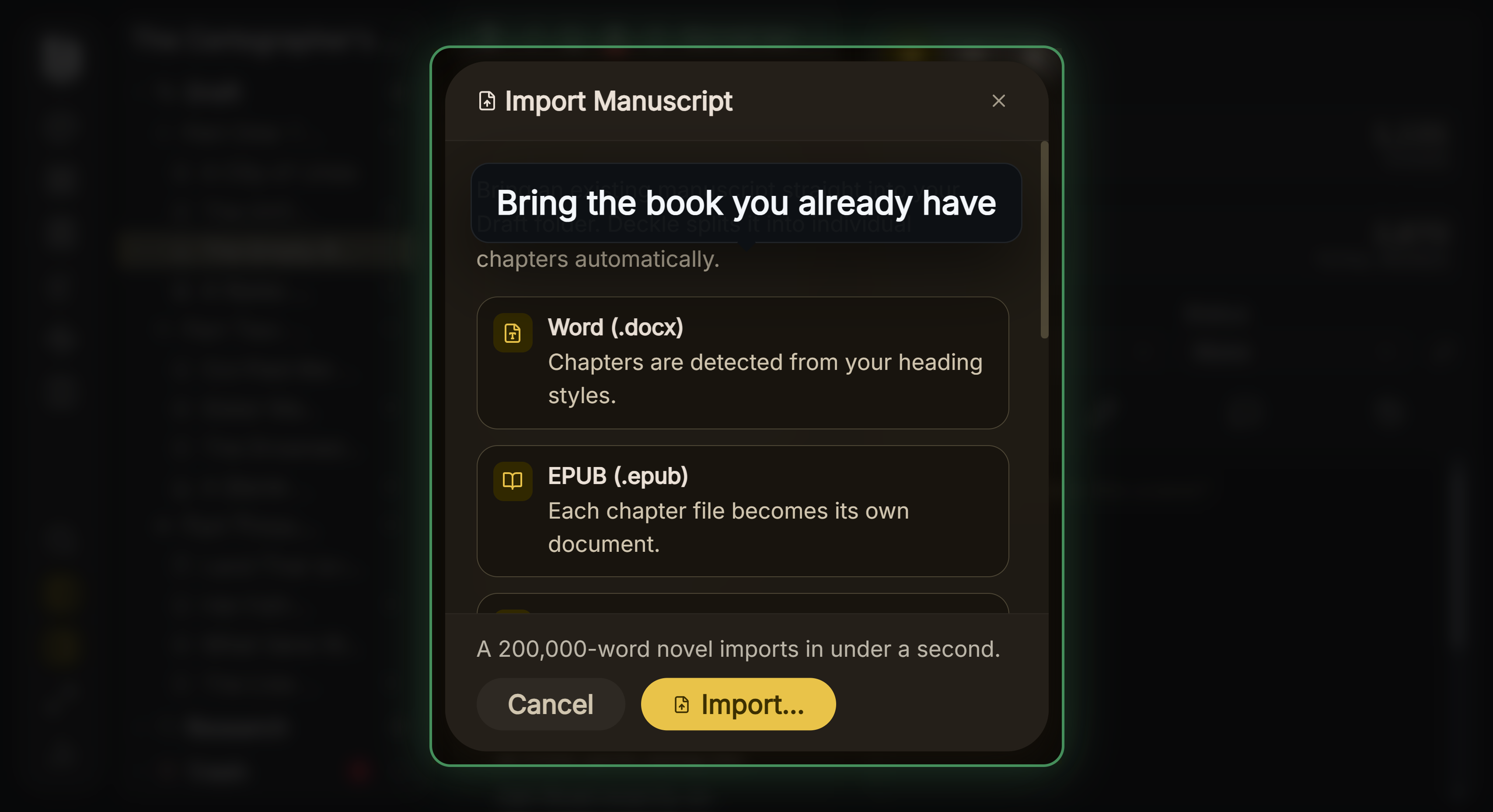 Import Manuscript: a bibisco DOCX export comes in here
For planning it has a Codex for characters, locations and items, a Timeline with plotlines and a "Story order" view, and an Outliner with a Grid View of index cards.
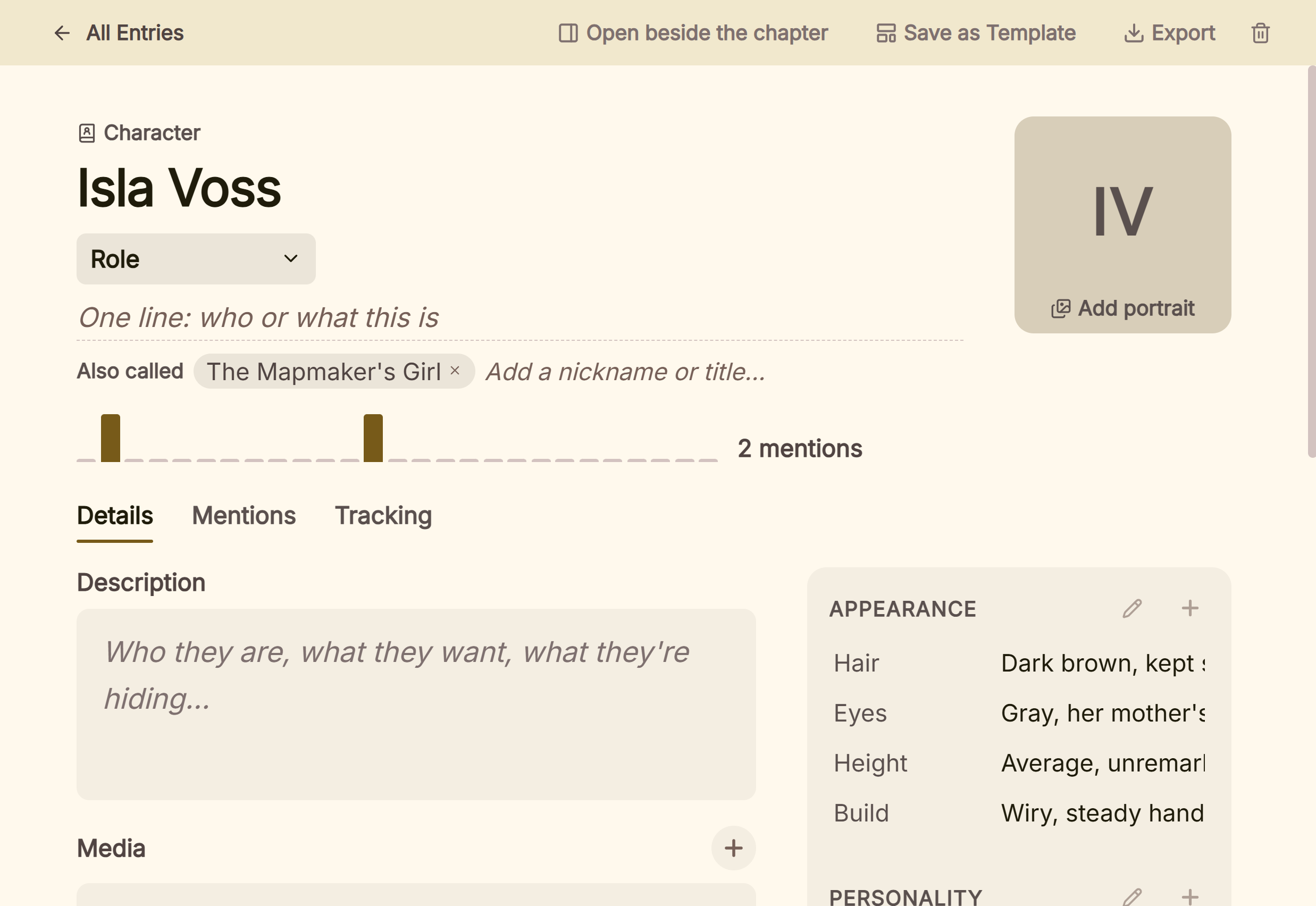 A character entry in the Codex
Where it goes past both is the finished book: 26 built-in style presets, a print PDF in eight trim sizes with bleed, and EPUB targets for Kindle, Apple Books and Kobo. The Kindle target writes an EPUB for KDP to convert, not a KPF file. The way a finished EPUB is built is covered in how to make an EPUB file.
What you would give up: Deckle is paid and not open source, unlike bibisco. It has no mind maps or character interview. It has no phone or tablet app and no cloud sync, where both bibisco and Scrivener offer mobile. The side-by-side with Scrivener is in Scrivener vs Deckle.
Deckle is a one-time purchase. To try it, click Try it free on the screen Deckle opens to. There is no card, no account and no time limit. It opens a sample novel with every screen open to explore, and you can restyle it and export real EPUB, PDF and DOCX files. New writing is capped at about 500 words, and new documents and imports are blocked.
What goes wrong when switching?
- Testing bibisco Community during its trial and expecting the same later. The Timeline and EPUB export end with the 30-day trial.
- Planning to import a Scrivener draft into bibisco. It takes Word files only by copy and paste, and Scrivener files not at all.
- Buying bibisco Everywhere for desktop features. "bibisco Everywhere does not include the Supporters Edition license".
- Buying Scrivener for Mac and expecting Windows. A macOS licence does not cover Windows. The crossgrade is $37.95.
FAQ
Q: Is bibisco better than Scrivener? A: Neither is better in every case. bibisco guides story design, is free to start and runs on Linux. Scrivener imports Word files and compiles to more formats.
Q: Should I use bibisco or Scrivener? A: Use bibisco if you want a structured, guided novel plan and a free start. Use Scrivener if you have an existing draft or need more export formats.
Q: Is bibisco a good alternative to Scrivener? A: For planning, yes, by bibisco's own design. It cannot import a Scrivener or Word file, so moving an existing draft in means pasting it scene by scene.
Q: Is bibisco free like Scrivener's trial? A: bibisco's Community Edition is free with no end date. Scrivener has a 30-day trial counted in days of use, then costs $59.99.
Q: Can I move from bibisco to Scrivener? A: Yes. Export DOCX from bibisco and import it into Scrivener. Character and location notes move by hand.
Q: Does bibisco have a timeline like Scrivener? A: bibisco has a timeline on the Supporters Edition. Literature & Latte's product pages list no timeline view for Scrivener.
Q: Does bibisco or Scrivener use AI? A: Neither describes AI features. Literature & Latte says Scrivener "contains no artificial intelligence (AI)". bibisco's pages mention no AI.
Sources
All retrieved 20 October 2026. Prices change, so check the vendor page before buying.
- bibisco, download page: editions, $69 one-time, two years of updates, 30-day money-back, Everywhere prices, platforms, GPL licence
- bibisco docs, Differences between Community and Supporters Editions (updated 28 February 2026): Supporters-only features
- bibisco docs, Project import issues (updated 26 February 2026): no DOC, DOCX, ODT or TXT import;
.bibisco2only - bibisco docs, General FAQs: requirements, exports, local storage, "about once a year" updates, 50% upgrade
- bibisco, FAQ: licence per computer and operating system, sync via cloud folders
- bibisco, GitHub repository: GPL-3.0, "this is the repository of bibisco Community Edition"
- bibisco, Scrivener vs bibisco: bibisco's comparison table, "Scrivener organizes documents", Analysis
- bibisco docs, bibisco 5 release notes (updated 12 August 2026): iOS app in 5.1.2; Community features free on mobile without sync
- bibisco, bibisco Everywhere and privacy policy (last updated 16 January 2026): sync through Firebase, retention
- Literature & Latte, Scrivener overview: platforms, imports, exports, organising tools, Compile PDF
- Literature & Latte, Scrivener features: Dropbox sync, document templates, EPUB and Kindle
- Literature & Latte, Scrivener FAQ: licence per platform, paid major upgrades, trial, refunds
- Literature & Latte, Scrivener store and crossgrading: $59.99, iOS $23.99, $37.95 crossgrade
- Literature & Latte support, Does Scrivener use AI?: "contains no artificial intelligence (AI)"
- Literature & Latte's checkout, Paddle price data for the store's products: $59.99 macOS, $59.99 Windows, $95.98 macOS and Windows bundle (US, retrieved 21 October 2026)
Prices and features last checked 20 October 2026. Scrivener is a trademark of Literature & Latte. bibisco is a trademark of its owner. Deckle is not affiliated with or endorsed by any product named here.