

Yes. Scrivener is a one-time purchase, not a subscription. As of October 2026, Literature & Latte sells it for $59.99 for macOS or Windows, $95.98 for a Mac and Windows bundle, and $23.99 for iOS and iPadOS. Each licence covers one platform, minor updates are free, and major new versions are paid upgrades.
Every price and rule here comes from Literature & Latte's own store, FAQ, crossgrade and upgrade pages, or from Apple's App Store listings, all read on 20 October 2026. Prices are in US dollars, before tax. Whether Scrivener is the right buy is answered in is Scrivener worth it in 2026.
How much does Scrivener cost?
Scrivener costs $59.99 for one desktop platform, as of October 2026. The Scrivener store sells each desktop licence on its own, plus a two-platform bundle and an educational licence. Its prices load from the checkout, and the cross-grading page states "Scrivener for macOS or Windows is $59.99" in plain text.
| Scrivener licence (as of October 2026) | Price (USD) | Where it is sold |
|---|---|---|
| macOS standard licence | $59.99 | Literature & Latte store |
| Windows standard licence | $59.99 | Literature & Latte store |
| macOS and Windows bundle (two licences) | $95.98 | Literature & Latte store |
| Crossgrade to the second desktop platform | $37.95 | Literature & Latte store |
| macOS or Windows educational licence | $50.99 | Literature & Latte store |
| iOS and iPadOS | $23.99 | Apple App Store |
| Scrivener 3 for Mac | $59.99 | Mac App Store |
The store page shows only the iOS price and labels the others "Buy now". The macOS, Windows, bundle and educational figures are the US prices Literature & Latte's checkout (run by Paddle) returned on 20 October 2026. The educational figure is the standard price less the store's education coupon, a $9.00 discount.
Neither App Store listing shows any in-app purchase. Scrivener on the App Store runs on iPhone and iPad from one $23.99 purchase.
Is Scrivener a subscription?
No. Scrivener has no monthly or yearly plan. You pay once for a licence and keep using that version for as long as it runs on your computer.
A Literature & Latte forum moderator, replying in March 2023 to a user who suggested monthly pricing, wrote: "We are not interested in any form of subscription model."
Is there a Scrivener lifetime licence?
Every Scrivener licence is lifetime for its major version. Literature & Latte does not sell a separate "lifetime" tier, because the standard licence already has no expiry. What it does not include is the next major version. The FAQ says that "if you buy Scrivener 3, then all 3.x updates will be free". It goes on: "when one day we release Scrivener 4, then you would need to pay an upgrade fee if you wanted to update to it."
Literature & Latte has not announced a Scrivener 4 or a price for one. This page does not guess at either.
Are Scrivener upgrades free?
Minor updates are free. Major versions are paid. The FAQ says: "All minor updates are free, but we occasionally release more major updates that are paid-for." It adds: "We do not release paid updates often."
The last major upgrade shows how Literature & Latte has handled one. Its upgrade pages for Scrivener 3 set these terms:
| Upgrade | Free if you bought the old version on or after | Otherwise |
|---|---|---|
| Scrivener 2 to 3, macOS | 20 August 2017 | 45% discount |
| Scrivener 1 to 3, Windows | 20 November 2017 | 45% discount |
The discount is checked inside the app. You install Scrivener 3, choose Upgrade from an older version in the trial window, and enter your old licence code. It applies only to licences bought from Literature & Latte's store, or from a reseller that activates through it, such as Amazon. The Windows page says the fee is the same for standard and education licences.
Mac App Store buyers are handled differently. Literature & Latte says "We have no record of our Mac App Store customers," and Apple does not allow upgrade discounts. Those buyers can email Literature & Latte a proof of purchase to request a discount coupon for the direct store.
Do you need a separate Scrivener licence for Mac and Windows?
Yes. The Scrivener FAQ says: "Each licence we sell covers only one platform." A macOS licence does not activate the Windows version. Literature & Latte gives the reason: single-platform licences "allows us to keep prices as low as possible for users who do not need to run Scrivener on more than one operating system." The iOS app is a separate purchase on top.
There are three ways to own both desktop versions:
- The bundle. $95.98 buys a macOS licence and a Windows licence together. The store notes "You will receive a separate licence for each platform."
- A crossgrade. Own one desktop licence, then buy the other for $37.95. You enter your existing serial number in the trial window of the version you are adding and click Check for Discount.
- Two standard licences. $59.99 each, $119.98 in total.
The crossgrade has three conditions, all from Literature & Latte's crossgrade page:
- It is for Mac and Windows only. "Cross-grading is only available for Scrivener for Mac and Windows."
- Mac App Store purchases do not qualify. "We are unable to provide cross-grade discounts to users who bought from the Mac App Store."
- Old licences may not count. "Licences older than five years are not stored in our system and so cannot be used to cross-grade."
How many computers can you install Scrivener on?
A standard licence is a household licence. The FAQ says you "can install Scrivener on any machines you own and of which you are the primary user." Family members who live in the same house can install it on their computers too. The household licence still covers one platform only.
The App Store versions follow Apple's rules instead. The FAQ says an App Store copy runs on multiple computers, "but only computers that are set up to use your Apple account."
Is there a Scrivener education discount?
Yes: the Educational Licence cost $50.99 per platform at checkout in October 2026, for students and academics with an institutional affiliation; who qualifies and how to claim it is in Scrivener discount.
How long is the Scrivener free trial?
The trial lasts 30 days of use, on macOS and Windows. The FAQ says the trial "is exactly the same as the full version, except that it will only last for 30 days of use." Only days you open Scrivener count, so using it every other day stretches the trial to 60 days.
There is no iOS trial. Literature & Latte says "Apple's App Store does not allow it."
Literature & Latte's FAQ says "Refunds will be provided within 30 days of purchase" for its own store, and Apple handles App Store refunds. The licence agreement says something stricter: section 2 of the Scrivener EULA for both Windows and macOS calls the fee "non refundable", with a discretionary refund or replacement up to six months later for serious defects. Store sales go through Paddle, whose refund policy starts "Unless required by applicable law, all Transactions are non-refundable". In practice, ask within 30 days and quote the FAQ; the steps are in Scrivener refund.
What Scrivener costs over three years
These totals use only the prices above. They assume no new major version in the three years, because Literature & Latte has announced none and publishes no upgrade price.
| Setup | Year 1 | Years 2 and 3 | Three-year total |
|---|---|---|---|
| One computer, Mac or Windows | $59.99 | $0 | $59.99 |
| One computer plus iPhone or iPad | $83.98 | $0 | $83.98 |
| Mac and Windows, bought as the bundle | $95.98 | $0 | $95.98 |
| Mac and Windows, one licence then a crossgrade | $97.94 | $0 | $97.94 |
| Mac, Windows and iOS (bundle plus iOS) | $119.97 | $0 | $119.97 |
| Student, one computer (educational licence) | $50.99 | $0 | $50.99 |
The bundle is $1.96 cheaper than one licence plus a crossgrade later, so a writer who knows they need both platforms saves by buying them together. The three-year cost equals the first-year cost, which is what a one-time licence means in practice. Only a paid major version would change the second and third columns.
Why is Scrivener so expensive?
Scrivener's price is $59.99 once for one platform. It looks larger in three situations, each set by Literature & Latte's own licensing:
- You need it on both Mac and Windows, which takes two licences.
- You want it on an iPhone or iPad, which is a separate $23.99 App Store purchase.
- A paid major version arrives, which Literature & Latte has priced as a discount on the full price in the past.
Scrivener is also a writing and organising app, not a book designer. Many authors pair it with a formatting app for their print interior, and that second purchase is often what makes the total feel high. How the Scrivener to Vellum handoff works, and what both apps cost together, is covered in Scrivener vs Vellum.
How Deckle's licence compares
Deckle is our app, so weigh this section accordingly.
Deckle is a writing, organising and formatting app for Windows, macOS and Linux. It is a one-time purchase with every future update included, not a subscription. One licence covers any two devices, in any mix of Windows, Mac and Linux, so a writer with a Mac and a Windows PC needs one licence, not two. To move it to a new computer, deactivate it on the old one in Settings ▸ Account.
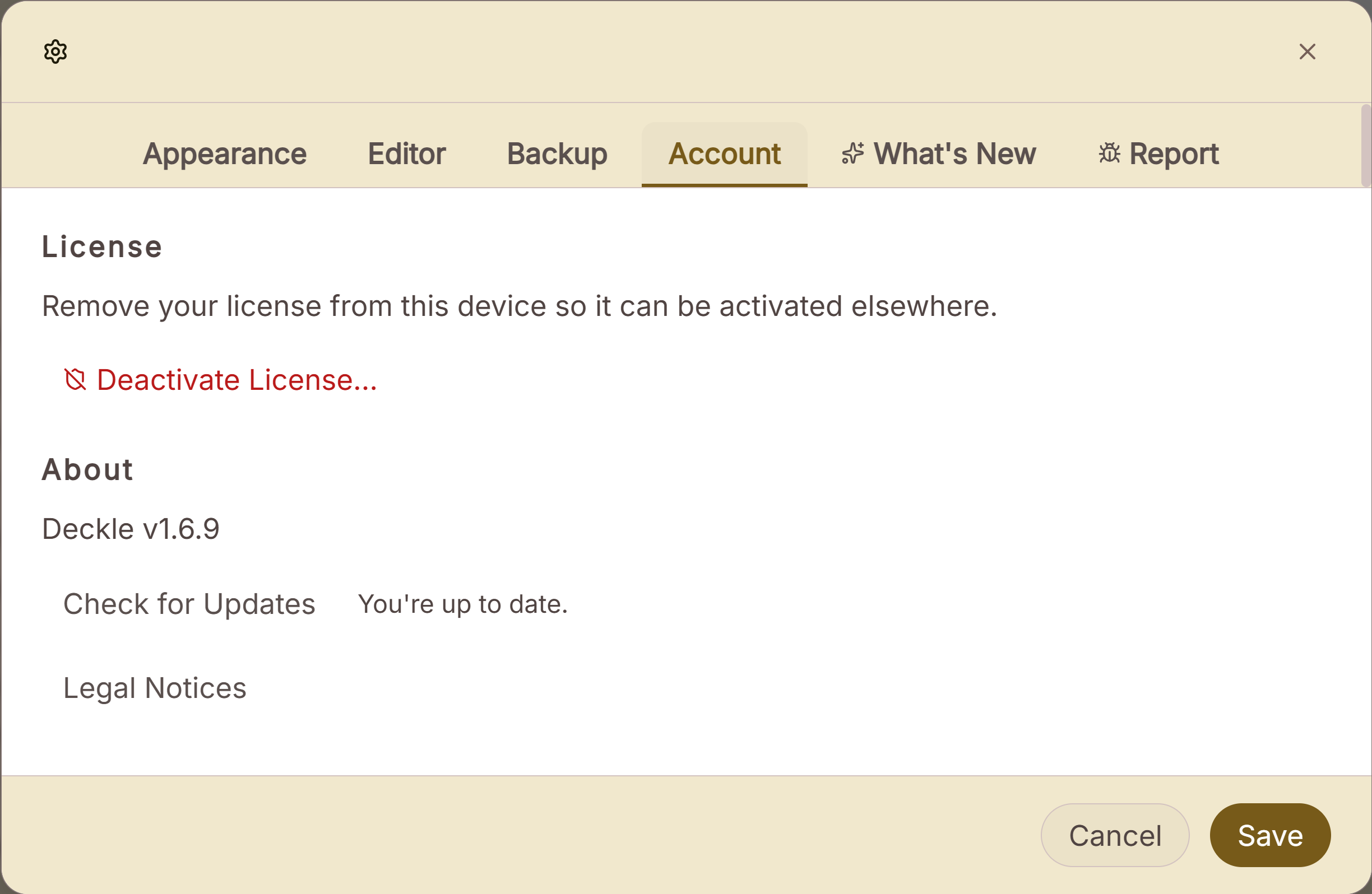 Settings ▸ Account, where a licence is freed for another computer
A project is a folder on your own disk, holding one .deckle database plus research/ and .deckle-assets/ folders, and Deckle works offline after activation.
What you would give up compared with Scrivener's licence:
- Deckle has no iPhone or iPad app. Scrivener does.
- Deckle has no household licence. Its licence is personal and covers two devices.
- Scrivener's $59.99 single-platform price has been stable and public for years, and its trial runs 30 days of use with full features.
Other apps sold the same way are compared in writing software you buy once, and moving a project across is covered in moving from Scrivener to Deckle. The wider field is in Scrivener alternatives.
Try it first. Click Take Deckle for a Spin on the screen Deckle opens to. There is no card, no account and no time limit. It opens a sample novel with every screen open to explore, and you can restyle it and export real EPUB, PDF and DOCX files. New writing is capped at about 500 words, and new documents and imports are blocked.
Common mistakes
- Buying the Mac App Store version, then wanting Windows. App Store copies cannot crossgrade. The direct store licence can.
- Crossgrading when you need both platforms from day one. The bundle costs $1.96 less.
- Assuming the iOS app is included. It is a separate App Store purchase with no trial.
- Losing an old serial number. Upgrade and crossgrade discounts are checked against it, and licences older than five years cannot crossgrade.
- Counting trial days as calendar days. The trial counts days of use, so it can last up to 60 calendar days with every-other-day use.
FAQ
Q: Is Scrivener a one-time purchase? A: Yes. Scrivener is a one-time licence, $59.99 for macOS or Windows as of October 2026. Minor updates are free and major versions are paid.
Q: Is Scrivener a subscription? A: No. Literature & Latte sells no monthly or yearly plan for Scrivener.
Q: How much is Scrivener for Windows? A: $59.99 for a standard Windows licence, or $37.95 as a crossgrade if you already own the macOS licence, as of October 2026.
Q: Does one Scrivener licence work on Mac and Windows? A: No. Each licence covers one platform. The Mac and Windows bundle costs $95.98 and includes a separate licence for each.
Q: How much is Scrivener for iPad? A: $23.99 on the App Store, as of October 2026. One purchase covers iPhone and iPad.
Q: Does Scrivener have a student discount? A: Yes. The educational licence cost $50.99 per platform at checkout in October 2026, for students and academics with an institutional affiliation.
Q: Will I have to pay for Scrivener 4? A: Literature & Latte's FAQ says a future Scrivener 4 would need an upgrade fee. It has announced neither the version nor a price.
Q: How long is the Scrivener free trial? A: 30 days of use on macOS and Windows, with full features. There is no iOS trial.
Sources
All retrieved 20 October 2026.
- Literature & Latte, Scrivener store: licences per platform, bundle, educational licence eligibility, iOS price
- Literature & Latte's checkout, Paddle price data for the store's products: $59.99 macOS, $59.99 Windows, $95.98 bundle; $50.99 with the store's SCRIVENER-EDUCATION coupon
- Literature & Latte, Scrivener FAQs: per-platform licences, household licence, App Store licensing, trial, refunds, free and paid updates
- Literature & Latte, End User Licence Agreement, with the Windows and macOS PDFs: section 2, fee "non refundable"; web store sales processed by Paddle (retrieved 21 October 2026)
- Paddle, Refund Policy: section 1.1, non-refundable unless law requires; discretionary refunds (retrieved 21 October 2026)
- Literature & Latte, Cross-grading: "Scrivener for macOS or Windows is $59.99", $37.95 crossgrade, five-year limit, Mac App Store exclusion
- Literature & Latte, Upgrade to Scrivener 3 for macOS: 20 August 2017 cutoff, 45% discount, Mac App Store coupons
- Literature & Latte, Upgrade to Scrivener 3 for Windows: 20 November 2017 cutoff, 45% discount, same fee for education licences
- Apple, Scrivener 3 on the Mac App Store: $59.99, version 3.5.2, no in-app purchases listed
- Apple, Scrivener on the App Store: $23.99, version 1.2.4, iPhone and iPad, no in-app purchases listed
- Literature & Latte forum, Adding AI tools to Scrivener, moderator post of 18 March 2023: "We are not interested in any form of subscription model."
Scrivener is a trademark of Literature & Latte. Vellum is a trademark of 180g. Deckle is not affiliated with or endorsed by any product named here.