

From first outline to final submission, in one app.
Deckle replaces Word, Scrivener, your reference manager and the folder of PDFs with one offline app built for long academic writing, from the first outline to the file you submit.
Windows, Mac and LinuxWorks offline, no cloud, no AIOne-time purchase30-day money-back guarantee
The usual setup
Four programs, one argument, and a file called final_v7.docx.
- A 200-page Word fileScrolling to find a section, and a document that gets heavier with every chapter.
- A reference manager on the sideA plugin between it and Word, and a bibliography you check by hand before every submission.
- PDFs in a folder somewhereYour sources in Downloads, your notes in another app, and none of it next to the writing.
- Versions by file namefinal, final_v2, final_v7_REAL, and an email to yourself just in case.
Deckle puts the writing, the citations and the sources in one project, on your own computer.
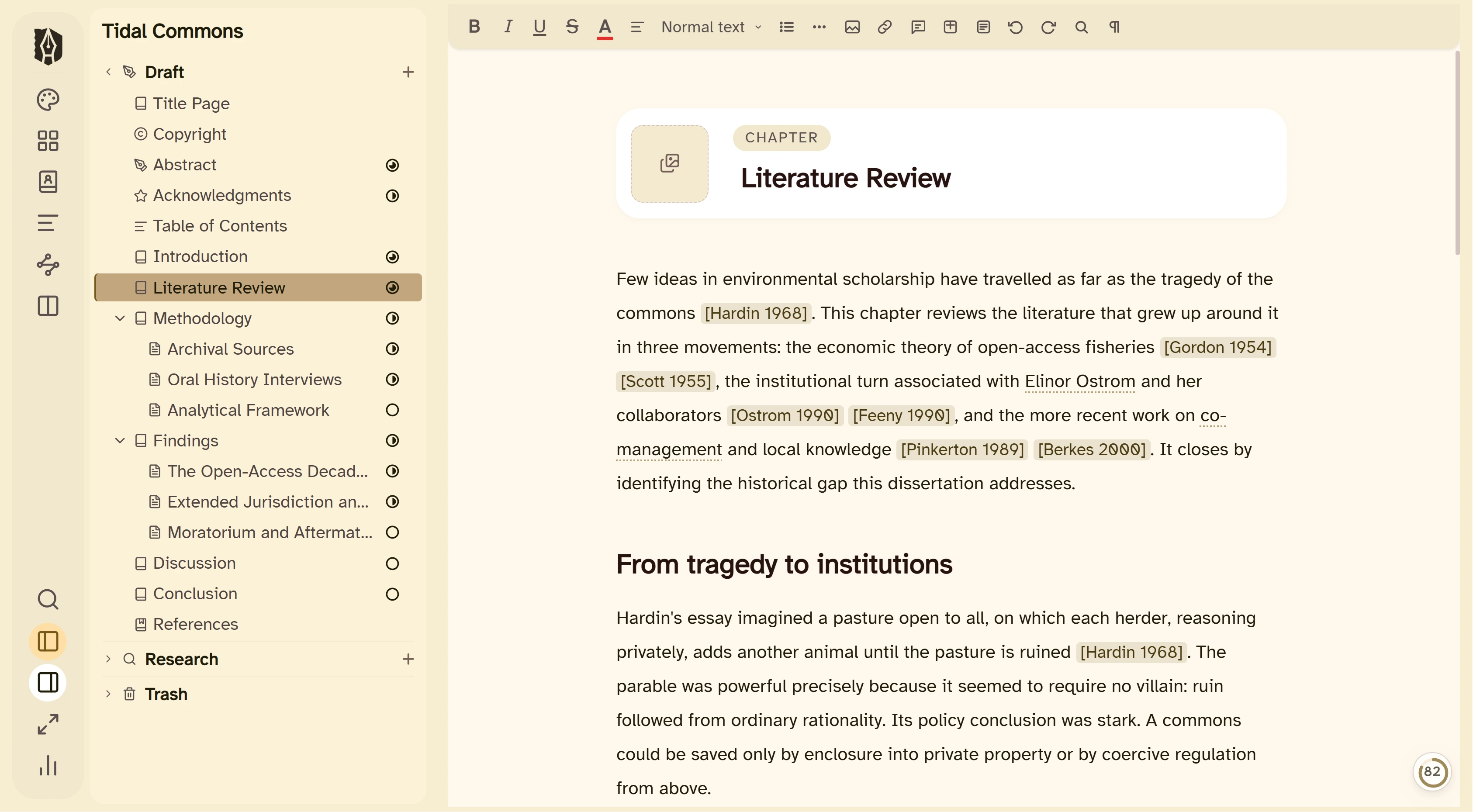
1 Structure
Every chapter its own document. The whole thing in view.
The binder holds your dissertation the way you think about it: chapters, sections and front matter, each one its own document. You never scroll a 300-page file to find your methods section again.
- Drag to restructure. Move a section between chapters and everything follows.
- Split editor. Write one chapter with another open beside it.
- Snapshots. Save a version before a big rewrite, and go back to it any time.
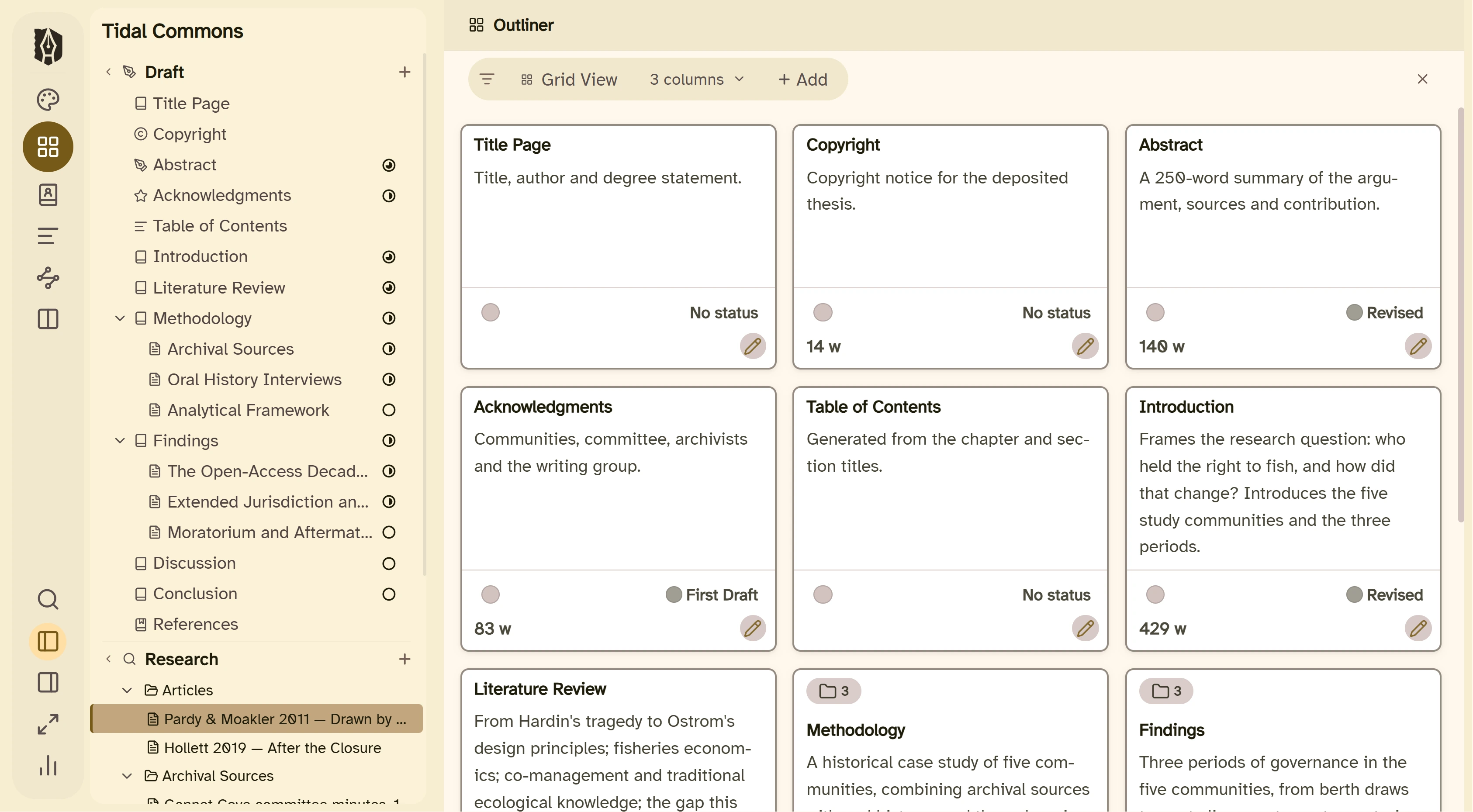
2 Citations
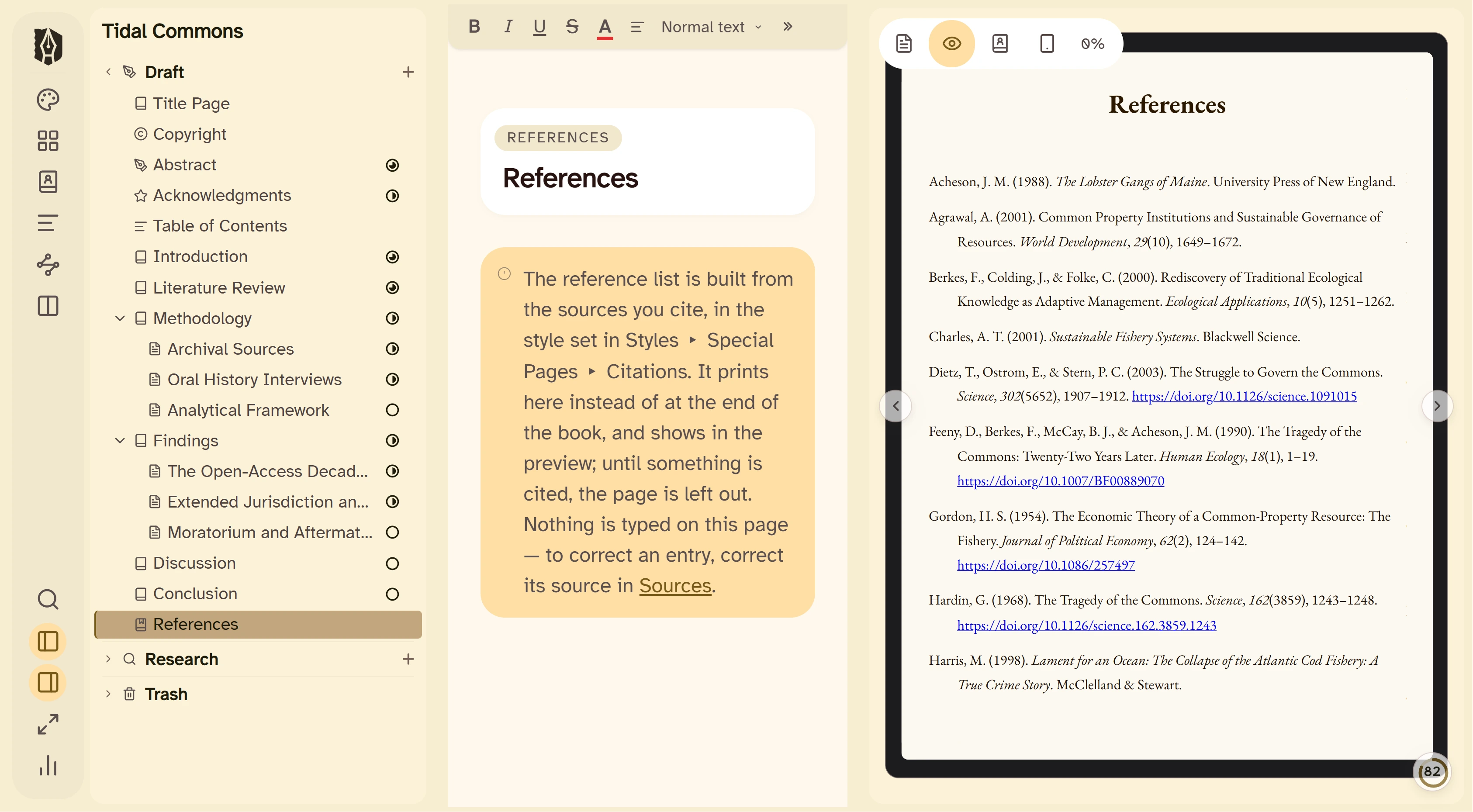
A citation manager built in, from first citation to References page.
Bring your Zotero, Mendeley or EndNote library across as a BibTeX or RIS file, cite as you write, and Deckle builds the References page in the style you choose. Change the style and every citation changes with it.
- APA 7, MLA 9, Chicago 18 (notes and bibliography, and author-date), Harvard, IEEE, Vancouver and AMA 11.
- Your journal's own style. Load any .csl file.
- Footnotes or endnotes, set once for the whole project.
3 Research
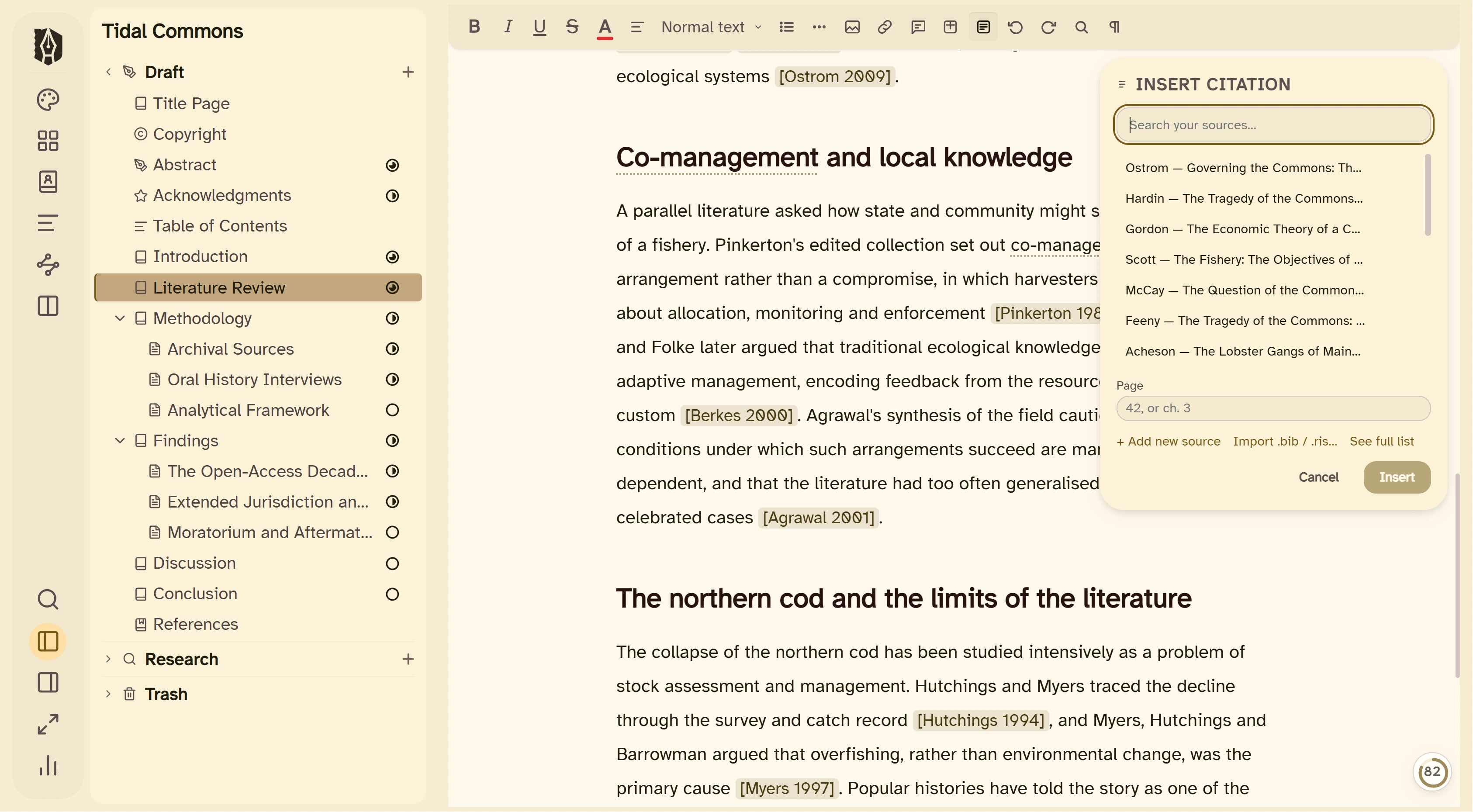
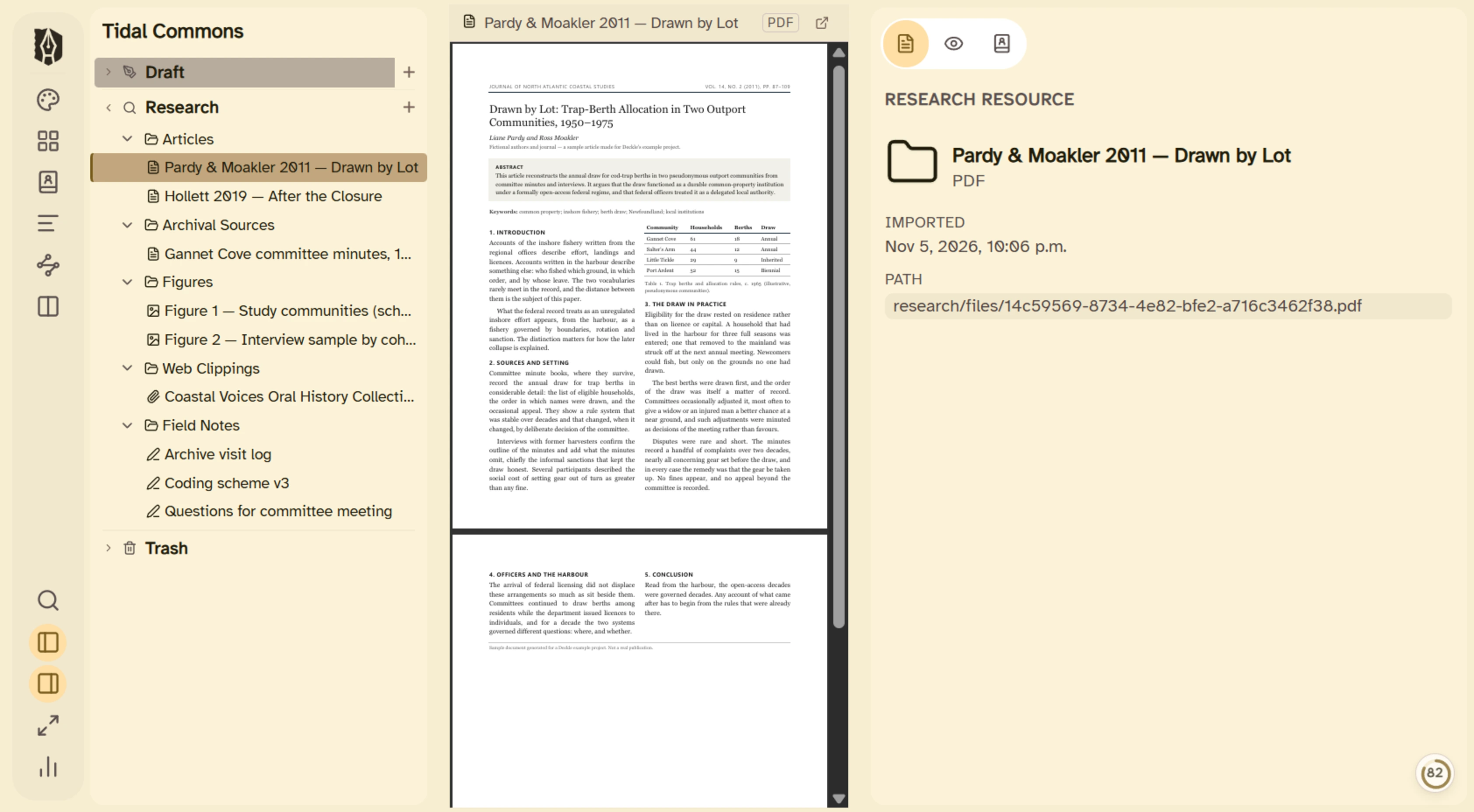
Your sources, inside the project.
A built-in research folder that lets you view your PDFs, images and web pages from inside the app. Articles, archival scans, figures and saved pages live with the draft they support, not in Downloads.
- PDFs open in Deckle's own viewer.
- Web pages saved from a link, so they're there when the site changes.
- Notes, images and Word files imported alongside them.
4 Codex
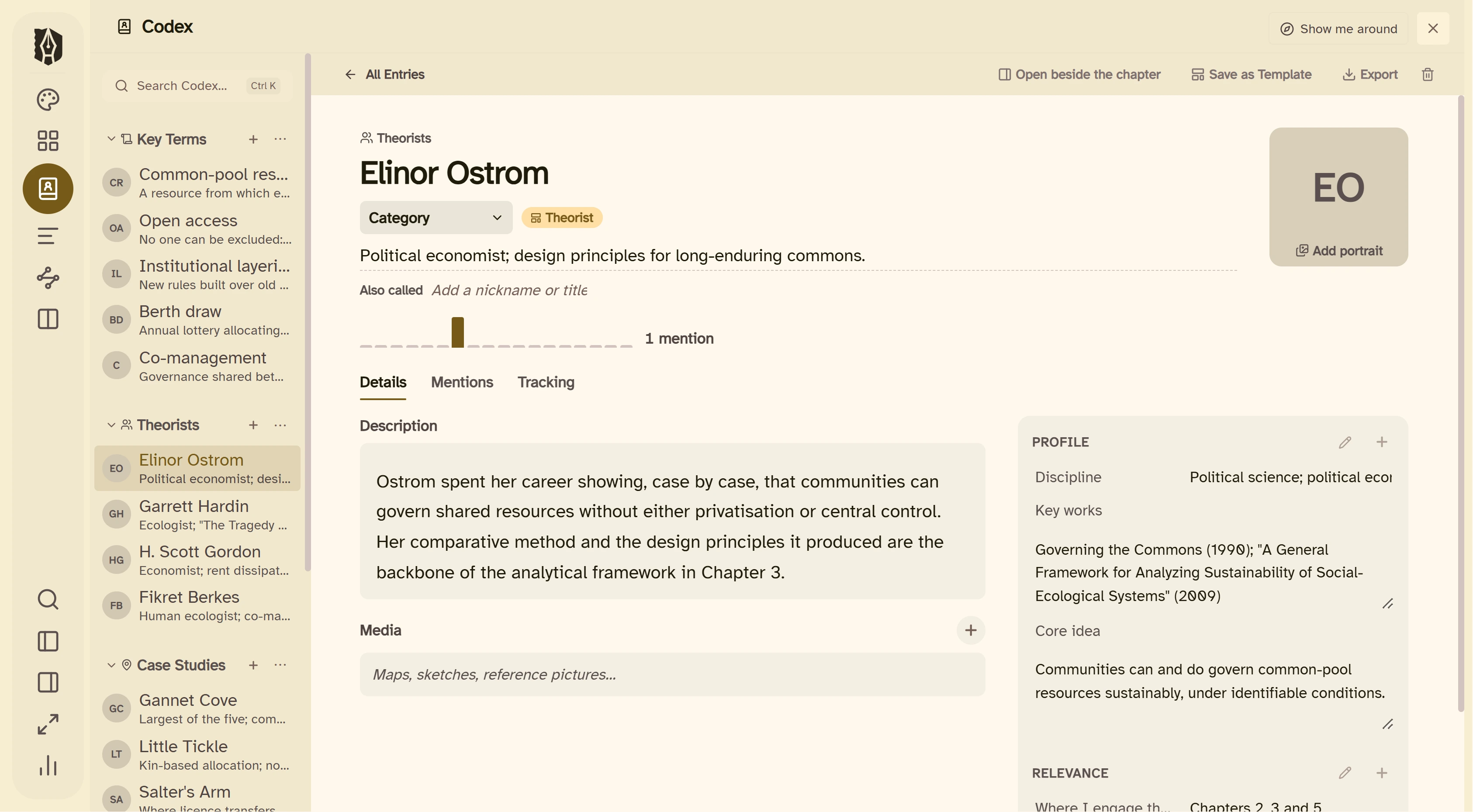
A reference file for everything your argument depends on.
The Codex holds entries in sections you name yourself, with your own templates. Use it for key terms and definitions, theorists, sources, case studies, interview participants or the aims of a grant proposal, and pull any entry up in the side panel while you write.
5 Timeline
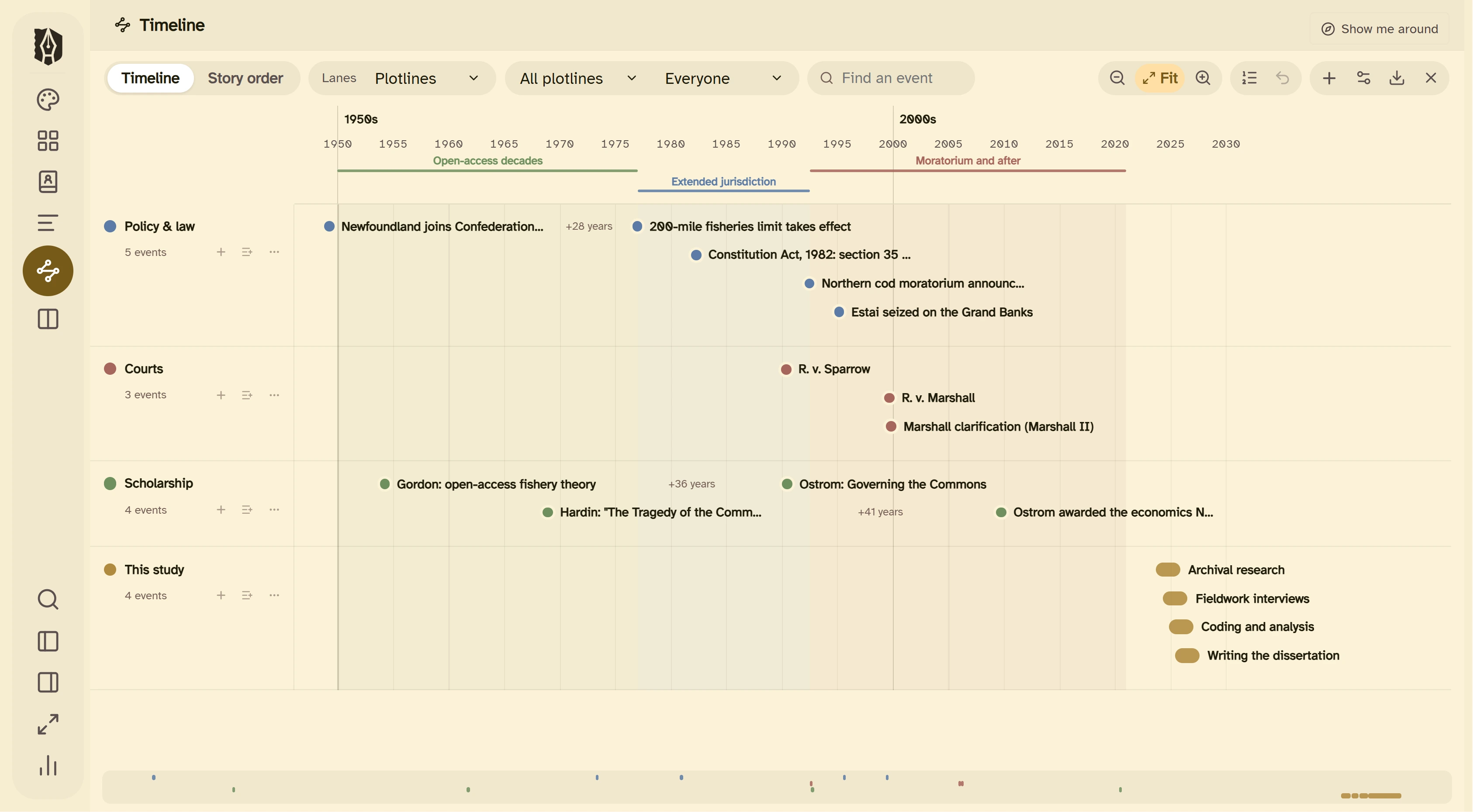
Chronologies, study phases and milestones, laid out to scale.
Place events on real dates, in lanes, and see the whole period at once: the policy history behind your case, the phases of a study, or the milestones in a grant timeline. Export it as an image, a PDF or a Word file for an appendix.
6 Progress
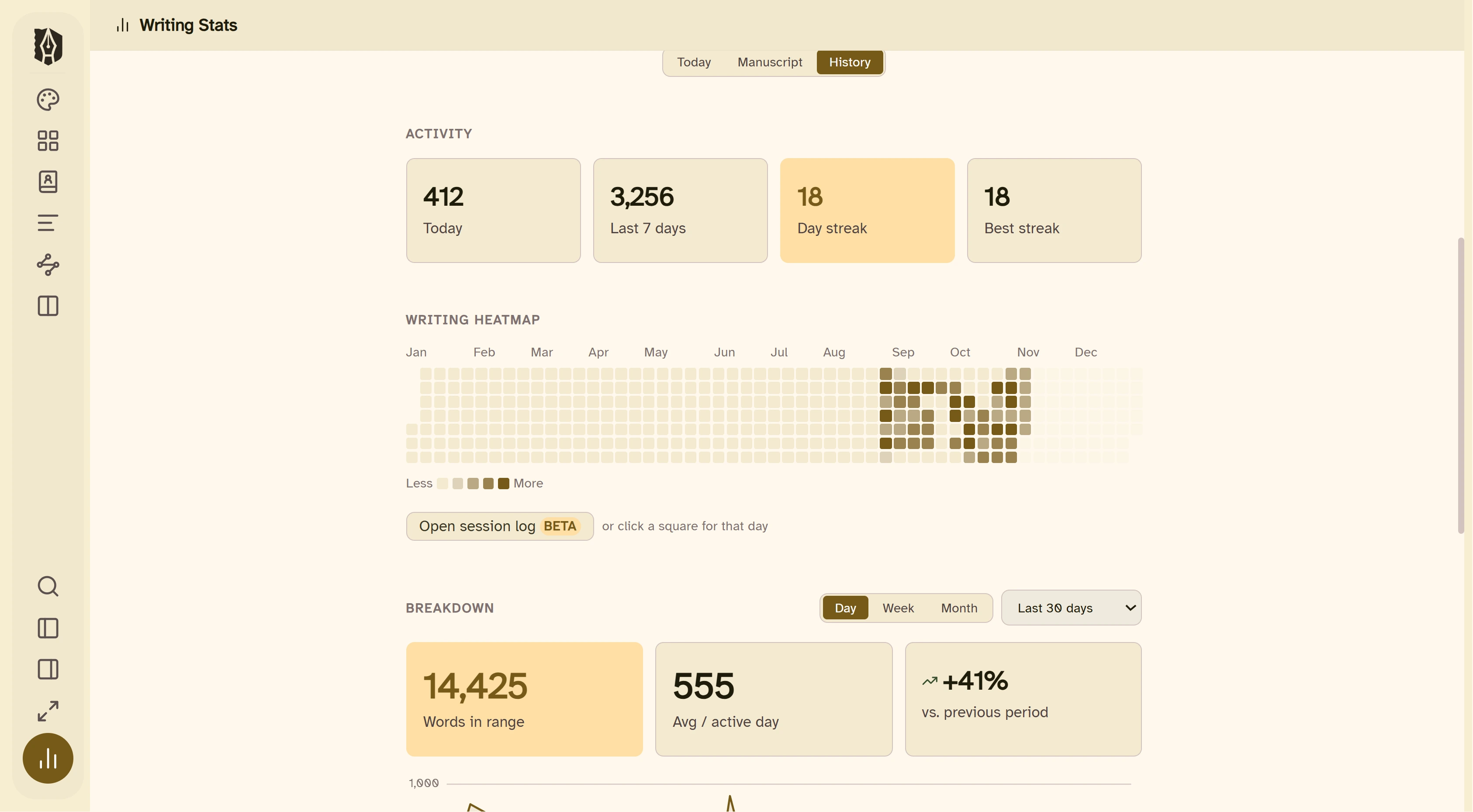
Know where you stand against the deadline.
Set a target word count and a submission date, and Writing Stats shows how far you've come and what each day needs. Daily or weekly goals, streaks, a writing heatmap and words per chapter, for the long middle of a dissertation.
- Targets and deadlines for the whole manuscript.
- Goals in words or minutes, daily or weekly.
- Writing sprints of 15, 25 or 45 minutes.
7 Submission
The right file for every reader.
When it's due, export the whole project or just the chapters you pick.
- Word for your supervisor, your committee or a journal's submission system.
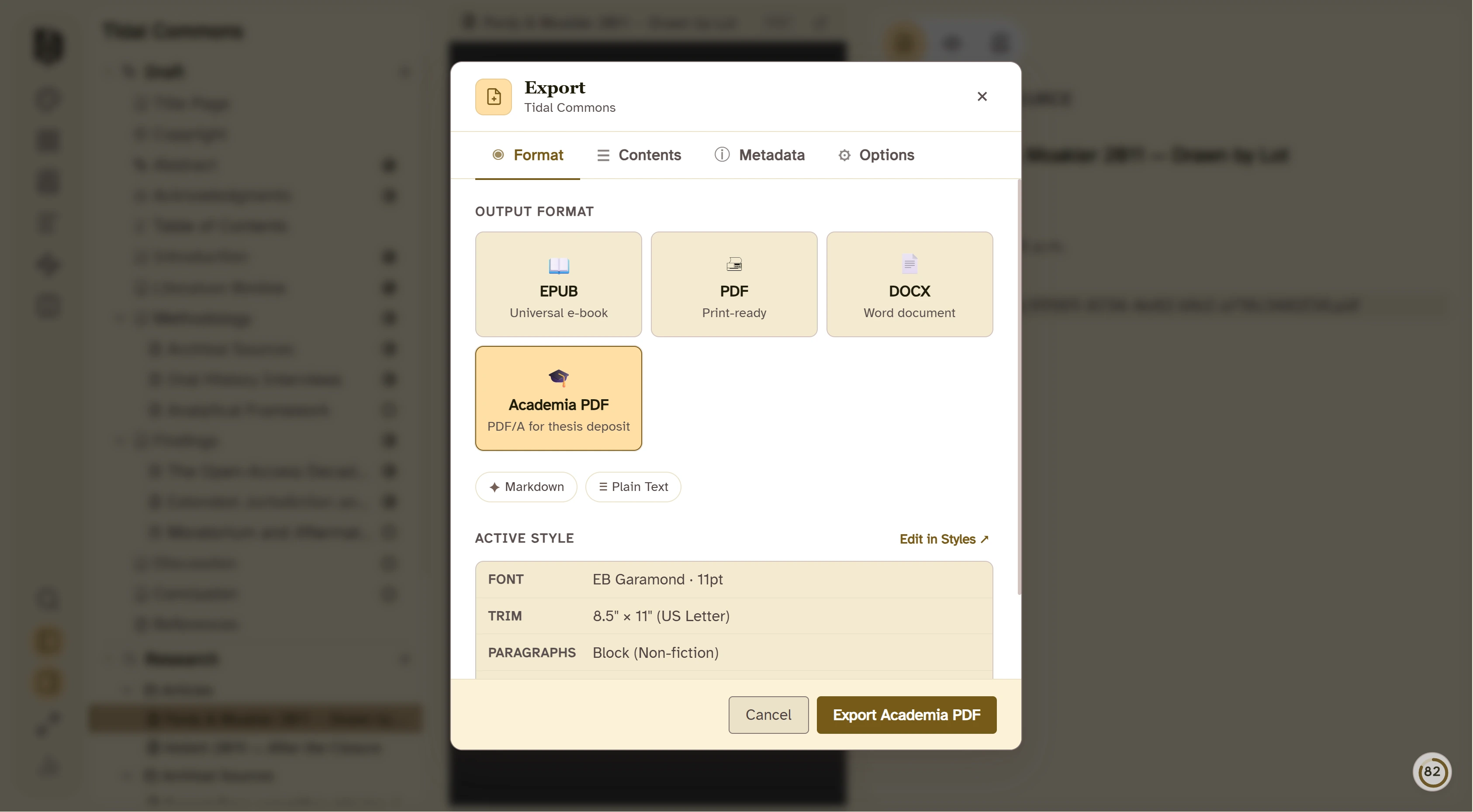
- PDF/A (Academia PDF), the archival format repositories ask for at deposit.
- PDF and EPUB for print, reading and sharing.
- Markdown and plain text when you need the words anywhere else.
Who it's for
Anyone writing something long enough to need a system.
Graduate students
A thesis or dissertation, from the proposal to the deposit copy, with every source in reach.
Faculty
Books, journal articles, edited volumes and grant proposals, each in a project of its own.
Researchers
Reports, literature reviews and long papers built on a library of sources.
Libraries and writing centers
One app to recommend for long-form writing, with licenses for whole cohorts.
Pricing
Pay once. Keep it through the whole degree, and after.
For yourself
$197one time
- Every feature on this page
- Windows, Mac and Linux, on any two devices
- Every update included, no subscription
- 30-day money-back guarantee
For a department, library or writing center
15–38% offfrom 10 licenses
- Published tiers at 10, 30, 50 and 100 licenses
- A quote for 200 or more
- Pay by card or by invoice
Questions
Before you move your thesis in.
Can I bring my Zotero, Mendeley or EndNote library?
Yes. Export your library as a BibTeX or RIS file, which all three can do, and import it from Insert Citation. Your references are then in the project, ready to cite.
Which citation styles are included?
APA 7, MLA 9, Chicago 18 (notes and bibliography, and author-date), Harvard, IEEE, Vancouver and AMA 11. For anything else, load your journal's or department's .csl file.
What about my university's thesis template?
Write and structure the thesis in Deckle, then export to Word and apply your university's template there. Or export straight to PDF, or to PDF/A for deposit.
Can I bring in a draft I've already started?
Yes. Import a Word document, a Markdown folder or a Scrivener project, and keep going from where you are.
Does it need an internet connection?
No. Deckle works offline once it's activated. Your project is a folder on your own computer, with no cloud and no AI.
Which computers does it run on?
Windows, Mac and Linux. One license covers any two devices, in any mix.
Can our department buy licenses for students?
Yes. Bulk licensing starts at 10 licenses, with published discounts and payment by invoice. See bulk pricing.
Write the long thing in one place.
Try the full app with a guided tour, free, before you decide.