Early Access  ·  $107  ·  Windows  ·  Mac

The one place to write, format,
and publish your novel.

You've been switching between apps, copying your manuscript across, and still don't know what your book will actually look like when it's printed. Deckle ends that — write, structure, and publish your novel, all from one place. One-time payment, no subscription.

Get Early Access — $107
🛡️ 30‑day money‑back guarantee — try it risk‑free

Early access price. Increases to $157 at launch. One-time payment, no subscription.

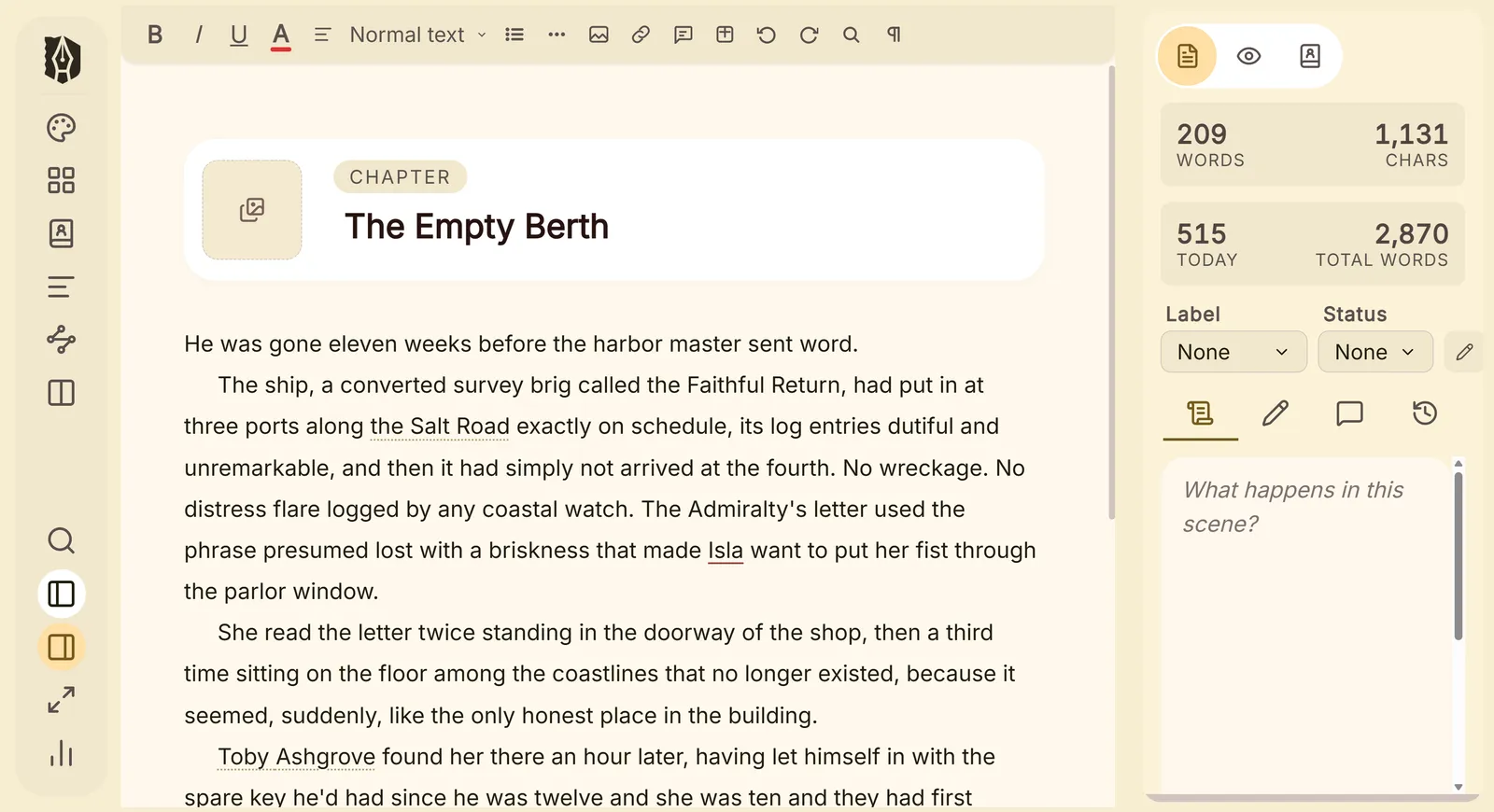
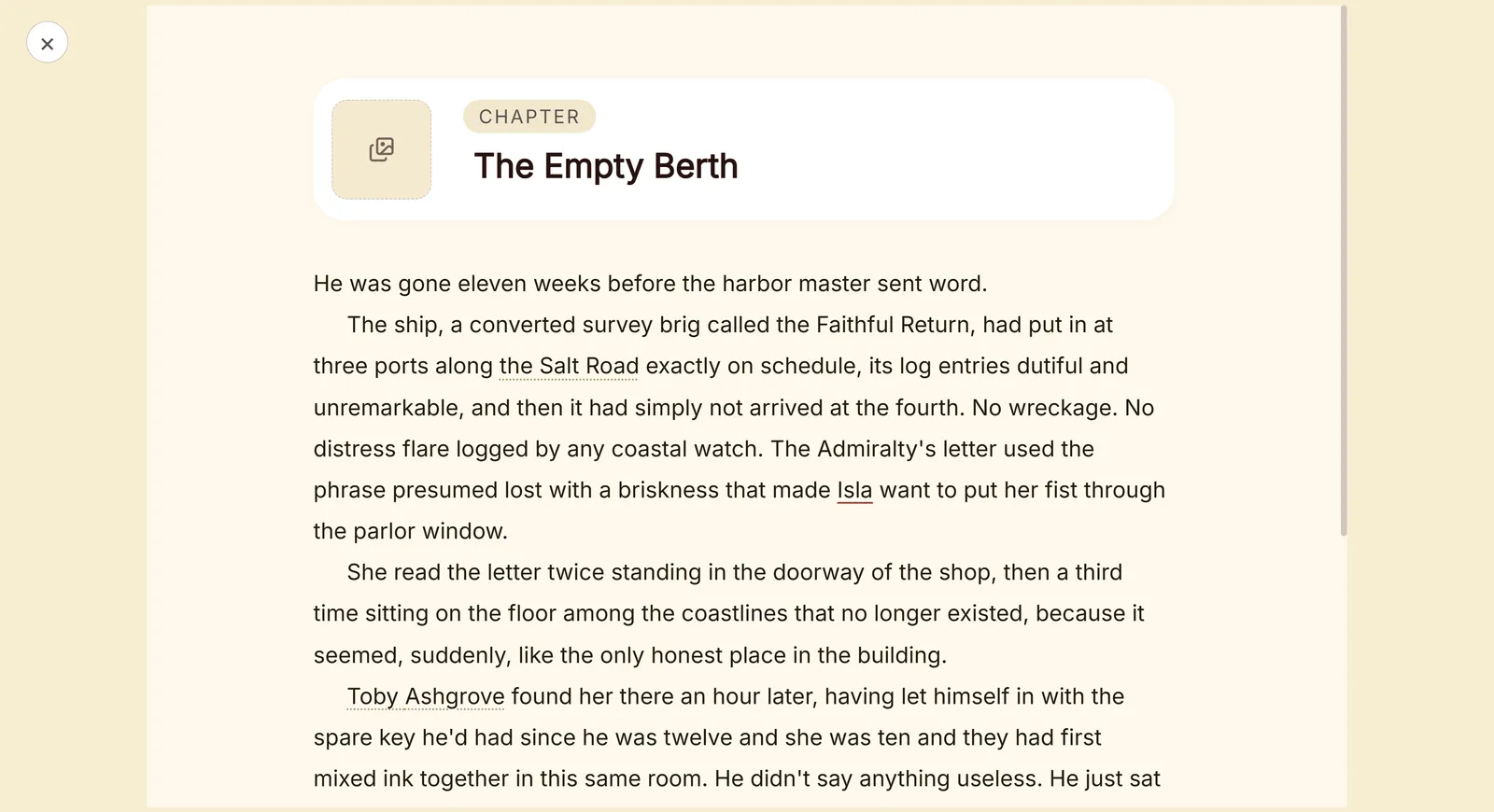
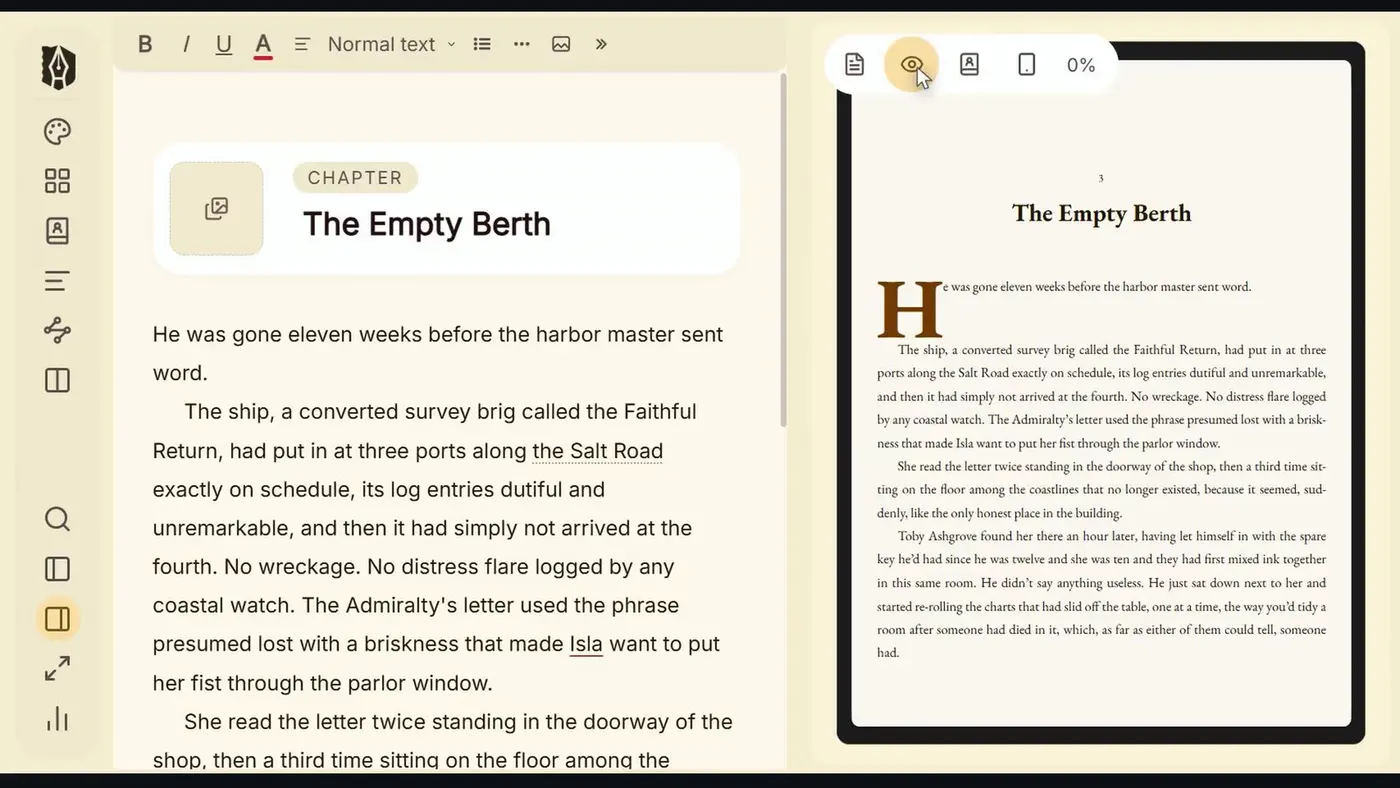
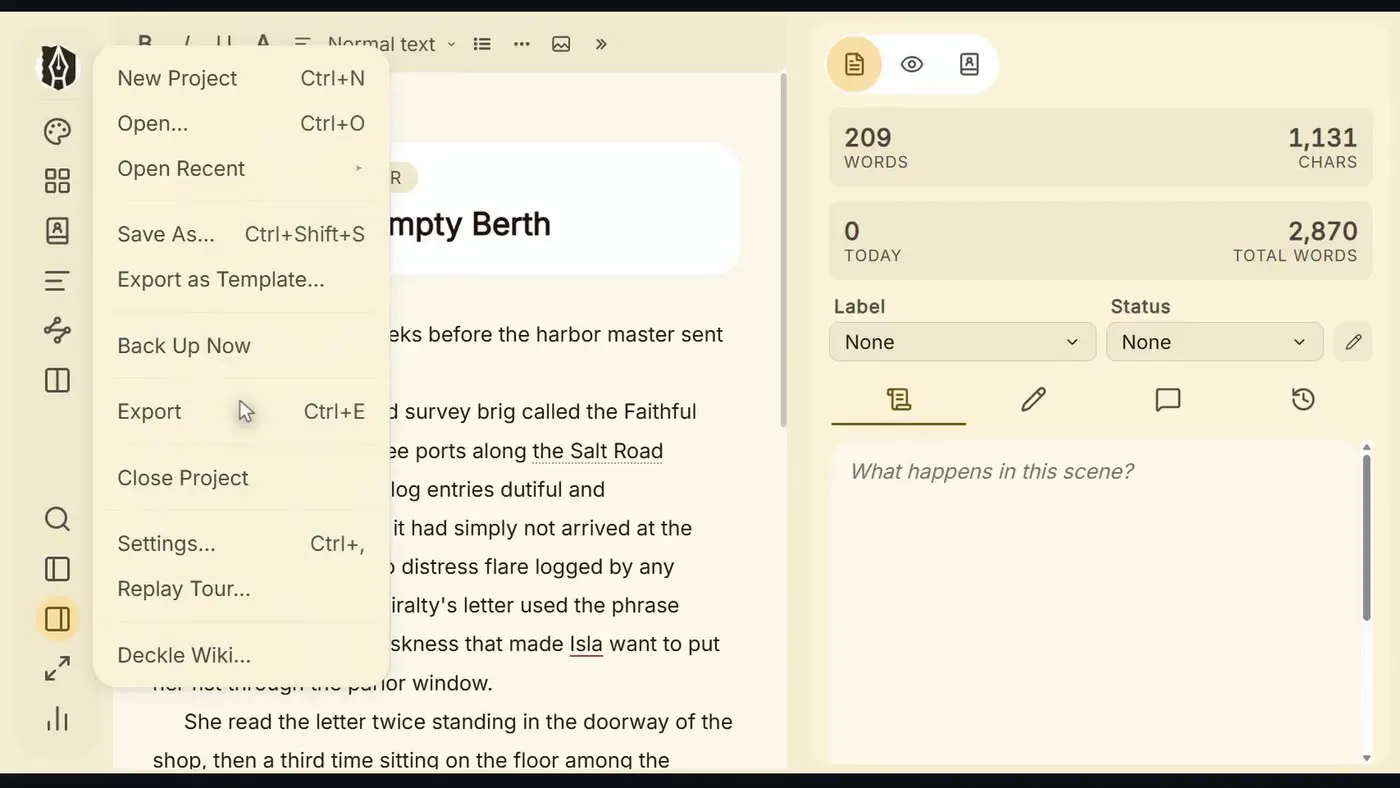
Deckle writing app — binder, editor, and inspector panel

Your entire manuscript. Every chapter, every note — one place.

Built on four promises every author deserves

🖋

Your words stay yours

Your work remains private and under your control. Export to DOCX any time, or open your project files with any text editor. You're never locked in.

💾

Saves every letter you type

Deckle autosaves on every keystroke — not every few minutes, every single keystroke. No Ctrl+S. No "did I save that?" No lost scenes. Your manuscript is always exactly as you left it.

📖

Pay once. Own it forever.

One price. Every feature. All future updates — included, forever. No renewal notices. No "upgrade to export." What you buy today is yours for life. Backed by a 30-day, no-questions-asked refund.

🏰

The whole journey, one place

Write. Organise. Research. Revise. Format. Publish. No switching between apps. No importing and exporting. No second tool required — everything your novel needs is right here.

Most other tools
stop partway.

You start in Word. By chapter five you're lost — scrolling endlessly, no structure, no sense of the whole. Word was built for memos. Not novels.

So you try Scrivener. The binder is excellent for organising your manuscript. But when it's time to publish, you hit a wall — the compile feature can be complex to configure, and many writers end up buying dedicated formatting software like Vellum ($249, Mac only) or Atticus ($147) just to get a polished, print-ready result. Now you're managing two tools, two workflows, and two sets of files — every time you want to see how your book will look in its finished form.

Tools that excel at writing often stop before the publishing stage. Tools built for publishing typically don't include writing features. And transferring between them is rarely seamless.

"I just want to write my novel and publish it. Why does this require multiple pieces of software?"

Deckle was built to answer that question. The one place to write, format, and publish your novel — nothing left out.

Already in Scrivener?

You don't start over. Deckle imports your Scrivener project directly — chapters, scenes, synopses, notes, and research all come with it in one step.

Common frustrations with other writing tools

The challenges you've probably
already researched.

Scrivener

"Compile can be complex and time-consuming to configure."

Powerful software with many options — but the compile feature has a reputation for being challenging to set up. Many writers find they need a second tool to achieve the professional output they're looking for.

DeckleOne-click export to print PDF, EPUB, or DOCX. What you see is what your readers get.
Vellum

"$249. Mac only. Formatting only."

Vellum offers beautiful, polished output — but it's strictly a formatting tool. You still need a separate app for writing. Priced at $249 and available only on Mac, it's a significant add-on for a single part of the workflow.

Deckle$107. Windows and Mac. Write, organise, and format — all in one place.
Atticus

"It runs in a browser. I need internet to work."

Atticus is a Progressive Web App that runs in Chrome. Your book lives on their servers, and offline mode has limitations — you can't import, export, or save locally without reconnecting first.

DeckleA native desktop app. Works fully offline. Your manuscript is always available, no internet required.
Word / Google Docs

"It wasn't built for a novel."

No binder. No scene hierarchy. No corkboard. No synopses. Excellent tools — for documents. A 90,000-word novel is not a document.

DeckleBuilt from the ground up for long-form fiction. Structure is built in, not bolted on.
Scrivener + Vellum

"That's $298 and two separate tools."

A popular combination for writers who need both writing organisation and professional formatting. Both are strong products, but you're looking at $298 total, two separate learning curves, and an import step every time you want to preview your book's final appearance.

Deckle$107. One place. Everything included. No import step required.
Already in Scrivener?

"Switching tools means starting over."

Years of work, organised exactly how you like it. The thought of rebuilding your project from scratch in a new app is enough to keep most writers stuck where they are — even when the tool isn't working for them.

DeckleImport your Scrivener project directly. Chapters, scenes, synopses, notes, and research all come with it. One step.

The Complete Author's Studio

Everything your novel needs.
All in one place.

The Manuscript

A home for every
piece of your story.

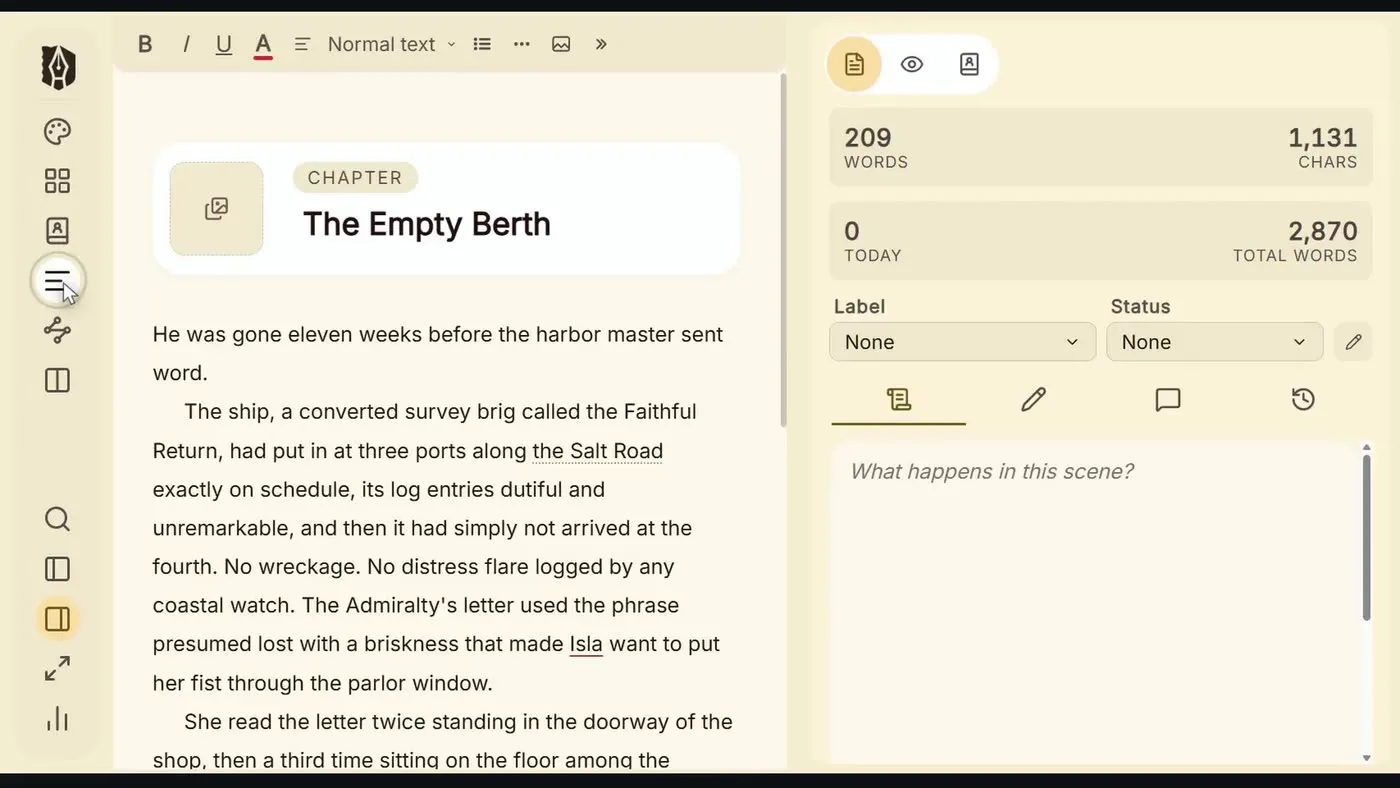
The Binder organises your novel the way a novel actually works — chapters, scenes, notes, and research in a clear, navigable hierarchy. Drag to reorder. Nest scenes inside chapters. See everything at once.

  • Drag, nest, and reorder — your structure moves with your thinking
  • Separate folders for Draft, Research, Notes, and Trash
  • Custom labels and statuses to track progress across your manuscript
  • Every document has its own Synopsis and Notes for the thinking behind the scene
  • Already in Scrivener? Import your project directly — chapters, synopses, notes, and research come with it
Deckle binder panel

The Editor

Built for fiction.
Not spreadsheets.

Deckle's editor understands what a novelist needs. Blocks for verse, dialogue, found letters, and epigraphs. Comments anchored to your text — paragraph-level or selection-based. Named snapshots so you can restore any previous draft with one click. Every keystroke saved automatically — you never have to think about it.

  • Fiction blocks: Verse, Dialogue, Written Notes, Epigraphs, Insets
  • Comments — attach to the whole document or anchor to a specific text selection, visible in the Inspector
  • Named snapshots — restore any previous version, any time
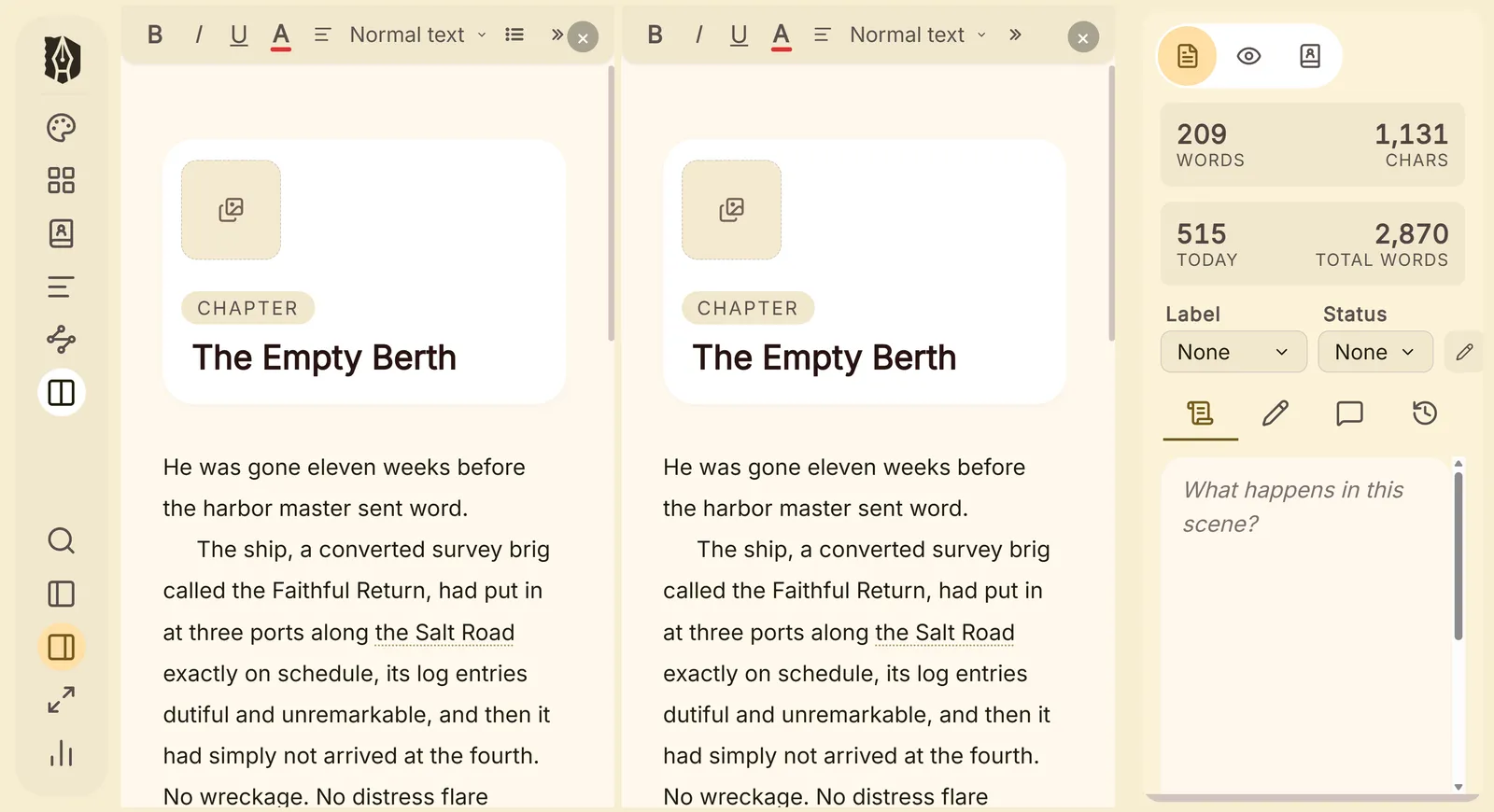
  • Split up to 4 panes — write Chapter 14 with Chapter 3 open beside it
  • Autosaved on every keystroke, directly to your project — no manual saving, ever
  • Find & replace across your entire manuscript, with regex support
Deckle editor

The Workspace

Four ways to see
your story.

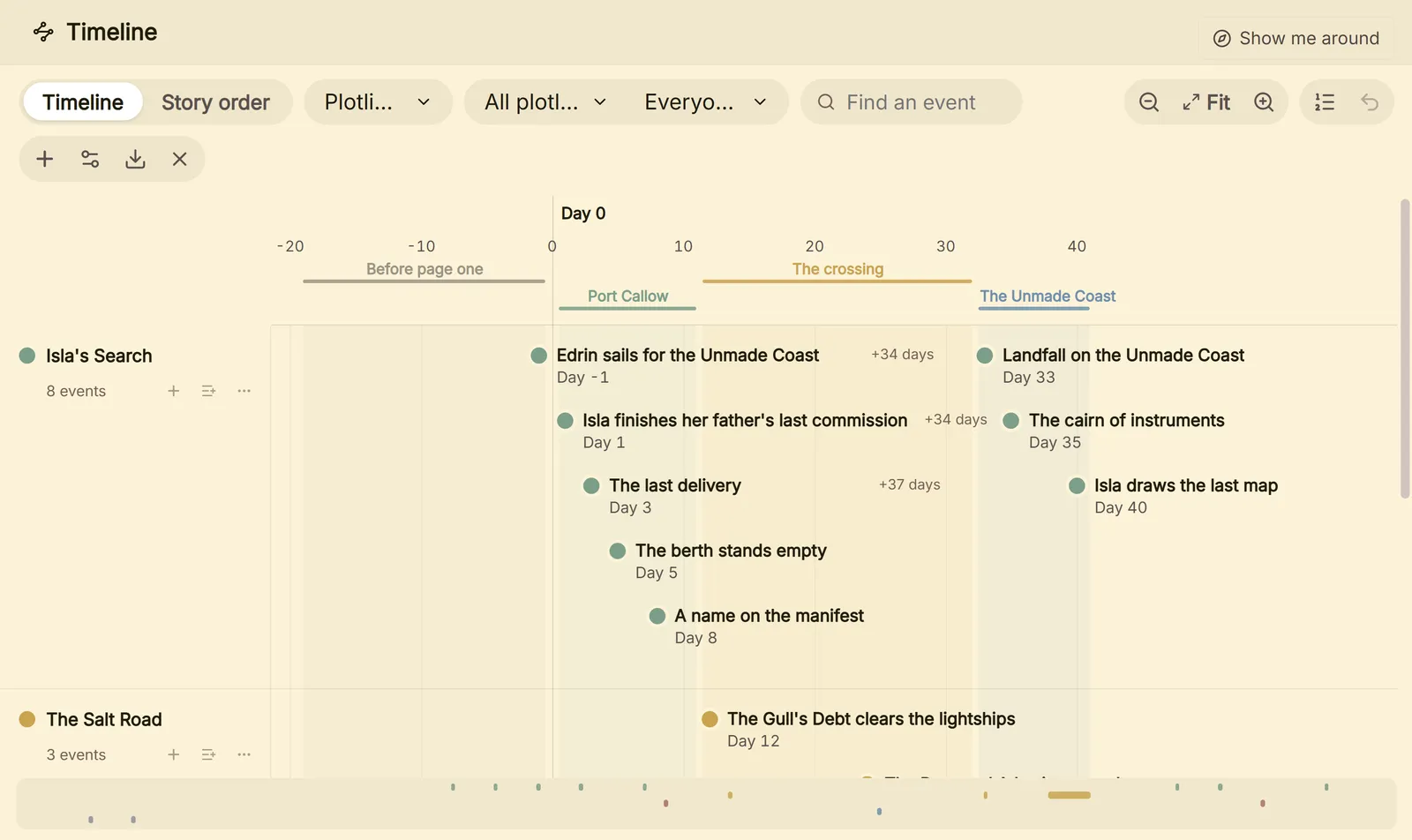
Drafting, plotting, revising, and planning each demand a different view of your novel. Deckle gives you four — one click away, always.

  • Standard Editor — focused, distraction-free writing
  • Continuous View — your entire manuscript as one unbroken scroll, every chapter flowing seamlessly into the next
  • The Deck — switch between grid view (visual card plotting) and list view (word counts, statuses, synopses across every document)
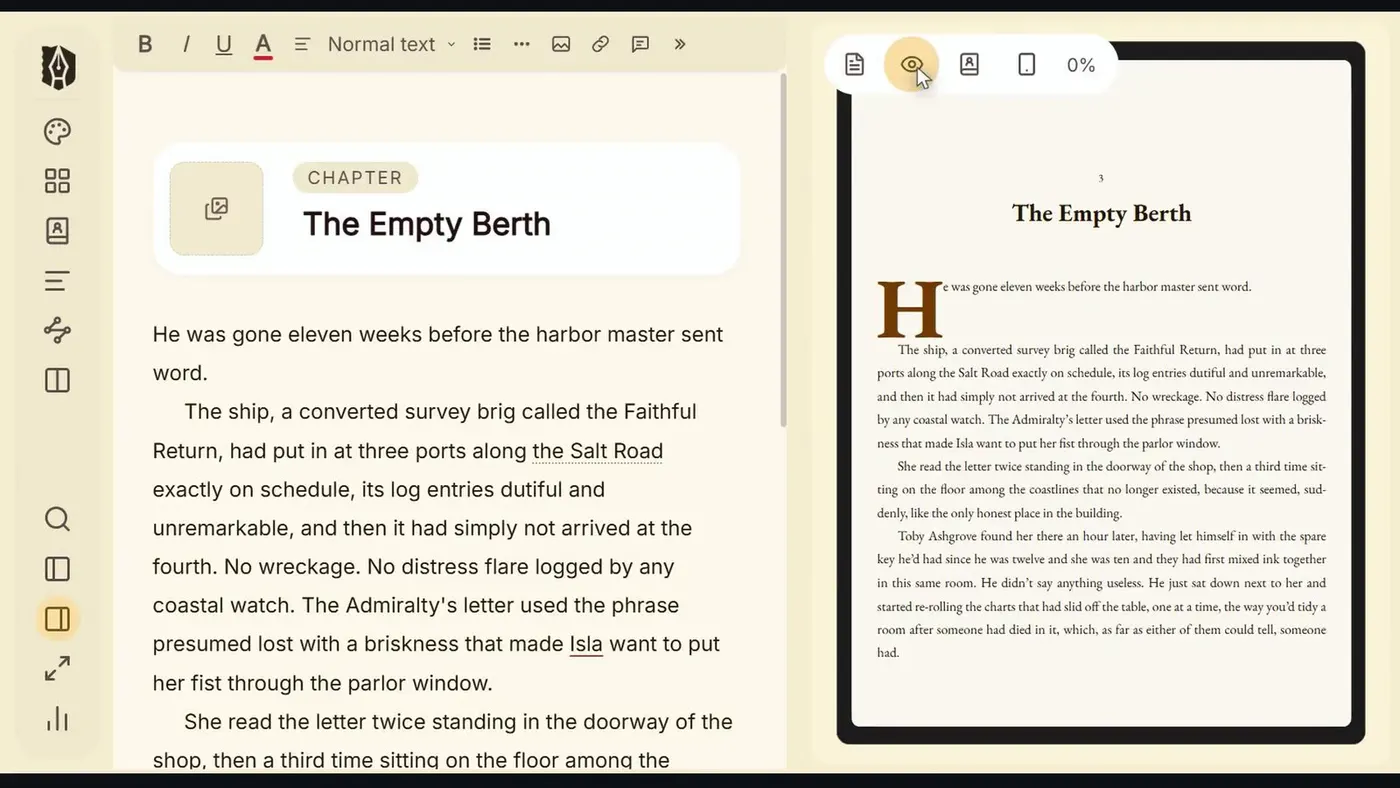
  • Live Preview — preview your EPUB on Kindle, iPhone, or iPad, or see your print layout page by page

The preview runs the actual export compiler. What you see is exactly what your readers will get — not an approximation.

Deckle — The Deck grid view
Deckle — Continuous View mode

Continuous View — your full manuscript in one unbroken scroll

The Research Room

Your world,
beside your words.

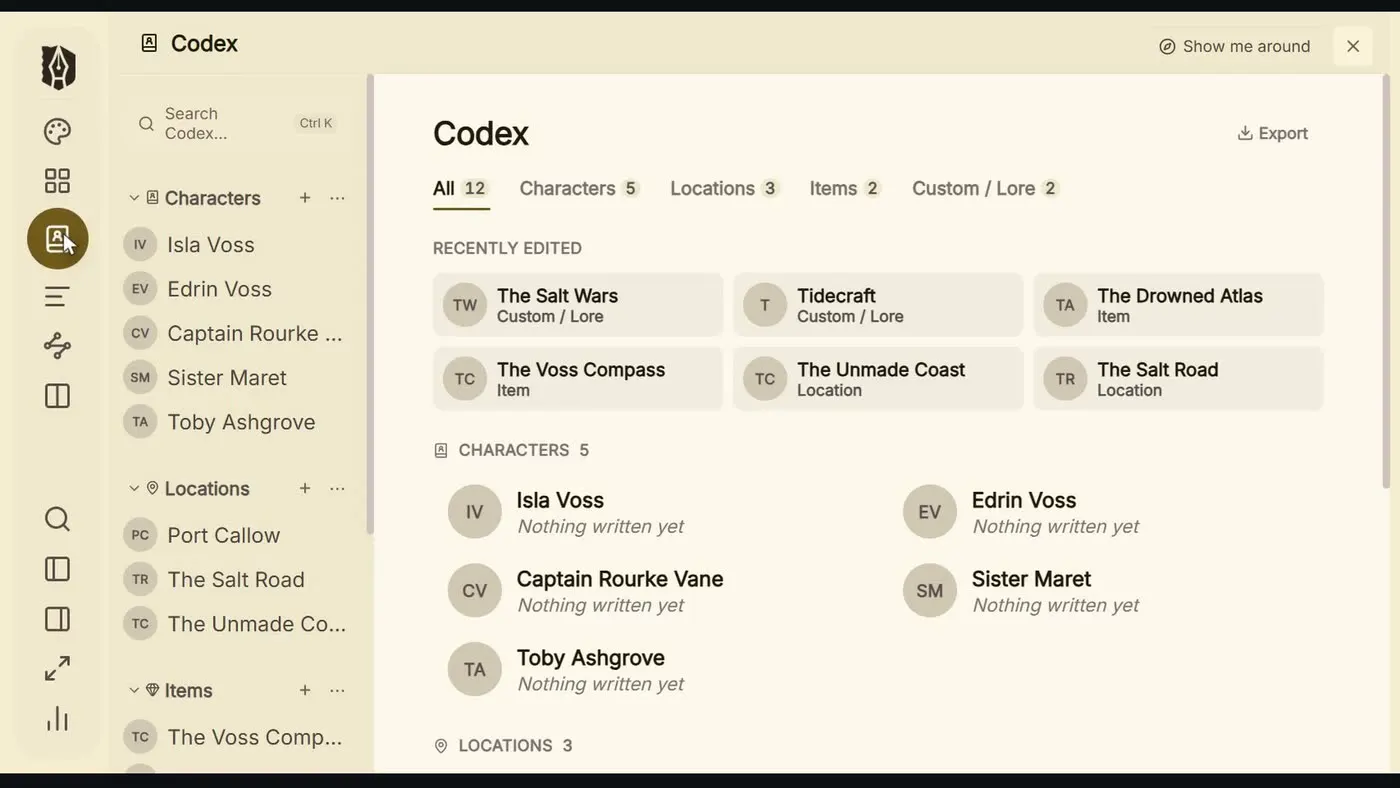
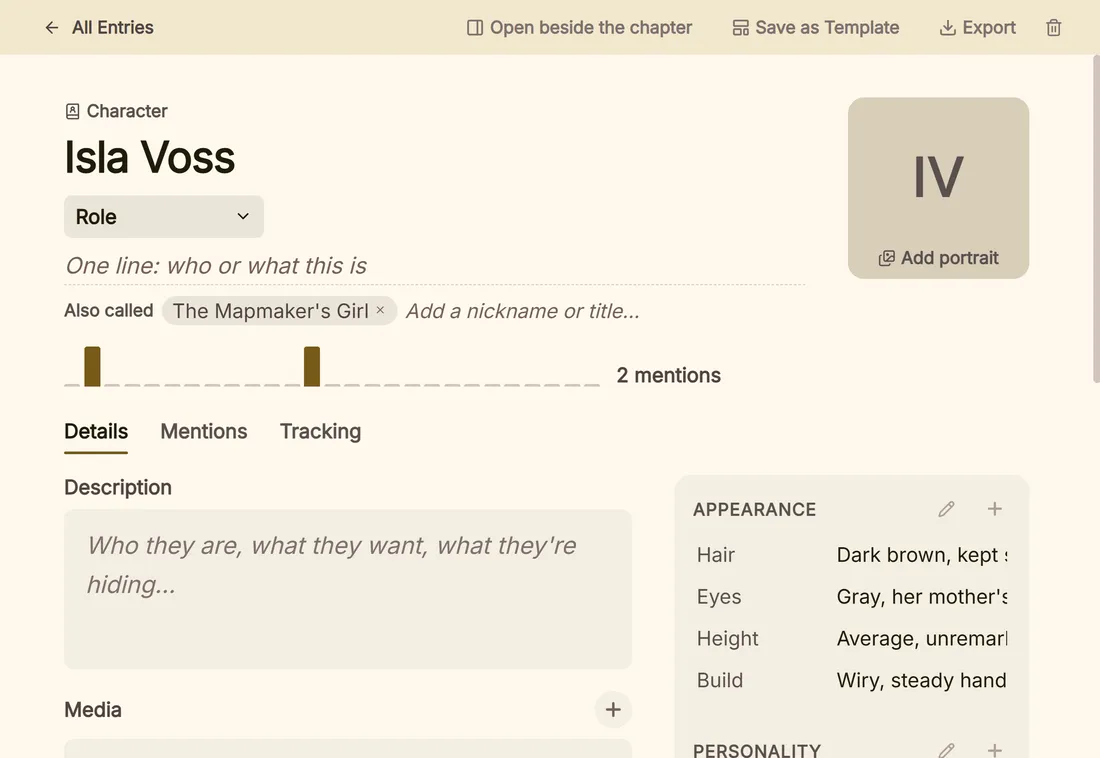
Character sheets, location profiles, PDFs, images — kept inside Deckle, always one click from the scene you're writing. Your research lives alongside your manuscript. No external folders. No lost files.

  • View PDFs and images in a split pane alongside the editor
  • Research stays with your project — move machines, take everything with you
  • Structured worldbuilding templates — Character Sheets, Location Profiles, and Worldbuilding Notes (coming soon)
Deckle research panel

The Publishing Pipeline

From manuscript
to finished book.

Deckle produces professionally typeset, publication-ready output — for print, for Kindle, for Apple Books, for your agent — all from the same place you wrote it. No separate formatting tool required.

  • Print-ready PDF for KDP & IngramSpark — passes KDP preflight, fonts fully embedded, paperback and hardcover
  • EPUB for every platform — four separate export targets, each optimised for its store: Kindle, Apple Books, Kobo, and generic EPUB. All EPUBCheck validated.
  • DOCX — clean standard manuscript format for agents and editors
  • Typographic theme engine — 26 presets plus deep per-element control over every detail of how your book looks

Professional typesetting is built into Deckle — no separate purchase required.

Deckle export panel

The Typographic Studio

Your book should look
exactly how you imagine it.

Most formatting tools give you a handful of styles and call it done. Deckle's Styler is a full typographic control room — 26 curated presets to start from, and a deep advanced mode that puts every detail in your hands. All built right into your writing app.

26 Curated Presets

From classical serifs to bold editorial sans, from romantic fleurons to clean screen-first layouts. Every preset is a complete, considered design — typeface pairing, spacing, colours, chapter ornament, and scene break style all set together. Includes dedicated options for dyslexia-friendly and high-legibility reading.

§

Advanced Mode

When a preset isn't quite right, Advanced Mode exposes every layer of the design. Chapter header sink, number format, ornament glyph, title alignment. Drop cap size, colour, and font. Running header content, page number position. Widow and orphan control. Margin overrides. Per-block styling for blockquotes, verse, dialogue, insets, and more — each with its own font, size, border, background, and spacing controls.

One Style, Every Format

Your style settings drive the editor, the EPUB, and the print PDF simultaneously. Change your body font and it updates everywhere — what you see while writing, what your ebook readers see, and what comes out of the printer. No separate formatting pass. No re-exporting to check.

Front & Back Matter

Title page, copyright, dedication, epigraph, table of contents, foreword, about the author, acknowledgments, also by, glossary — each with its own layout options. The TOC is generated automatically from your chapter hierarchy. Copyright year, position, and preset are all configurable. Nothing is hard-coded.

Scribe Oxford Artisan Meridian Noir Epic Kindred Vanguard Muse Classic Trace Crimson Legible Dyslexic + 12 more
Deckle Styler — preset picker

Simple mode — pick a preset and go

Deckle Styler — advanced mode

Advanced mode — every detail, your way

The Publishing Pipeline in Action

Your novel on every platform.
Beautifully.

Click a device to see how your finished book looks on each platform.

Book on Kindle
Kindle EPUB — hyphenation-optimised, clean chapter breaks, correct metadata for Amazon.
Book on iPhone
Apple Books (iPhone) — responsive and beautiful at every font size.
Book on iPad
Apple Books (iPad) — two-column layout on larger screens.
Print PDF — drop caps, running headers, crop marks, automated spine-width calculation.

Early Access

The price that rewards
the early ones.

What other tools cost to do part of what Deckle does

Vellum formatting only, Mac only $249
Atticus formatting + writing, browser-based $147
Scrivener + Vellum writing + formatting, two separate apps $298
Deckle — write, format, and publish, all in one place $107

Early Access

$107$157

One-time payment. No subscription. Yours forever.

  • Every feature — nothing locked, nothing held back
  • All future updates included. Forever. No upgrade fees. Ever.
  • Windows and Mac — one purchase covers both
  • Your manuscript stays on your computer — never forced to the cloud
  • Early access means you help shape what Deckle becomes
Get Early Access — $107
🛡️ 30‑day money‑back guarantee — try it risk‑free

Early access pricing ends at launch — price increases to $157. One-time payment, no renewals.

Every feature on this page is in the product today. This isn't a promise — it's a working tool.

One place. Your whole novel.

Your story deserves a room of its own.

Claim Early Access — $107
🛡️ 30‑day money‑back guarantee — no questions asked

One-time payment. No subscription. Price increases to $157 at launch.

Questions
worth answering.

What does "Early Access" actually mean?

Deckle is a complete, fully functional application — not a concept or a waitlist. Every feature on this page is in the product today. "Early Access" means refinements are still coming, and your purchase helps fund them. You're buying a working tool, not a promise.

What if I try it and it's not right for me?

You're covered by a 30-day, no-questions-asked money-back guarantee. If Deckle doesn't earn its place in your workflow within 30 days of purchase, email us and you'll get a full refund — no hassle, no fine print.

Will I pay again when the price goes up?

No. Your $107 purchase locks in your copy forever. When the price increases to $157 at full launch, you pay nothing more. All future updates are included — forever.

How is Deckle different from Scrivener?

Scrivener is excellent for writing and organising — and it stops at the manuscript. When it's time to publish, you need another tool. Deckle is the one place to write, format, and publish: professional print PDF, Kindle-optimised EPUB, Apple Books, Kobo, DOCX for agents — all without leaving the app you wrote in. And if you're already in Scrivener, you can import your project directly — chapters, synopses, notes, and research all come across in one step.

How is Deckle different from Atticus?

Atticus is a browser-based Progressive Web App that runs in Chrome and stores your work on its servers. It has an offline mode, but you must load your book online first and some features (import, export, local saving) aren't available offline. Deckle is a native desktop application — your work is stored on your computer, and you can write, save, and export completely offline. No internet required.

Can I import my existing Scrivener project?

Yes. Deckle imports Scrivener projects directly from the .zip export. Your chapter and scene structure, synopses, notes, inline comments, and research all come across. You don't start over — you pick up where you left off, in a tool that can take you the rest of the way.

Where are my files stored?

Your Deckle project is stored as a folder on your computer. You can back it up, move it, or open it with any text editor. It's yours — no cloud server required.

What platforms does Deckle run on?

Windows and Mac. Your purchase covers both at no extra cost.

Can I export a Kindle-ready file?

Yes. Deckle exports four separate EPUB targets — each optimised for its platform: Kindle, Apple Books, Kobo, and a generic EPUB for everything else. All four are validated against the EPUB 3.3 spec. Hyphenation, chapter breaks, and metadata are tuned per platform so you upload the right file to the right store without any manual adjustments.

What about submitting to a literary agent?

Deckle exports clean DOCX in standard manuscript format — exactly what agents and editors expect.

I already own Scrivener. Is switching worth it?

If you're happy with Scrivener for writing, Deckle can save you money the moment you need to publish. Instead of adding a separate formatting tool like Vellum ($249) or Atticus ($147), Deckle provides both writing and professional formatting — for $107. And you can import your existing Scrivener project directly, so nothing you've already built is lost.

From the Deckle Blog

Honest advice for
the deciding author.

Still deciding? We've written the honest comparisons you're looking for — no affiliate bias, just facts.

The Best Book Formatting Software for Self-Publishing Authors

Vellum, Atticus, Deckle, and others — a clear-eyed look at every option and who each one is actually for.

15 min read

Scrivener vs Atticus vs Deckle: The Honest Comparison

You know these three names. Here's a detailed look at who each one is actually for — and who it isn't.

14 min read

Is Scrivener Worth It in 2026?

Still widely regarded for manuscript organisation. But is it the right choice — especially if you also need to publish?

12 min read

Vellum Alternatives for Windows & Non-Mac Authors

Vellum is excellent — if you're on a Mac with $249 to spare. For everyone else, here's what to consider.

14 min read

Deckle vs Atticus: Which Should You Buy?

Both write and format. But they make very different choices about how you work and where your manuscript lives.

13 min read