

Every "best Scrivener alternative" list you have read is affiliate content. No standards body, publisher or professional association ranks writing software, so a ranking cannot be sourced, and this page will not invent one.
 Import from Word, EPUB, Scrivener or Markdown
What can be established is the thing that actually matters when you commit years of work to a tool: how it stores your manuscript, and what happens when you want to leave.
Why Portability Is the Real Question
Features are easy to compare from a screenshot and easy to change. Storage format is neither, and it determines whether your book is still yours in five years.
Literature and Latte document their own constraints honestly, which makes Scrivener the clearest worked example rather than a target.
A Scrivener project is not a file. On Mac it is "a package file" containing "many important subfolders and files that are necessary for the project to function". On Windows, "the whole folder makes up the project. It must move together, and be copied together when making backups."
That makes syncing harder. "A Scrivener project is made up of many linked and interdependent files, and each one needs to be synced correctly to avoid problems", and "no syncing solution is 100% reliable." They warn that cloud storage optimisation "can cause some of the component files in your project to appear to be missing or blank."
Cross-platform is claimed lossless and documented lossy. The same page states the format is "fully cross-platform compatible. There will never be a need to convert or export your project", then lists bookmarks and linked images that "may need to be repaired after migrating", lists that "may break when viewed on Windows", substituted fonts, and file types each platform cannot read.
Backups rotate and overwrite. "Scrivener's automatic backup system works on a rotating basis, with the most recent backups overwriting the oldest."
None of that makes it bad software. It is what a structured project format costs, and most alternatives carry a version of the same cost without documenting it as openly.
The Format Underneath
Almost nobody checks this. Scrivener stores document text as RTF inside the project package, which we know first-hand because Deckle's importer has to parse those files to read a Scrivener project.
RTF is frozen at 2008 and proprietary. Microsoft's own note: "Features and functionality that are new to Word 2010 and future versions of Word are lost when they are saved in RTF." Word's Save As dialog warns it "does not reliably preserve the formatting, layout, or other features of the document." And it has no Unicode: "RTF does not use a UTF encoding."
So when you evaluate an alternative, ask what it stores prose as, not only what it can export.
What to Actually Check
Six questions, all answerable before you commit, and none requiring anyone's opinion:
- Is the project one file or a folder? A single file syncs, copies and backs up like any document. A folder can partially sync.
- What is the text stored as? Plain text, Markdown, XML and SQLite are inspectable. Proprietary binary is not.
- Can you export DOCX with real styles? Styles are what an editor needs, per DOCX vs RTF for sending to an editor.
- What happens to notes, synopses, labels and status? These almost never survive any export, and no vendor publishes what does.
- Does it export EPUB and print PDF, or only a manuscript? Matters if you intend to self publish.
- What do the backups do? Rotating overwrite is common and is a real data-loss risk.
Then test it. No vendor publishes a round-trip fidelity matrix, so the only way to know is a test file with everything you use: two chapters, a scene break, italics, a footnote, a comment, an image with a caption, and any accented characters. Method in how to move a manuscript between writing apps.
The Honest Categories
Rather than ranking products, the alternatives fall into three kinds, and the choice between kinds matters more than the choice within one.
Structured project apps, like Scrivener itself. Binder, per-document notes, reorderable scenes. Best for long or complex books. The cost is a project format, in every case. Twelve of them, from Dabble and Plottr to Atticus and Vellum, are set side by side on price, platform and export in novel writing software compared. One named example: Penpoint costs $40 once as of October 2026, runs natively on Windows, macOS and Linux, and says "Scrivener projects import directly".
Plain text and Markdown systems. Maximum portability, since files are readable in anything. The cost is that structure, notes and metadata live in conventions rather than in the tool, and there is no export pipeline. Note the frequent claim that these are "archival" is unsourced: the Library of Congress maintains no format description for Markdown or plain text at all.
Word processors. One document, universal compatibility, no structure. Covered in writing a novel in Word vs dedicated software.
Where Deckle Sits
Stated plainly, since this is our own wiki and you should discount it accordingly.
Deckle is a structured project app, so it carries the structural benefits and, in principle, the same portability question. Two choices address it:
All the writing lives in one file. A Deckle project is a folder holding one .deckle SQLite database, which stores every chapter, note, synopsis and setting, plus research/ and .deckle-assets/ folders for imported files and images. The prose cannot partially sync across hundreds of small files, but the folder is still the project: move it, copy it and back it up as a whole.
Export is first class. DOCX, EPUB and PDF from Compile, plus Markdown and plain text separately, with the DOCX carrying real Word paragraph styles rather than direct formatting.
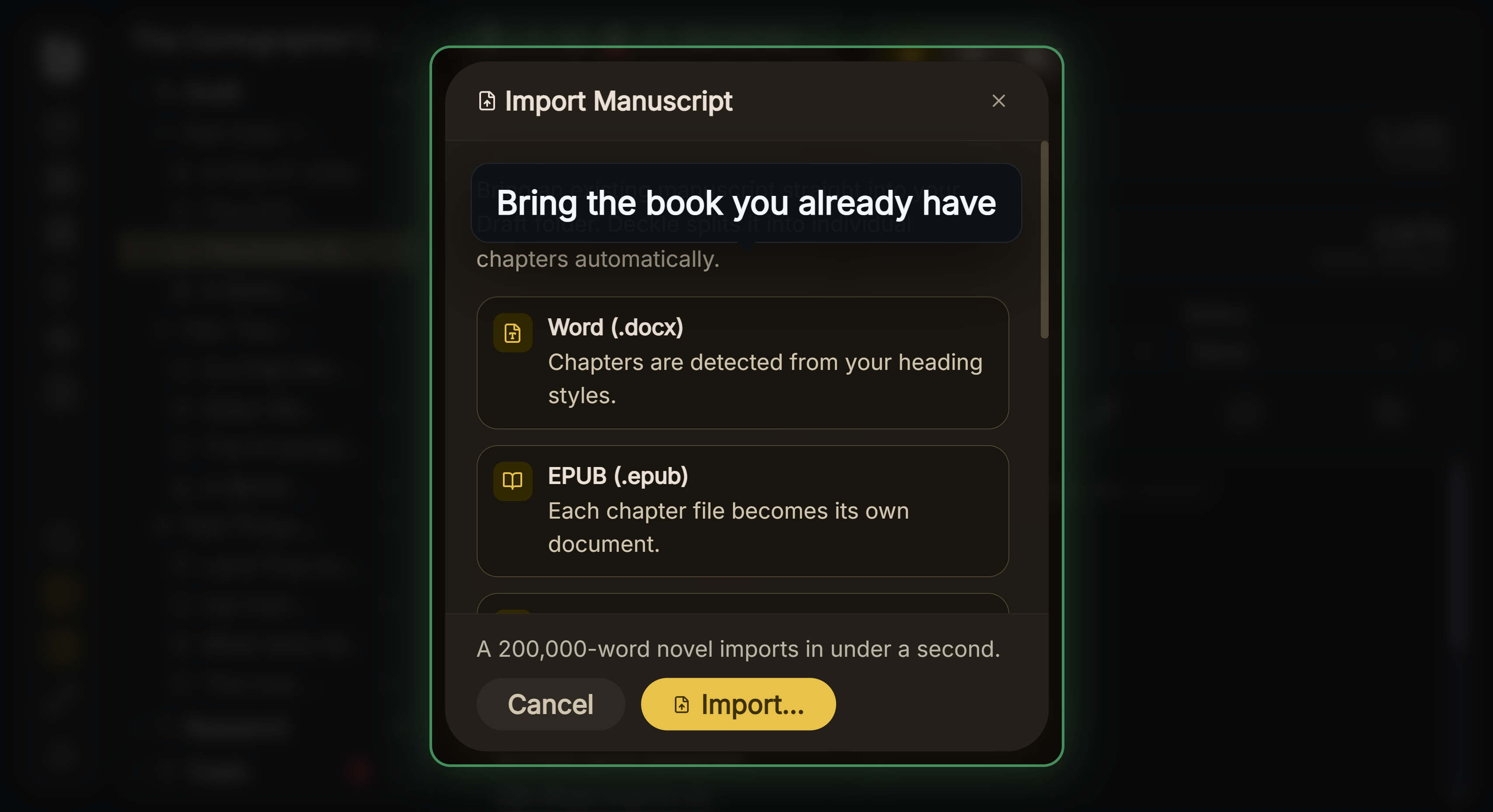
Import runs from DOCX, EPUB and Scrivener projects, so moving in does not mean retyping. The Scrivener path reads the project structure directly rather than a flattened document, so chapters and scenes arrive as chapters and scenes: moving from Scrivener to Deckle.
We publish no export-fidelity matrix either, because we have not tested every destination app. Nobody has. Test before you rely on it, here as anywhere.
Common Mistakes
- Trusting a ranked list. Nothing authoritative ranks writing software; those lists are advertising.
- Comparing features and ignoring storage. Features change; your file format is what you are committing to.
- Assuming a project is a file. In several apps it is a folder that must move intact.
- Ignoring what prose is stored as. RTF underneath is a genuine limitation.
- Migrating mid-draft. Finish something first.
- Believing plain text is certified archival. No format authority has assessed it.
FAQ
What is the best Scrivener alternative?
Nothing authoritative ranks these tools. Judge on how work is stored and what leaves cleanly.
Will I lose my notes if I switch?
Probably. Notes, synopses, labels and status rarely survive any export, and no vendor documents what does.
Is keeping the text in one file actually better?
For syncing, yes: the prose can't be half-synced across hundreds of small files. The project folder around it still has to move as a whole.
Is Markdown the safest option?
It is readable anywhere, which is a real virtue. Just do not claim an authority endorses it for preservation.
How do I test an alternative?
Build a small file containing everything you use, export it, import it elsewhere, and check each item.