

Word gives you a single document in a format every agent, editor and retailer accepts. Dedicated writing software gives you structure, so you can reorder chapters, see the whole book at once, and keep notes beside the text.
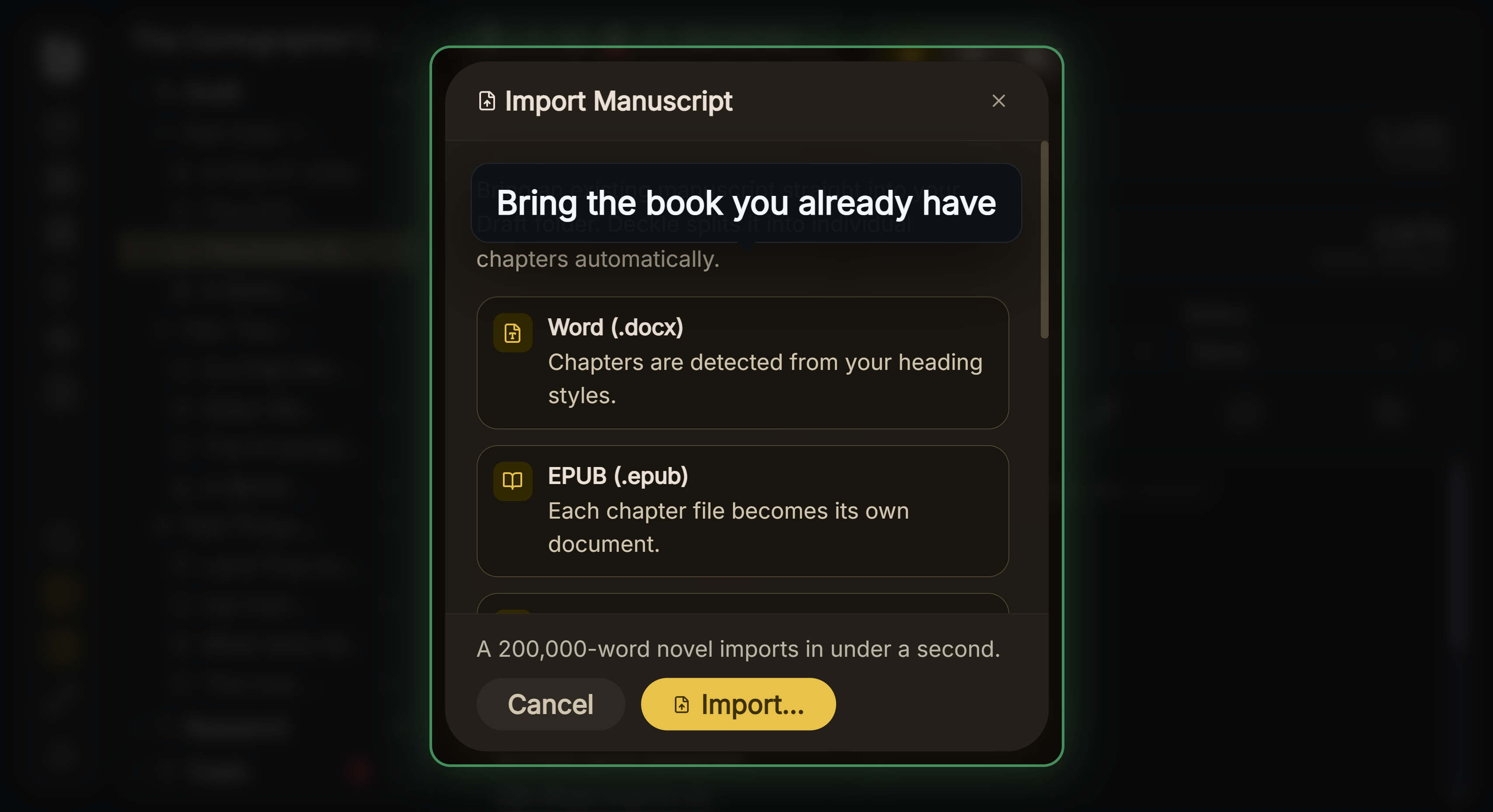 Import from Word, EPUB, Scrivener or Markdown
The trade is not features against simplicity. It is structure against portability, and the portability cost is more concrete than most comparisons admit.
What Word Actually Gives You
A format nobody refuses. DOCX is an international open standard, ISO/IEC 29500, maintained by an ISO working group. Its external dependencies are "None beyond XML-aware software", and you can open the package with any ZIP tool. Every agent and editor works in it.
One file. It copies, syncs, emails and backs up like any other file, with no package structure to keep intact.
Styles that survive. Real Word paragraph styles are what let an editor restructure a manuscript in one action, which is why a manuscript sent to an editor should use them.
What it does not give you is structure. A 90,000-word novel in one document means scrolling to find chapter nine, no way to see the shape of the book, and reordering chapters by cut and paste. Notes and research live in other files. Word's navigation pane helps if you use heading styles, and most novelists do not.
What Dedicated Software Gives You
Structure, essentially: a binder of chapters and scenes you can reorder by dragging, per-document notes and synopses, and a view of the whole book at once. For a long project that is a real difference in how the work feels, not a cosmetic one.
The cost is that your manuscript now lives in an application-specific structure.
The Portability Cost Is Documented
Scrivener is the usual comparison, and Literature and Latte document the constraints themselves, which makes this sourceable rather than speculative.
A project is not a file. On Mac it is "a package file" containing "many important subfolders and files that are necessary for the project to function". On Windows, "the whole folder makes up the project. It must move together, and be copied together when making backups."
Syncing is genuinely harder. "A Scrivener project is made up of many linked and interdependent files, and each one needs to be synced correctly to avoid problems", and "no syncing solution is 100% reliable". They warn that cloud storage optimisation features "do not always handle Scrivener projects correctly, which can cause some of the component files in your project to appear to be missing or blank."
Cross-platform is claimed lossless and documented lossy. Their page states "The Scrivener project format is fully cross-platform compatible. There will never be a need to convert or export your project", and then lists what breaks: bookmarked files, linked images, project bookmarks and hyperlinks "may need to be repaired after migrating"; bullet and enumeration lists "may not appear the same on both platforms" and "may break when viewed on Windows"; fonts may be substituted; and .webarchive and .mht files are mutually unreadable across platforms.
Backups rotate and overwrite. "Scrivener's automatic backup system works on a rotating basis, with the most recent backups overwriting the oldest."
None of this makes it bad software. It is what a structured project format costs, and the vendor documents it honestly. But it is the concrete version of "lock-in", and it is worth knowing before you commit a book to it.
There is one gap worth naming: Literature and Latte publish no documentation on export fidelity. There is no first-party statement anywhere on what is lost moving work out. That absence applies to essentially every writing app.
The Format Underneath Matters Too
A detail almost nobody mentions. Scrivener stores document text as RTF inside the project package. We know this first-hand, because Deckle's Scrivener importer has to parse those RTF files.
RTF is frozen at 2008, proprietary, and Microsoft's own note says "Features and functionality that are new to Word 2010 and future versions of Word are lost when they are saved in RTF." Word's Save As dialog warns it "does not reliably preserve the formatting, layout, or other features of the document." It also has no Unicode: "RTF does not use a UTF encoding."
That is not an argument against any particular app. It is a reason to care what your tool stores your prose as, not just what it exports.
Neither Is a Writing Method
Worth saying, because software comparisons imply otherwise. Both routes produce novels. Word's weakness is structure and dedicated software's weakness is portability, and neither weakness has stopped anyone finishing a book.
The honest questions are: does your book have enough moving parts that one long document is painful, and are you comfortable with a project format only one application can open?
If your novel is linear and you already work in Word, dedicated software may buy you less than the switching cost. If you are juggling timelines, viewpoints and research, structure earns its keep quickly.
If you stay in Word, how to write a book in Word covers the setup, and Word vs Deckle compares it with our app.
What Deckle Does
Deckle is dedicated writing software, so it carries the structural benefits and, in principle, the same portability question. Two design choices address it directly.
All the writing lives in one file. A Deckle project is a folder holding one .deckle SQLite database, which stores every chapter, note, synopsis and setting, plus research/ and .deckle-assets/ folders for imported files and images. The prose cannot partially sync across hundreds of small files, but the folder is still the project: move it, copy it and back it up as a whole.
Export is not an afterthought. DOCX, EPUB and PDF from Compile, plus Markdown and plain text separately. The DOCX comes out with real Word paragraph styles rather than direct formatting, so what leaves is a document an editor can work in.
Import runs the other way from DOCX, EPUB and Scrivener projects, so moving in does not mean retyping. What survives, and what does not, is covered in how to move a manuscript between writing apps.
Deckle does not publish an export-fidelity matrix either, and neither does anyone else. The honest advice is the same as for any tool: export a test file and check it before you rely on it.
Common Mistakes
- Choosing software before understanding the trade. Structure against portability is the actual decision.
- Assuming a project format is a file. In several apps it is a folder that must move intact.
- Trusting cloud sync with a package-format project. The vendor warns about exactly this.
- Ignoring what your app stores prose as. RTF underneath is a real limitation.
- Formatting directly in Word instead of using styles. It costs you the editorial pass later.
- Switching mid-draft. Finish something first. Migration is never free.
FAQ
Can I write a novel in Word?
Yes. Plenty are. The pain is structural, and it grows with length.
Is dedicated software worth it?
If your book has many moving parts, usually. If it is linear and short, the switching cost may exceed the gain.
What is the real risk of a proprietary project format?
Not that your text is trapped, but that structure, notes and metadata do not travel, and that the project must move as a unit.
Does Scrivener really store text as RTF?
Yes. Its project package contains RTF files, which is verifiable by any importer that reads them.
What should I check before committing?
Export a chapter with everything you use, open it elsewhere, and see what survived.