

No AI features are described anywhere on bibisco.com. bibisco's feature tables, FAQs, release notes for versions 4 and 5, and privacy policy mention no AI, chatbot or text generation. bibisco has also published no no-AI policy, so it has made no promise either way. Its spellchecker is its own, and it works alongside outside tools such as Grammarly.

bibisco is a desktop app for planning and writing a novel on Windows, macOS and Linux, with a free Community Edition and a $69 Supporters Edition (as of October 2026). It is also open source, so its code can be read as well as its marketing. The quotes here come from bibisco.com and bibisco's public code repository, read on 20 October 2026.
Does bibisco have AI features?
No. bibisco's edition comparison, updated 28 February 2026, lists 27 features across the two editions. They are planning and writing tools: premise, fabula, setting and storylines, character interviews, locations, chapters and scenes, mind maps, a timeline, a novel outline, "Analysis", writing goals, distraction-free mode and export. None of them is described as AI.
The release notes tell the same story. The bibisco 5 notes, updated 12 August 2026, run from 5.0.0 on 27 January 2026 to 5.1.3 on 12 August 2026. They add a novel outline, mind-map text cards, an Android app, an iOS app and project sync. No release adds an AI feature. We searched the download page, both FAQs, the edition comparison, both sets of release notes, the bibisco Everywhere page, the privacy policy and the blog index. None mentions AI, artificial intelligence, machine learning or LLMs.
Two features could sound automated, and bibisco describes both in plain terms:
- Analysis. A Supporters feature. bibisco's Scrivener comparison says it is there to "analyze the presence of characters across scenes" and "evaluate the balance of the narrative". It is described as analysis of your own structure, not as generated text.
- Spellcheck. bibisco's FAQ says "bibisco has its own spellchecker but also integrates with external proofreading and correction programs, such as Grammarly for desktop or Ludwig app." Those are separate products from other companies, with their own terms. Using one is your choice, not part of bibisco.
Does bibisco train AI on your writing?
bibisco does not say it does, and it does not say it won't. Its privacy policy, last updated 16 January 2026, lists the purposes for which it processes data: running the website, selling licences through Lemon Squeezy, managing bibisco Everywhere accounts, syncing projects, security and error monitoring, and customer support. AI training is not among them, and the policy has no clause on AI either way.
Where your novel sits matters more than a policy line:
- Desktop only: "As a desktop application, novel data is stored securely on your PC/Mac." The privacy policy adds that "If the Everywhere feature is not enabled, project data remain exclusively on the user's device."
- With bibisco Everywhere: the privacy policy says project texts, images, recent revisions and metadata are synchronised through Google Firebase, with Google LLC acting as a data processor. Project data are kept "for the duration of the Everywhere service".
Has bibisco promised it will never add AI?
No. bibisco has stayed silent on all three questions:
- Has AI features: no. None is described on bibisco.com.
- Has a public no-AI policy: no. No page on bibisco.com commits to staying AI-free.
- Has a no-training policy: no. The privacy policy does not mention AI training.
Some vendors have gone further in writing. Plottr, Novlr, Ellipsus and Penpoint publish no-AI positions, and Dabble's privacy policy rules out training generative AI on your content. The vendor-by-vendor picture is in novel writing software without AI.
What bibisco offers instead of a pledge is an open licence. Its FAQ says "bibisco is licensed under the terms of GNU GPL License," and the Community Edition's source code is public on GitHub under GPL-3.0. The GNU General Public License is "intended to guarantee your freedom to share and change all versions of a program." In practice, anyone can read the Community Edition's code to see whether an AI service is called, and could carry on a version without one if a later release added it.
Is bibisco a good choice if you want no AI?
Yes, on today's product. bibisco has no AI to switch off, it keeps your novel on your own computer unless you turn on sync, and the Community Edition is free. The trade-offs are elsewhere. bibisco cannot import a Word file ("it's not possible to import files with the extension DOC, DOCX, ODT, TXT as a project"), and EPUB export, the Timeline and writing goals are Supporters only. Those trade-offs are set out in bibisco alternatives and bibisco vs Scrivener.
Is there a bibisco alternative with no AI that imports Word?
Deckle is our app, so weigh this section accordingly.
Deckle is a writing, organising and formatting app for Windows, macOS and Linux, and no AI library or AI service appears anywhere in its code. Like bibisco without Everywhere, it keeps your novel local. A project is a folder on your own disk, holding one .deckle database plus research/ and .deckle-assets/ folders, and nothing is stored on a Deckle server. It works offline after activation.
It fills the gap bibisco's import page admits to. Deckle imports a Word file, splitting chapters at your heading styles, or an EPUB, with each chapter file becoming a document.
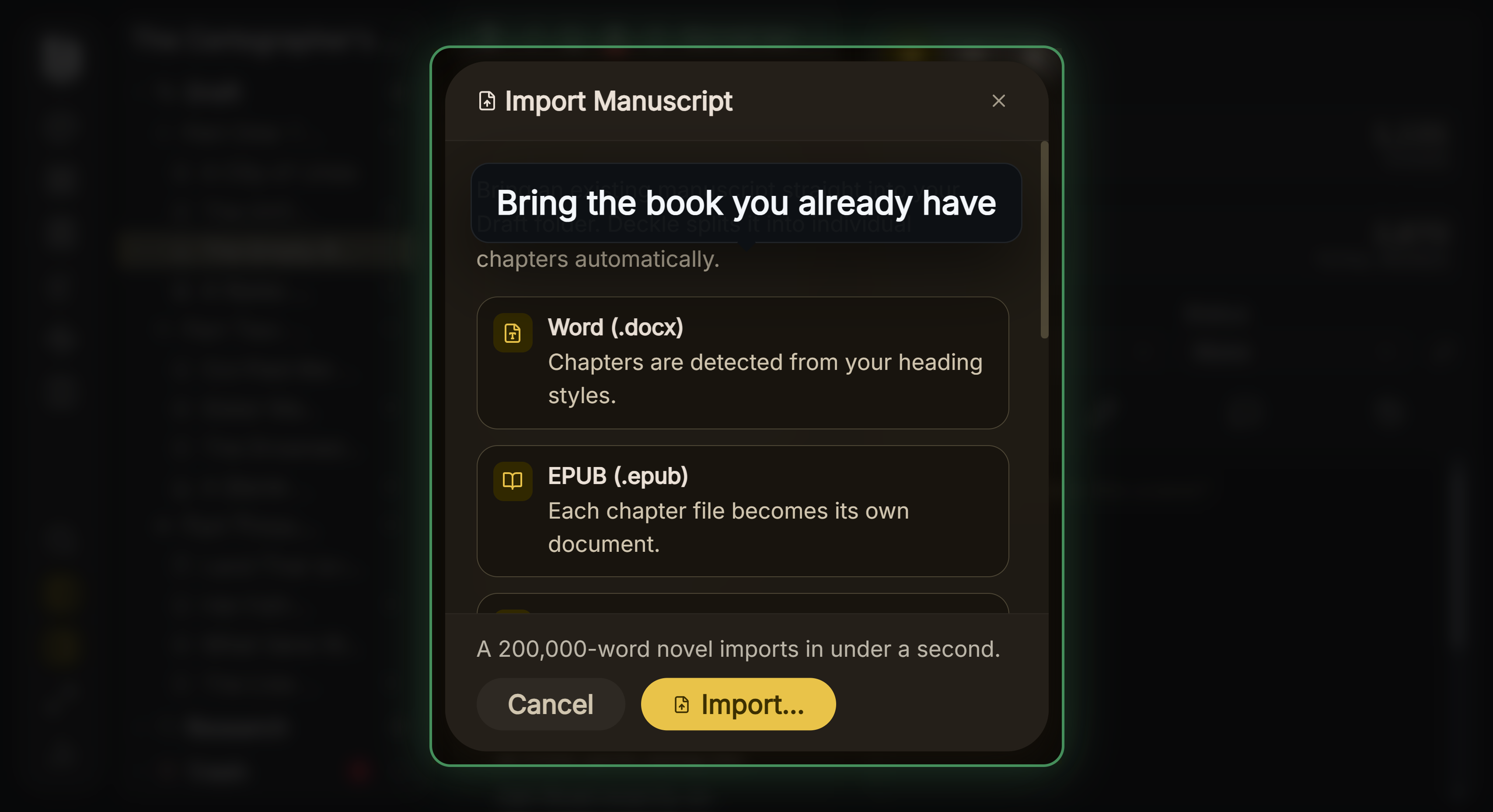 Word and EPUB both come in as chapters
On the way out, EPUB is not locked to a paid edition. Every licence exports EPUB, a print-ready PDF, DOCX and an Academia PDF from the same manuscript.
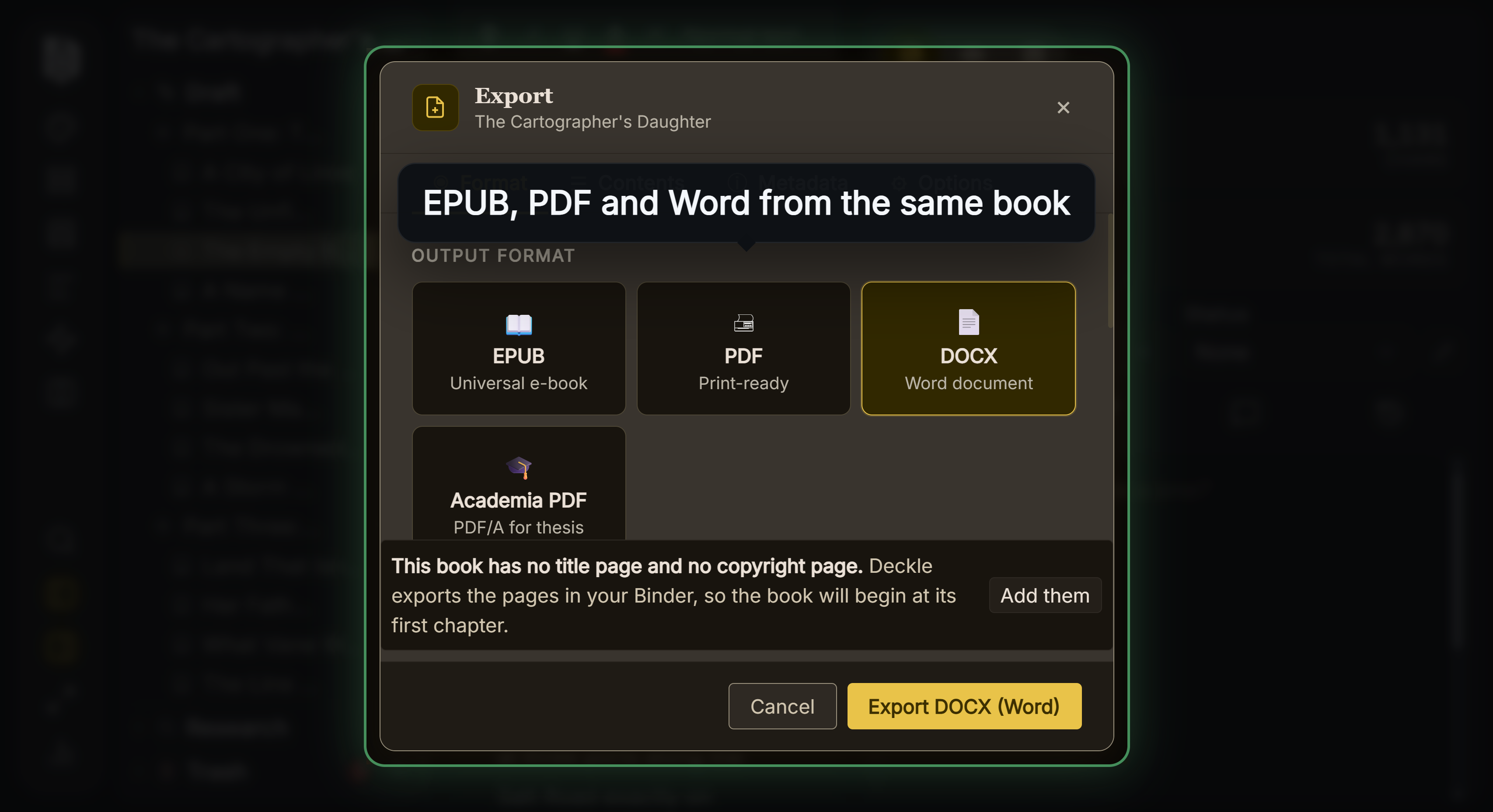 One manuscript, four export formats
What you would lose by switching: Deckle is paid and not open source, and it has no mind maps, character interviews, phone app or cloud sync. Deckle has also published no written no-AI policy, and unlike bibisco you cannot read its code yourself. bibisco exports DOCX, so a bibisco novel comes across through a Word file, and the steps are in how to move a manuscript between writing apps.
To try it, click Try it free on the screen Deckle opens to. There is no card, no account and no time limit. It opens a sample novel with every screen open to explore, and you can restyle it and export real EPUB, PDF and DOCX files. New writing is capped at about 500 words, and new documents and imports are blocked.
FAQ
Q: Does bibisco use AI? A: No AI features are described on bibisco.com, in its release notes or in its privacy policy.
Q: Does bibisco train AI on my writing? A: bibisco's privacy policy lists no AI training among its purposes and has no AI clause either way. Without bibisco Everywhere, your project stays on your own device.
Q: Is bibisco's spellchecker AI? A: bibisco says it has its own spellchecker. It also works alongside outside tools such as Grammarly for desktop and Ludwig, which are separate products.
Q: Will bibisco add AI in future? A: bibisco has published no statement either way. Its release notes through 5.1.3, of 12 August 2026, add no AI features.
Q: Is bibisco private? A: bibisco says novel data is stored on your own computer and "no novel data is housed on bibisco.com". bibisco Everywhere syncs projects through Google Firebase.
Q: Is bibisco open source? A: bibisco's FAQ says it is "licensed under the terms of GNU GPL License."
Sources
All retrieved 20 October 2026.
- bibisco, download page: editions, prices, features, GPL licence; no AI mentioned
- bibisco docs, Differences between Community and Supporters Editions (updated 28 February 2026): the 27-feature table
- bibisco docs, General FAQs: own spellchecker, Grammarly and Ludwig, local storage
- bibisco, FAQ: "no novel data is housed on bibisco.com", licence
- bibisco docs, bibisco 5 release notes (updated 12 August 2026) and bibisco 4 release notes: no AI feature in any release
- bibisco, privacy policy (last updated 16 January 2026): purposes of processing, Firebase sync, retention
- bibisco, bibisco Everywhere: sync across desktop, Android, iPhone and iPad
- bibisco, Scrivener vs bibisco: what Analysis does
- bibisco docs, Project import issues (updated 26 February 2026): no DOC, DOCX, ODT or TXT import
- bibisco, blog: index of posts, none on AI
- GitHub, andreafeccomandi/bibisco: Community Edition source code, GPL-3.0 licence
- GNU, GNU General Public License v3.0: "freedom to share and change all versions of a program"
bibisco is a trademark of its owner, as are Grammarly, Ludwig, Plottr, Novlr, Ellipsus, Penpoint and Dabble. Scrivener is a trademark of Literature & Latte. Deckle is not affiliated with or endorsed by any product named here.