
The open-source alternatives to Scrivener are Manuskript (GPL-3.0), novelWriter (GPLv3), bibisco Community Edition (GNU GPL) and LibreOffice Writer (MPL-2.0). Each names its licence on its own repository or site. Scrivener is commercial software sold by licence, and Deckle, our app, is not open source either.

Every fact on this page comes from each project's own repository, site or release page, read on 20 October 2026, plus the Open Source Initiative and the Library of Congress for the general claims. This page is about licences and longevity. For a wider look at Scrivener alternatives judged by how they store your work, see Scrivener alternatives. For which apps install on Linux, see book writing software for Linux.
What makes writing software open source?
Open source software is released under a licence that allows anyone to read, change and redistribute its source code. The Open Source Initiative maintains the Open Source Definition and opens it with "Open source doesn't just mean access to the source code". Its second criterion is plain: "The program must include source code". Its first says the licence cannot stop anyone selling or giving the software away.
Free and open source are different things. yWriter is "free to download and use", and its page names no open-source licence. bibisco's paid Supporters Edition has no licence stated on its FAQ. A price of zero tells you nothing about the licence. The licence named on the project's own repository is what decides it. Which tools cost nothing, open source or not, and the limit each one sets, is the subject of free writing software.
Which novel writing apps are open source?
These four name an open-source licence on their own repository or site. The "latest release" column is what each project's own release page showed on 20 October 2026.
| App | Licence, as the project names it | Latest release | Where your text lives | Platforms |
|---|---|---|---|---|
| Manuskript | GPL-3.0, "version 3 or (at your option) any later version" | 0.17.0, 30 June 2025 | open plain-text files | Linux, Windows (no macOS build for 0.17.0) |
| novelWriter | GPLv3 | 2026.2.2, tagged Latest | "human readable text files" | Linux, Windows; macOS from PyPI only |
| bibisco Community Edition | GNU GPL (repository: GPL-3.0) | desktop 5.1.3; repository's newest commit 27 September 2024 | the app's own project data, stored locally | Windows, macOS, Linux, 64-bit |
| LibreOffice Writer | Mozilla Public License v2.0 | 26.8.1 offered as the main download | OpenDocument (.odt), an ISO standard | Windows, macOS, Linux (.deb, .rpm) |
Two open-source tools sit behind several of these. pandoc, the "Universal markup converter", is "Released under the GPL, version 2 or greater", and Manuskript uses it for ePub, DocX and PDF export. Typst, a typesetting system that writes PDF, is licensed Apache-2.0.
Is Manuskript a good open-source Scrivener alternative?
Manuskript is the closest open-source match to Scrivener's shape. It has an outliner, index cards, a snowflake-method novel assistant, character, plot and world sheets, a story-line view, and a distraction-free mode with word and time goals. Its GitHub repository says it offers "automatic save in open and plain text file format".
Its download page says it is "still in the early development stages" and recommends frequent backups. Version 0.17.0 came out on 30 June 2025, mostly crash fixes. It ships a .deb, an .rpm, a Flatpak, a Snap and a Windows .zip. There is no macOS download for 0.17.0, and Mac users are pointed to running it from source. The 0.16.1 release had a .dmg, with a warning that macOS may block unsigned software.
Manuskript exports plain text, Markdown and HTML by itself. ePub, OpenDocument, DocX and PDF need pandoc installed, and PDF also needs LaTeX. Import works through pandoc too, and the project marks it as work in progress. No Scrivener import is mentioned. A fuller look at its downloads, release history and drawbacks is in our Manuskript review.
What is novelWriter?
novelWriter describes itself as "a plain text editor designed for writing novels assembled from many smaller text documents". It uses a Markdown-like syntax, with a metadata syntax for comments, synopses and cross-references between files. It stores the project as "human readable text files as storage for robustness".
Its Build Manuscript tool saves "to an Open Document, a Word Document, as well as PDF, HTML and Markdown". EPUB is not listed on its features page. It runs on Linux as an AppImage, a Flatpak or from package repositories, and on Windows from a code-signed installer. macOS .dmg releases stopped with 2026.1, and the only current Mac route is installing the novelwriter package from PyPI into a Python environment.
novelWriter's contributing notes say "Please do not submit AI generated content". If that matters to you, the wider picture is in novel writing software without AI.
Is bibisco open source?
Yes, the Community Edition is. bibisco's FAQ says "bibisco is licensed under the terms of GNU GPL License", and its GitHub repository, licensed GPL-3.0, says "this is the repository of bibisco Community Edition". The repository calls bibisco "an open source application for writing novels".
bibisco has two editions. The Community Edition is "available to everyone for free". The Supporters Edition costs $69 once, with two years of updates (as of October 2026), and "includes advanced features beyond those of the Community Edition". The FAQ states no separate licence for it.
The longevity detail is in the dates. bibisco's download page offers desktop version 5.1.3. The public repository's newest commit is dated 27 September 2024, titled "Update to version 4.0.0". The published source trails the app you download. That gap is worth knowing if your reason for choosing open source is that you could build the app yourself later.
bibisco organises a novel into chapters, scenes and storylines, with character development, a timeline and writing goals. It exports PDF, DOCX, TXT and EPUB. bibisco's edition comparison, updated 28 February 2026, puts the Timeline, EPUB export, find/replace and writing goals in the paid Supporters Edition only, so the open-source Community Edition lacks them. Its FAQ says "no novel data is housed on bibisco.com".
Can LibreOffice Writer replace Scrivener?
LibreOffice's licence page says it is "made available subject to the terms of the Mozilla Public License v2.0". It is based on Apache OpenOffice code under the Apache License 2.0. Writer is a general word processor, not a novel app. It has no binder, no index cards and no character sheets. It exports EPUB and PDF itself, and it opens and saves Word .docx files.
Its strength for longevity is its file format. Writer saves OpenDocument Text (.odt) by default. The Library of Congress describes ODT 1.2 as an "International open standard", published as ISO/IEC 26300-1:2015 and maintained by the OASIS OpenDocument Technical Committee. It records that Microsoft Office has read and written it since Office 2013. OASIS approved ODF 1.3 on 30 October 2020. A manuscript saved as .odt does not depend on any one company's software staying alive.
Does open source keep a novel readable for longer?
Open source protects the program. If a project stops, anyone can take the source and keep it running. It does not on its own protect your manuscript. What protects the manuscript is the file it lives in.
- Plain text (Manuskript, novelWriter) opens in any editor on any system, today and in thirty years.
- OpenDocument (LibreOffice) is an ISO standard with several independent implementations.
- An app's own project format (bibisco, Scrivener, Deckle) needs that app, a converter, or an export you made in time.
The practical test is the same for open and closed tools. Export the whole book to a standard format now, open it somewhere else, and check what came across. The method is in how to move a manuscript between writing apps.
Is Deckle open source?
Deckle is our app, so weigh this section accordingly.
Deckle is not open source. It is a commercial desktop app for Windows, macOS and Linux, sold as a one-time purchase under a personal, non-transferable licence. Its source code is not published. If an open-source licence is a requirement for you, Manuskript, novelWriter, bibisco Community or LibreOffice is the answer, not Deckle.
What Deckle offers on longevity is a local, documented file format and full exports.
- A project is a folder on your own disk. It holds one
.deckledatabase (all the writing, notes and settings) plusresearch/and.deckle-assets/folders. Nothing is stored on a Deckle server, and the app works offline after activation. - The database is SQLite. The Library of Congress calls SQLite 3 an "Openly documented format" whose code has been "dedicated to the public domain". Its Recommended Formats Statement "includes SQLite as a preferred format for datasets". Any SQLite tool opens the file. The prose inside is stored as the editor's JSON, not as plain paragraphs, so reading it that way is a recovery route, not a daily one.
- Whole-project Markdown export. Deckle exports the Draft, Research and Notes as folders of Markdown files, which Deckle can import again. It also exports DOCX, EPUB, print PDF and plain text.
Deckle also does the formatting step that the open-source novel apps leave to pandoc, LaTeX or another tool. It makes EPUB and print PDF itself, and its print PDF is typeset with Typst, the Apache-2.0 engine listed above. The ebook side of that step is covered in how to make an EPUB file.
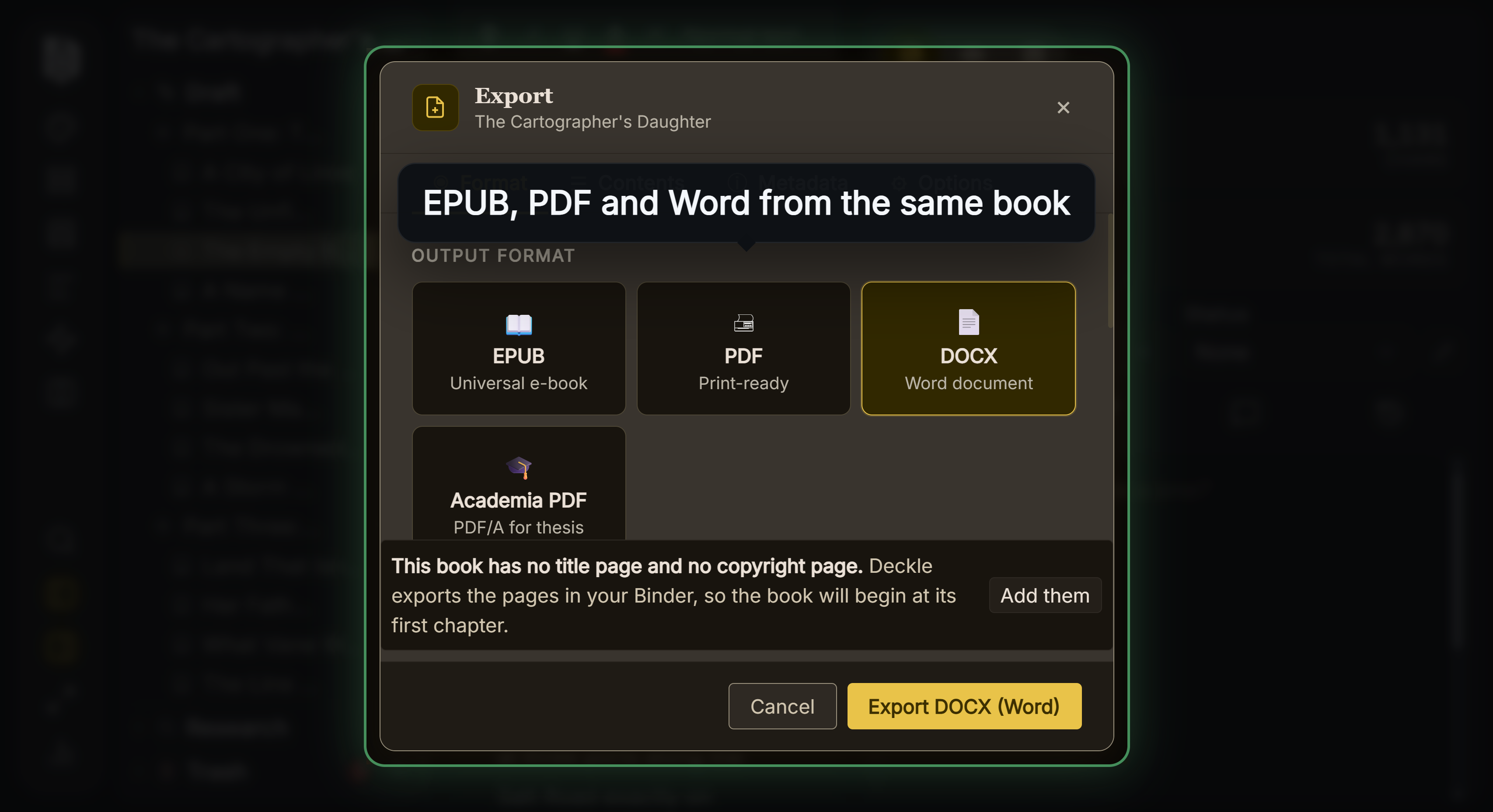 Deckle's export formats, built from one manuscript
What you would give up by choosing Deckle over the open-source apps:
- The licence. You cannot read, change or redistribute Deckle's code.
- The price. Manuskript, novelWriter, bibisco Community and LibreOffice cost nothing. Deckle is paid.
- Plain-text storage. Manuskript and novelWriter keep your text as files you can read without them. Deckle keeps it in a database and gives you Markdown on export.
To try it, click Try it free on the screen Deckle opens to. There is no card, no account and no time limit. It opens a sample novel with every screen open to explore, and you can restyle it and export real EPUB, PDF and DOCX files. New writing is capped at about 500 words, and new documents and imports are blocked.
FAQ
Q: Is there an open source version of Scrivener? A: No. Scrivener is commercial software from Literature & Latte, sold by licence. Manuskript is the open-source app closest to its outliner and index-card shape.
Q: Is bibisco open source? A: The Community Edition is, under the GNU GPL, with its source on GitHub. The paid Supporters Edition has no licence stated on bibisco's FAQ, and the public repository's newest commit is from September 2024.
Q: Is Manuskript available for Mac?
A: Not as a download for version 0.17.0. The project points Mac users to running it from source. The older 0.16.1 had a .dmg.
Q: What is the difference between Manuskript and novelWriter? A: Both are GPL and store your text as plain-text files. Manuskript has index cards, a snowflake assistant and needs pandoc for ePub, DocX and PDF. novelWriter is a Markdown-like editor that builds ODT, DOCX, PDF, HTML and Markdown itself.
Q: Is free writing software the same as open source? A: No. yWriter is free and names no open-source licence. Open source means a licence that publishes the source and lets anyone redistribute it.
Q: Which open source writing app can export EPUB? A: Manuskript does through pandoc. bibisco's EPUB export is in its paid Supporters Edition, not the open-source Community Edition. LibreOffice Writer exports EPUB too. novelWriter's features page lists no EPUB.
Q: Is Deckle open source? A: No. Deckle is a paid desktop app with a one-time licence. Its projects are local SQLite files, and it exports the whole project to Markdown.
Sources
All retrieved 20 October 2026.
- Open Source Initiative, The Open Source Definition: "Open source doesn't just mean access to the source code"; free redistribution and source code criteria (tier 2, standards body)
- Library of Congress, OpenDocument Text Document Format (ODT), Version 1.2, ISO 26300-1:2015: international open standard, adoption (tier 2)
- Library of Congress, SQLite, Version 3: public domain, openly documented, preferred format for datasets (tier 2)
- OASIS, Open Document Format for Office Applications (OpenDocument) Version 1.3: approved 30 October 2020 (tier 2)
- Manuskript, GitHub repository (GPL-3.0, plain-text save), releases (0.17.0 packages, no macOS build), import and export capabilities, and Manuskript download page ("still in the early development stages", pandoc formats)
- novelWriter, GitHub repository (GPLv3, plain-text storage, AI contribution note), releases (2026.2.2), novelwriter.io (platforms) and features (build formats)
- bibisco, GitHub repository (GPL-3.0, Community Edition), commit history (27 September 2024), FAQ (GNU GPL, editions) and download page (5.1.3, price, exports) and Community vs Supporters (updated 28 February 2026, retrieved 20 October 2026; Timeline, EPUB, find/replace and goals are Supporters only)
- LibreOffice, Licenses (MPL-2.0, Apache OpenOffice code), download (platforms, 26.8.1) and EPUB export help
- pandoc, GitHub repository: GPL version 2 or greater
- Typst, GitHub repository: Apache-2.0
- Spacejock Software, yWriter 7: "free to download and use", no licence named
Licences, releases and prices last checked 20 October 2026. Scrivener is a trademark of Literature & Latte. LibreOffice is a trademark of The Document Foundation. Manuskript, novelWriter, bibisco, yWriter, pandoc and Typst belong to their owners. Deckle is not affiliated with or endorsed by any product named here.