

Google Docs is better for working with other people: it is free, several people can edit one document at once, and editors can leave suggestions and comments. Scrivener is better for building a long book alone. It splits the draft into chapters and scenes, keeps notes beside them, works from files on your own disk, and compiles the whole project into a manuscript, EPUB or PDF.

Every fact below comes from Google's and Literature & Latte's own help pages and manuals, read on 2026-10-20. Prices are US list prices as of October 2026.
What is the difference between Scrivener and Google Docs?
Scrivener is a desktop app for long-form writing. Literature & Latte lists a Binder, a Corkboard of index cards, an Outliner with synopses and metadata, Snapshots with Compare, word Targets, Scrivenings and composition mode, and Compile for finished output. It runs on macOS, Windows and iOS.
Google Docs is an online word processor. It runs in a web browser and in phone and tablet apps, and anyone with a Google Account can use it free, with 15 GB of storage included.
| Scrivener | Google Docs | |
|---|---|---|
| Where the work lives | A project on your own disk | Google Drive |
| Co-editing | No: one person at a time per project | Yes, in real time |
| Editor markup | Revision Mode (colours new text) | Suggesting mode and comments |
| Structure | Binder, Corkboard, Outliner | Document outline from headings, and tabs |
| Offline | Desktop app, local files | Chrome or Edge with an extension, set up while online |
| Export | Word, RTF, OpenOffice, PDF, EPUB, Final Draft, plain text; Kindle on Windows only | .docx, .odt, .rtf, .pdf, .txt, .html, .epub, .md |
| Price | $59.99 one-time per desktop platform; $23.99 iOS | Free; paid storage and AI plans |
| Generative AI | None mentioned | Gemini, on some plans |
Is Google Docs good for collaboration on a novel?
Collaboration is Google Docs' strength. Google says "Co-editing means that multiple people can work on the same document at the same time", with "granular control over who can edit, comment, download, share, or view your documents." With version history you can "reference previous versions of a document at any time and reinstate them."
For an editor or beta reader, Docs has Suggesting mode. Google's help says "You can suggest changes to a document without changing the original text", and "Anything you delete will be crossed out." The owner accepts or rejects each suggestion, or uses Tools ▸ Review suggested edits to accept or reject them all. Anyone with comment or edit permission can suggest.
Scrivener is single-user by design. Its manual says "no project should ever be opened more than once simultaneously", and that when a project is shared on a network folder, "never open a project for editing if another person is currently editing the project." It offers two workarounds. Import Project merges a collaborator's copy back in, which the manual calls "a limited form of collaboration between two people." Synchronised Folders write sections out as files so you can "share your work with collaborators, agents, or editors, and later read back any changes they have made." Scrivener's Revision Mode marks new text in colour only, and the manual says "Removed text will not be marked in any way."
A common split is to draft in Scrivener and share chapters in Docs. Scrivener's manual notes that its OpenOffice export, .odt, is read by "many word processors, including LibreOffice and Google Docs." The ways to hand chapters to readers are covered in how to send a manuscript to a beta reader.
Does Google Docs work offline?
Yes, with conditions. Google's offline help says:
- "You must use the Google Chrome or Microsoft Edge browser."
- You install and turn on the Google Docs Offline extension.
- "You must be connected to the internet" to turn offline access on.
- "Don't use private browsing."
- Some recent files are saved offline automatically if there is space. Others need Available offline from the file's menu.
- If a file won't save offline, Google says "your file is too large" may be the cause, and suggests splitting it.
Set this up before you travel. Offline access can't be switched on once you are already offline.
Scrivener has no such setup step. It is installed desktop software, and a project is a set of files on your own disk. Syncing between devices is your job, and Literature & Latte's features page gives the route to the iOS app as "sync using Dropbox or transfer with iTunes". The storage trade-off that comes with a project format is covered in writing a novel in Word vs dedicated software.
Can Google Docs organise a novel like Scrivener?
Partly. Docs has two structure tools.
The document outline. Google says "The outline detects and lists headings from your text to help organize your document." Chapter titles set as headings become a clickable list down the side.
Document tabs. Tabs split one document into sections, "similar to when you add multiple sheets in Google Sheets." You can "nest up to 3 tab levels", drag tabs to reorder them, and drop one tab on another to make it a subtab. Google gives a limit of 100 tabs. When you download or print, "you must choose the current tab or all tabs."
Tabs make a chapter-per-tab novel possible in one Doc, and a 100-tab ceiling fits most novels. What Docs doesn't have is per-section synopses, notes, labels and status, an index-card view, or per-section snapshots. Those are what Scrivener's Binder, Corkboard and Outliner are for.
How long can a Google Doc be?
Google caps a document at "Up to 1.02 million characters." We measured a real novel to see what that means. Project Gutenberg's text of Pride and Prejudice, front matter included, is 127,360 words and 718,467 characters counting spaces, about 5.6 characters a word. That is 70% of the cap. At the same ratio, one Doc holds roughly 180,000 words. Google states the limit per document and gives no separate figure for tabs. A long epic fantasy can hit the ceiling and need splitting into several Docs. Scrivener stores each Binder section as its own file inside the project, so the book is never one document.
Can Google Docs export an EPUB or PDF?
Yes. Google's Drive export list for Docs is Word (.docx), OpenDocument (.odt), Rich Text (.rtf), PDF, plain text, HTML, zipped HTML, EPUB and Markdown. Google announced EPUB export on March 7, 2016, under File ▸ Download ▸ EPUB Publication (.epub). Google makes no claim of book typesetting for either the EPUB or the PDF. Check an exported EPUB in a reader before you upload it to a store.
Scrivener's Compile is built for this step. It produces Word, RTF, OpenOffice, PDF, EPUB, Final Draft and plain text, plus "Kindle e-books" on Windows (Mac 3.5.0 removed them), and its built-in formats include submission manuscripts such as Manuscript (Times). Literature & Latte says Compile makes PDFs "ready for self-publishing", and it does not describe them as professionally typeset. For what a print file has to meet, see KDP print file requirements.
Does Google Docs use AI, and does Scrivener?
Google Docs includes generative AI. Google says "Gemini in Docs synthesizes information from your Drive, Gmail, and Chat to build full drafts in moments", alongside Help me write, Shorten and Match Writing Style. Among Google's consumer plans, only Google AI Pro lists "Gemini in Gmail, Docs, Vids & More." For businesses, Gemini in Docs comes with Workspace Business Standard and Plus, not Starter.
Literature & Latte's overview, features and FAQ pages mention no AI feature in Scrivener. A vendor-by-vendor list is in novel writing software without AI.
Scrivener or Google Docs: which should you use?
Use Google Docs when:
- Other people edit or comment on the text as you write.
- You switch between computers and want nothing to install or sync.
- The book is short or linear, and the budget is zero.
Use Scrivener when:
- The book has many parts, viewpoints or timelines to rearrange.
- You want notes, synopses and research beside the text.
- You want the manuscript, EPUB and PDF made from one project.
- You want the work on your own disk, not in a Google account.
Many authors use both: Scrivener for the draft, Docs for the people reading it. Scrivener costs $59.99 one-time for macOS or Windows, as of October 2026, with a 30-day-of-use free trial. The wider field is in Scrivener alternatives.
Where does Deckle fit next to Scrivener and Google Docs?
Deckle is our app, so weigh this section accordingly.
Deckle sits on Scrivener's side of this comparison, not Docs'. It is a desktop app for Windows, Mac and Linux that works offline and keeps the project in a folder on your own disk (one .deckle database plus research and image folders). It adds the book formatting Docs lacks: print PDF in 8 trim sizes with bleed, EPUB for Kindle, Apple Books and Kobo, and 26 built-in style presets. Its Binder, Outliner with Grid View, Codex and Timeline cover the structure a Doc can't hold. It has no generative AI.
What you would give up compared with Google Docs is the reason people choose Docs. Deckle has no real-time collaboration, no cloud sync, no web version and no mobile app. Sharing means exporting a DOCX, which carries Deckle's comments as Word comments and opens in Google Docs.
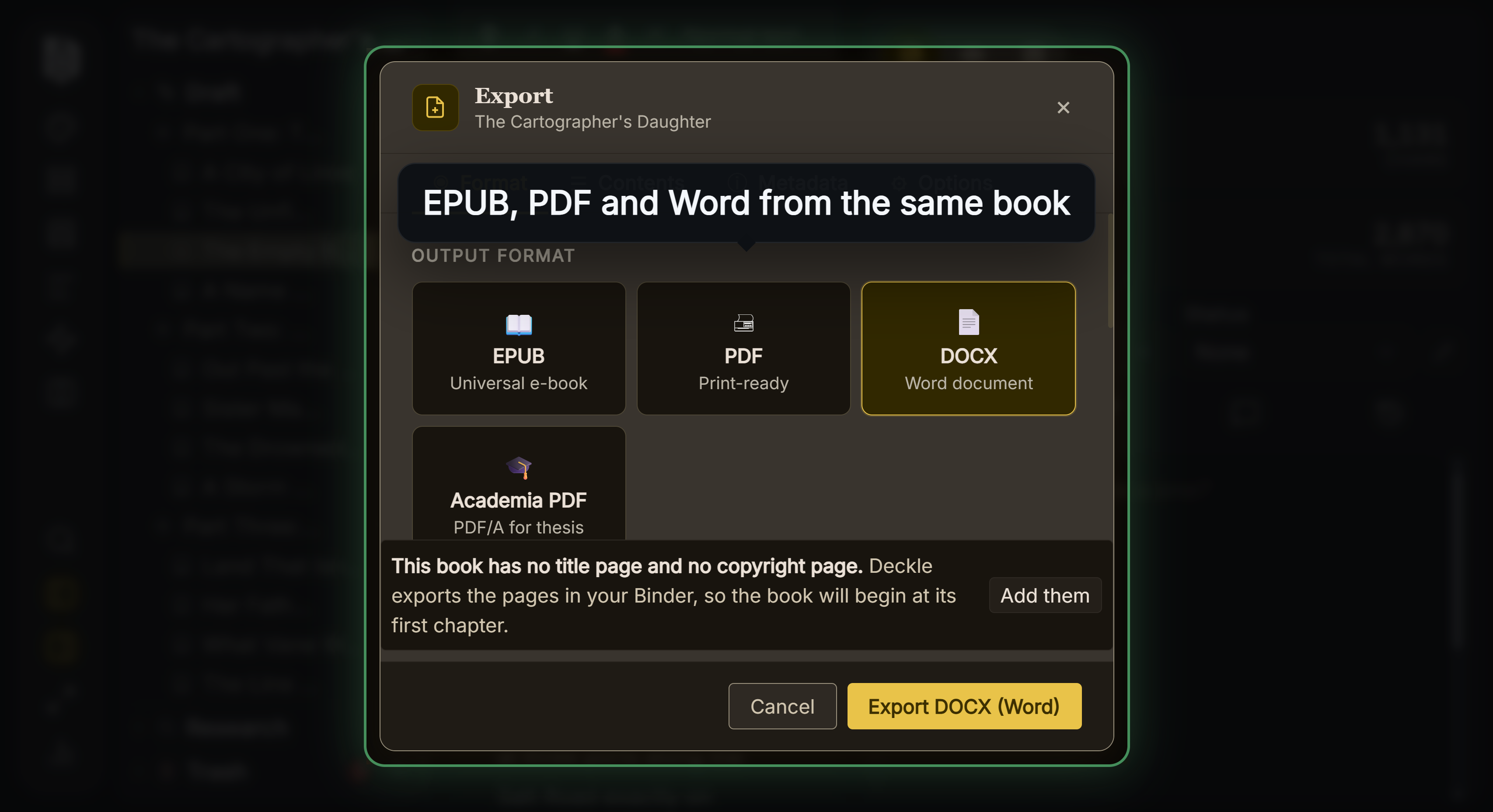 The DOCX is the file that goes out to Google Docs
Deckle imports a .docx back, with its comments, so a chapter can go out through Docs and come back. A direct comparison with Scrivener is in Scrivener vs Deckle, and the Word side of the same question is in Scrivener vs Word.
Deckle is a one-time purchase. To try it, click Take Deckle for a Spin on the screen Deckle opens to. There is no card, no account and no time limit. It opens a sample novel with every screen open to explore, and you can restyle it and export real EPUB, PDF and DOCX files. New writing is capped at about 500 words, and new documents and imports are blocked.
What goes wrong with a novel in Scrivener or Google Docs?
- Expecting Docs to work offline without setup. Offline access needs Chrome or Edge, the extension, and a connection to switch it on.
- Opening one Scrivener project on two machines at once. The manual says a project should never be open more than once at the same time.
- Writing an epic in a single Doc. The 1.02 million character cap is about 180,000 words of prose.
- Treating Docs' EPUB as a finished ebook. Google makes no typesetting claim for it. Check the file before uploading.
- Mixing Scrivener's Revision Mode with Docs' Suggesting. Only Suggesting records deletions.
FAQ
Scrivener or Google Docs for writing a novel?
Scrivener for organising and compiling a long book on your own disk. Google Docs for free, real-time work with editors, co-authors or beta readers.
Can I use Google Docs offline?
Yes, in Chrome or Edge with the Google Docs Offline extension, turned on while you are still online. Private browsing doesn't work.
Can Scrivener sync with Google Docs?
Not directly. Compile or export to .docx or .odt, which Google Docs opens. Scrivener's manual names Google Docs among the word processors that read .odt.
Can Google Docs make an EPUB?
Yes. File ▸ Download ▸ EPUB Publication (.epub). Google makes no book-typesetting claim for it.
Can two people work on a Scrivener project at once?
No. Scrivener's manual says a project should never be opened more than once at the same time. Import Project can merge a collaborator's copy later.
Is Google Docs free for writing a book?
Yes, with a Google Account and 15 GB of storage. Gemini in Docs needs Google AI Pro, or Workspace Business Standard or Plus.
How many words can a Google Doc hold?
Google caps a document at 1.02 million characters. Measured on a real novel, that is roughly 180,000 words.
Sources
All retrieved 2026-10-20.
- Google Docs Editors Help, Use Google Docs offline
- Google Docs Editors Help, Use document tabs in Google Docs
- Google Docs Editors Help, View document outlines, rulers, & non-printing characters
- Google Docs Editors Help, Suggest edits in Google Docs
- Google Drive Help, Files you can store in Google Drive (1.02 million characters)
- Google for Developers, Export MIME types for Google Workspace documents
- Google Workspace Updates, Export Google Docs files as EPUB publications, March 7, 2016
- Google, Google Docs (co-editing, permissions, version history, Gemini), Google One plans and Workspace pricing (Gemini by plan)
- Literature & Latte, Scrivener overview and features (organising tools, platforms, export, Dropbox sync, no AI mentioned)
- Literature & Latte, Scrivener FAQs and store (price, licence per platform, trial)
- Literature & Latte, Scrivener 3 User Manual for macOS, March 2026 (§5.3.1 Working Cross-Platform, §5.3.2 collaboration with Import Project, §14.1 shared network folders, §14.3 Synchronised Folders, §18.6 Marking Revisions, export format table)
- Project Gutenberg, Pride and Prejudice by Jane Austen (the text measured for the character count)
- Literature & Latte, Cross-grading: "Scrivener for macOS or Windows is $59.99" (the store page loads its prices from the checkout, so this page shows the figure in its text), retrieved 21 October 2026
- Literature & Latte, Scrivener release notes for macOS: 3.5.0, 1 October 2025, Kindle (.mobi) removed from Compile; the Windows notes, up to 3.1.6 (3 September 2025), record no such change (retrieved 21 October 2026)
Scrivener is a trademark of Literature & Latte. Google Docs and Gemini are trademarks of Google. Deckle is not affiliated with or endorsed by any product named here.