

Novelcrafter exports your novel as a Word .docx or as Markdown. Click Export at the bottom of the left sidebar, choose the acts, chapters and scenes, choose prose, summaries or both, and pick Word or Markdown. The Codex exports separately, as a zip, from the cog icon in the side panel. Novelcrafter has no EPUB or PDF export.

Every Novelcrafter fact on this page comes from Novelcrafter Help and its changelog, read on 20 October 2026.
What Novelcrafter exports
| What | Format | Where |
|---|---|---|
| The novel | Word .docx, or Markdown | Export, at the bottom of the left sidebar |
| A "full project" export | The novel plus, if you choose, the Codex, chats and snippets | The same export screen |
| The Codex | A zip file of entries | The cog icon in the side panel |
Novelcrafter's help describes the Word file as "compatible with Google Docs, LibreOffice, etc." That holds for any app that reads the format, because DOCX is an open ISO/IEC 29500 standard, as the Library of Congress format record sets out. The full-project option arrived on 19 September 2024, when the changelog said "the novel export screen now has a section to include other aspects of your novel to get a single 'full project' export of your novel."
How to export a Novelcrafter novel to Word or Markdown
- Click Export at the bottom of the left sidebar.
- Use the toggle to include everything or nothing, then tick the acts, chapters and scenes you want.
- Choose whether to export the scene summaries, the prose, or both. For a manuscript, tick Export Prose and leave Export Summaries unticked.
- Turn Include Act Titles on or off. Novelcrafter says to turn it off "if you're importing into Vellum or Atticus."
- Turn scene subtitles on or off.
- Under Scene Dividers, pick the divider you want between scenes, such as Asterisks or Headings (Scene 1, Scene 2,…).
- Choose Word (.docx) or Markdown as the Novel File Format, and export.
To include the Codex, chats or snippets in the same export, use the full-project section on that screen.
How to export the Novelcrafter Codex
- In the side panel, click the cog icon.
- Choose the entire Codex, or one Codex type.
Novelcrafter says "These files will be exported as a zip file with your codex entries within it." That help page was last updated on 8 February 2026.
How to export Novelcrafter to Scrivener
Novelcrafter's own guide uses Markdown and Scrivener's Import and Split.
- In Novelcrafter, click Export, tick Export Prose and leave Export Summaries unticked.
- Under Scene Dividers, choose Headings (Scene 1, Scene 2,…).
- Export as Markdown (.md). Tick Include Act Titles if you want acts.
- In Scrivener, select the manuscript in the Binder and go to File > Import > Import and Split.
- Choose the Markdown file, select splitting by your Markdown headings, and click Import.
Novelcrafter says this keeps "the chapter and scene structure."
How to export Novelcrafter to Atticus
- Click Export and choose Word (.docx) as the Novel File Format.
- Tick Export Prose and leave Export Summaries unticked.
- Untick Include Act Titles. Novelcrafter warns: "If you do not deselect including act titles, the import will not work."
- Choose Asterisks for scene dividers.
- In Atticus, choose Upload a Book on the homepage and pick the file. Then use Ctrl+F to find the dividers and turn them into Atticus scene breaks.
Can Novelcrafter export EPUB or a print PDF?
No. Novelcrafter's help says "As of February 2025, you cannot format your novel within Novelcrafter for publication. You will need to export the manuscript into your program of choice." The page was updated on 31 August 2026 and says formatting "is on our roadmap." A finished ebook or print interior needs a formatting app after the Word export.
Can I re-import a Novelcrafter export?
Yes, "although you may need to make some tweaks, like removing titles." Re-importing into the same book doesn't overwrite anything: "the 'new' chapters will append to the end of the book."
Common mistakes
- Leaving act titles on for Atticus or Vellum. Novelcrafter says the Atticus import "will not work" with them on.
- Exporting summaries with the prose. Your scene summaries then sit inside the manuscript.
- Expecting the Codex inside the Word file. It comes out as its own zip unless you use the full-project section.
- Waiting until after you cancel. Novelcrafter keeps read-only access and export after cancelling, but the app needs an internet connection, so export while you can sign in. Price details are on Novelcrafter alternatives.
Deckle: bringing a Novelcrafter export in
Deckle is our app, so weigh this section accordingly.
Deckle imports the Word export through the + (Add to Draft) button in the Binder, then Import…, which opens the Import Manuscript window. Use the same settings as the Atticus route for a first test: Export Prose only, Include Act Titles off and Asterisks for dividers.
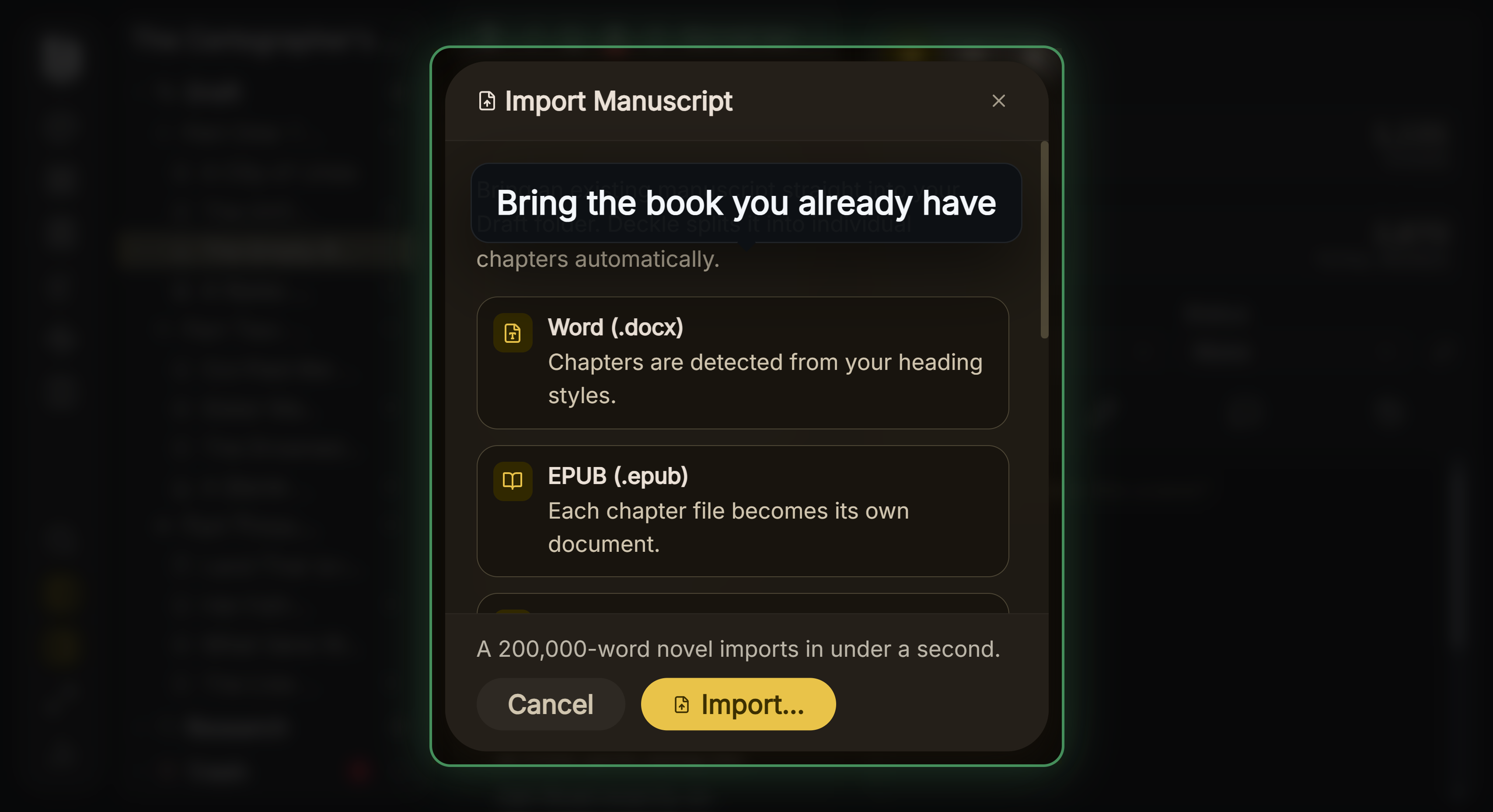 The Import Manuscript window, where a Novelcrafter .docx goes in
- Chapters come from heading styles. Each Heading 1 starts a chapter. A Heading 2 is filed under the Heading 1 above it, and a Heading 1 with only its title becomes a Part. If your act titles come out as Heading 1 and chapters as Heading 2, Deckle makes each act a Part with its chapters inside. Check the headings in Word's Navigation pane first (Ctrl+F, or View, then Navigation Pane), which lists every paragraph with a heading style.
- Scene breaks. A paragraph of
***or* * *becomes a Deckle scene break. Check which form Novelcrafter's Asterisks divider takes in the Word file. - No headings at all. Deckle treats a short line starting "Chapter", "Prologue" or "Epilogue" as a chapter title.
The Markdown export is a second route. Deckle imports Markdown as a folder, not a single file, so put the .md file in a folder and use Markdown folder in the same window. One long file splits at its # headings.
The Codex doesn't import. Deckle's Codex has no import, so you re-enter entries in its Characters, Locations and Items sections, or in sections you add. Each entry takes aliases and lists the chapters that name it. What Deckle doesn't replace is Novelcrafter's AI tools, its browser access and its co-authoring. What it adds is the formatting step Novelcrafter leaves out: EPUB, print PDF and DOCX from the same project. The wider comparison is on Novelcrafter vs Scrivener, and the test-first method is in how to move a manuscript between writing apps.
Deckle is a one-time purchase. To try it, click Try it free on the screen Deckle opens to. There is no card, no account and no time limit. It opens a sample novel with every screen open to explore, and you can restyle it and export real EPUB, PDF and DOCX files. New writing is capped at about 500 words, and new documents and imports are blocked, so the demo can't take your Novelcrafter file.
FAQ
Can Novelcrafter export to Word?
Yes. Export, at the bottom of the left sidebar, writes a Word .docx that also opens in Google Docs and LibreOffice.
How do I export Novelcrafter to Word without summaries?
Tick Export Prose and leave Export Summaries unticked before you export.
Can Novelcrafter export EPUB or PDF?
No. It exports Word and Markdown, and says "you cannot format your novel within Novelcrafter for publication."
Can I export the Novelcrafter Codex?
Yes. Click the cog icon in the side panel and choose the whole Codex or one type. It downloads as a zip.
How do I export Novelcrafter to Scrivener?
Export prose as Markdown with Headings as scene dividers, then use File > Import > Import and Split in Scrivener.
How do I export Novelcrafter to Atticus or Vellum?
Export Word with prose only and Include Act Titles turned off. For Atticus, use Asterisks as scene dividers.
Can I export from Novelcrafter after cancelling?
Yes. Novelcrafter keeps read-only access with export after you cancel.
Sources
All retrieved 20 October 2026.
- Exporting your novel, Novelcrafter Help (last updated 25 April 2025): where Export is, the export options, Word or Markdown, re-importing, full-project export
- Export to Scrivener, Novelcrafter Help (last updated 25 April 2025)
- Export to Atticus, Novelcrafter Help (last updated 25 April 2025)
- Can I export codex entries?, Novelcrafter Help (last updated 8 February 2026)
- Formatting for export, Novelcrafter Help (last updated 31 August 2026)
- Changelog, 19 September 2024, Novelcrafter: full-project and chat exports
- Novelcrafter pricing: read-only access and export after cancelling
- Can I use Novelcrafter in offline mode?, Novelcrafter Help: needs an internet connection
- Use the Navigation pane in Word, Microsoft Support: headings listed in the pane, Ctrl+F
- DOCX Transitional (Office Open XML), ISO 29500:2008-2016, ECMA-376, Editions 1-5, Library of Congress: DOCX as an open ISO/IEC standard
Scrivener is a trademark of Literature & Latte. Novelcrafter, Atticus, Vellum and every other product name here belong to their owners. Deckle is not affiliated with or endorsed by any product named here.