

Yes, but only for reflowable books. Amazon's Kindle Create help states that "Kindle Create allows you to export your manuscript in two formats: Kindle Package Format (KPF) and EPUB", and that "EPUB export is available for only reflowable books." Kindle Create has no PDF export. Its paperbacks go to KDP as a KPF file, so the print book stays on KDP.

Every Amazon quote on this page comes from KDP's own help pages, read on 20 October 2026.
What formats does Kindle Create export?
Kindle Create exports two formats: KPF and EPUB. Amazon calls KPF "the preferred format for Kindle eBook and print books". The main Export button produces the KPF: "When you click Export, Kindle Create produces a publishable file (KPF) that you can submit to KDP."
Kindle Create also saves a KCB work file. Amazon's help says the export "creates two files: a work file (.kcb) that allows you to update your book later and a publishable file (.kpf) you can upload on KDP." Keep the folder that holds the KCB, because Amazon says you need it to update your book.
| File | What it is | Where it goes |
|---|---|---|
| KPF | Publishable file | KDP only: "The KPF file is only used for publishing." |
| KCB | Work file, "for updates" | Kindle Create only |
| EPUB | Export for reflowable books | Any EPUB reader or store, after you check it |
Can Kindle Create export EPUB for every book type?
No. Kindle Create makes three kinds of book, and EPUB export covers one of them:
- Reflowable ebooks, which "allow the reader to resize text". EPUB export works for these.
- Print Replica ebooks, which "maintain the look of their print editions" and don't let the reader resize text. No EPUB export.
- Comic ebooks with Guided View. No EPUB export.
The difference follows from what an EPUB is. A reflowable EPUB lets the reading system reflow the text, while a fixed-layout book pins every page. The reflowable vs fixed-layout EPUB page explains both.
What does a Kindle Create EPUB lose?
Amazon lists what the EPUB does not carry over from the Kindle version:
- "EPUB format doesn't support all interactive features available in Kindle, like image bleeds, drop caps,"
- "Image doesn't extend to the edge of the viewable window."
- "Drop cap height over 3 lines doesn't render correctly."
- "Image placement at the beginning of each chapter is not available."
A book that relies on full-bleed images, tall drop caps or chapter-opening images will look different in the EPUB than in Kindle Create's preview. Open the EPUB in a reader before you send it anywhere.
Can you upload a Kindle Create EPUB to Apple Books or Kobo?
Amazon describes the EPUB as an export, not as a store file, and recommends KPF for KDP. Other stores set their own rules. Apple's guide for authors states that "All books submitted to Apple Books must pass the latest version of EPUBCheck." Run the Kindle Create EPUB through EPUBCheck and fix every error before uploading. How to make an EPUB file covers the check. The Apple Books and Kobo file requirements page covers both stores.
Can Kindle Create export to PDF?
No. Amazon's help names KPF and EPUB as the two export formats, and PDF appears only as an import. A KPF is not a PDF, so it cannot go to a printer such as IngramSpark, whose File Creation Guide asks for PDF/X-1a or PDF/X-3; turning a KPF into something else is covered in KPF to EPUB, and KDP's own print rules are on KDP's print file requirements.
Is Kindle Create only for ebooks?
No. Amazon says Kindle Create prepares a book "for both digital and print publishing with the same project file", for text-heavy books without tables, footnotes or bleed images. Amazon's own feature chart on the Getting Started page lists "Preparation of a text-heavy eBook and paperback with the same manuscript file" under "Pre-release (beta)", as of October 2026. The limits and steps are in Kindle Create paperback.
Do you need EPUB at all for KDP?
No. KDP accepts EPUB, DOCX and KPF for reflowable ebooks: "Use EPUB, DOCX, or KPF files for publishing reflowable content." It also says "We support books in EPUB format that meet the specifications outlined in the Kindle Publishing Guidelines." For an Amazon-only ebook made in Kindle Create, upload the KPF. The EPUB matters when the same book also goes to other stores or to readers outside Kindle. The checks KDP runs on an uploaded EPUB are on Amazon KDP EPUB requirements.
What to use when you need EPUB and PDF from one book
Most formatting tools write both files. KDP formatting software checks each common tool against what KDP accepts, and Kindle Create alternatives compares them on price, platforms and output.
Deckle is our app, so weigh this section accordingly. Deckle is a desktop app for Windows, macOS and Linux where you write and format the book in one project. It exports EPUB, a print PDF and DOCX from the same manuscript. The print PDF comes in 8 trim sizes with optional bleed, and it is a standard PDF, not PDF/X-1a.
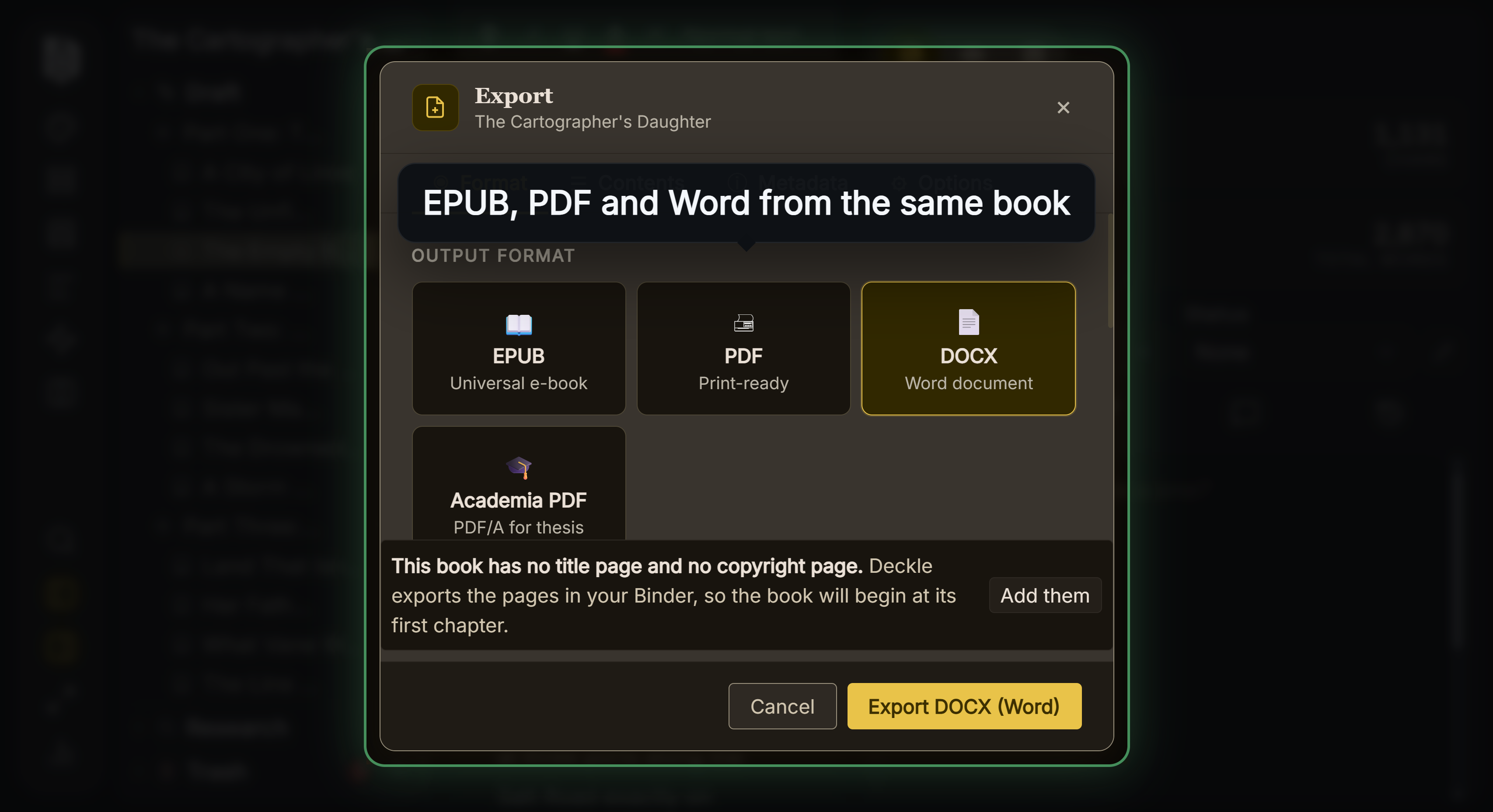 Deckle's export formats
The EPUB has Generic, Kindle, Apple Books and Kobo targets. The Kindle target writes an EPUB for KDP to convert, not a KPF file. Deckle's EPUB is reflowable only, so it has no Print Replica or comic mode.
Deckle is a one-time purchase. To try it, click Try it free on the screen Deckle opens to: no card, no account and no time limit. It opens a sample novel with every screen open to explore, and you can restyle it and export real EPUB, PDF and DOCX files. New writing is capped at about 500 words, and new documents and imports are blocked. The two apps are compared side by side in Kindle Create vs Deckle.
Common mistakes with Kindle Create exports
- Looking for EPUB on a Print Replica or comic book. EPUB export is for reflowable books only.
- Throwing away the KCB. The KPF can't be edited. The KCB is how you update the book later.
- Sending the EPUB to a store unchecked. Run EPUBCheck first, and expect bleeds and tall drop caps to look different.
- Expecting a PDF for IngramSpark. Kindle Create's print file is a KPF for KDP.
- Converting an EPUB to KPF for KDP. KDP accepts the EPUB directly.
FAQ
Can Kindle Create export EPUB?
Yes, for reflowable books only. Print Replica and comic books export as KPF.
Can Kindle Create export to PDF?
No. Amazon's help names KPF and EPUB as Kindle Create's two export formats.
Is Kindle Create only for ebooks?
No. It prepares a KDP paperback from the same project, for text-heavy books without footnotes, tables or bleed. Amazon's feature chart lists that as a pre-release (beta) feature.
What is a KPF file?
Kindle Package Format, the publishable file Kindle Create makes for KDP. Amazon says "The KPF file is only used for publishing."
Can I convert a KPF to EPUB?
Amazon documents no KPF to EPUB conversion. Export the EPUB from Kindle Create's project, or from your original manuscript in another tool.
Should I upload the EPUB or the KPF to KDP?
Either is accepted. Amazon calls KPF "the preferred format" for books made in Kindle Create.
Can I use the Kindle Create EPUB on Apple Books?
Only if it passes EPUBCheck, which Apple requires for every book.
Sources
All retrieved 20 October 2026.
- Getting Started with Kindle Create, Amazon KDP Help (KPF and EPUB, reflowable-only EPUB, EPUB limits, book types, PDF to Print Replica)
- Prepare Reflowable and Print Books with Kindle Create, Amazon KDP Help (Export produces KPF, KCB for updates, digital and print from one project)
- Prepare Your eBook and Paperback with Kindle Create, Amazon KDP Help (paperback limits, page numbers on upload)
- Previewing and Publishing Your Kindle Create Book, Amazon KDP Help (KCB and KPF on export, print preview after trim size)
- Kindle Create Tutorial, Amazon KDP Help (margins by trim size)
- Paths to Getting Your Content on Kindle, Amazon KDP Help (EPUB, DOCX or KPF for reflowable content)
- What file formats are supported for eBook manuscripts?, Amazon KDP Help (EPUB accepted)
- Save Your Manuscript File, Amazon KDP Help (paperback file types, bleed needs PDF, PDF/X-1a preferred)
- File Creation Guide, IngramSpark (PDF/X-1a:2001 or PDF/X-3:2002)
- Publish a book from the web, Apple Books for Authors (EPUBCheck)
Kindle, Kindle Create and KDP are trademarks of Amazon.com, Inc. or its affiliates. Other product names belong to their owners. Deckle is not affiliated with or endorsed by any product named here.