

Yes. LivingWriter has generative AI writing tools, including AI Rewrite, AI Manuscript Chat, AI Analysis, AI Summarize, AI outlines, AI element generation, screenplay conversion and AI cover images. Every plan includes some AI: 3 requests a month on Free, 25 on Pro, and unlimited on Pro + AI. LivingWriter says "Every AI feature is optional" and that it does not train its AI on your manuscript.

LivingWriter is a cloud writing and planning app for the web, Windows, Mac, iOS and Android, and of the apps in this series it has the most AI built in. The quotes and figures here come from its AI features page, pricing page, help guides and changelogs, read on 20 October 2026.
What AI features does LivingWriter have?
LivingWriter's AI features page lists eight tools, and its help guides describe each one:
- AI Rewrite. You select text and give instructions, and it "provides an improved version that maintains the original meaning." You can insert the result, or Stash the original and insert the rewrite.
- AI Manuscript Chat. It answers questions about the whole manuscript or the open chapter. The June 2025 changelog says it supports "manuscripts up to 100,000 words" and understands your boards and elements. A separate Writing Assistant tab helps with "scene creation and grammar questions."
- AI Analysis. It "examines your entire manuscript" and returns notes on narrative, characters and tone.
- AI Summarize. It condenses a selected passage into a summary.
- AI Outlines. It turns "your premise, characters, themes, and constraints into a tailored outline."
- AI Element Generation. It creates characters, locations and objects with descriptions and an optional generated image.
- AI Convert to Screenplay. It "transforms your manuscripts into a screenplay within seconds," by chapter or for the whole manuscript.
- AI Generate Cover Image. You describe a cover, it generates one, and you can edit it in Canva.
An AI Thesaurus gives definitions, synonyms, antonyms and etymology.
AI Rewrite, Chat, outlines, element generation and cover images generate new text or images. AI Analysis and Summarize comment on or condense your own text. LivingWriter's pages read for this article do not name the AI model or the company that provides it.
The split matters if you publish on Amazon. KDP's content guidelines ask you to disclose "text, images, or translations created by an AI-based tool," and say that holds "even if you applied substantial edits afterwards." A generated cover or a rewritten passage you keep counts. Using a tool to "edit, refine, error-check, or otherwise improve" your own text is AI-assisted, which KDP does not ask you to disclose.
Which LivingWriter plans include AI?
Every plan includes AI requests. The pricing page lists:
| Plan (as of October 2026) | AI requests | Price |
|---|---|---|
| Free | "3 AI requests per month" | $0 |
| Pro | "25 AI requests per month - Outlines, Rewrite, Analysis, and more" | $149 or $179 a year, assigned per visitor |
| Pro + AI | "Unlimited AI requests across all features" | $199 or $229 a year, assigned per visitor |
| Lifetime access | Not stated on the pricing page | $799 once |
The pricing page shows each visitor one of several price versions. The two sets above are the ones it assigned across 12 visits on 20 October 2026. LivingWriter's December 2023 changelog said "Lifetime subscriptions include unlimited AI"; the current pricing page does not restate that.
There is no plan without AI requests. Pro + AI also adds "First access to new AI features."
Can you turn off AI in LivingWriter?
LivingWriter describes its AI as opt-in. The AI features page says "Every AI feature is optional," and the product page says "AI features only run when you choose to use them." Its December 2023 changelog said "AI features are opt-in."
The same changelog gives one switch: "Turn off the AI chat icon via Manuscript -> Disable AI Chat Icon." The February 2024 changelog repeats that "AI Chat can be disabled via the Manuscript dropdown." LivingWriter's pages read for this article describe no account-wide switch that removes every AI tool. In practice, AI runs only when you click an AI tool.
Does LivingWriter train AI on your writing?
LivingWriter says no, in three places:
- AI features page: "LivingWriter does not use your manuscript, notes, or Story Elements to train its AI."
- Home page: "Our AI does not and will never store your data, it is deleted on every session. Your data will never be used to train our AI."
- December 2023 changelog: "your data will not be used for AI training," and "You own all content, including AI-generated content."
That last promise is about LivingWriter's terms, not copyright law. The US Copyright Office's report on copyrightability of 29 January 2025 says AI output "can be protected by copyright only where a human author has determined sufficient expressive elements," and "not the mere provision of prompts." LivingWriter can hand you whatever its AI writes, but in the US the parts no human shaped may not be protected.
The privacy policy published on 16 June 2025 contains no section on AI. LivingWriter stores your manuscripts in its cloud. Its pricing FAQ says your work is "backed into Amazon Cloud Servers with bank-level encryption" and "Not even our support team has access to see your words."
Is LivingWriter a good choice if you want no AI?
No, if your test is that the app contains no generative AI. AI tools are part of every plan, including Free, and LivingWriter says it plans to "expand our AI tools." Yes, if your test is only that the AI never runs unless you click it and your writing is not used for training. Both statements come from LivingWriter itself.
Writers who want no AI at all can look at apps that have published no-AI positions. Dabble's help says "Dabble will never put words on the page for you," and Novlr says "We do not have AI built into our platform." The vendor-by-vendor picture is in novel writing software without AI, and Dabble's statements are in does Dabble use AI.
Is there a LivingWriter alternative with no AI at all?
Deckle is our app, so weigh this section accordingly.
Deckle is a writing, organising and formatting app for Windows, macOS and Linux. Where LivingWriter meters AI requests by plan, Deckle has none to meter: no AI library or AI service appears anywhere in its code. A project is a folder on your own disk, holding one .deckle database plus research/ and .deckle-assets/ folders, and nothing is stored on a Deckle server. It works offline after activation. It exports EPUB, a print PDF and DOCX, and it is a one-time purchase.
What you would lose by switching: Deckle has no cloud sync, no phone, tablet or browser version, no sharing and no screenplay format, all of which LivingWriter offers. Deckle has also published no written no-AI policy; it has a codebase with no AI in it today. Other options are in LivingWriter alternatives.
Deckle imports Word files and splits chapters at your heading styles, so a LivingWriter manuscript exported to .docx comes across. The steps are in how to move a manuscript between writing apps.
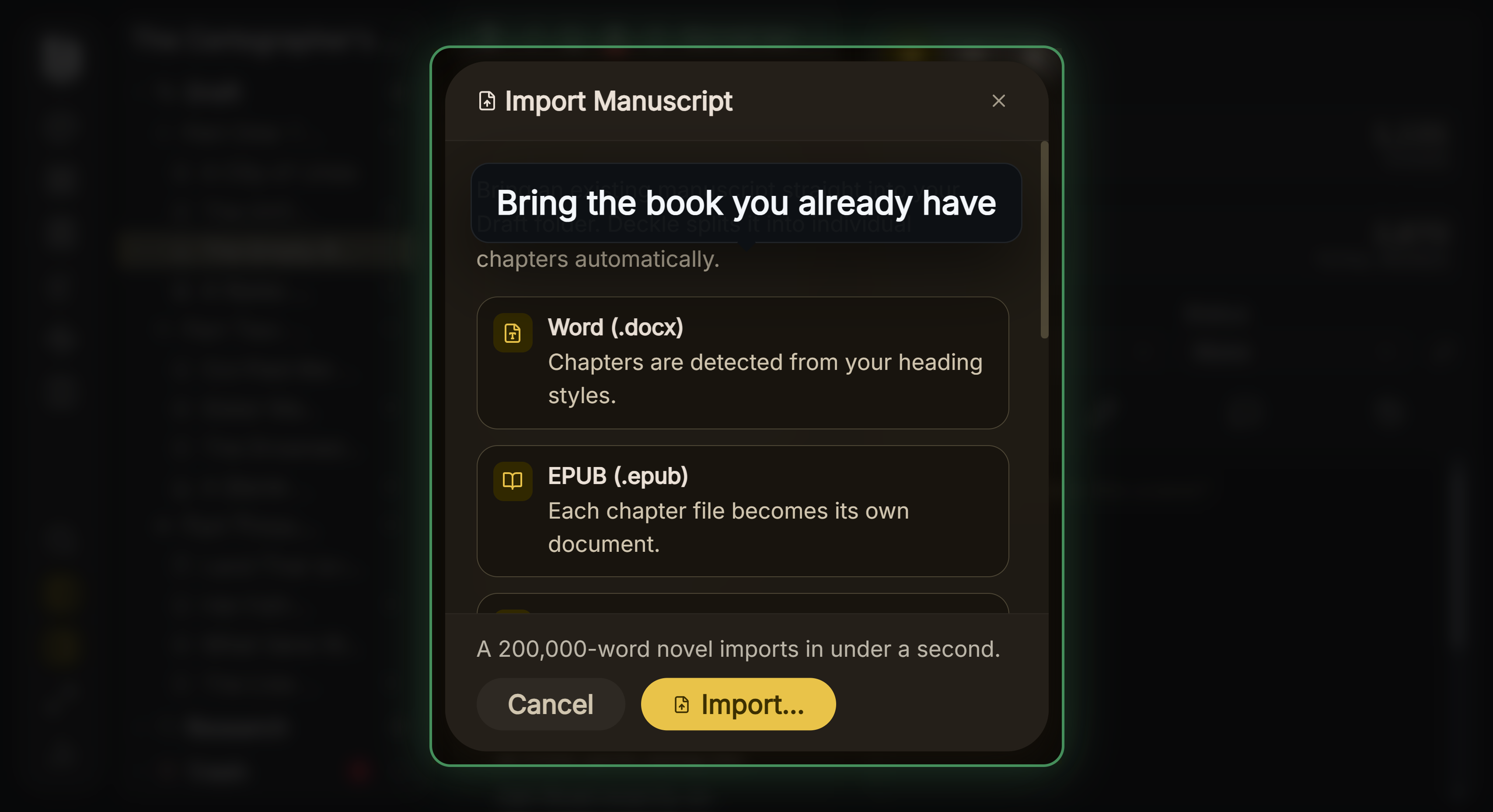 Import Manuscript: a Word file splits into chapters on the way in
To try it, click Try it free on the screen Deckle opens to. There is no card, no account and no time limit. It opens a sample novel with every screen open to explore, and you can restyle it and export real EPUB, PDF and DOCX files. New writing is capped at about 500 words, and new documents and imports are blocked.
FAQ
Q: Does LivingWriter use AI? A: Yes. LivingWriter has AI Rewrite, AI Manuscript Chat, AI Analysis, AI Summarize, AI outlines, AI element generation, screenplay conversion and AI cover images.
Q: Is LivingWriter an AI writing app? A: LivingWriter is a writing and planning app with AI tools built in. You write the manuscript yourself, and the AI tools run when you choose them.
Q: Does the free LivingWriter plan include AI? A: Yes. The Free plan includes 3 AI requests a month. Pro includes 25, and Pro + AI is unlimited.
Q: Does LivingWriter train AI on my writing? A: LivingWriter says it "does not use your manuscript, notes, or Story Elements to train its AI."
Q: Can I turn off AI in LivingWriter? A: LivingWriter says every AI feature is optional and runs only when you use it. You can hide the AI Chat icon through the Manuscript menu.
Q: Who owns text that LivingWriter's AI writes? A: LivingWriter's December 2023 changelog says "You own all content, including AI-generated content."
Q: What is LivingWriter Pro + AI? A: Pro + AI is the plan with "Unlimited AI requests across all features," priced at $199 or $229 a year depending on the price version you are assigned (as of October 2026).
Sources
All retrieved 20 October 2026.
- LivingWriter, AI features: eight AI tools; "Every AI feature is optional"; training statement
- LivingWriter, Pricing: AI requests per plan; prices, loaded per visitor from LivingWriter's price catalog; cloud storage FAQ; "expand our AI tools"
- LivingWriter, Product: "AI features only run when you choose to use them"
- LivingWriter, Home page: "Your data will never be used to train our AI"
- LivingWriter Guides, AI Rewrite, AI Manuscript Chat, AI Analysis, AI Convert to Screenplay and AI Generate Cover Image
- LivingWriter Guides, December 30, 2023 changelog: opt-in, no training, ownership, Disable AI Chat Icon, lifetime AI
- LivingWriter Guides, February 4th, 2024 changelog and June 17, 2025 changelog: Writing Assistant, 100,000-word chat
- LivingWriter, Privacy Policy (published 16 June 2025): no AI section
- Amazon KDP, Content Guidelines: AI-generated content must be disclosed, even after substantial edits; AI-assisted need not be
- U.S. Copyright Office, Copyright Office Releases Part 2 of Artificial Intelligence Report (29 January 2025): human authorship and AI outputs
- Dabble, Dabble is AI-free and Novlr, Help: Writing: no-AI statements
LivingWriter is a trademark of LivingWriter LLC, and Dabble and Novlr are trademarks of their owners. Scrivener is a trademark of Literature & Latte. Deckle is not affiliated with or endorsed by any product named here.