

See your whole manuscript at a glance, as editable index cards or as a detailed spreadsheet-style list, without opening each chapter individually.
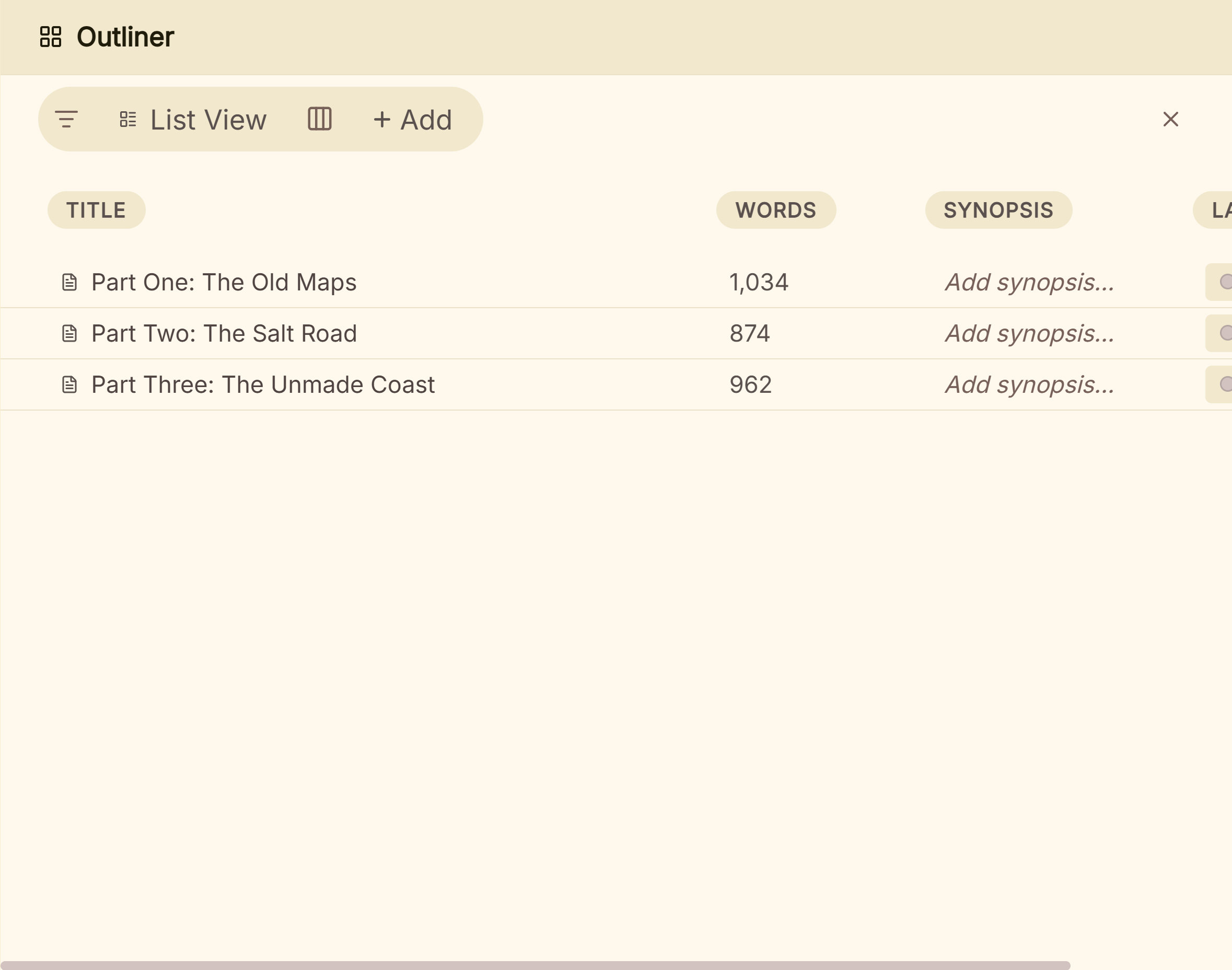 Outliner rows with synopsis, words, label and status
What You Can Do
- Switch between Grid view (one card per chapter/scene, similar to what other apps call a corkboard) and List view (spreadsheet-style rows).
- Edit each card's synopsis directly in Grid view, without opening the document itself.
- See word counts that roll up through your structure: a chapter's total includes its scenes, a Part's includes all its chapters.
- Filter by document type, Label, Status, or linked Codex entries (selecting more than one Codex entry filters for any match, not just one at a time).
- Add your own custom columns in List view (Text or Dropdown) for tracking anything without a dedicated field.
- Drag documents to reorder them directly from either view.
How to Use the Outliner
- Open the Outliner from the main navigation.
- Switch between Grid and List view.
- Use the filter controls to narrow by type, Label, Status, or Codex entries, or search directly.
- In List view, add a custom column via the column menu if you want to track something Deckle doesn't already have a field for.
Grid vs. List
- Grid: one card per document, with an editable synopsis right on the card. Best for a visual, spatial sense of your story's shape, similar to what Scrivener calls a Corkboard, though Deckle doesn't have a separately named mode for it; it's the Grid view of the same Outliner.
- List: one row per document, with support for custom columns. Best for tracking metadata across many documents at once, like a spreadsheet.
A Couple of Things Worth Knowing
💡 Custom columns only exist in List view, by design. They'd clutter Grid's visual card layout, so they're kept to the view built for structured data.
💡 Grid view's column count can be pinned to a fixed number, or left responsive to auto-fill however much width is available.
💡 Word counts roll up through your structure. You don't need to add up chapter counts by hand to know a Part's total.
FAQ
Is Deckle's Outliner the same as Scrivener's Corkboard?
Conceptually similar. Grid view shows one card per document with an editable synopsis, the same idea as a corkboard. Deckle doesn't have a separately named Corkboard mode; it's Grid view within the same Outliner.
Can I add custom columns in Grid view?
No. Custom columns are List-view only.
Can I filter by more than one Codex entry at once?
Yes. Codex entry filtering matches a document if it's linked to any of the entries you've selected, not just a single one.