

Track every storyline's internal chronology in one swim-lane view, plotlines as rows, a zoomable story-time axis as columns, instead of holding your book's timeline in your head or a separate spreadsheet.
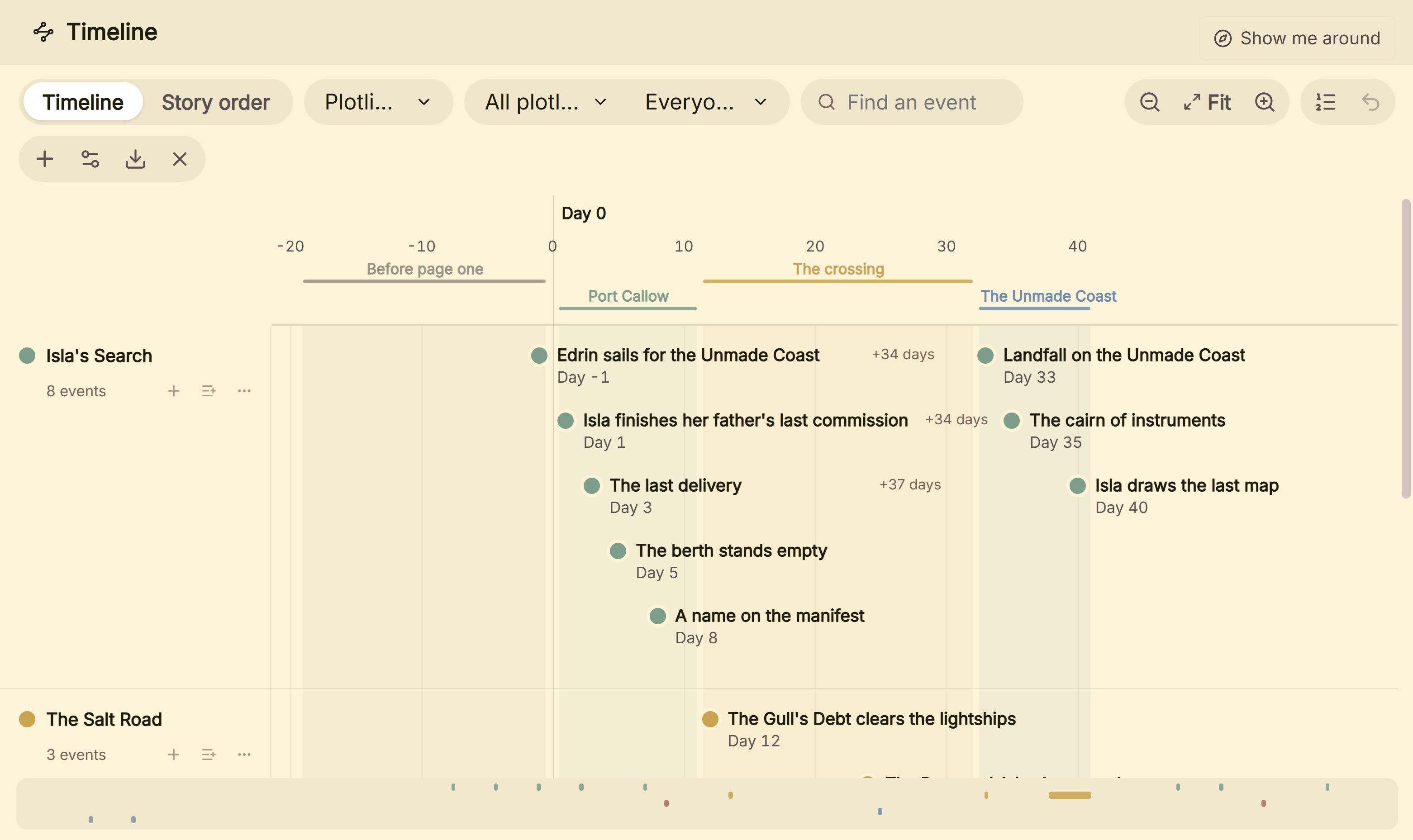 Timeline of events across four plotlines
What You Can Do
- Organize events into color-coded plotlines (lanes), and filter the whole view down to just one.
- Place events on a real, zoomable story-time axis that's entirely independent of any real-world calendar.
- Relabel the axis's unit (Day, Age, Cycle, or anything else that fits your story) without changing any event's actual position.
- Mark a range instead of a single point for events that span time: a journey, a siege, a pregnancy.
- Add named point or date-range markers ("Eras") directly on the ruler, separate from your events.
- Link an event to the specific document it belongs to, and to any Codex characters involved, then filter by either.
How to Use the Timeline
- Open Timeline from the main navigation.
- Add a plotline: give it a name and a color.
- Add an event to a lane, set its position on the axis (and an End value if it spans a range), and link it to a document and/or Codex characters if relevant.
- Use Calendar Markers (in Timeline Settings) to mark named eras or key dates on the ruler itself.
- Filter by plotline or by character to focus on one thread at a time.
For a full walkthrough of using this to catch chronology mistakes across parallel subplots, see checking your story's chronology.
Point Events vs. Duration Events
Most events are a single point on the axis. Give one an End value greater than its start, though, and it renders as a duration pill spanning that whole range instead, useful for anything that unfolds over time rather than happening at one moment.
Calendar Markers ("Eras")
Separate from your events entirely, Calendar Markers are named points or ranged bands shown on the ruler. Leave a marker's End blank for a single labeled point, or fill it in for a colored band spanning a range (an era, an age, a season).
A Couple of Things Worth Knowing
💡 Deleting a plotline never deletes its events. They become unassigned instead, still in your project, just no longer tied to a lane.
💡 The axis's unit label is purely cosmetic. "Day 47" and "Age 47" are the same underlying number; switching the label never reshuffles or rescales your events.
💡 An event can link to a document and Codex characters at the same time. Useful for cross-checking that an event's placement actually matches when a character was established to be present.
FAQ
Does Timeline track real calendar dates?
No, positions live on a story-relative numeric axis, with a label you choose (Day, Age, Cycle, or anything else), independent of any real-world calendar.
What happens to events if I delete their plotline?
They become unassigned, not deleted, still part of your project, just no longer tied to that lane.
Can one event span a range of time instead of a single point?
Yes, give it an End value, and it renders as a duration pill spanning that range instead of a single point.