

Package an entire project's structure, Codex, and styling into a single file: share it, sell it, or just reuse it yourself, instead of rebuilding the same setup from scratch for every new book.
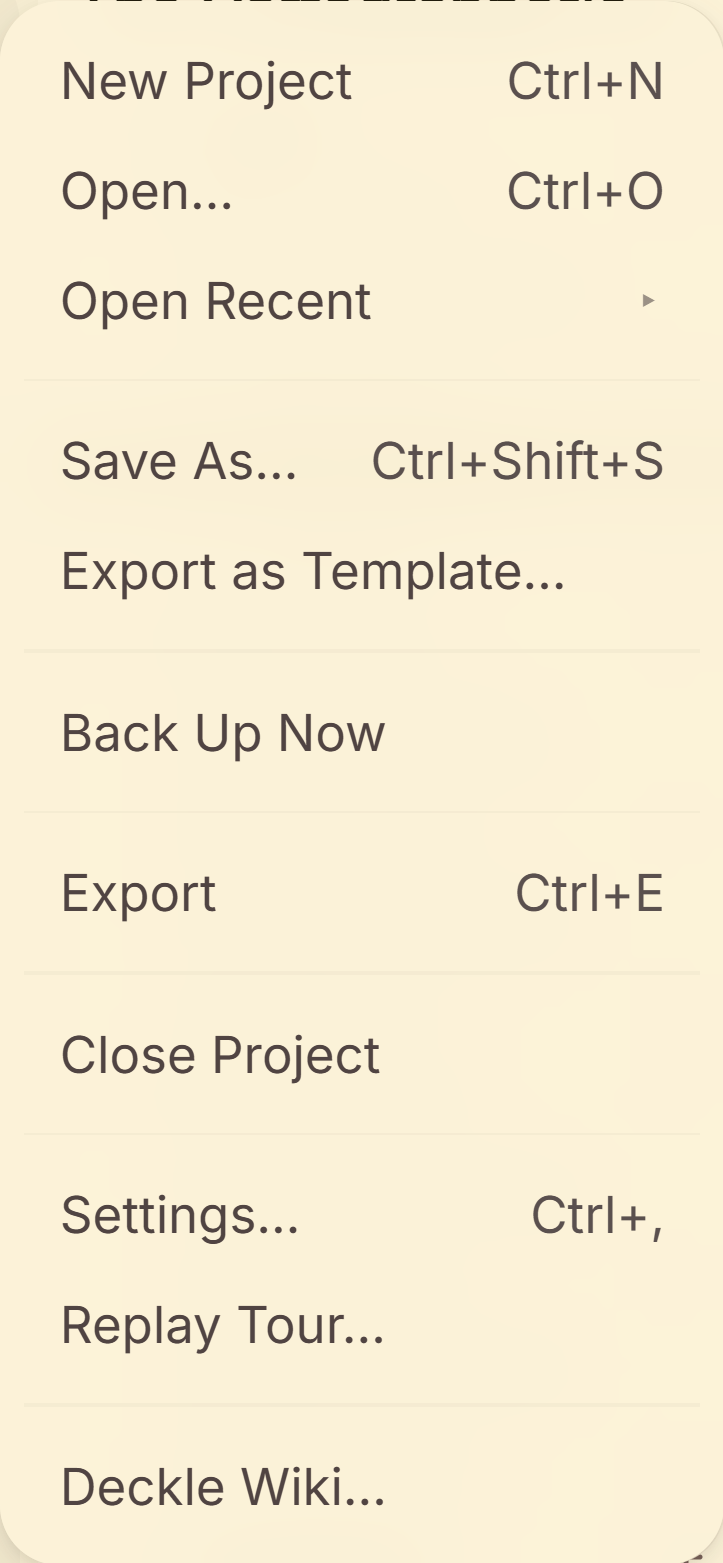 File menu showing new project templates
What You Can Do
- Export a project's binder structure, Codex entries, labels, and style/theme config (including any custom fonts it references) into one
.deckletemplatefile. - Share or sell the resulting file. It's built to be opened by someone else's copy of Deckle, not just your own.
- Start a brand-new project from a template file, with its structure and styling already in place.
How to Export a Project as a Template
- Use Export as Template… from the File menu.
- Give it a name, a description of what's included and who it's for, and a creator name.
- Replace your real manuscript content with placeholder or scaffolding text first. See the warning below; this is the one thing you have to do yourself.
- Export. Deckle empties Trash and clears the book's title/author/publisher automatically.
How to Start a New Project from a Template
- Use New Project → From Template File.
- Pick the
.deckletemplatefile. - Your new project opens with that template's structure, Codex, and styling already in place.
What Gets Cleared Automatically, and What Doesn't
Cleared for you: Trash, the book's title/author/publisher, writing history (snapshots, stats, activity), comments, and Research items.
Not cleared, this is on you: Your chapters' and scenes' actual text. Deckle has no way to tell placeholder or scaffolding prose from your real manuscript, so if you export a project as a template without replacing the content yourself, your real writing goes into the file.
A Couple of Things Worth Knowing
💡 This is a different feature from Codex's own "Save as Template". Codex templates capture one entry's fields for reuse within the same app; Project Templates package an entire project, binder, Codex, and styling together, as a standalone file meant to be shared with someone else's copy of Deckle.
💡 There's a third, smaller template concept too: note templates. When creating a new Note in the Binder, Deckle offers to start it from a saved snippet, grouped into categories like Characters, World-building, and Planning, or from any note you've saved as a reusable template yourself. This is purely a same-project convenience for reusing your own boilerplate note content, unrelated to both Codex templates and Project Templates.
💡 Custom fonts your styling references travel with the template, so someone opening it gets the same look, not just the same settings pointing at fonts they don't have.
💡 Template files are treated as untrusted input on import, the same caution as opening any file from someone else. Deckle validates the contents before extracting anything to disk.
FAQ
Does exporting a project as a template remove my actual manuscript content?
No. You have to replace it with placeholder text yourself before exporting. Deckle clears session/writing-history data automatically, but it can't tell your real prose from intentional scaffolding.
Do my Codex entries carry over into the template?
Yes. Codex entries are part of what a Project Template packages, along with the binder structure and style config.
Is this the same as saving a Codex entry as a template?
No. That's a separate, smaller feature (reusing one entry's fields). Project Templates package the whole project as a shareable file.
What are note templates, and are they the same thing?
No. Note templates are a small, separate convenience for starting a new Note from a saved snippet (your own, or one of Deckle's built-in categories like Characters or World-building). They stay within one project and have nothing to do with Codex templates or Project Templates.