

Deckle has two distinct ways to work across more than one document at a time: Split Editor, for comparing scenes side by side, and Continuous View, for reading and editing several scenes or chapters as one uninterrupted scroll, the way Scrivener's "Scrivenings" mode works.
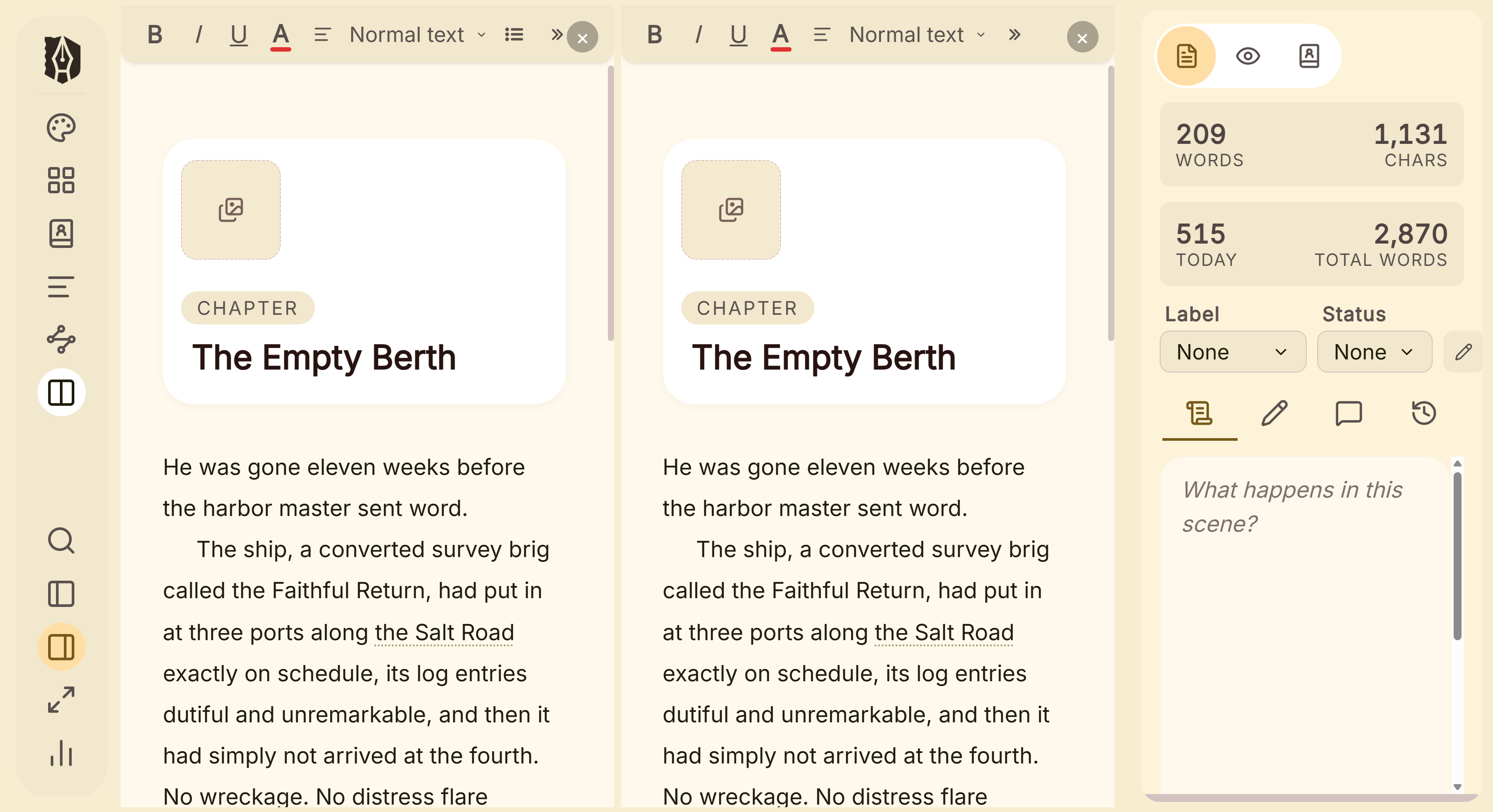 Split editor with two chapters open
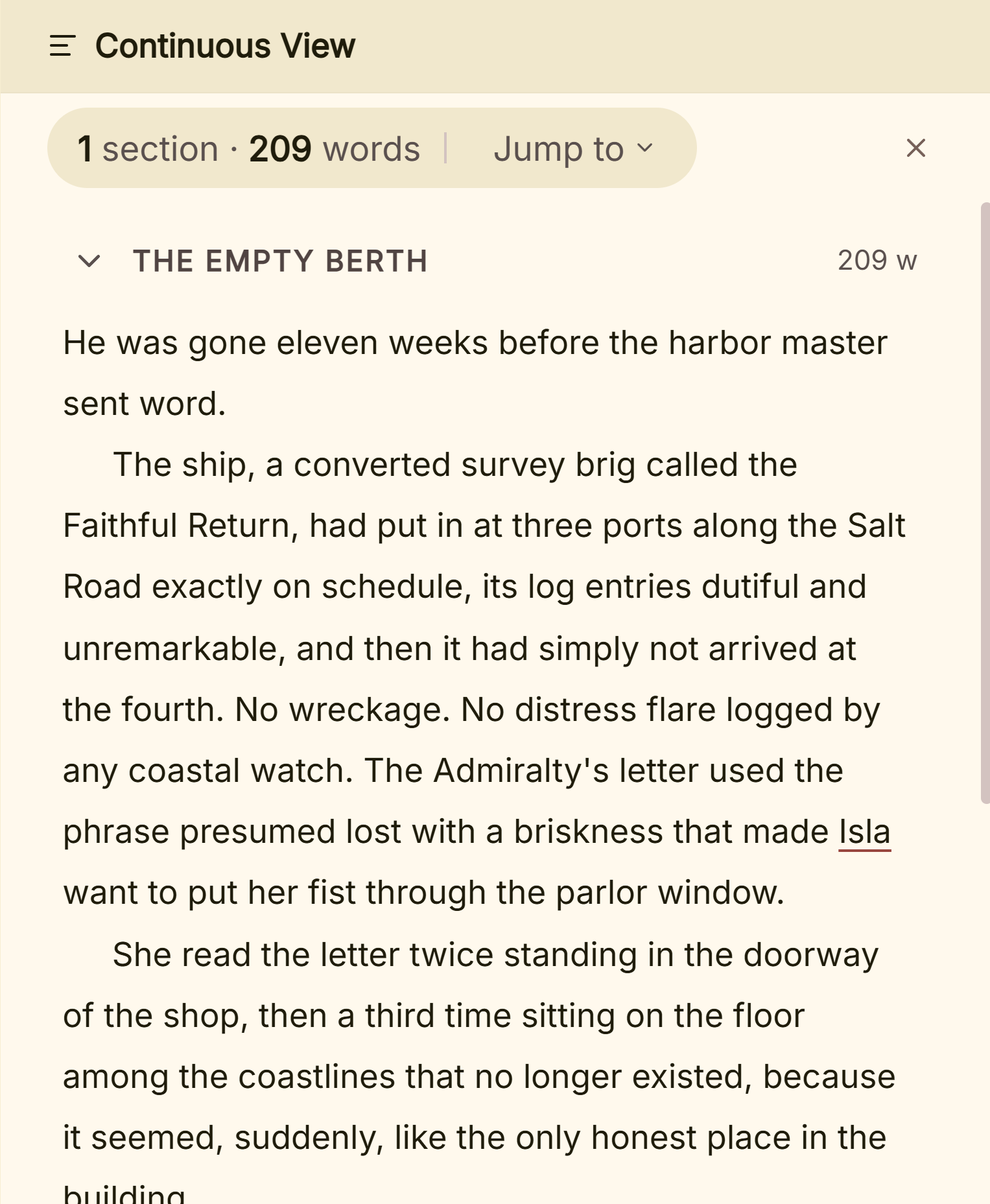 Continuous view of a whole part
What You Can Do
- Open up to 4 editor panes at once, each showing a different document independently.
- Resize how the panes divide the screen by dragging the divider between them.
- Switch into Continuous View to read and edit an entire folder's documents as one seamless piece of text, instead of jumping between them one at a time.
- Choose which documents Continuous View includes by multi-selecting specific ones in the Binder, or let it default to everything under the folder you're in.
Split Editor
Click the Split Editor icon to add another pane. It starts by cloning whatever document is currently active, so you can immediately switch it to something else via the Binder. Each pane tracks its own document completely independently.
- 2 panes: side by side.
- 3 panes: one full-height pane on one side, two stacked on the other.
- 4 panes: a 2×2 grid.
Click inside any pane to make it the active one. That's the pane new documents open into when you click something in the Binder. Close a pane with its own × button; you can't go below one.
Continuous View
Click the Continuous View icon to switch the whole workspace into one long, continuous scroll. If you've multi-selected specific documents in the Binder first, only those are shown, in that order; otherwise it defaults to every document under whichever folder or chapter is currently active. Each document is still independently editable within the scroll; it just reads as one piece, without the usual per-document jumps.
A Couple of Things Worth Knowing
💡 Neither feature has a keyboard shortcut. Both Split Editor and Continuous View are toggled from their icon buttons only.
💡 Split Editor caps at 4 panes. Once you're at 4, the button disables until you close one.
💡 Typewriter scrolling only works with a single pane open, and doesn't apply inside Continuous View. If you rely on it, keep to one document, one pane.
FAQ
Can I drag a document from the Binder directly into a specific pane?
No, a new pane starts by cloning the currently active document; to change what's in a pane, click into that pane first, then click the document you want in the Binder.
Is Continuous View the same as Scrivener's Scrivenings mode?
Functionally, yes. A folder's documents scroll as one continuous, still-independently-editable piece of text, the same idea Scrivener's Scrivenings mode is built on. Deckle's UI just labels it "Continuous View."
How many documents can Continuous View show at once?
As many as you multi-select in the Binder, or every document under the active folder if you haven't selected anything specific.
Can I use Split Editor and Continuous View at the same time?
Continuous View replaces the pane-based workspace while it's active; think of it as a separate whole-workspace mode rather than something that runs inside one of your split panes.