

A chapter you want on a second monitor, or a scene you want to keep visible while you work in the Binder or Codex elsewhere: Deckle can open any document in its own standalone window, separate from the main app window entirely. See writing on a second monitor for the full setup.
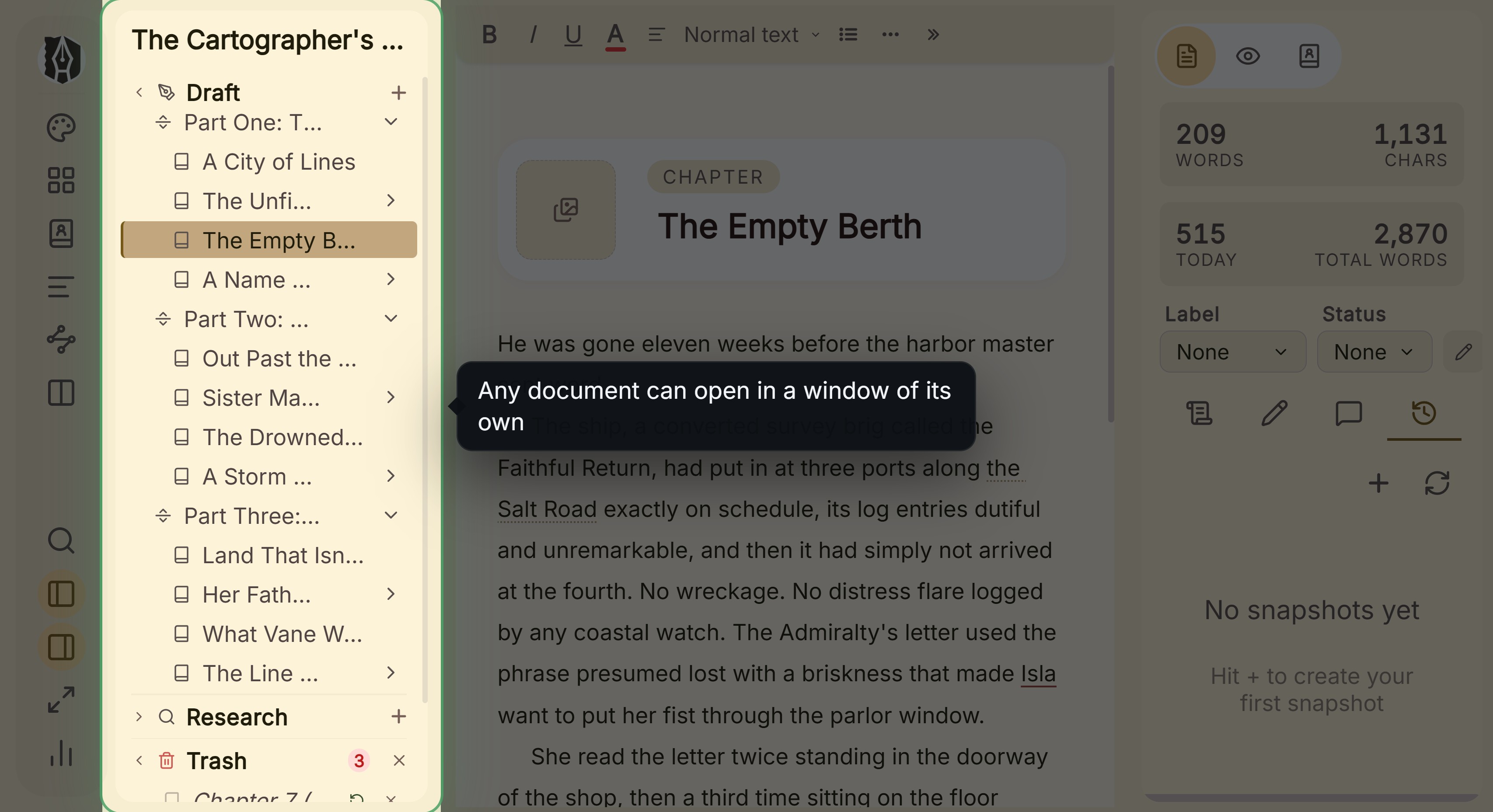 Binder, from which a document opens in its own window
What You Can Do
- Open a chapter or scene in its own separate window, movable to a second monitor.
- Edit it there with the full formatting toolbar, images, footnotes, comments, and spellcheck.
- Have your edits sync back into the main window automatically.
- Open more than one document this way at once, each in its own window.
How to Open One
- Right-click a chapter or scene in the Binder.
- Choose Open in Floating Window.
- A new window opens with that document. If it's already open in a floating window, Deckle just brings that window to the front instead of opening a second one.
A Couple of Things Worth Knowing
💡 A document can only be open in one place at a time. If it's already in a split pane, popping it out is blocked with a message telling you to close it there first. The reverse is also true: you can't open a document in a split pane while it's already floating in its own window. Close it in the other spot first.
💡 A floating window is a simpler editing surface, not a small version of the whole app. There's no Binder, Inspector, Outliner, Codex, Search, or Focus Mode inside it, just the formatting toolbar and your text. It's built specifically for focused editing of one document, not for general navigation.
💡 The floating window's toolbar doesn't collapse into a "More" menu on a narrow window the way the main editor's does. On a small window, less-used buttons simply scroll rather than tucking away.
💡 Give your last edit a moment to sync before closing the window. Changes save back to your project on a short delay. Closing the window the instant after typing is unlikely to lose anything, but a brief pause first is the safer habit.
FAQ
Can I open more than one document in its own window at the same time?
Yes, each document gets its own separate window, and you can have several open at once.
How do I bring a document back into the main window?
Close its floating window. There's no separate "return to main window" action, closing the window is what ends the floating session.
Why can't I open a document in a split pane if it's already floating?
Deckle keeps a document to one place at a time, floating window or split pane, not both at once, so you always know exactly where you're editing something.
Does a floating window have Split Editor or Continuous View inside it?
No, a floating window is always a single, standalone editing surface with no view-mode switching of its own.