

Vellum is a Mac-only book formatter with PDF/X-1a print files and 24 trim sizes. Deckle is a writing and formatting app for Windows, macOS and Linux, with 8 trim sizes and a standard print PDF. Both are one-time purchases that work offline. Vellum formats a manuscript you wrote elsewhere. Deckle is where you write it and format it.
Deckle is our app, so weigh this page accordingly. Vellum's facts come from vellum.pub, the Vellum Store, Vellum Help and the Vellum Blog, read on 2026-10-20. Deckle's facts are checked against Deckle's code (version 1.7.8). Nothing here is scored or ranked.
Vellum vs Deckle at a glance
| Vellum (4.1.7) | Deckle (1.7.8) | |
|---|---|---|
| What it is | Book formatter, with a text editor | Writing, organising and formatting app |
| Platforms | Mac only, macOS 13 or newer | Windows 10/11, macOS 11 or newer, Linux (.deb, .rpm) |
| Price model | One-time: $199.99 Ebooks, $249.99 Press (as of October 2026, before tax) | One-time purchase |
| Updates | Free | Every update included |
| Licence | You plus "an additional computer" | 2 devices, any mix of Windows, Mac and Linux |
| Refund | 30 days | 30 days, full refund, no reason needed |
| Print PDF | "Professional-Grade PDF/X-1a" (Press tier) | Standard PDF, not PDF/X-1a |
| Trim sizes | "24 Trim Sizes + Large Print" | 8, no custom size |
| Styles | Count not stated on vellum.pub | 26 built-in presets, plus saved and imported ones |
| Ebook files | EPUB 3 and EPUB 2 for Kindle, Apple Books, Kobo and Generic; MOBI for ARCs | EPUB with Generic, Kindle, Apple Books and Kobo targets; no MOBI |
| Word export | "Export Content As > Word File…", "not intended for publishing" | DOCX for Word or InDesign, with a Standard Manuscript Format option |
| Import | .docx only | Word (.docx), EPUB, a zipped Scrivener project, a Markdown folder |
| Writing tools | Text Editor | Binder, Outliner, Codex, Timeline, snapshots, goals, comments |
| Free version | Free download; can't generate files until you buy | Free demo; exports real files |
| AI | No AI of its own; Apple Writing Tools, off by default | No generative AI |
Does Vellum or Deckle run on Windows?
Deckle runs on Windows. Vellum doesn't. Vellum says it "is only available for Mac" and needs macOS 13 or newer, and its help suggests Windows users rent "a Mac 'in the cloud'". Deckle ships for Windows 10 and 11, for macOS 11 or newer as a Universal app (Apple Silicon and Intel), and for Linux as .deb and .rpm packages. The Windows question in full is on Vellum alternatives for Windows.
Vellum vs Deckle price
Both are one-time purchases. Vellum Ebooks costs $199.99 and formats ebooks only. Vellum Press costs $249.99 and adds paperback and hardcover editions. Upgrading Ebooks to Press after the first 30 days costs $69.99. Deckle is one price for writing, ebooks and print, and its free demo is the place to judge it. The tiers, upgrade paths and a three-year view are on how much Vellum costs.
Vellum's licence covers "an additional computer" you own, and "cannot be shared with others". A Deckle licence covers 2 devices in any mix of Windows, Mac and Linux. Both refund within 30 days.
Does Deckle make PDF/X-1a files like Vellum?
No. Vellum Press makes "Professional-Grade PDF/X-1a". Deckle's print PDF is a standard PDF built with Typst, an open-source document system, not PDF/X-1a. Deckle's only archival-standard output is Academia PDF, which is PDF/A-2b for thesis deposit.
Amazon KDP's file guidance says "PDF/X-1a is preferred", and KDP also accepts other PDFs. Check the requirements for your printer in KDP's print file requirements before you upload.
How many trim sizes do Vellum and Deckle have?
Vellum offers "24 Trim Sizes + Large Print" on the Press tier. Deckle offers 8: 5"×8", 5.5"×8.5", 6"×9", 6.14"×9.21", 135×215 mm, 148×210 mm (A5), 8.5"×11" and A4. Deckle has no custom trim size. If your printer or genre needs a size outside those 8, Vellum covers it and Deckle doesn't. Choosing a trim size for a novel explains which sizes suit which books.
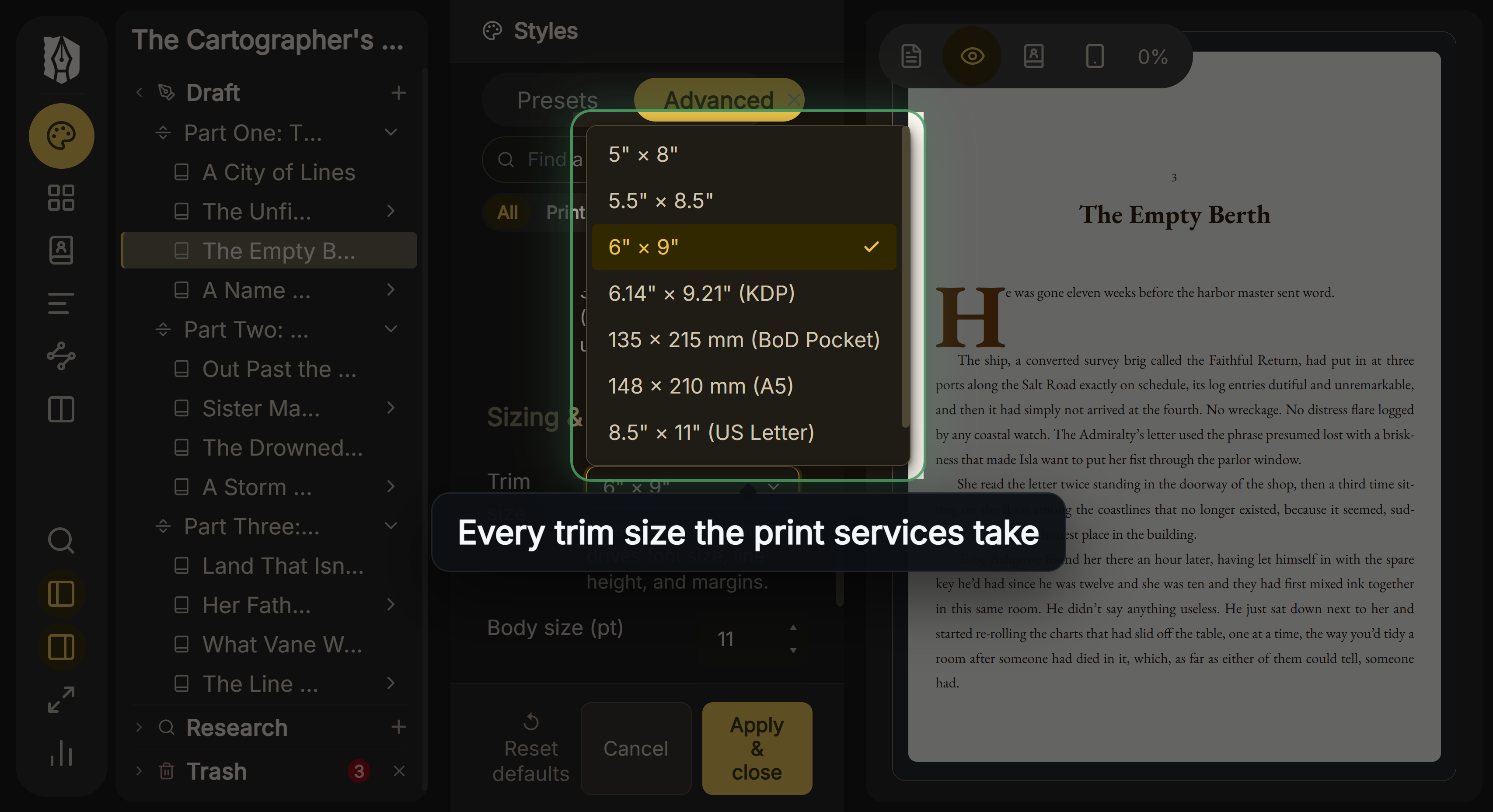 Deckle's trim size menu
How do Vellum Styles compare with Deckle presets?
Vellum applies a Style with a click: "Use drop caps, embedded fonts, and flourishes, all with a click to select your favorite Style." vellum.pub doesn't state how many Styles there are. Vellum handles "widow-handling and spread-balancing" automatically, and its Preview shows the ebook on a range of devices.
Deckle has 26 built-in style presets, and you can save your own or import a .decklepreset file. It has drop caps, small caps, running heads, scene-break ornaments, bleed, special pages such as Copyright and Also by the Author, and Full Page Image pages and spreads. Widow and orphan control is a setting, off by default. Deckle makes no spread-balancing claim. Its Inspector Preview shows Kindle, iPhone, iPad and Print views.
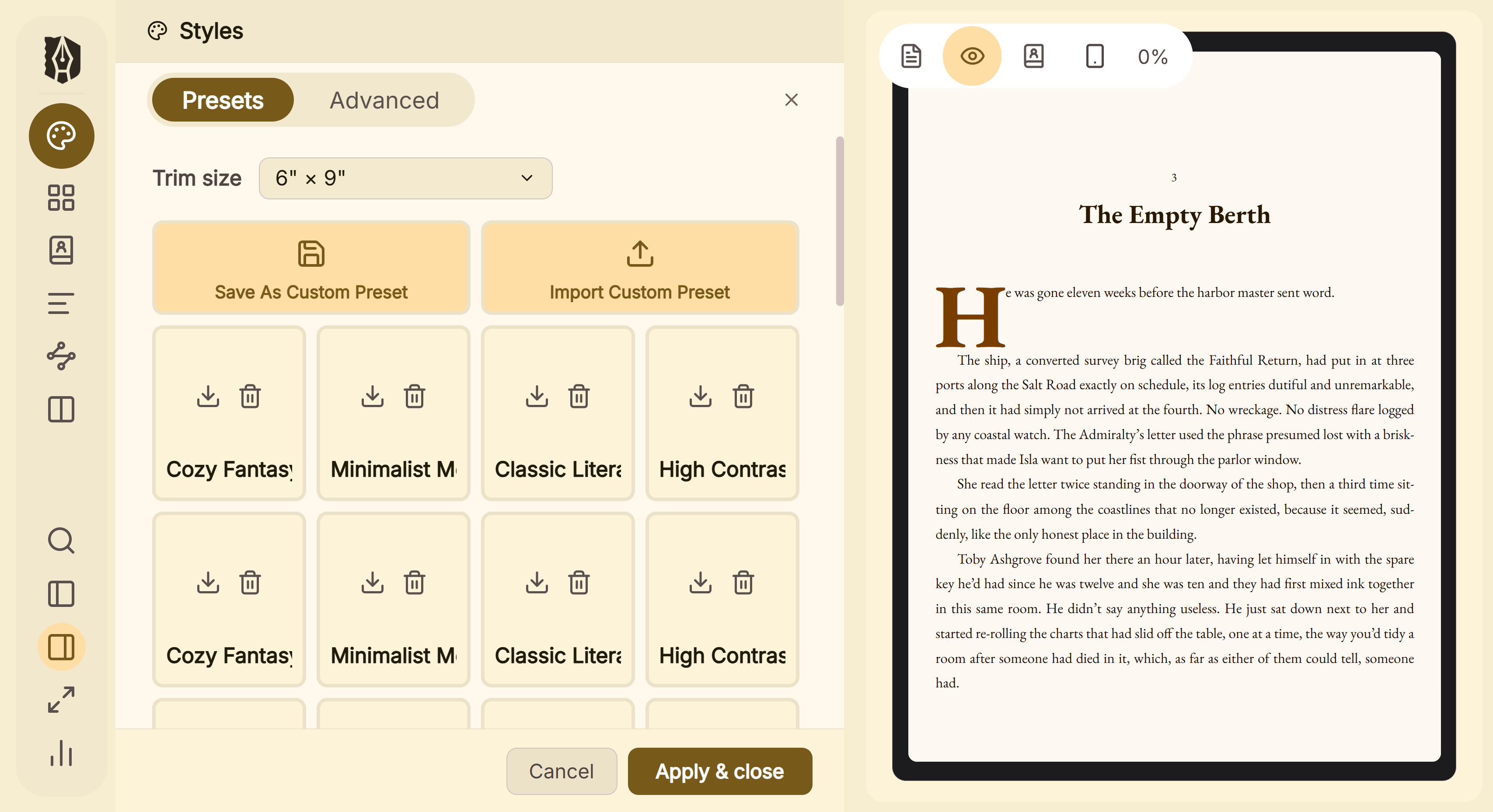 Style presets, with the page previewed beside them
Both build box sets. In Deckle, a Part can be set to "Make This a Separate Book" in a boxed set.
Can you write a book in Vellum?
Vellum has a Text Editor, and Vellum Help calls it "a full-featured word-processor" with spelling and grammar correction, find and replace, dictation and text-to-speech. Vellum has no binder, outline, story bible, timeline or writing goals. Most authors draft in Scrivener or Word and import a .docx, which is the pairing covered in Scrivener vs Vellum.
Deckle is built for drafting. It has a Binder (Draft, Research, Trash), an Outliner with a Grid View of index cards, a Continuous View, a Codex for characters, locations and items, a Timeline, inline comments, snapshots, Writing Stats with goals and streaks, and spellcheck in 16 languages.
What files can Vellum and Deckle import?
Vellum imports one format. Vellum Help says "Vellum can import any file with a .docx extension", and names Scrivener and Pages as apps that can make one. How to prepare that file is in Vellum import.
Deckle imports Word (.docx), EPUB, a Scrivener project as a ZIP backup (the raw .scriv folder must be zipped first), and a Markdown folder such as an Obsidian vault. Coming from Scrivener is covered step by step in moving from Scrivener to Deckle.
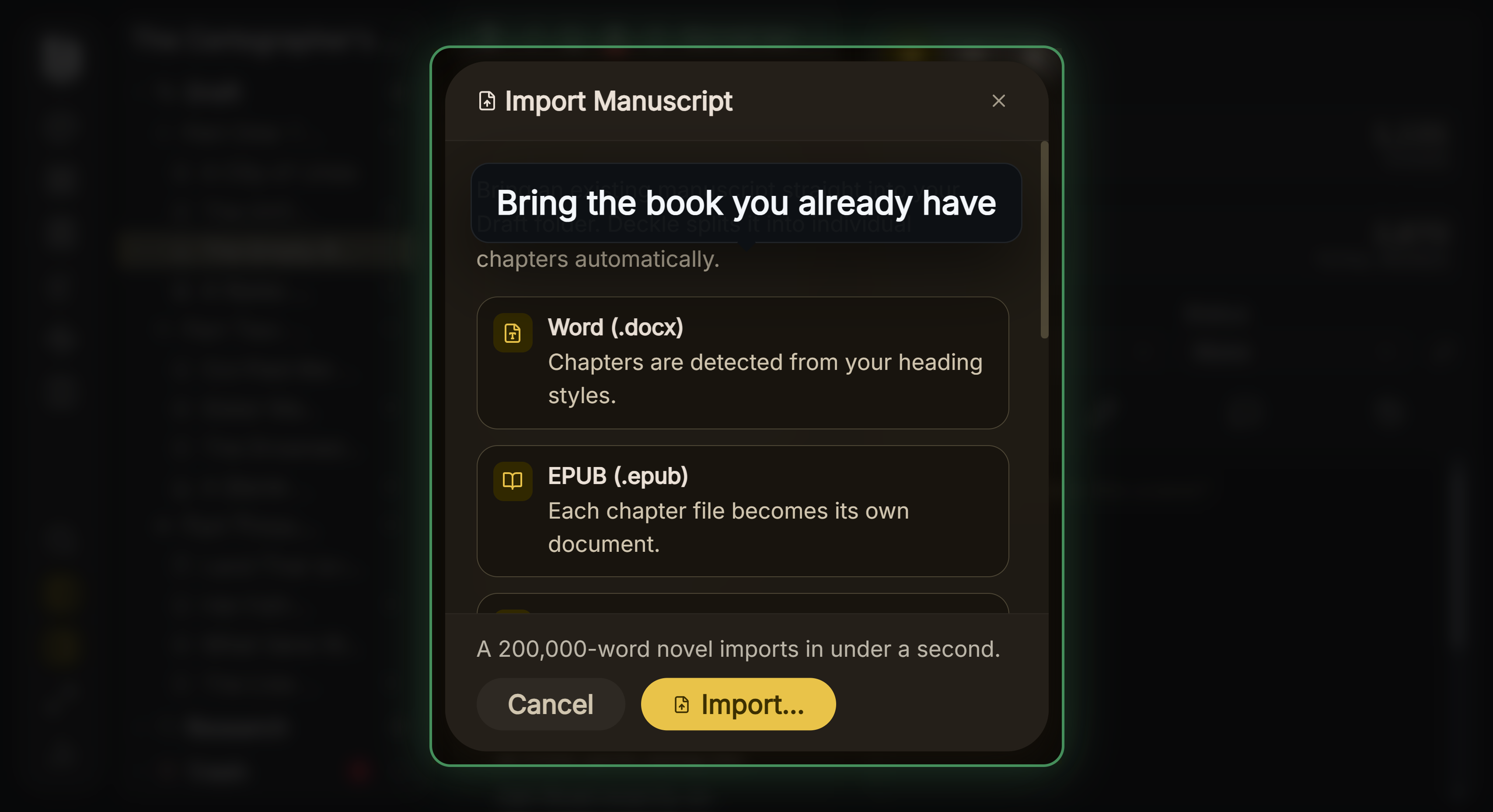 Deckle's Import Manuscript window
Vellum free trial vs the Deckle demo
The two free versions differ in one important way. Vellum's download is free with no time limit, but "You just won't be able to Generate files for publishing until you make a purchase." You can import, style and preview.
Deckle's demo exports. Click Take Deckle for a Spin on the screen Deckle opens to. There is no card, no account and no time limit. It opens a sample novel with every screen open to explore, and you can restyle it and export real EPUB, PDF and DOCX files. New writing is capped at about 500 words, and new documents and imports are blocked, so you can't run your own manuscript through it.
Vellum's trial shows your own book but won't export it. Deckle's demo exports, but only the sample novel.
Does Vellum or Deckle use AI?
Neither has generative AI of its own. Vellum supports Apple Intelligence Writing Tools as a native Mac app, and they are "disabled by default". Deckle has no AI SDK or AI service anywhere in the app. Details are in does Vellum use AI.
Where Vellum is ahead
- PDF/X-1a print files. The format KDP prefers. Deckle's print PDF is a standard PDF.
- 24 trim sizes plus large print. Deckle has 8 and no custom size.
- Hardcover editions. Vellum names "Paperback or Hardcover". This page makes no hardcover claim for Deckle.
- Spread balancing. Vellum balances facing pages. Deckle makes no such claim.
- MOBI for ARCs. Vellum exports "EPUB + MOBI" for beta readers. Deckle exports EPUB only.
- ACE-approved accessibility. Vellum states "ACE-Approved Accessible Output". Ace by DAISY is a free, open-source checker for EPUB accessibility. Deckle writes schema.org accessibility metadata and image alt text, but has no ACE approval to cite.
- A trial on your own manuscript. Vellum's free download imports and previews your own .docx. Deckle's demo blocks imports.
- One job, learned fast. A formatter has less to learn than an app that also holds your drafts, notes and Codex.
- Years of release history. Vellum's blog lists releases back through version 1, and 4.1.7 shipped on October 15, 2026.
Pick Vellum if
- You work on a Mac running macOS 13 or newer.
- You need PDF/X-1a print files, a hardcover, large print, or a trim size Deckle doesn't offer.
- You already draft in Scrivener, Word or Pages and want a separate formatter.
- You send MOBI files to beta readers.
- You want to preview your own manuscript before you pay.
Pick Deckle if
- You write on Windows or Linux, or move between them and a Mac.
- You want to draft, organise and format in one project.
- Your manuscript is an EPUB, a Scrivener project or a Markdown folder, not just a .docx.
- You want a DOCX for editors or InDesign alongside the ebook and print files.
- Your trim size is one of Deckle's 8, and a standard print PDF meets your printer's requirements.
FAQ
Is Deckle a Vellum alternative for Windows?
Deckle runs on Windows, macOS and Linux and formats ebooks and print books. Vellum runs only on a Mac.
Does Deckle export PDF/X-1a?
No. Deckle's print PDF is a standard PDF. Vellum Press exports PDF/X-1a.
How many trim sizes do Vellum and Deckle have?
Vellum lists 24 trim sizes plus large print. Deckle has 8 and no custom size.
Can I write a novel in Vellum?
Vellum's Text Editor can hold a full manuscript, but Vellum has no binder, outline or goals. Deckle is built for drafting as well as formatting.
Is the Vellum free trial or the Deckle demo better for testing?
Vellum's free download previews your own manuscript but can't generate files. Deckle's demo exports real EPUB, PDF and DOCX files, from a sample novel.
Can Vellum import a Scrivener project?
Vellum imports .docx only, so you compile Scrivener to Word first. Deckle imports a zipped Scrivener project directly.
Are Vellum and Deckle subscriptions?
No. Both are one-time purchases with free updates.
Sources
All retrieved 2026-10-20.
- Vellum, 180g (platform, print features, PDF/X-1a, trim sizes, Styles, ARCs, accessibility)
- Vellum Store, 180g (tier prices)
- Purchasing FAQ, Vellum Help (one-time purchase, free updates, refund, licence, trial, Windows)
- Importing Your Manuscript, Vellum Help (.docx only)
- The Text Editor, Vellum Help (editing tools)
- Can I create a Word file to share with my editor?, Vellum FAQ (Word export, not for publishing)
- Vellum Privacy, 180g (Apple Intelligence off by default)
- Vellum Blog, 180g (version 4.1.7, October 15, 2026)
- Save Your Manuscript File, Amazon KDP Help (PDF/X-1a preferred)
- Ace by DAISY, DAISY Consortium (free EPUB accessibility checker)
- Typst, Typst (the document system Deckle's print PDF is built with)
Vellum is a registered trademark of 180g. Scrivener is a trademark of Literature & Latte. Other product names belong to their owners. Deckle is not affiliated with or endorsed by any product named here.