

Draft2Digital is a distributor: you upload one file and it converts and delivers to multiple retailers. That model shapes its requirements, which are looser than uploading directly to a store because the conversion is the product. Publishing through it is not free: D2D's FAQ says "All accounts must pay an activation fee and complete tax verification before publication is allowed", a one-time $20 (US) as of October 2026, plus $12 a year for accounts earning under $100 with books in distribution. Its formatter alone costs nothing.
 EPUB built for the store it goes to
Two things are worth understanding before you use it: what the conversion means for your formatting, and what its free ISBN commits you to.
The Free ISBN, and Its Real Cost
Draft2Digital assigns an ISBN at no charge:
"Draft2Digital will automatically assign an ISBN to any book published through our system free of charge."
The attribution wording is worth reading closely, because it differs meaningfully from Amazon's equivalent:
"The ISBN recording agency will denote Draft2Digital as the 'vendor of record' on their website for any ISBN D2D purchases, but that label does not give us any rights to your work nor will it show publicly."
Compare Amazon KDP, whose free ISBN produces an imprint that "will appear as 'Independently published'" and is visible. Draft2Digital's vendor-of-record status is explicitly stated not to display publicly.
The lock-in is identical though. As with every free ISBN: "you can not use a Draft2Digital provided ISBN anywhere outside of Draft2Digital's services." You can share it for advertising, but it does not travel with the book.
So the choice is the same one as everywhere: a free identifier tied to one distributor, or your own ISBN that follows the book. That decision is covered in do I need an ISBN to self publish.
Bringing your own is straightforward: asked whether you can use your own ISBN, D2D answer "Absolutely!"
Conversion Is the Point, and the Risk
Because Draft2Digital converts your upload rather than distributing it as supplied, the formatting question is really about what survives conversion.
That is the same trade as uploading a Word file to any retailer: it works, and the converter makes every typographic decision for you. Supplying a finished EPUB instead means you decided them. What D2D's free conversion tool accepts, its template styles and its print limits are covered in the Draft2Digital free formatter.
The general principle applies here as everywhere: a clean, valid EPUB that you built is preferable to a converted document, because you have seen the result. See how to make an EPUB file and common EPUB validation errors.
An honest limitation of this page: Draft2Digital publishes less detailed public formatting specification than KDP or IngramSpark do, and I have not been able to verify a current file-requirements page against the live site. Check their own help before relying on any specific figure, and treat the general guidance below as the durable part.
What Actually Matters for a Distributor
Regardless of the platform's specifics, these hold:
Supply EPUB if you can. It is what the retailers downstream receive, so supplying it removes a conversion step and its surprises.
Validate before uploading. EPUBCheck is the reference validator. Apple, which Draft2Digital distributes to, requires that "All books submitted to Apple Books must pass the latest version of EPUBCheck", so a file that fails validation can be rejected downstream even if the distributor accepts it. See Apple Books and Kobo file requirements.
Include the navigation document. Required by the EPUB specification and by every retailer.
Check the converted output, not just the upload. Whatever you send, download or preview what the platform produced. That is what readers receive.
Keep metadata consistent. Title and ISBN in the file should match what you enter at the platform, since retailers check.
What Deckle Exports
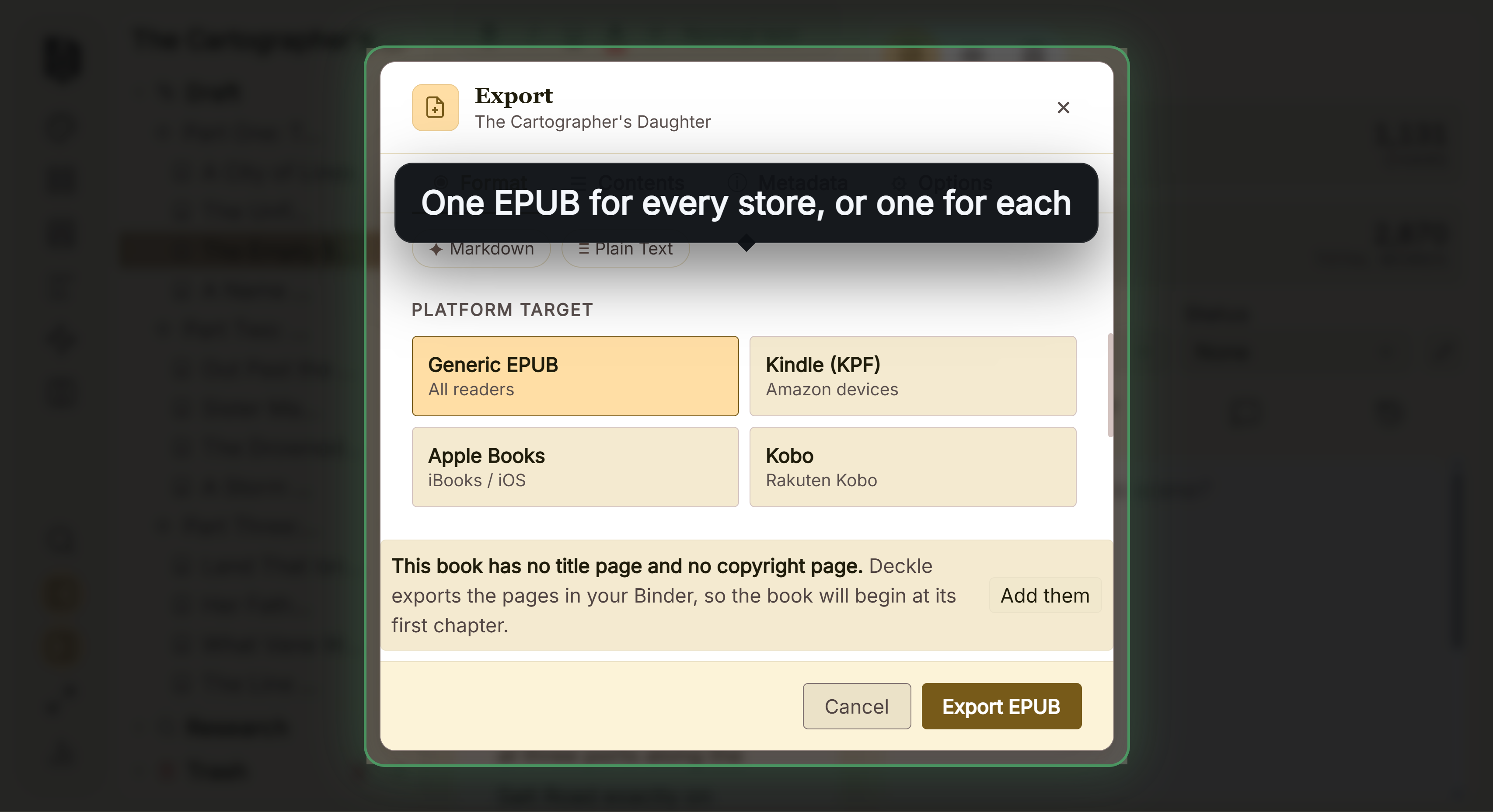
Deckle produces the file to upload: EPUB, built directly rather than zipped from a folder, with the required metadata and a generated navigation document.
Two things worth knowing when uploading to a distributor:
Leave "Include table of contents" on. The navigation document is only written when that option is enabled, and it is required by the specification and by retailers.
Use the Generic target unless you know otherwise. Deckle's Apple, Kindle and Kobo targets add platform-specific metadata. For a distributor that fans out to many stores, the generic build is the sensible default, since you are not targeting one of them.
If you would rather upload a manuscript and let the platform convert, Deckle's DOCX export is the file to send. It is a legitimate route and a lower-control one, for the reasons above.
For the wider distribution decision, see traditional vs self publishing, and for the ISBN question, ISBN vs ASIN.
Common Mistakes
- Taking the free ISBN without understanding the lock-in. It cannot be used outside Draft2Digital.
- Assuming vendor of record means ownership. D2D state it "does not give us any rights to your work".
- Uploading a document and never checking the conversion. The converted file is what readers get.
- Skipping validation. Apple rejects files failing EPUBCheck, whatever the distributor accepted.
- Exporting without the table of contents. The navigation document is required.
- Using the same ISBN across formats. Each format needs its own.
FAQ
Does Draft2Digital give a free ISBN?
Yes, and it lists itself as vendor of record, which it states does not show publicly and grants no rights.
Can I use that ISBN elsewhere?
No. It is usable only within Draft2Digital's services.
Can I use my own ISBN?
Yes. Asked directly, D2D answer "Absolutely!"
Should I upload EPUB or a Word document?
EPUB if you can. Uploading a document means the converter makes every typographic decision.
Do I still need to validate?
Yes. Apple requires files to pass EPUBCheck regardless of how they reached it.