

Blank pages in a printed book come from two causes. Books are printed on large sheets folded into gatherings, so the total page count has to be a multiple of eight or sixteen, and any shortfall is made up with blanks. Separately, sections that must open on a right-hand page leave the preceding left-hand page empty. Both are correct production, not mistakes.
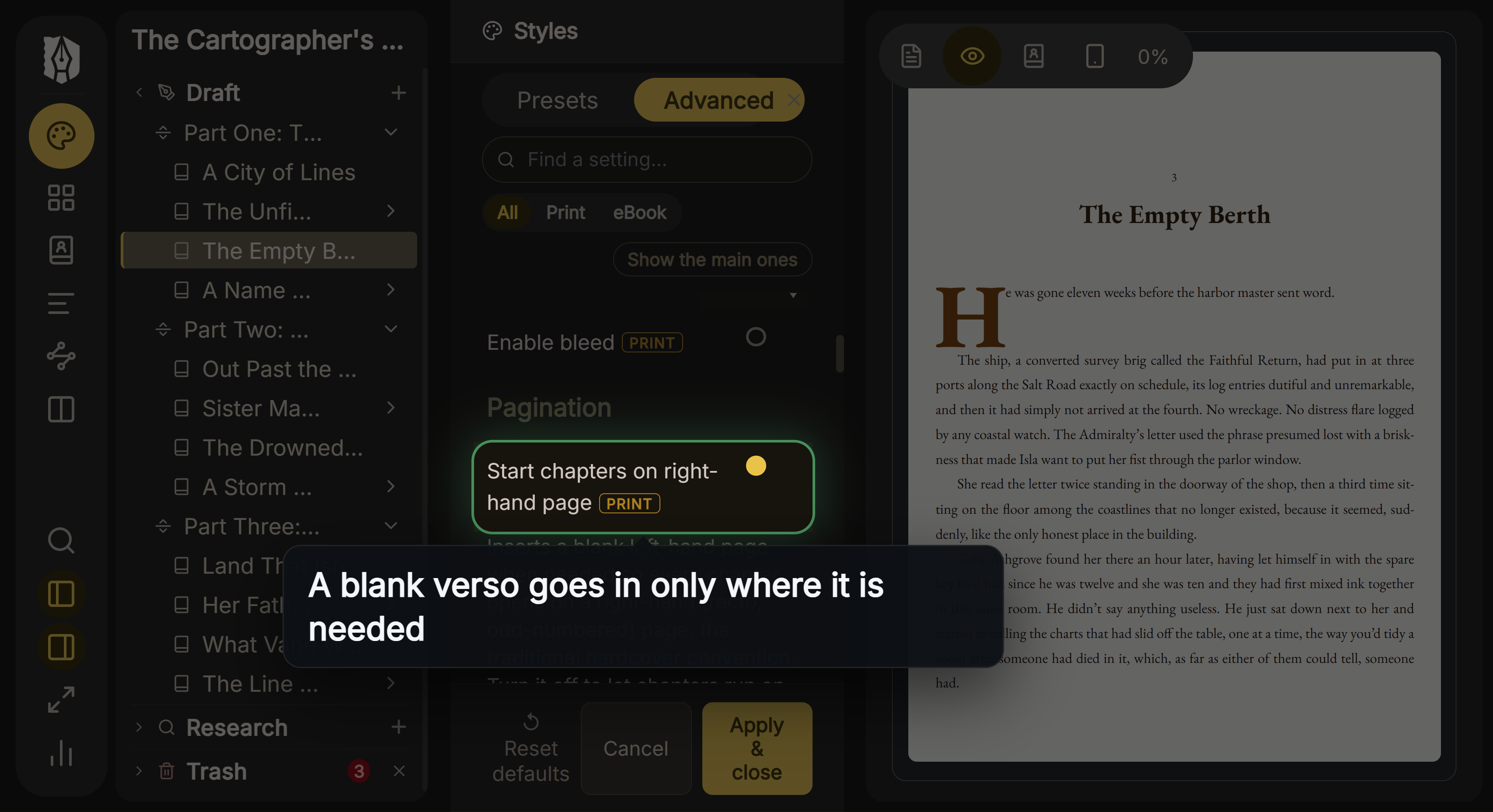 Start chapters on a right-hand page
Signatures: Why the Page Count Is Not Arbitrary
A book is not printed one page at a time. Pages are imposed onto a large sheet which is then folded and trimmed, producing a gathering called a signature. Fold a sheet three times and you get sixteen pages; fold it twice and you get eight.
Chicago's editors put the consequence directly: books "have a page count that is a multiple of at least 8, and usually 16". If your text runs to 246 pages, the book is physically 256, and those last ten pages are blank because the paper exists whether you use it or not.
This is why blank pages cluster at the back. They are the remainder of the arithmetic.
Two things change this. Digital and print-on-demand printing relaxes the constraint, since pages are not imposed onto large sheets in the same way. And ebooks have no signatures at all, so the whole question disappears.
Recto Rules: The Other Source of Blanks
The second cause sits throughout the book rather than at the end.
Anything that must open on a recto will sometimes leave a verso blank. New Hart's Rules states the rule for parts and accepts the consequence in the same breath: "a new part begins on a fresh recto, even though the preceding page may be blank". The same happens at the start of the text, at back matter, and at every chapter if you force chapters onto right-hand pages.
The arithmetic is unforgiving. About half your chapters will end on a recto, so forcing recto starts costs roughly one blank page per two chapters.
Because blank versos are the least load-bearing pages in a book, they are also the first thing sacrificed when a book runs slightly over its signature. New Hart's Rules describes the usual fix as "sacrificing the luxury of blank versos" to bring the extent down.
Blank Pages Are Still Counted
A blank page has a number. It simply does not display one. New Hart's Rules: "All pages are counted in the pagination sequence, but the folio is not shown on some pages", and blank pages are on that list along with full-page illustrations and turned pages.
A blank page also carries no running head. It is genuinely blank, which is why the term is accurate.
This is why a printed book's visible numbering appears to skip. It is not skipping, it is suppressing. See what a folio is.
Do Not Pad Your File
This is the practical mistake that matters, because it actively causes problems.
IngramSpark's user guide asks publishers to "end the text of their book without padding blank pages", explaining that all text files are processed "with a page count that is divisible by two" and that "the last page will be blank for insertion of Lightning Source's manufacturing information". The printer needs that page. Filling it with your own blanks does not help and can push the count in the wrong direction.
The general rule: end your file at the end of your content, and let the printer handle the arithmetic.
Doing This in Deckle
Deckle inserts blank pages only where a layout rule requires one, and never to pad a page count.
Blank pages also interact with widow and orphan control, which pushes lines between pages and can change where a chapter ends.
The main source is the Start chapters on right-hand page setting. With it on, a blank verso is inserted wherever a chapter would otherwise open on the left. Any page inserted this way is left completely bare, with no running head and no page number, which is the correct treatment.
If your exported page count is higher than you expect, that setting is the first thing to check. Turning it off keeps chapter one on a recto, which is the part that genuinely matters, while letting later chapters run on to the next available page.
Common Mistakes
- Treating end-of-book blanks as a formatting error. They are the remainder of the signature arithmetic.
- Padding the file with empty pages to reach a round number. Print-on-demand services ask you not to, and reserve the last page themselves.
- Putting a running head or page number on a blank page. A blank page shows neither.
- Assuming the numbering is broken because printed numbers skip. Blanks are counted but not displayed.
- Forcing every chapter onto a recto without checking the cost. It adds roughly one page per two chapters, which affects spine width and print price.
FAQ
Why does my book have blank pages at the end?
Because the page count has to fill a signature, usually a multiple of sixteen. The leftover pages are blank.
Can I get rid of them?
Not entirely in offset printing, since the paper is folded in gatherings. Print-on-demand is more flexible. Shortening or lengthening the front matter is the traditional lever.
Should I add blank pages to make my book longer?
No. Printers add what they need and ask you not to pad.
Do blank pages count in the page count I am charged for?
Yes. They are physical pages, which is why forcing recto chapter starts has a real cost.
Do ebooks have blank pages?
No. There are no signatures and no fixed pages in a reflowable file.