

Hiring a typesetter to lay out your print or ebook edition means handing over a file built for their workflow, not a submission manuscript or a self-published ebook export. Deckle's InDesign DOCX variant is built specifically for that handoff.
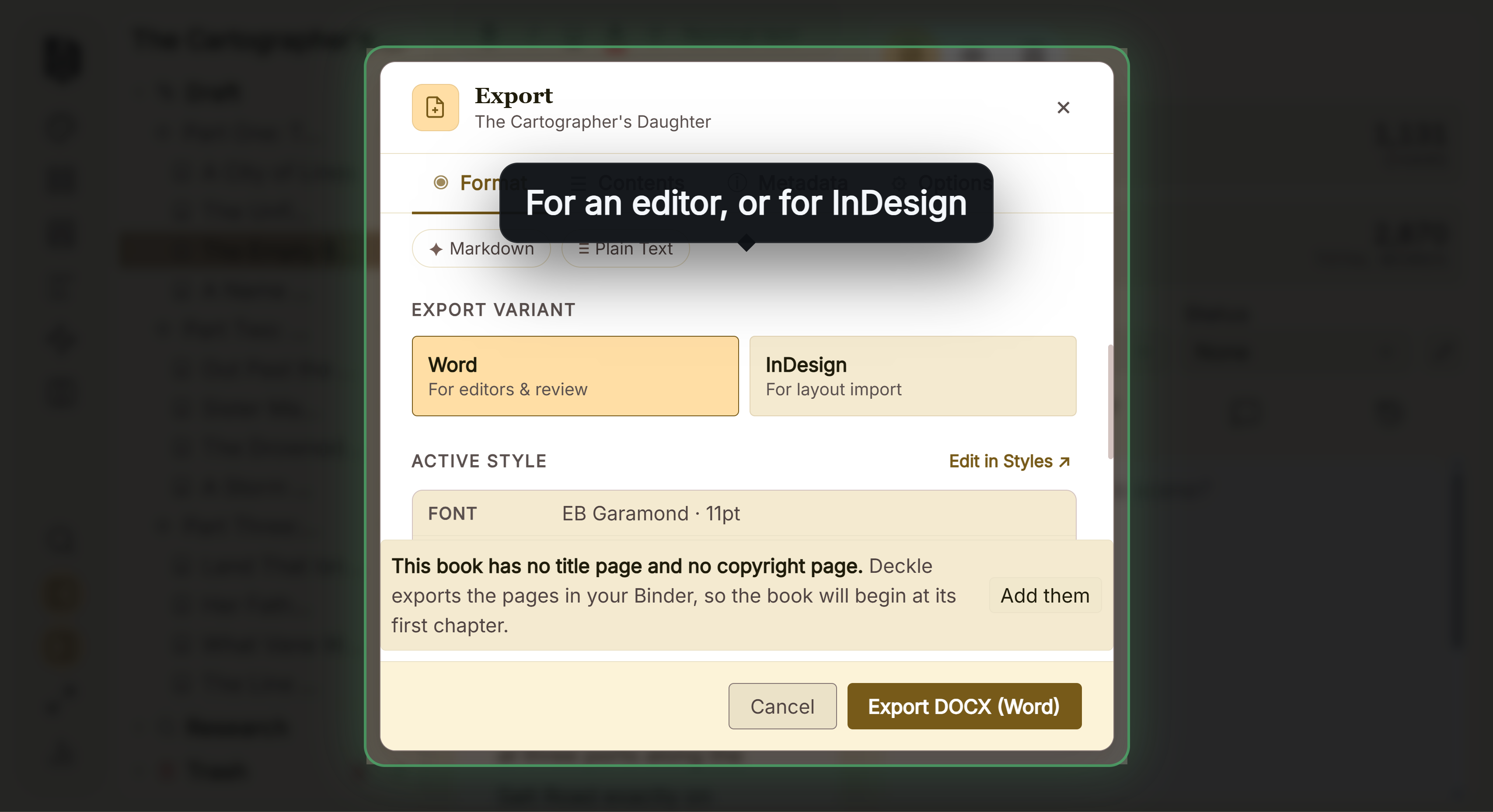 Word file for an editor or a typesetter
What You'll Need
- Your typesetter's actual InDesign paragraph style sheet, or at minimum a list of the style names they use for body text, headings, block quotes, and any other special formatting your book uses.
Step-by-Step
- Ask your typesetter for their paragraph style names before you export. This is the one piece of information you need from them first, since the whole point of this export is that it drops directly into their existing style sheet.
- Open Compile, go to the Format tab, choose DOCX, and under Export Variant select InDesign.
- Enter your typesetter's exact style names for each paragraph type (body text, headings, block quotes, verse, and any others your manuscript uses) so they match their style sheet precisely, not just approximately.
- Export. Every paragraph in the resulting file is tagged with the style name you specified, rather than getting a title page or running header; those are left for the typesetter to build directly in their layout.
- Send the exported file along with your typesetter's own style sheet reference, so they can confirm the tags line up exactly as expected on their end.
Common Mistakes
- Choosing the Word export variant by mistake. Standard Manuscript Format and a title page/header are Word-only features, meant for literary agent submission. The InDesign variant deliberately skips them, since a typesetter builds that layout themselves.
- Guessing at style names instead of getting them from your typesetter directly. The whole value of this export is a direct drop-in. A style name that's close but not exact defeats that purpose and creates manual cleanup work on their end.
- Expecting your comments to come through. Comments only export in the Word variant. If you need to discuss specific passages with your typesetter, do that separately rather than relying on inline comments in this file.
- Sending the InDesign export to a beta reader or editor instead of a typesetter. It has no readable title page or header formatting; it's built purely for style-tag import, not for someone to read and review directly.
FAQ
Will my book's title and author name appear anywhere in the InDesign export?
No, it skips the title page and running header entirely, since a typesetter builds that directly in their layout program rather than importing it from your manuscript file.
What happens if I use style names that don't match my typesetter's actual style sheet?
The export will still work, but your typesetter will need to manually remap the mismatched style names on their end. Getting the exact names from them ahead of time avoids that extra step.
Do my comments carry over into the InDesign export?
No, comments only export in the Word variant, not InDesign.