

Beyond today's goal and your manuscript's overall pace, Deckle keeps a full year-round picture of how you actually write: a calendar heatmap of every day, plus a chart you can slice by day, week, or month. See reviewing your writing trends for how to actually use this to spot patterns.
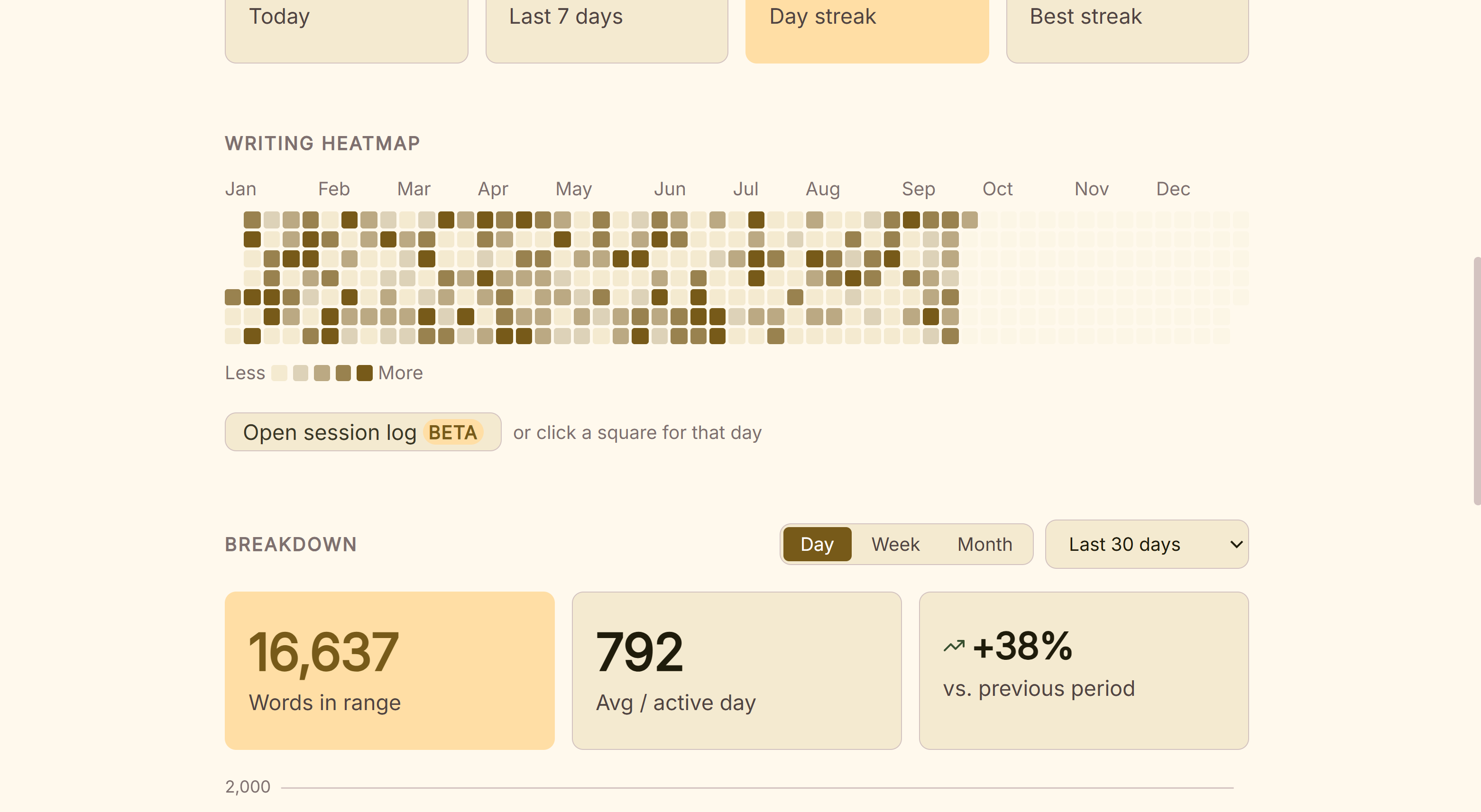 A year of writing history
What You Can Do
- See a full year of writing activity at a glance, as a color-coded calendar heatmap.
- Hover any day for its exact word count.
- Switch a separate chart between Day, Week, and Month grouping, over a range you choose.
- See your total words, average per active day, and how the current range compares to the one before it.
How to Use It
- Open Stats and go to the History tab.
- The heatmap shows the current calendar year. Darker cells mean more words written that day, scaled to your own busiest day of the year, not a fixed threshold. Hover any day for its exact count.
- Below it, the Breakdown chart groups your activity by Day, Week, or Month: pick a range from Last 30 days, Last 90 days, This year, All time, or a Custom range of your own.
- Check the summary cards above the chart for your total words in that range, your average per active day, and how it compares to the equivalent period before it.
A Couple of Things Worth Knowing
💡 The heatmap always shows the current calendar year, with no way to switch to a previous year. It resets to a fresh grid each January.
💡 The "Count pasted text toward goals" toggle affects this whole tab, not just today's number. Turning it off retroactively recalculates the heatmap, chart, and summary cards to exclude pasted text from every day shown. Nothing is lost, since typed and pasted words are always tracked separately underneath.
💡 Only your Draft tree counts. Same as your daily goal and streak, Research, Notes, and Trash edits never appear in your writing history. This tab only reflects your actual manuscript.
FAQ
Does the heatmap show minutes if my goal mode is set to Minutes instead of Words?
No. The heatmap and breakdown chart always show words, regardless of which goal mode you're currently using.
Can I look back at last year's writing activity?
Not in the heatmap. It always shows the current calendar year. The Breakdown chart's "All time" range does include prior years, though, just not in the calendar-grid format.
What does the trend percentage on the summary card compare against?
Your current range's total against the immediately preceding period of the same length, for example, this month against last month.