Reviewed by authors on YouTube and Substack One-time purchase, every update included Windows · Mac · Linux
Authors pair Scrivener with Vellum, and often Plottr: $459.98 between them, and the formatting only on a Mac. Deckle brings the writing, the plotting board and the formatting into one app, on every platform, for $197 once.
The full app, with a guided tourNo account needed30-day money-back guarantee
Reviewed by authors on YouTube, Substack and their own blogs
01 Write
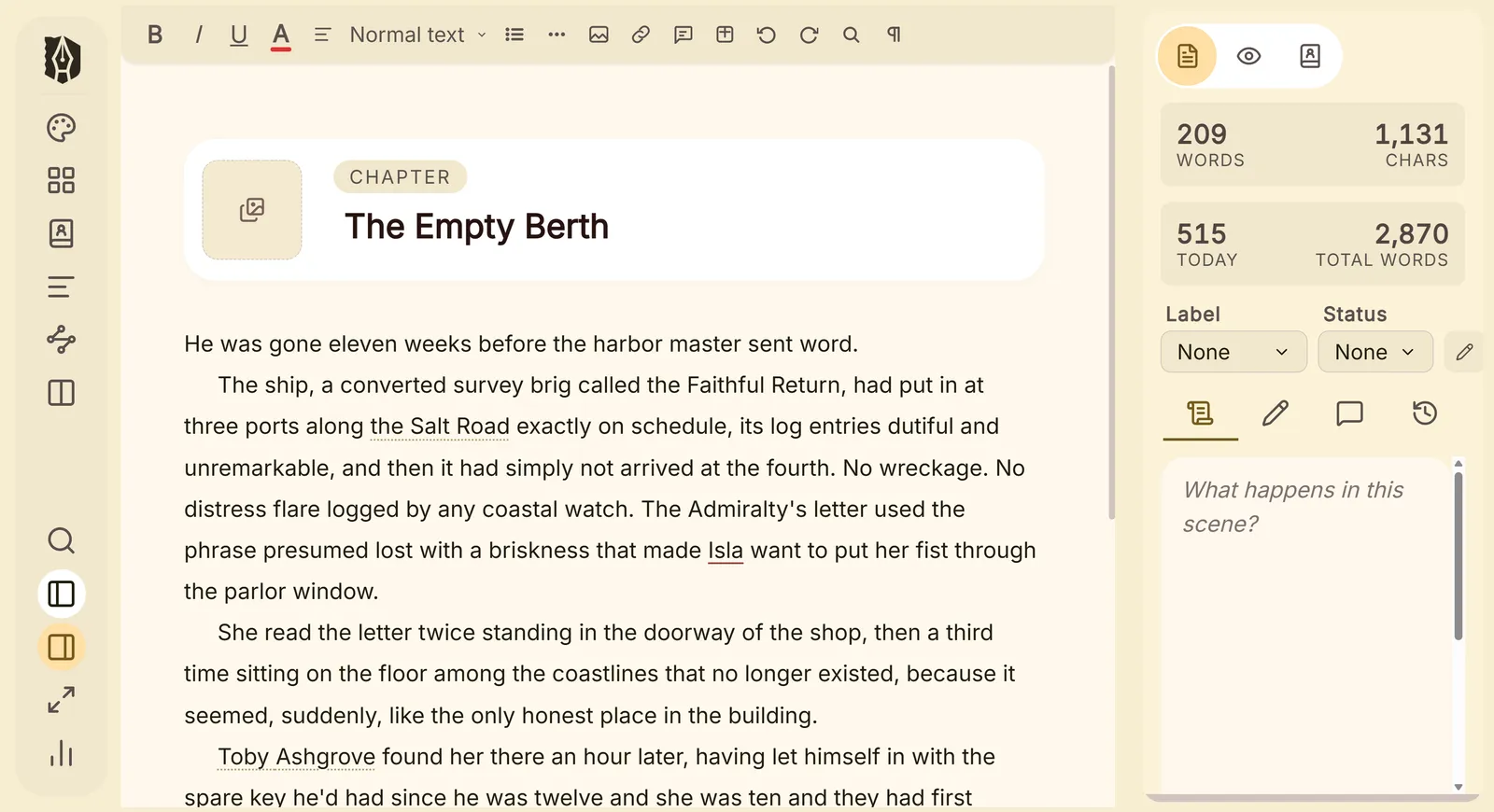
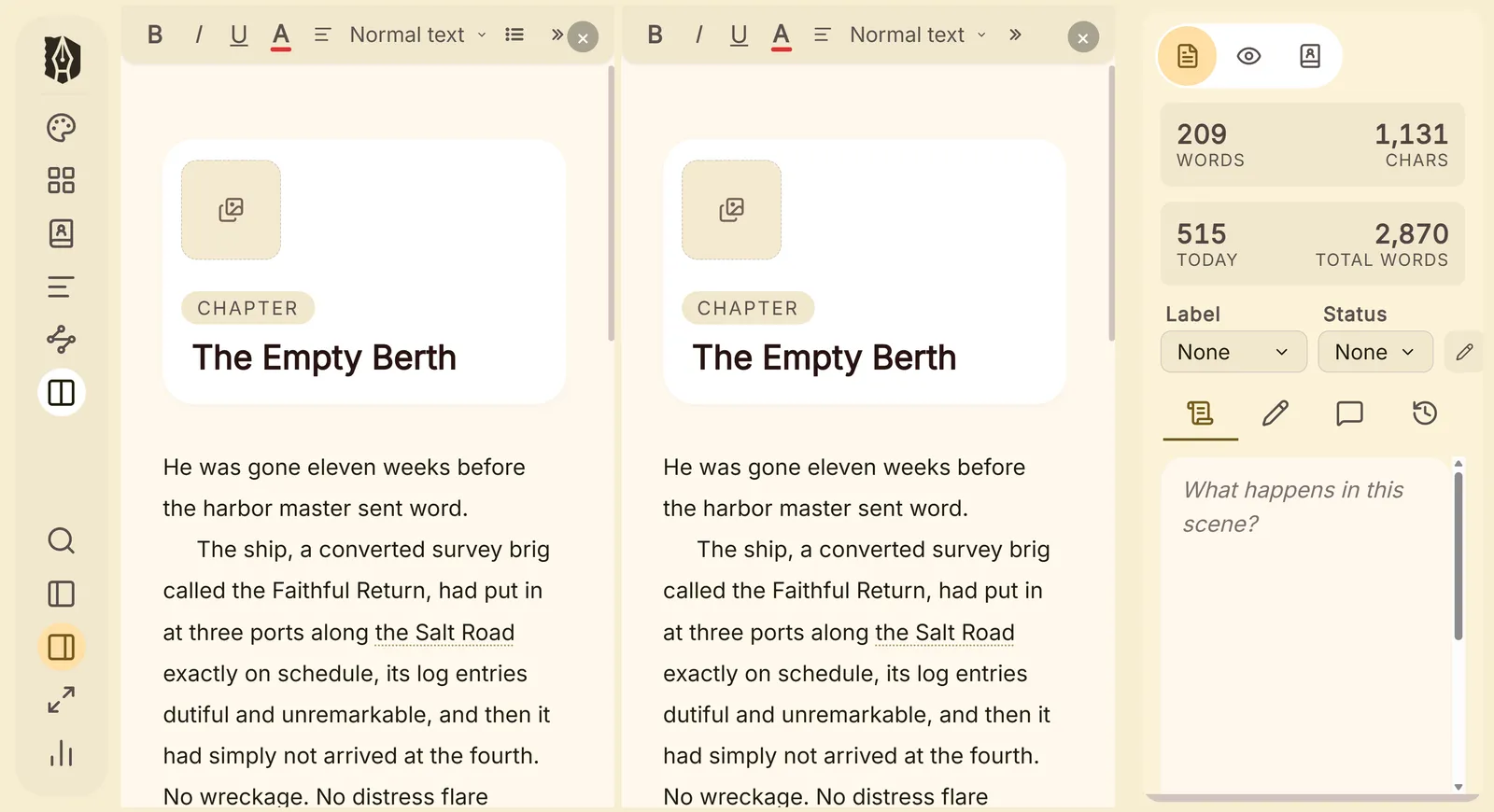
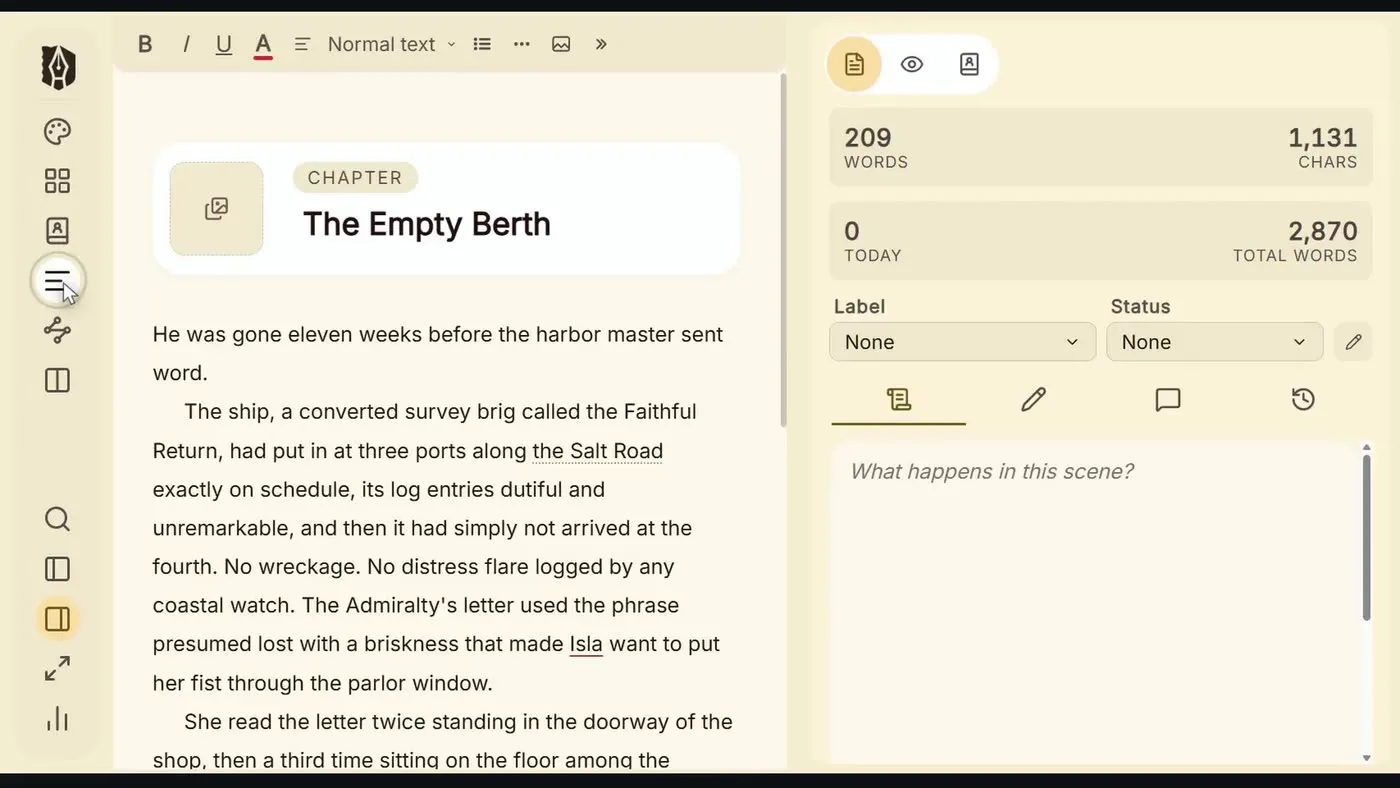
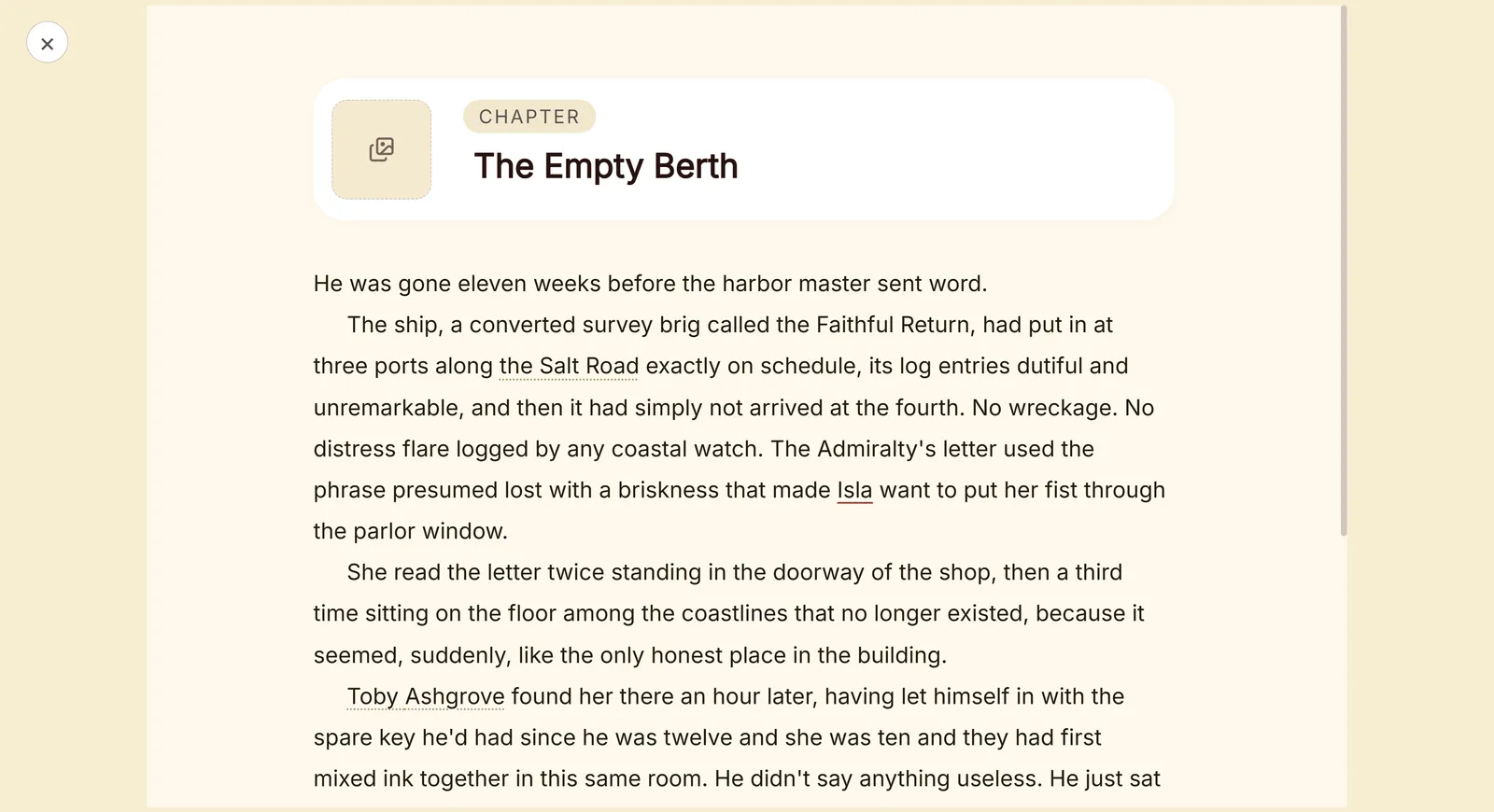
Every chapter and scene sits in the Binder, ready to drag into a new order.
02 Plot
Plotlines as rows, chapters as columns, every scene a card you can drag. The board lives in the same file as your manuscript, so there is nothing to export and nothing to keep in sync.
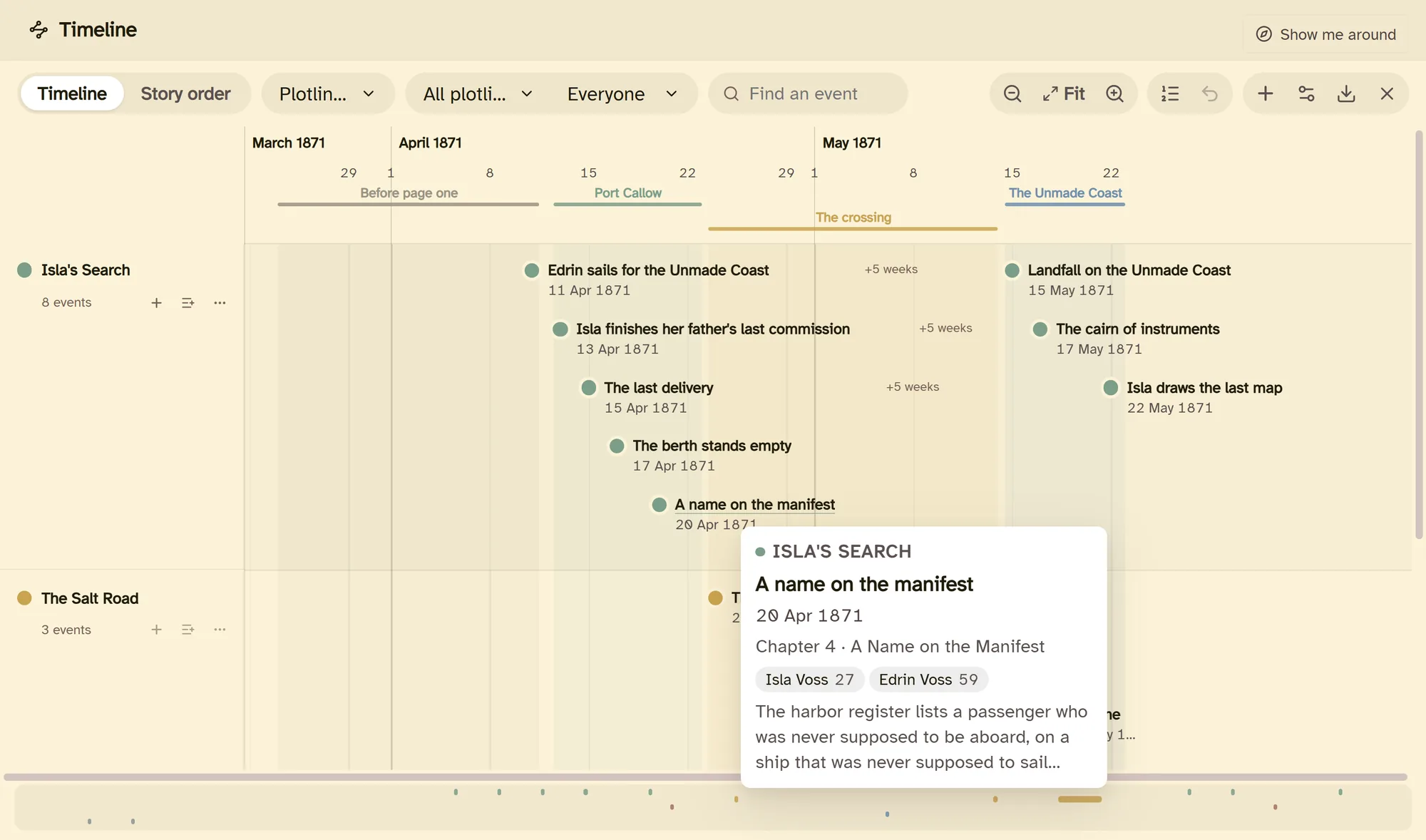
March 1871, Day 40 or Year 3. Name your eras and shade them in.
Light up one character's thread through the book, or one plotline on its own.
Events are tied to the scenes they happen in, and update when you rename them.
Export the board as an image or a PDF, or the whole plot as a Word outline.
03 Story bible
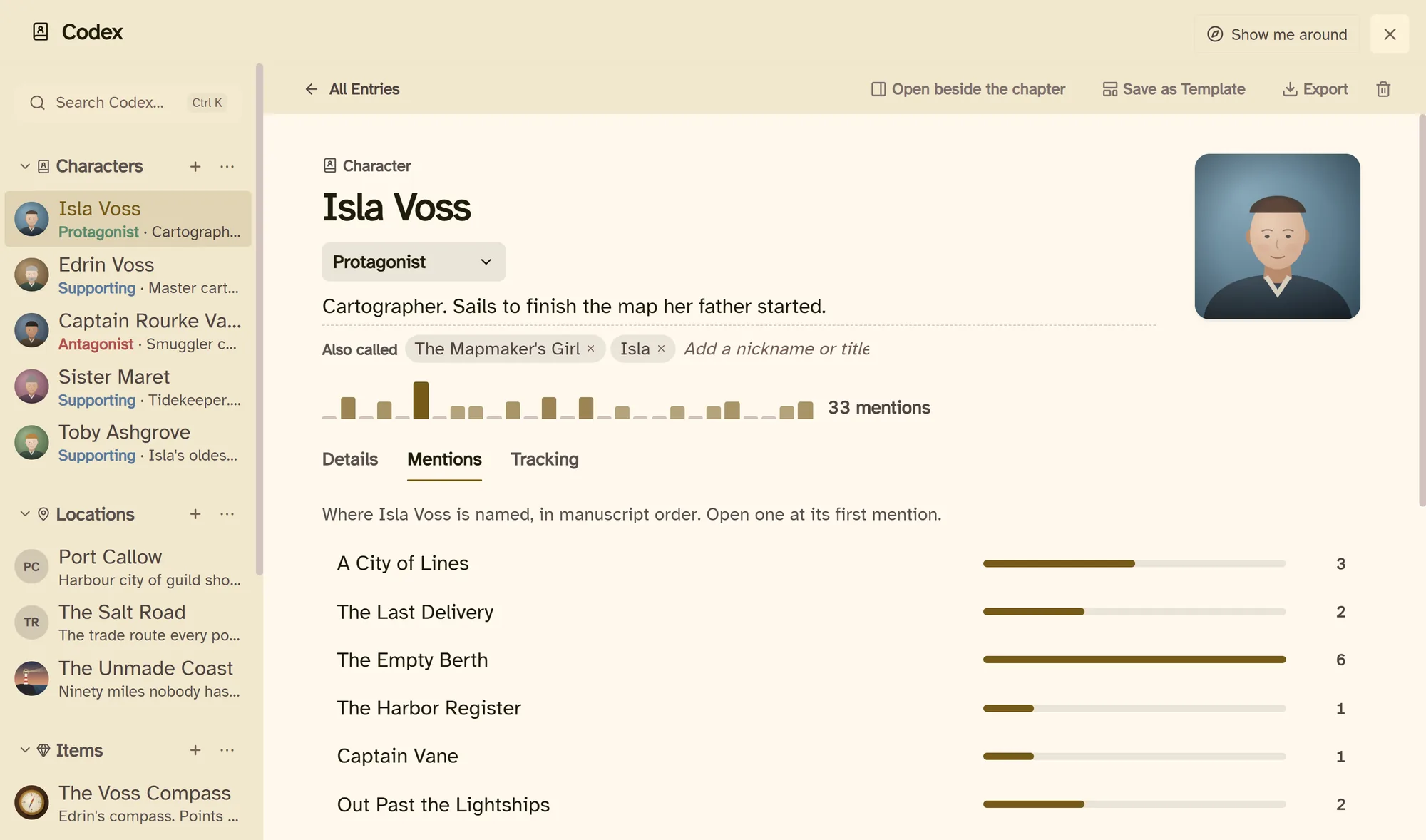
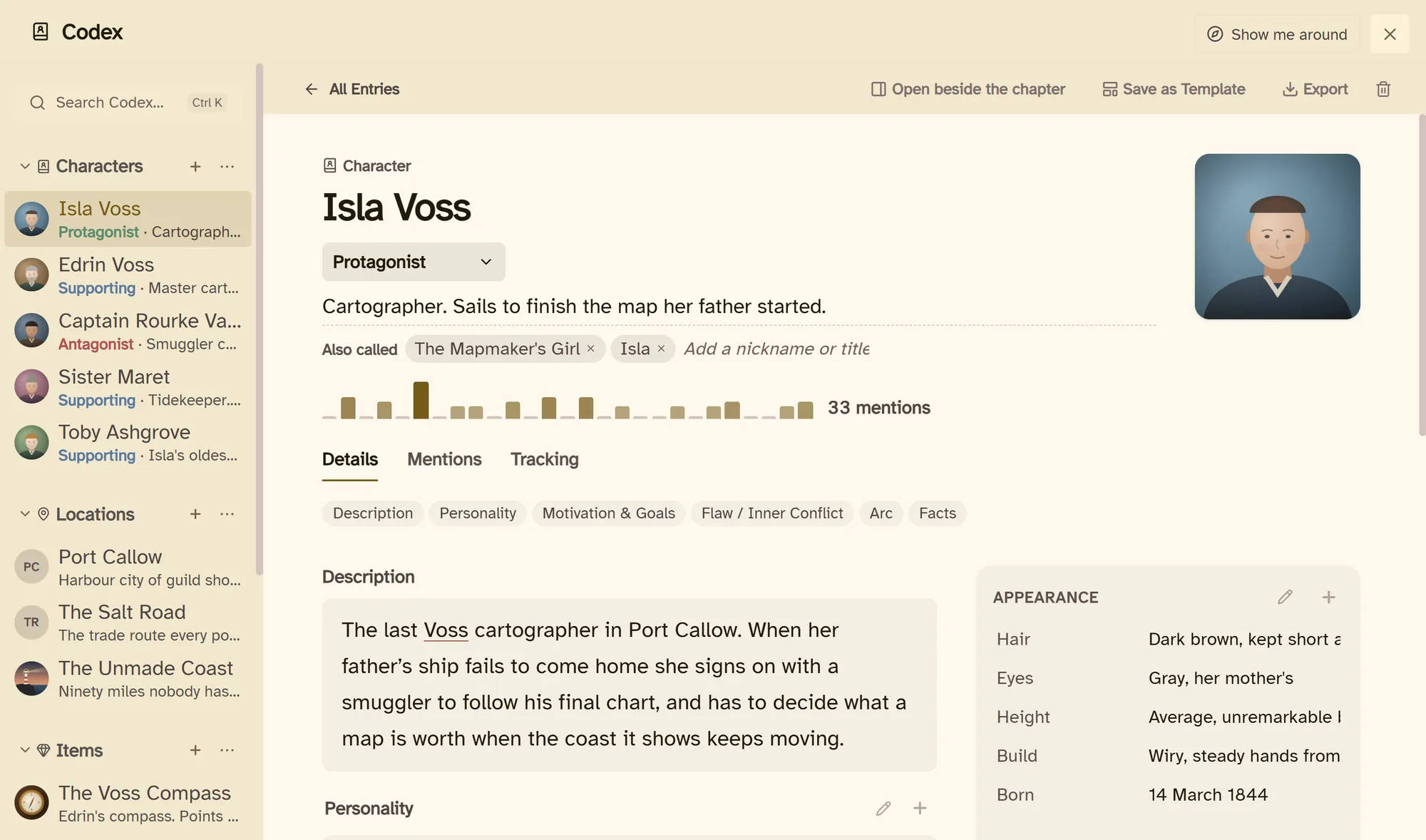
Every character, place and thing in your Codex is recognised in your prose, by name and by nickname. Hover a name and the entry is there, without leaving the page.
04 Format
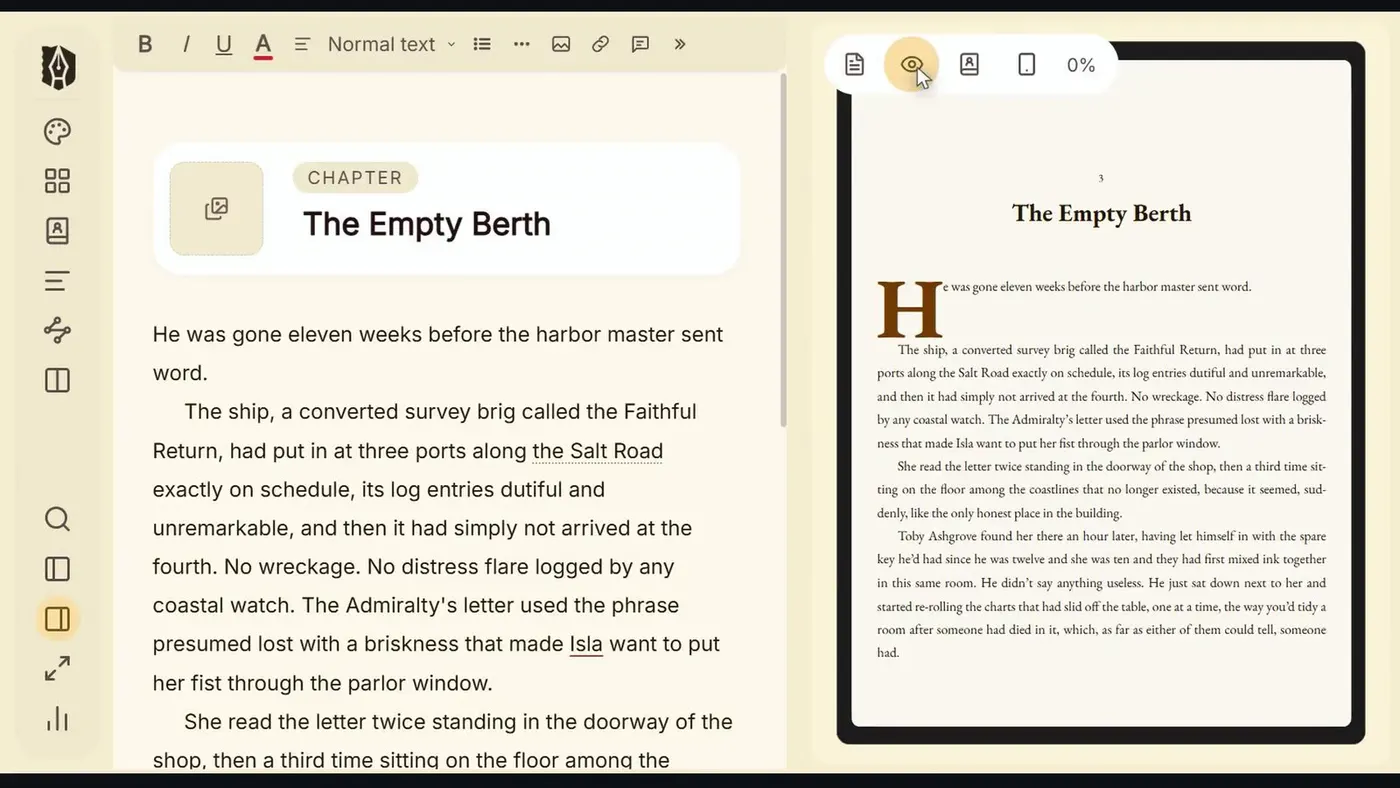
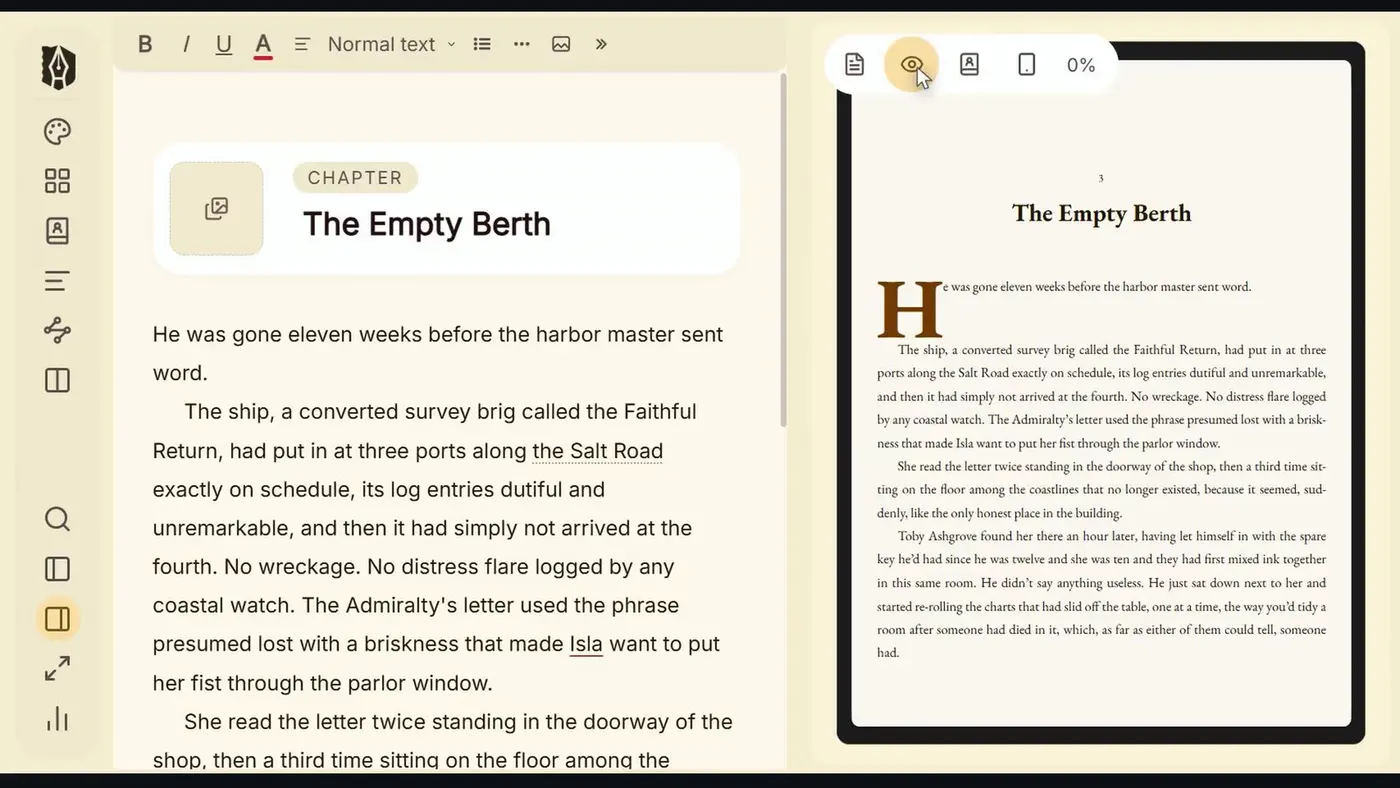
The page beside your draft is the real export, set the way Kindle, Apple Books, Kobo or the printer will set it.
Typefaces, drop caps with small caps, running heads, chapter openers, scene breaks, epigraphs and dialogue. Trim sizes, margins and bleed for KDP and IngramSpark.
05 Publish-ready export
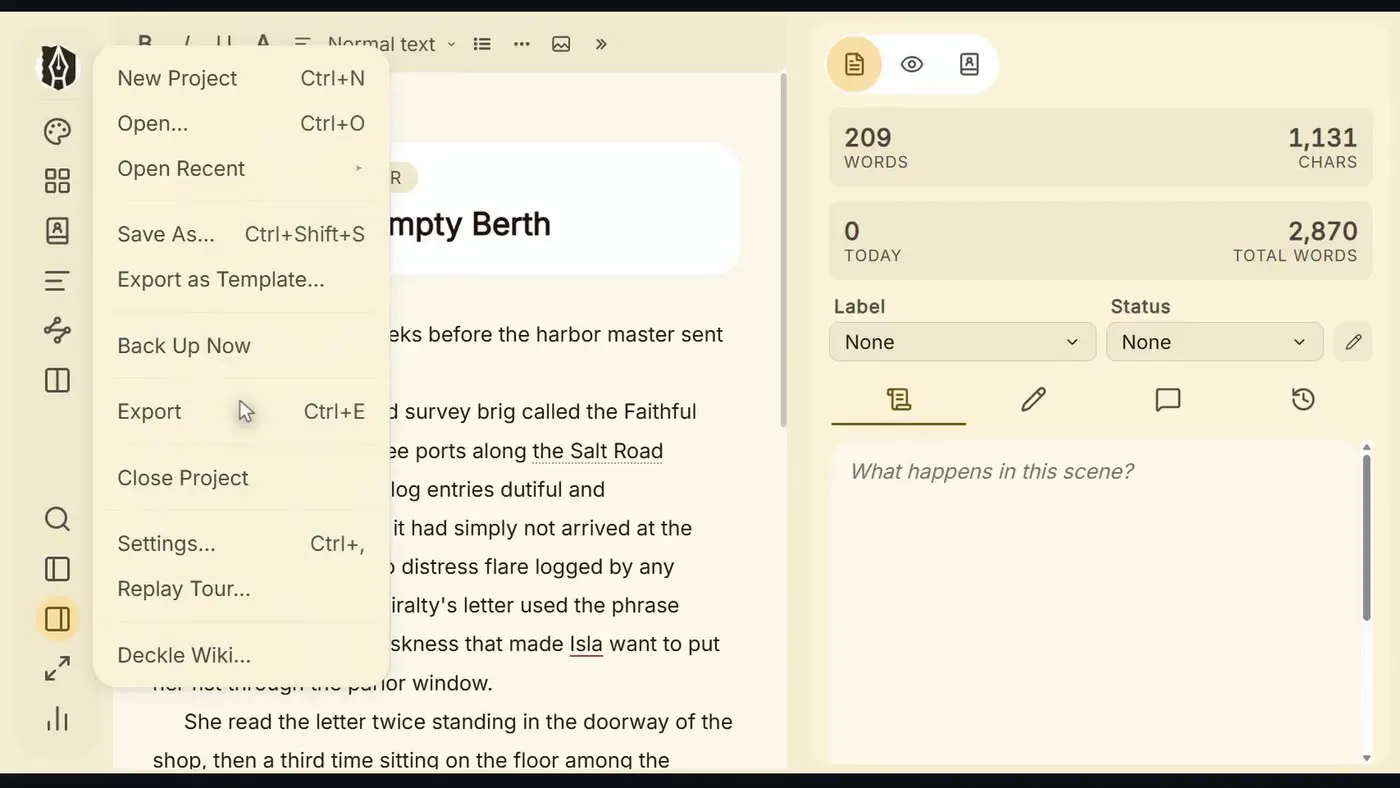
Export the whole book, or just the chapters an agent asked for. Every format comes from the same manuscript, so one change is a change everywhere.
06 Finish
Set a word target and a deadline. Deckle works out the pace you need, tells you whether you're on it, and projects your finish date from how you actually write.
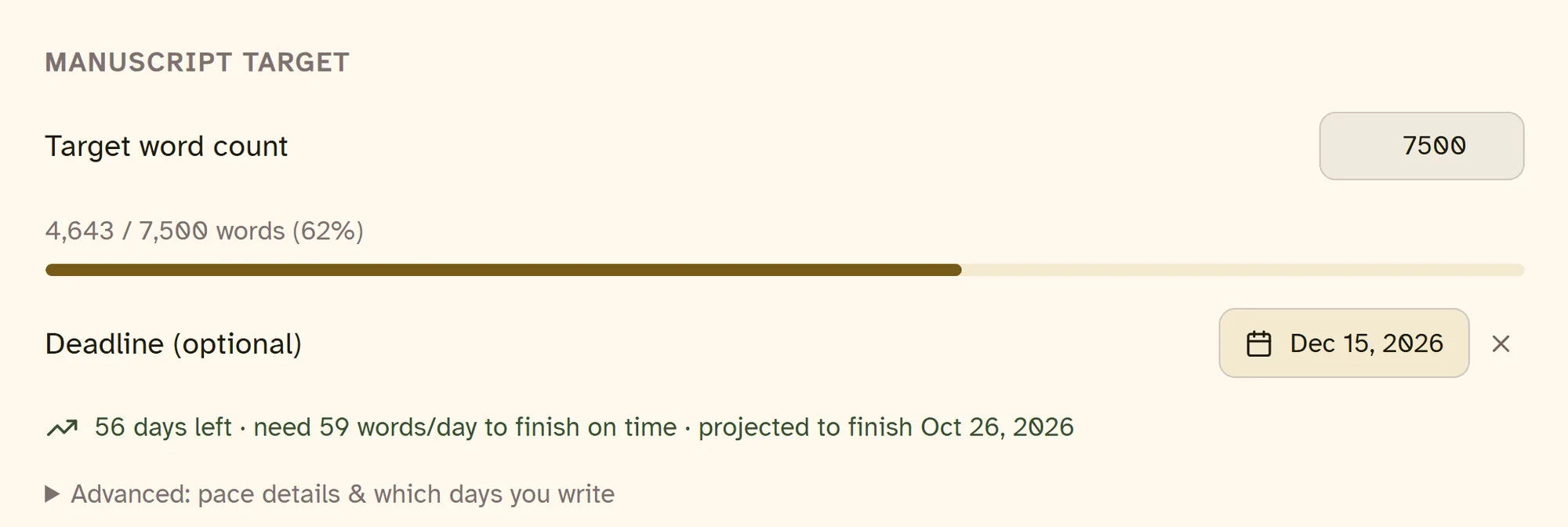
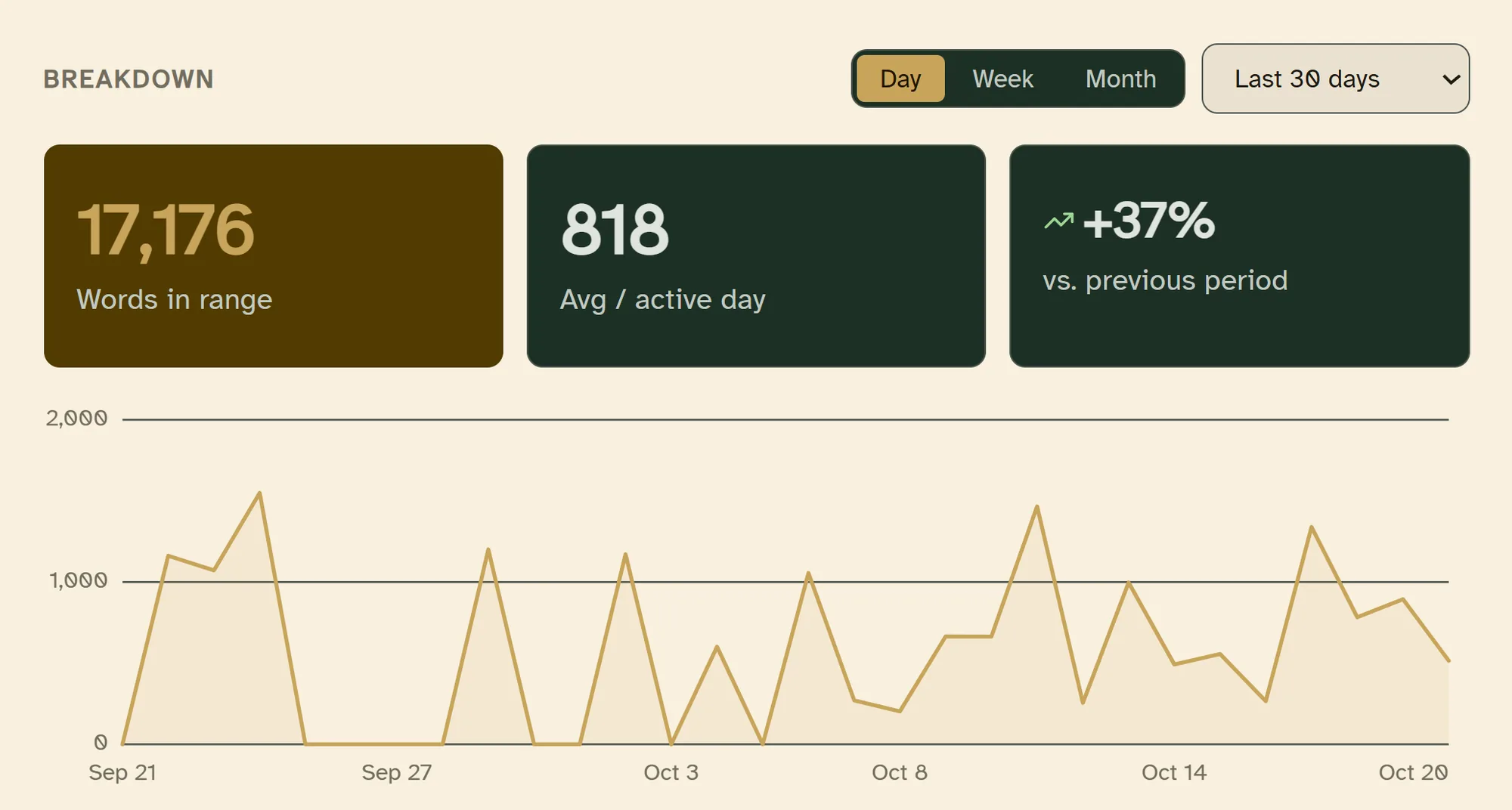
The words a day you need, recalculated as you write, and the date you're on track for.
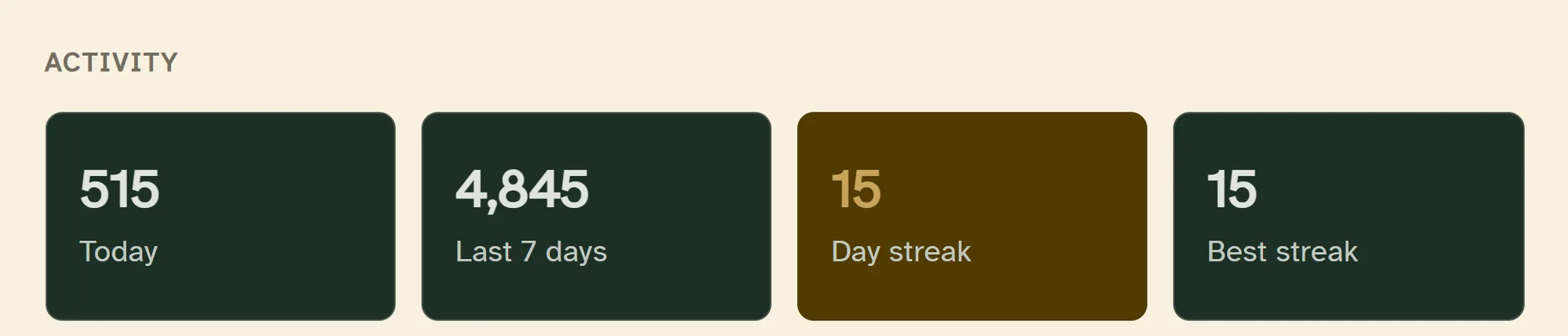
A daily or weekly goal in words or minutes, and a streak for every day you hit it.
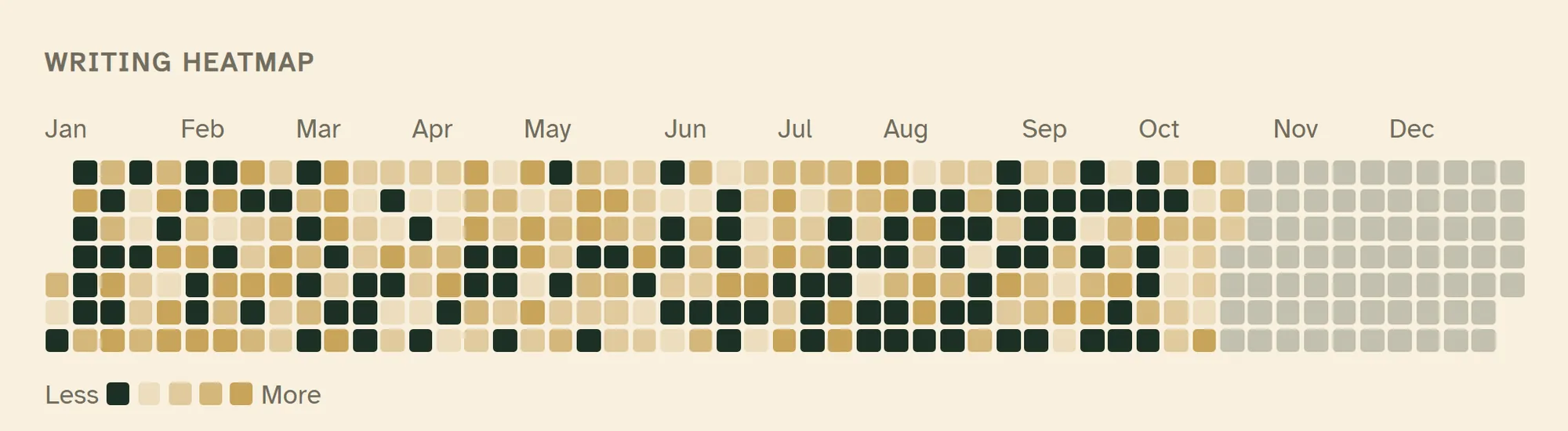
Every writing day on a heatmap. Click one to see what you wrote, and when.
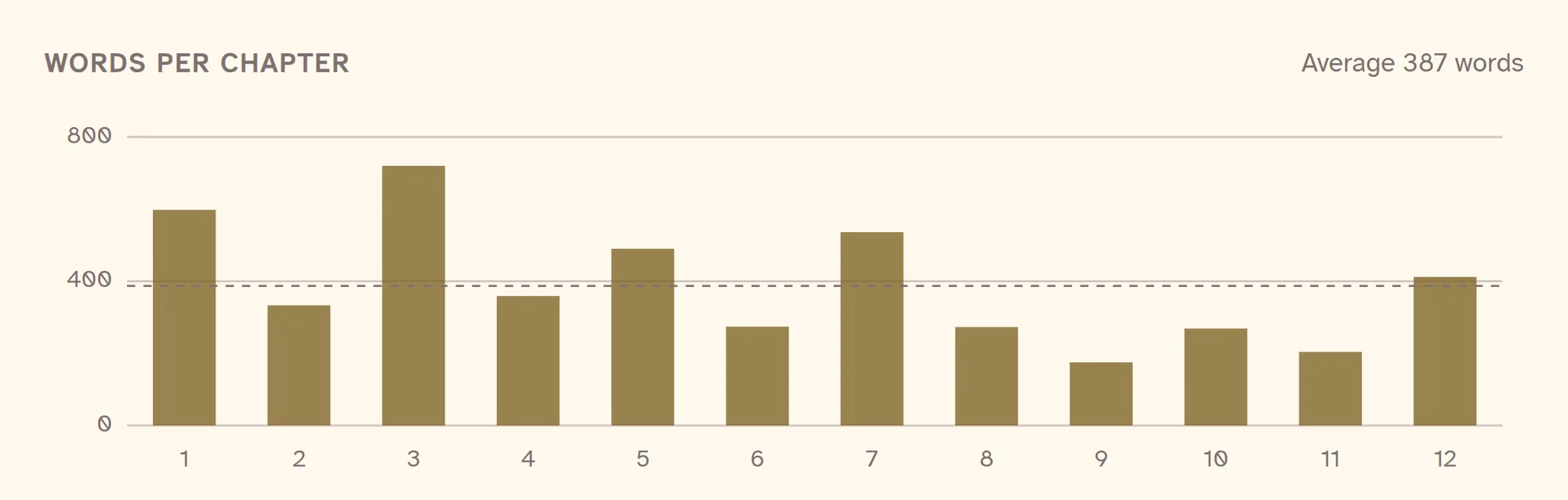
Every chapter's length side by side, so the one that runs long stands out.
Why $197
Scrivener
$59.99
For writing. Mac and Windows are separate licences.
Plottr
$150
For plotting. Lifetime licence, or $60 every year.
Vellum
$249.99
For formatting. Mac only.
Deckle
$197
The writing, the plotting board and the formatting in one app, on Windows, Mac and Linux. Every future update included.
Bought separately: $459.98. In Deckle, the Codex and the writing stats come with it.
"Deckle combines the organizing capabilities of Scrivener with the robust publishing tools of Vellum, and the price is hard to beat."Michelle RichmondThe Caffeinated Writer
"It does everything Vellum does on a Mac and it is cheaper. No brainer."Robb WallaceAuthor and indie publishing blogger
"Deckle is the all-in-one writing, formatting and self-publishing tool I was dreaming of."Solo ShannonThe Midlife Writer's Club
 33:51
33:51
In-depth review · 34 minutes
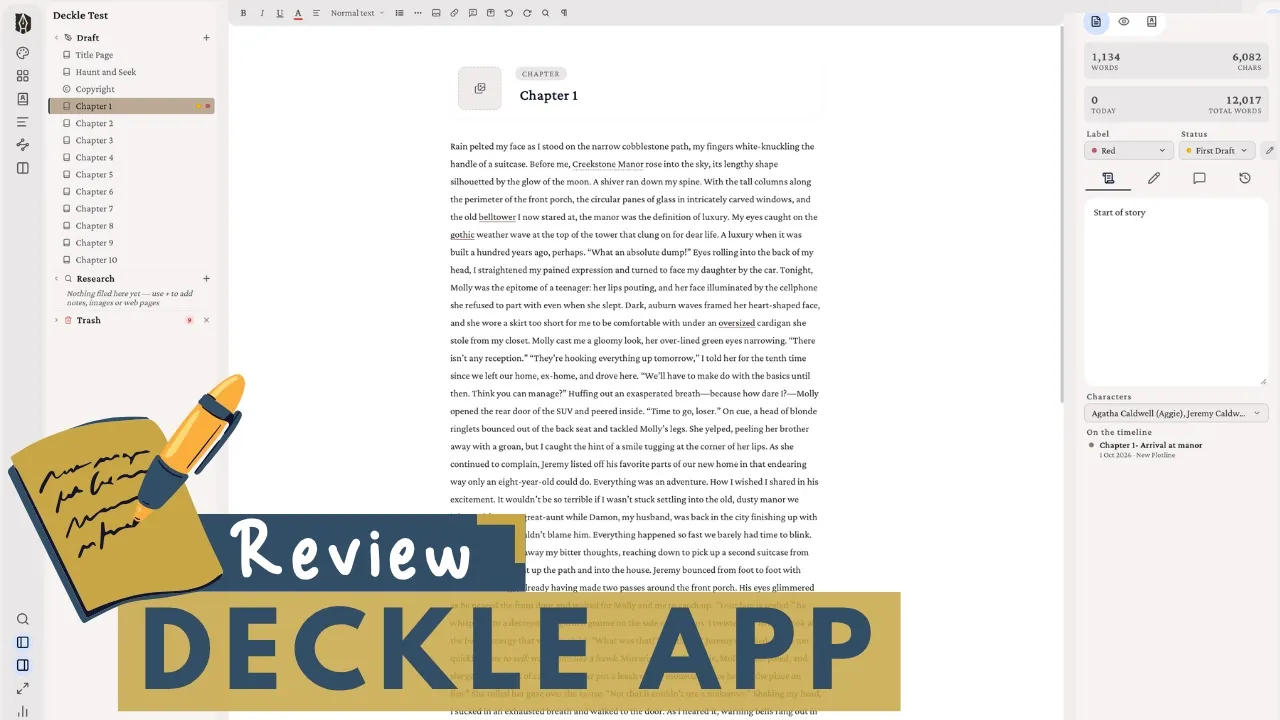
A Scrivener author with over 30 books takes one of her published stories through Deckle: writing, the codex and timeline, and formatting she rates above Vellum.
A.N. Sage Deckle Writing App Review: Full Walkthrough for Authors Watch the reviewMore video reviews
 Solo Shannon
The best writing app without AI
Solo Shannon
The best writing app without AI
 Katri
Deckle Studio video review
Katri
Deckle Studio video review
 T.C. Burr
Why I stopped using Scrivener
T.C. Burr
Why I stopped using Scrivener
 Inimitable Books
Is Deckle the best writing software?
Inimitable Books
Is Deckle the best writing software?
 FNG Authors
Deckle writing software: is it worth it?
FNG Authors
Deckle writing software: is it worth it?
 Memo Garrido XP
El software de escritura que por fin me convenció
Memo Garrido XP
El software de escritura que por fin me convenció
 Protagonist Crafts
Full Deckle tutorial
Protagonist Crafts
Full Deckle tutorial
$197once
Open Deckle, choose Take Deckle for a Spin, and use the full app with a guided tour. Buy when you're ready.
30-day guarantee. Export a store-ready book, or your money back.
Yes. Download Deckle and choose Take Deckle for a Spin on the first screen. It opens the full app with a guided tour, with no card and no account.
No. Deckle imports your Scrivener project directly: chapters, scenes, synopses, notes and research come across in one step.
On the Timeline. It's the board plotters know: plotlines as rows, chapters as columns, scene cards you drag between them. Flip it and the same events sit to scale by date, with every character's age on the day. And because it lives in the same file as your manuscript, the plot and the book never drift apart.
Yes. The Codex holds your characters, places, items and lore, recognises their names as you write, lists every chapter each one appears in, and exports as a PDF or Word story bible.
Yes. Deckle exports a print PDF that passes KDP preflight, with fonts embedded, and EPUBs built for Kindle, Apple Books and Kobo.
No. You pay $197 once, and every future update is included.
Windows, Mac and Linux. One licence covers any two devices, in any mix.
You're covered by a 30-day guarantee: export a store-ready book, or get your money back.
Windows, Mac and Linux. The full app, with a guided tour.

