The one place to write, format, and publish your novel.
You've been switching between apps, copying your manuscript across, and still don't know what your book will actually look like when it's printed. Deckle ends that: write, structure, and publish your novel, all from one place. One-time payment, no subscription.
More reviews on their way. Deckle is being put through its paces by authors and bloggers across the writing community.
◆
Built on four promises every author deserves
Your words stay yours
Your work remains private and under your control. Export to DOCX any time, or open your project files with any text editor. You're never locked in.
Saves every letter you type
Deckle autosaves on every keystroke, not every few minutes: every single keystroke. No Ctrl+S. No "did I save that?" No lost scenes. Your manuscript is always exactly as you left it.
Pay once. Own it forever.
One price. Every feature in the app. All future updates included, forever. No renewal notices. No "upgrade to export." What you buy today is yours for life. Backed by a 30-day, no-questions-asked refund.
The whole journey, one place
Write. Organise. Research. Revise. Format. Publish. No switching between apps. No importing and exporting. No second tool required: everything your novel needs is right here.
◆
Most other tools stop partway.
You start in Word. By chapter five you're lost: scrolling endlessly, no structure, no sense of the whole. Word was built for memos. Not novels.
So you try Scrivener. The binder is excellent for organising your manuscript. But when it's time to publish, you hit a wall: the compile feature can be complex to configure, and many writers end up buying dedicated formatting software like Vellum ($249, Mac only) or Atticus ($147) just to get a polished, print-ready result. Now you're managing two tools, two workflows, and two sets of files, every time you want to see how your book will look in its finished form.
Tools that excel at writing often stop before the publishing stage. Tools built for publishing typically don't include writing features. And transferring between them is rarely seamless.
"I just want to write my novel and publish it. Why does this require multiple pieces of software?"
Deckle was built to answer that question. The one place to write, format, and publish your novel, nothing left out.
Already in Scrivener?
You don't start over. Deckle imports your Scrivener project directly: chapters, scenes, synopses, notes, and research all come with it in one step.
Screen recording of a real Scrivener import, no audio.
◆
Common frustrations with other writing tools
The challenges you've probably already researched.
Scrivener
"Compile can be complex and time-consuming to configure."
Powerful software with many options, but the compile feature has a reputation for being challenging to set up. Many writers find they need a second tool to achieve the professional output they're looking for.
DeckleOne-click export to print PDF, EPUB, or DOCX. What you see is what your readers get.
Vellum
"$249. Mac only. Formatting only."
Vellum offers beautiful, polished output, but it's strictly a formatting tool. You still need a separate app for writing. Priced at $249 and available only on Mac, it's a significant add-on for a single part of the workflow.
Deckle$197. Windows, Mac, and Linux. Write, organise, and format, all in one place.
Atticus
"It runs in a browser. I need internet to work."
Atticus is a Progressive Web App that runs in Chrome. Your book lives on their servers, and offline mode has limitations: you can't import, export, or save locally without reconnecting first.
DeckleA native desktop app. Works fully offline. Your manuscript is always available, no internet required.
Word / Google Docs
"It wasn't built for a novel."
No binder. No scene hierarchy. No corkboard. No synopses. Excellent tools for documents. A 90,000-word novel is not a document.
DeckleBuilt from the ground up for long-form fiction. Structure is built in, not bolted on.
Scrivener + Vellum
"That's $298 and two separate tools."
A popular combination for writers who need both writing organisation and professional formatting. Both are strong products, but you're looking at $298 total, two separate learning curves, and an import step every time you want to preview your book's final appearance.
Deckle$197. One place. Everything included. No import step required.
Already in Scrivener?
"Switching tools means starting over."
Years of work, organised exactly how you like it. The thought of rebuilding your project from scratch in a new app is enough to keep most writers stuck where they are, even when the tool isn't working for them.
DeckleImport your Scrivener project directly. Chapters, scenes, synopses, notes, and research all come with it. One step.
◆
The Complete Author's Studio
Everything your novel needs. All in one place.
The Manuscript
A home for every piece of your story.
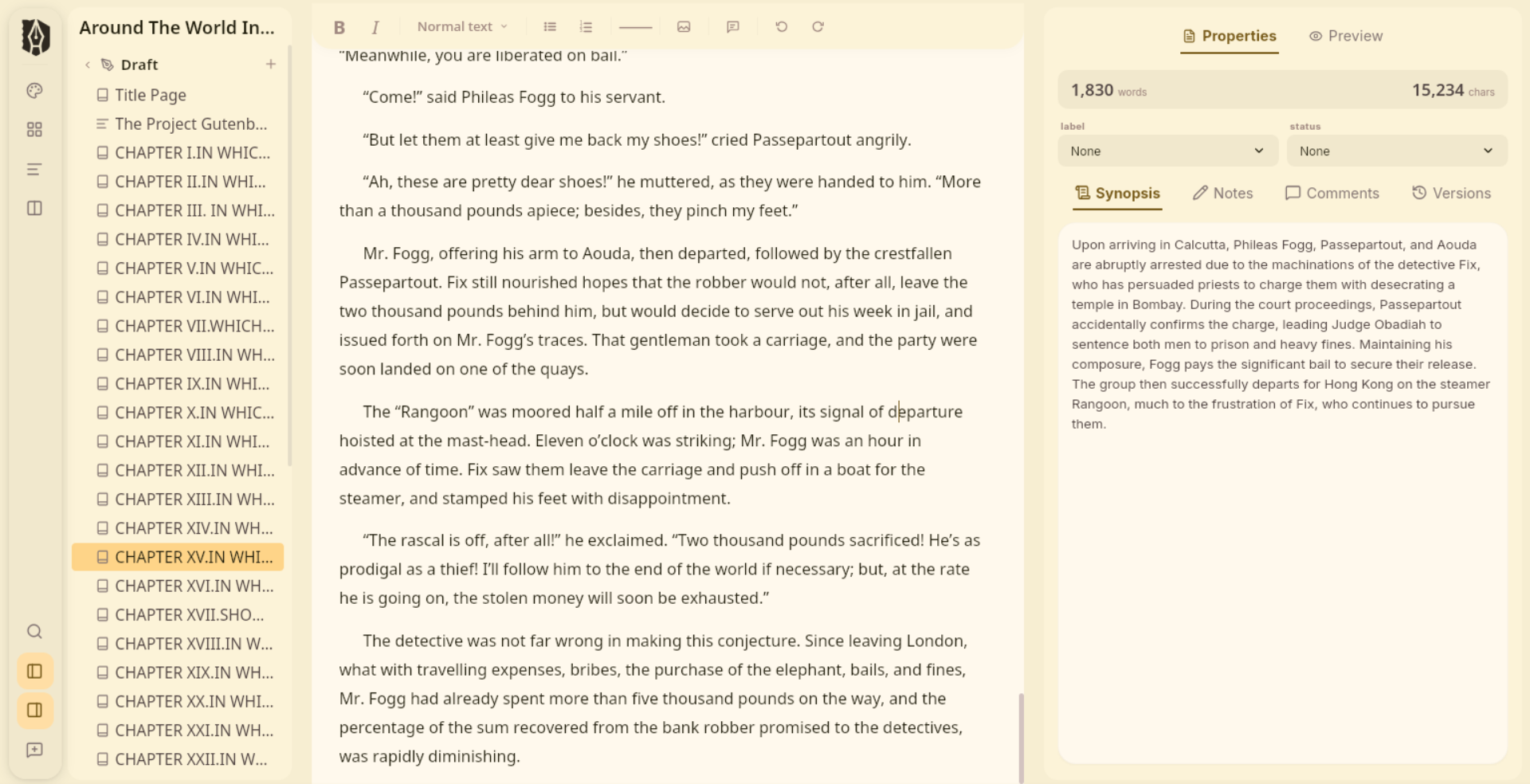
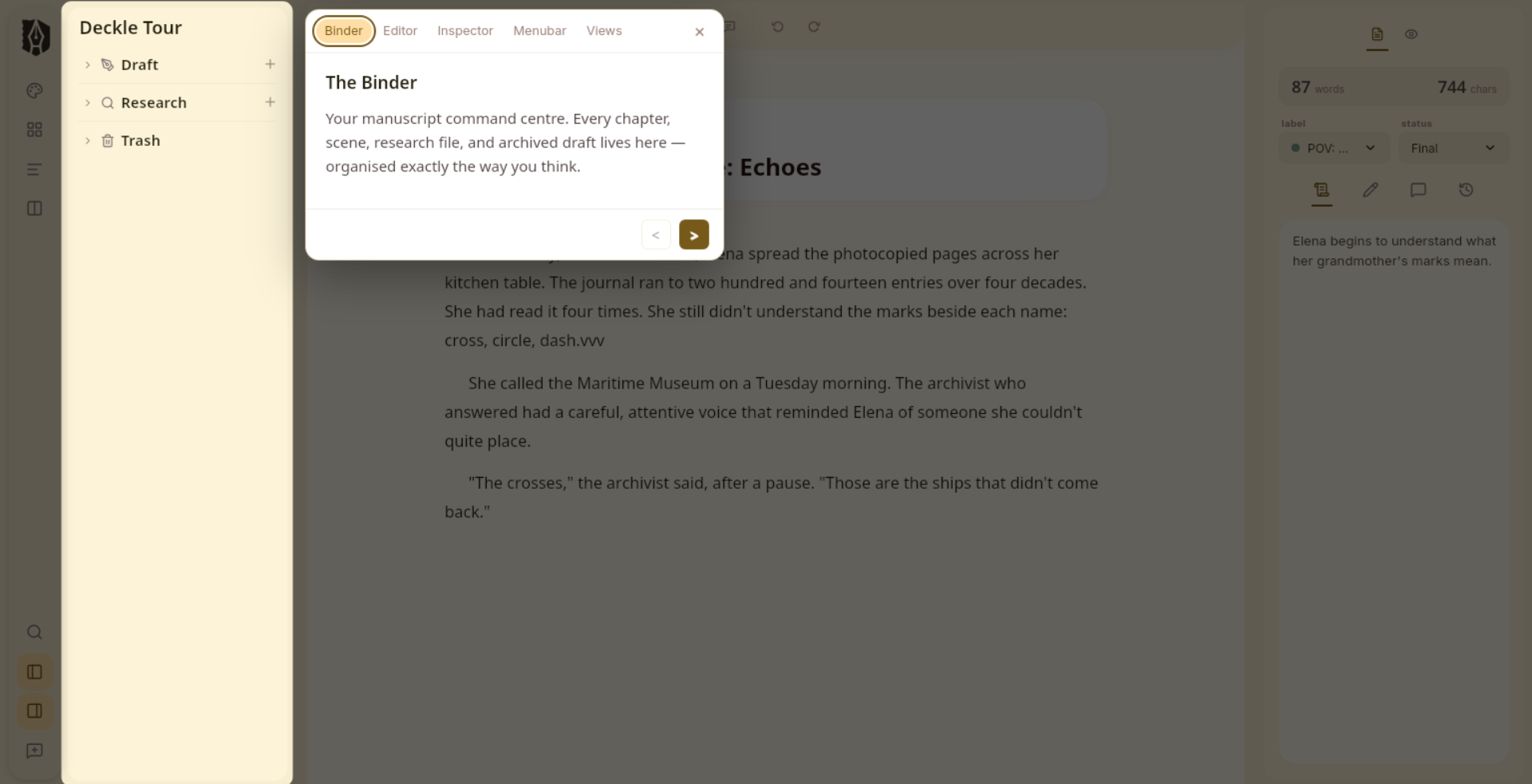
The Binder organises your novel the way a novel actually works: chapters, scenes, notes, and research in a clear, navigable hierarchy. Drag to reorder. Nest scenes inside chapters. See everything at once.
Drag, nest, and reorder: your structure moves with your thinking
Separate folders for Draft, Research, Notes, and Trash
Custom labels and statuses to track progress across your manuscript
Every document has its own Synopsis and Notes for the thinking behind the scene
Already in Scrivener? Import your project directly: chapters, synopses, notes, and research come with it
The Editor
Built for fiction. Not spreadsheets.
Deckle's editor understands what a novelist needs. Blocks for verse, dialogue, found letters, and epigraphs. Comments anchored to your text: paragraph-level or selection-based. Named snapshots so you can restore any previous draft with one click. Every keystroke saved automatically: you never have to think about it.
Fiction blocks: Verse, Dialogue, Written Notes, Epigraphs, Insets
Comments: attach to the whole document or anchor to a specific text selection, visible in the Inspector
Named snapshots: restore any previous version, any time
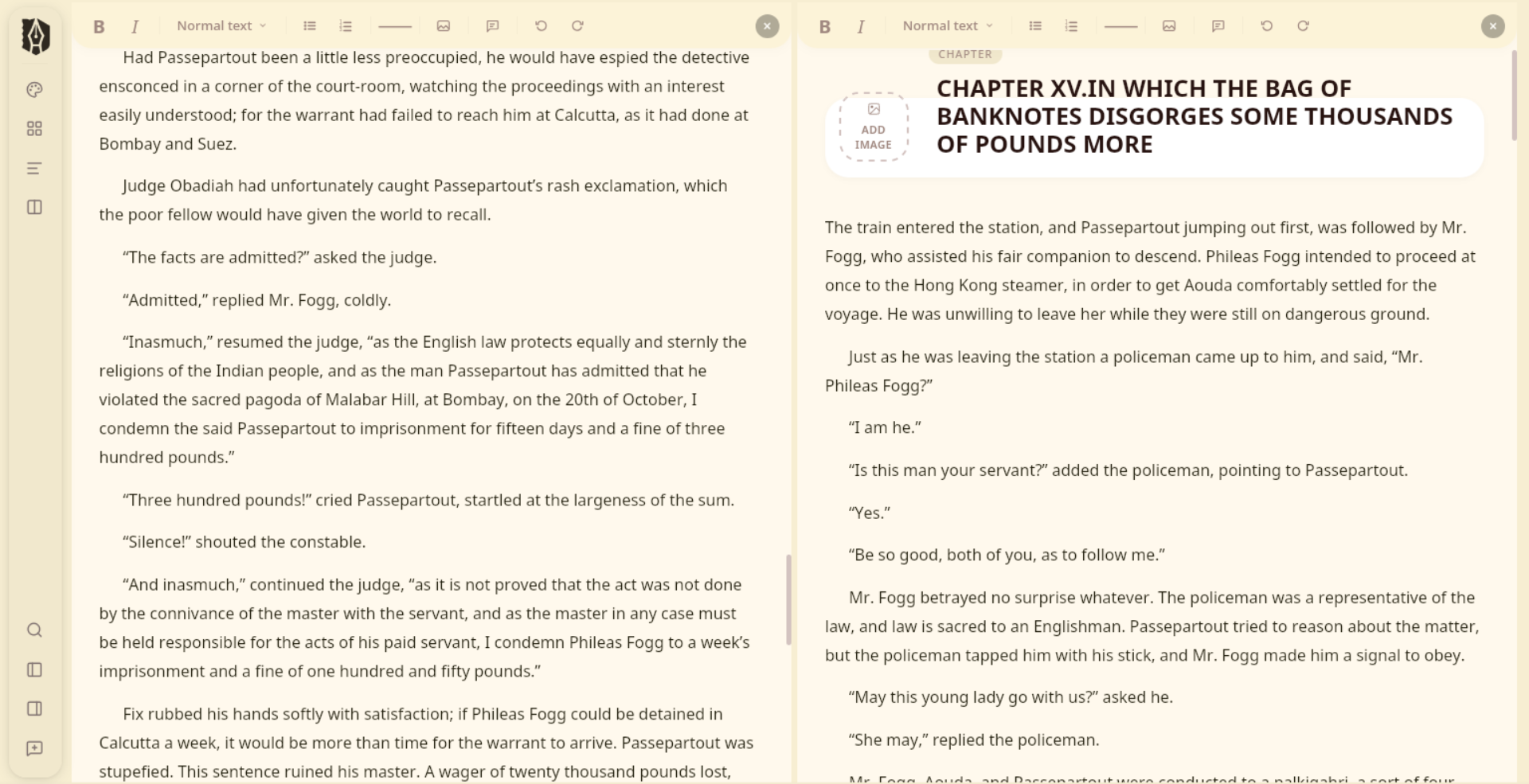
Split up to 4 panes: write Chapter 14 with Chapter 3 open beside it
Autosaved on every keystroke, directly to your project: no manual saving, ever
Find & replace across your entire manuscript, with regex support
Focus Mode
Just you. And the page.
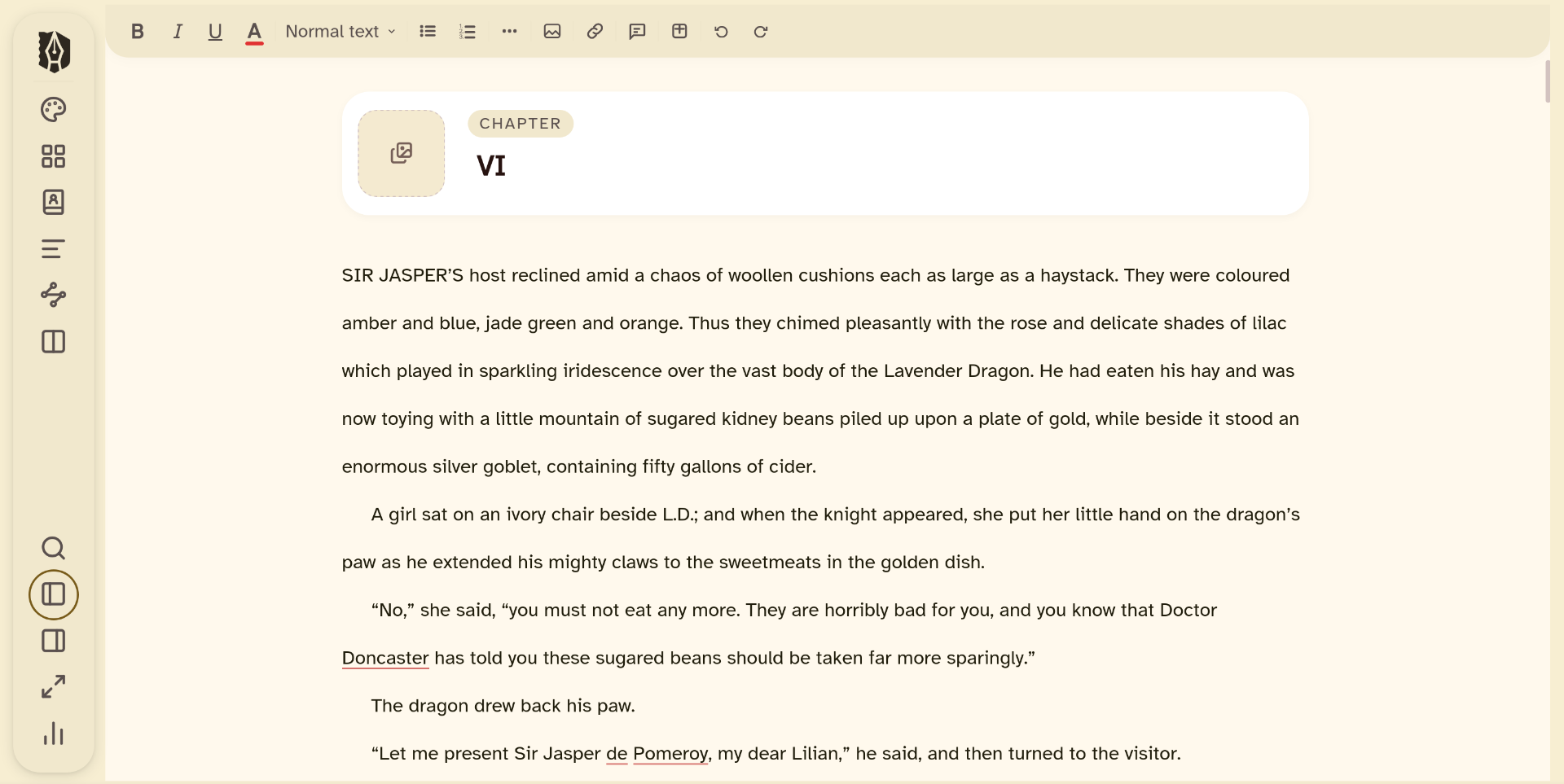
No sidebar. No inspector. No panels of any kind. One click clears everything away except your text, so the only thing left on screen is the sentence you're actually writing.
Hides the Binder and Inspector completely: nothing but your manuscript, centred on the page
Typewriter scrolling keeps your cursor locked at the centre of the screen as you type
Press Esc and everything comes back exactly where you left it
One click away from anywhere: drop into focus mid-sentence, no setup required
The Workspace
Four ways to see your story.
Drafting, plotting, revising, and planning each demand a different view of your novel. Deckle gives you four: one click away, always.
Standard Editor: focused, distraction-free writing
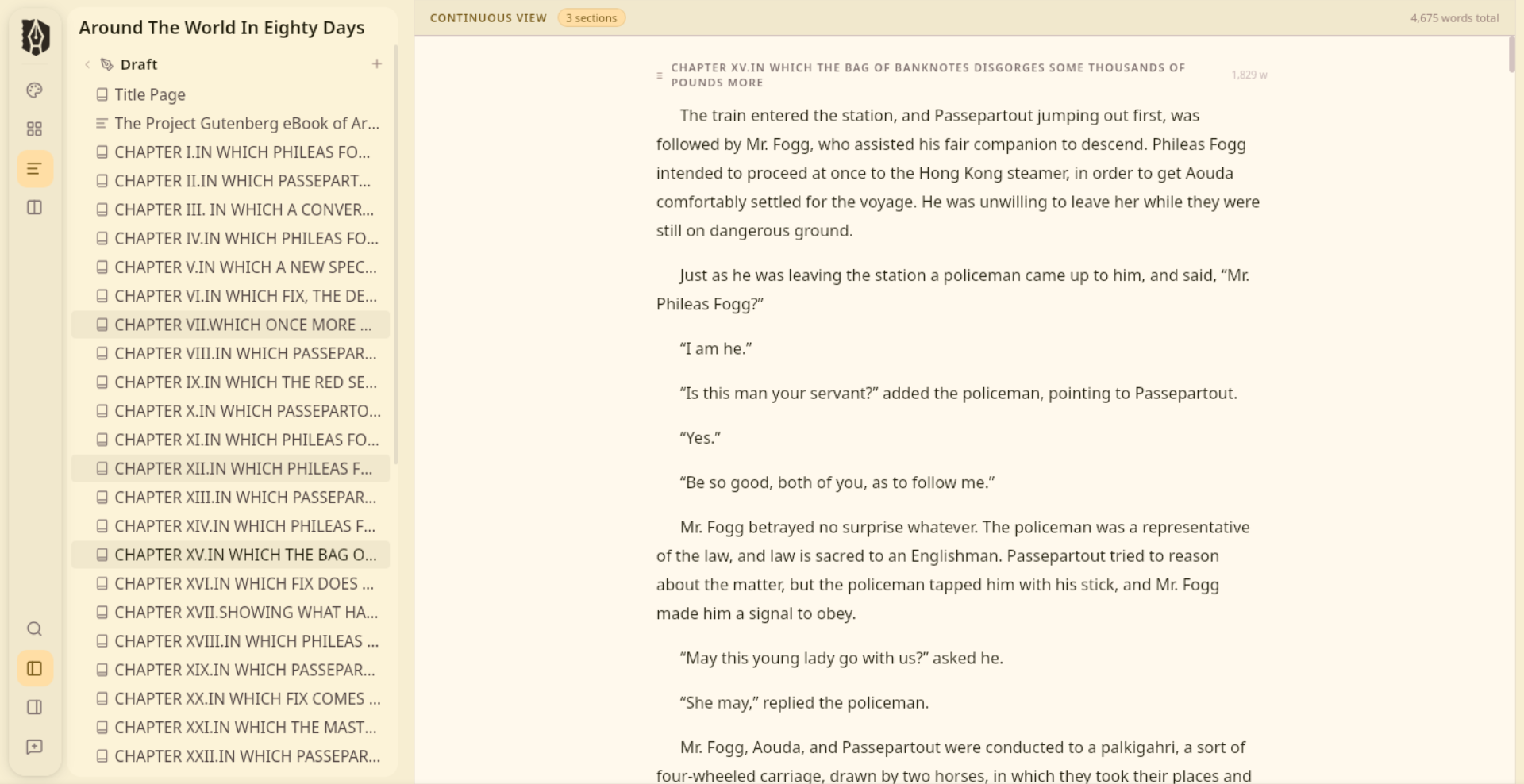
Continuous View: your entire manuscript as one unbroken scroll, every chapter flowing seamlessly into the next
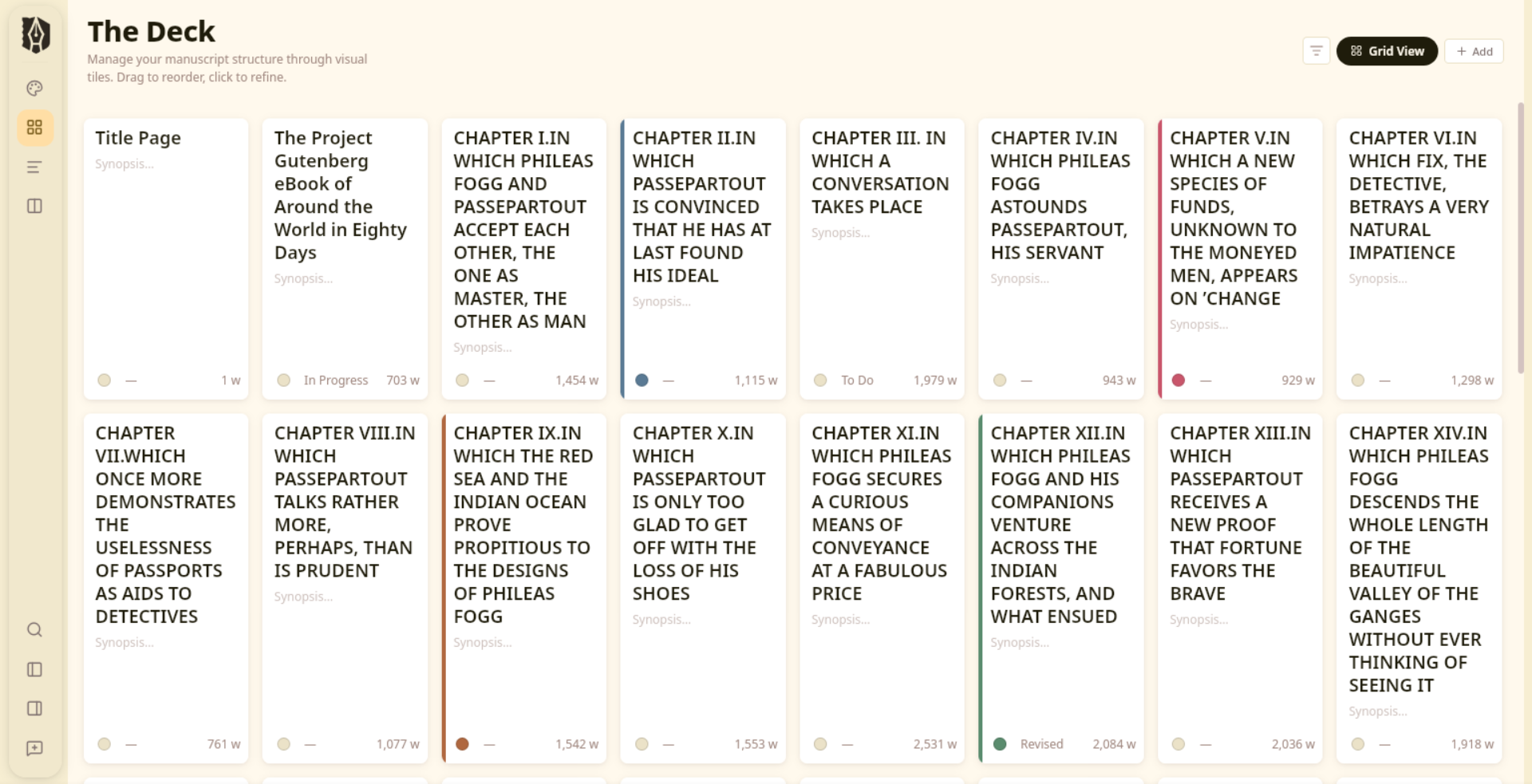
The Deck: switch between grid view (visual card plotting) and list view (word counts, statuses, synopses across every document)
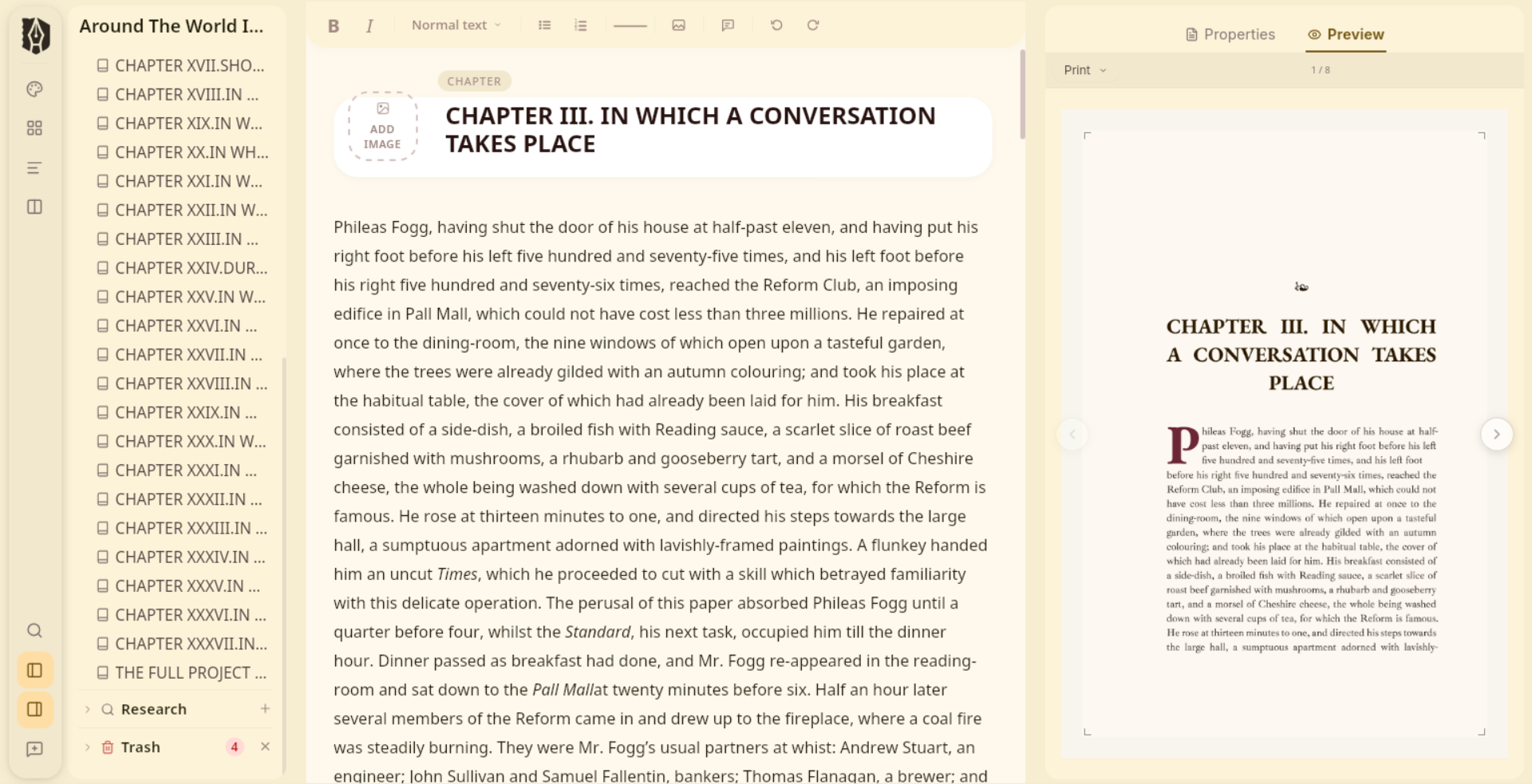
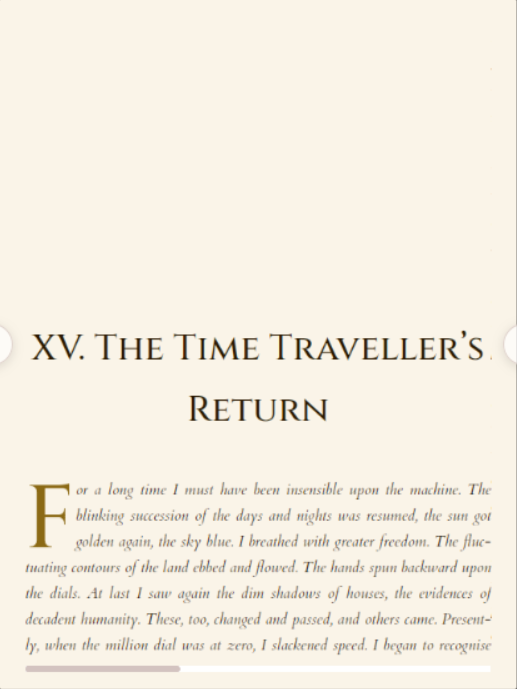
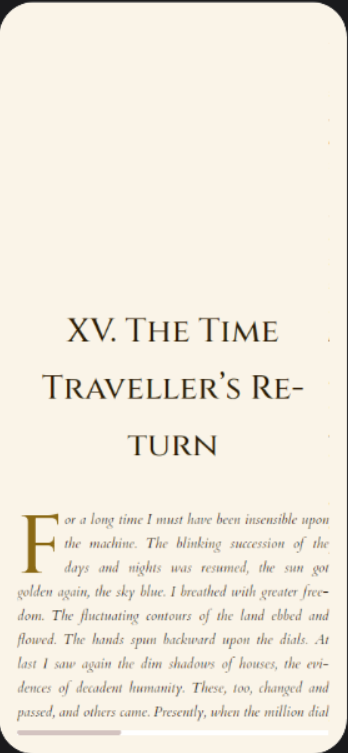
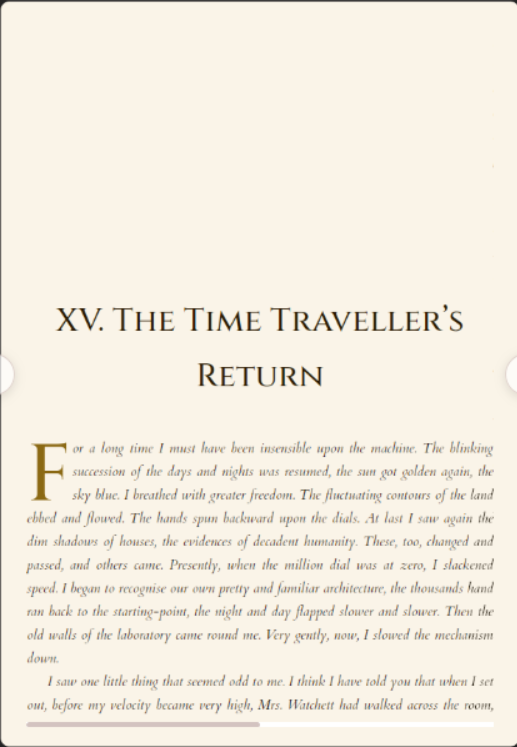
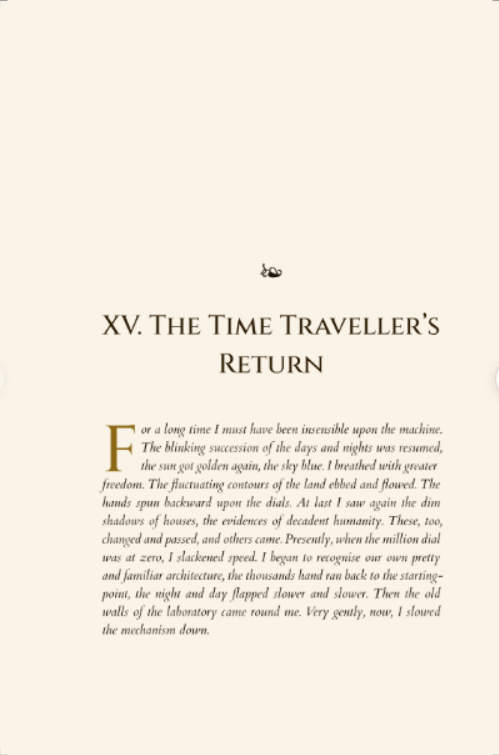
Live Preview: preview your EPUB on Kindle, iPhone, or iPad, or see your print layout page by page
The preview runs the actual export compiler. What you see is exactly what your readers will get, not an approximation.
Continuous View: your full manuscript in one unbroken scroll
The Research Room
Your world, beside your words.
Character sheets, location profiles, PDFs, images: kept inside Deckle, always one click from the scene you're writing. Your research lives alongside your manuscript. No external folders. No lost files.
View PDFs and images in a split pane alongside the editor
Research stays with your project: move machines, take everything with you
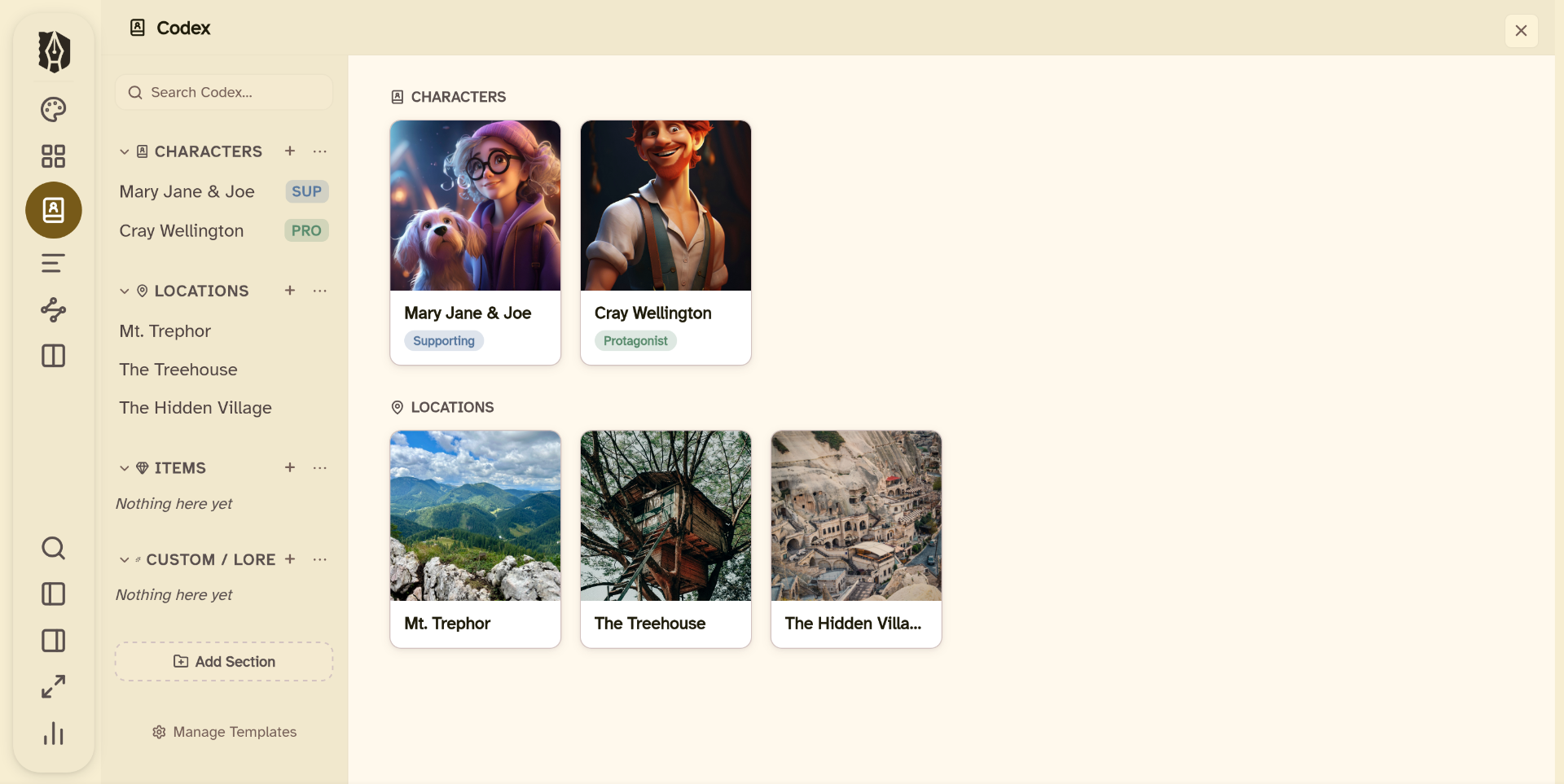
Structured Codex templates: Character Sheets, Location Profiles, and Story Bible Notes
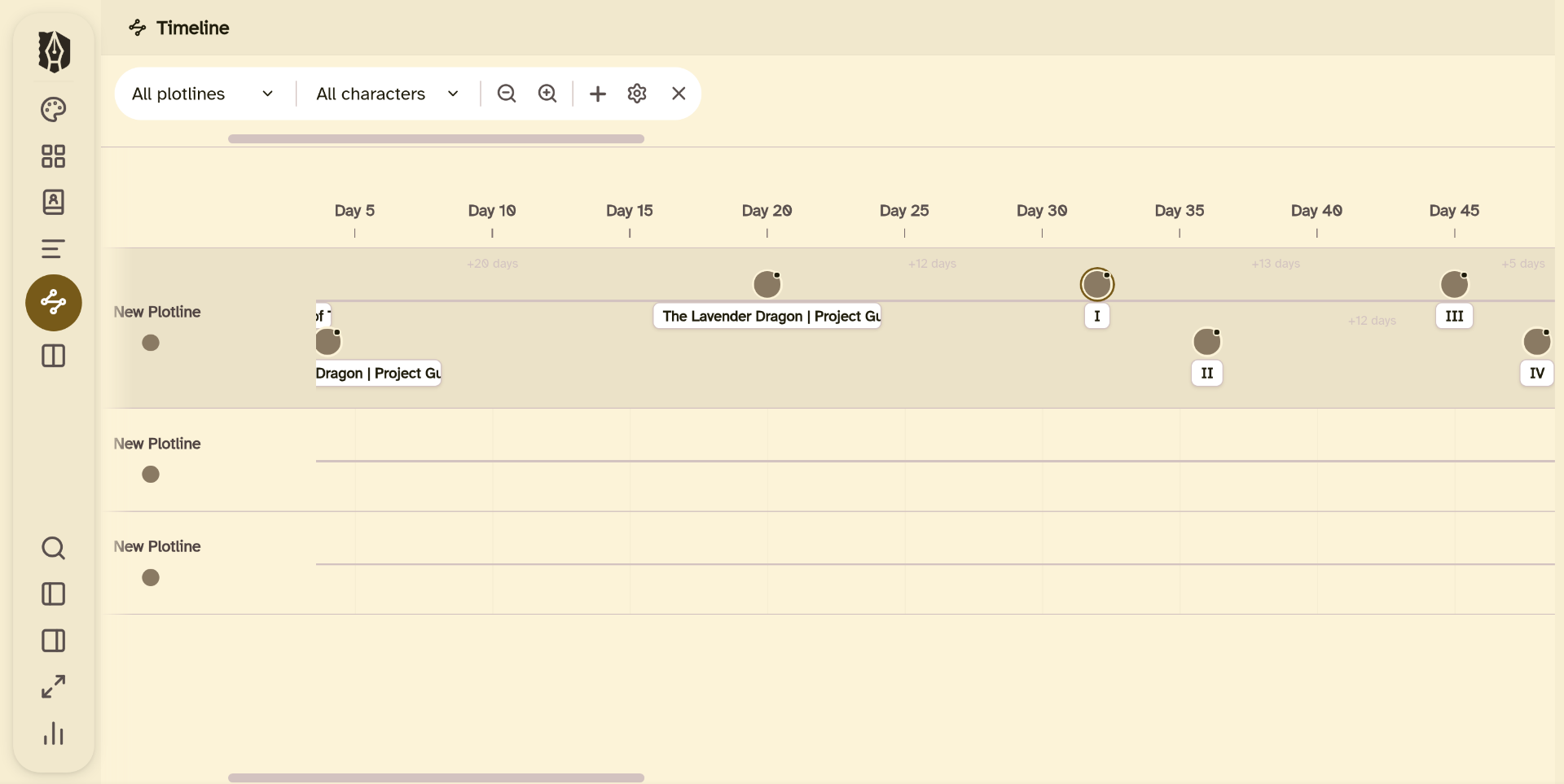
Timeline view: plot events across a swim-lane visual timeline, linked directly to your research
The Codex: structured character and location entries, right beside your manuscript
Timeline: plot events across swim-lanes, linked to your chapters
Plan & Track
Watch your book take shape.
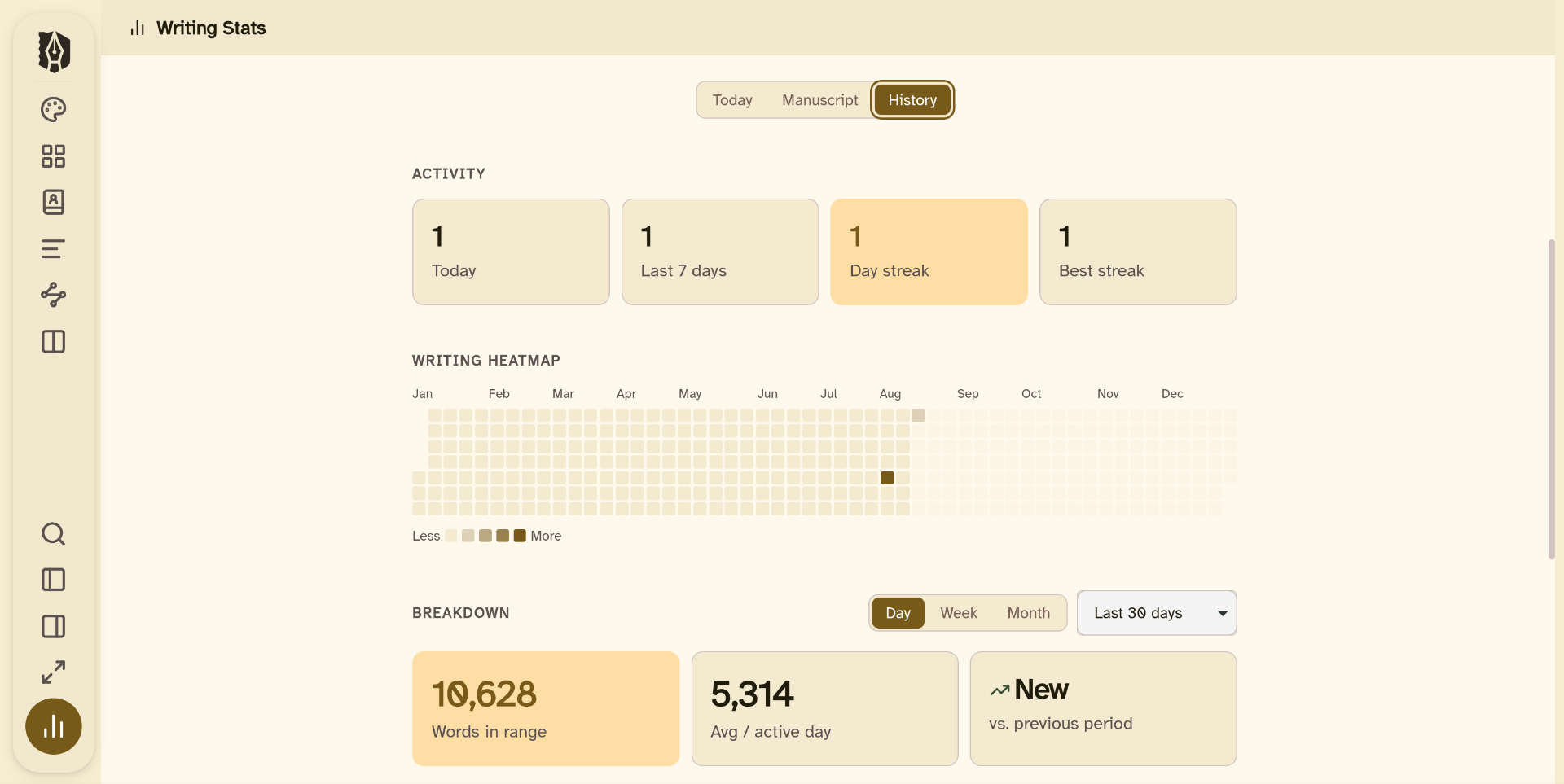
Set a target, keep a streak, and see your progress without leaving the app. Deckle tracks your writing the way a habit tracker tracks a habit: automatically, and right where you're already working.
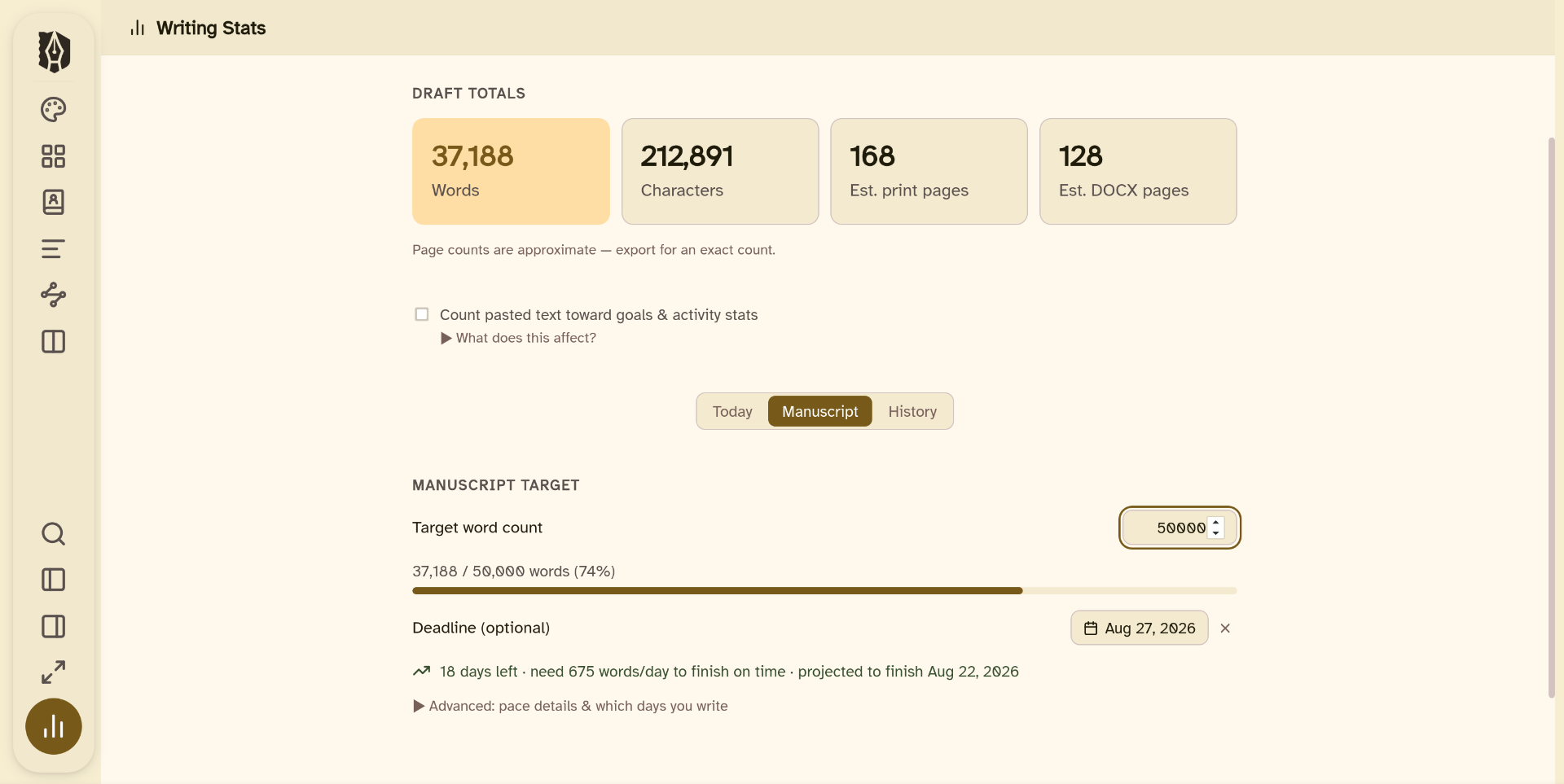
Set a manuscript target and deadline: Deckle tells you your daily pace and whether you're on schedule
Full-year writing heatmap, plus current and longest streaks
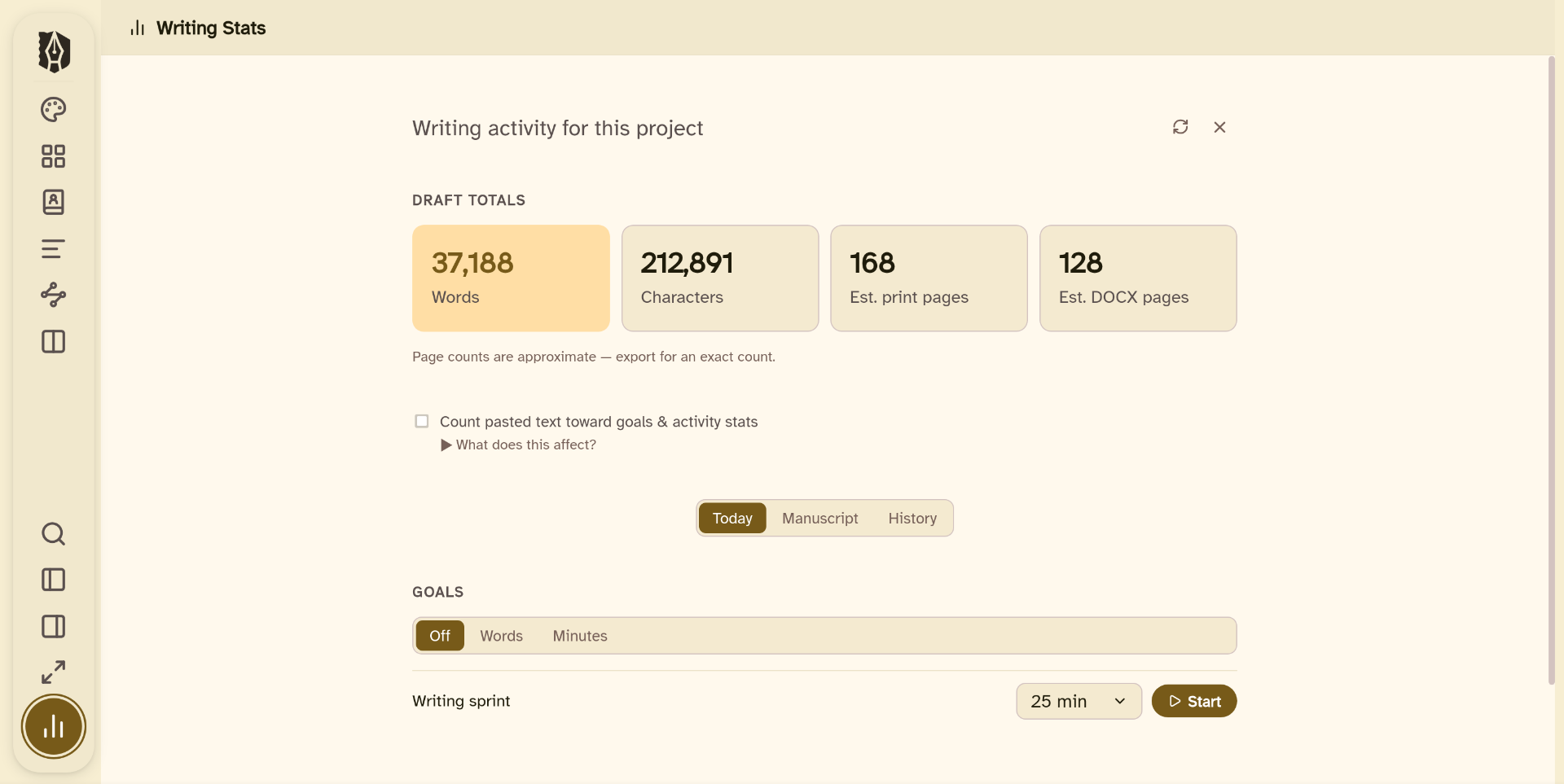
Built-in sprint timer for focused writing sessions
Live word count, character count, and estimated print and DOCX page counts
Set a target and deadline, and Deckle tracks the pace for you
The Publishing Pipeline
From manuscript to finished book.
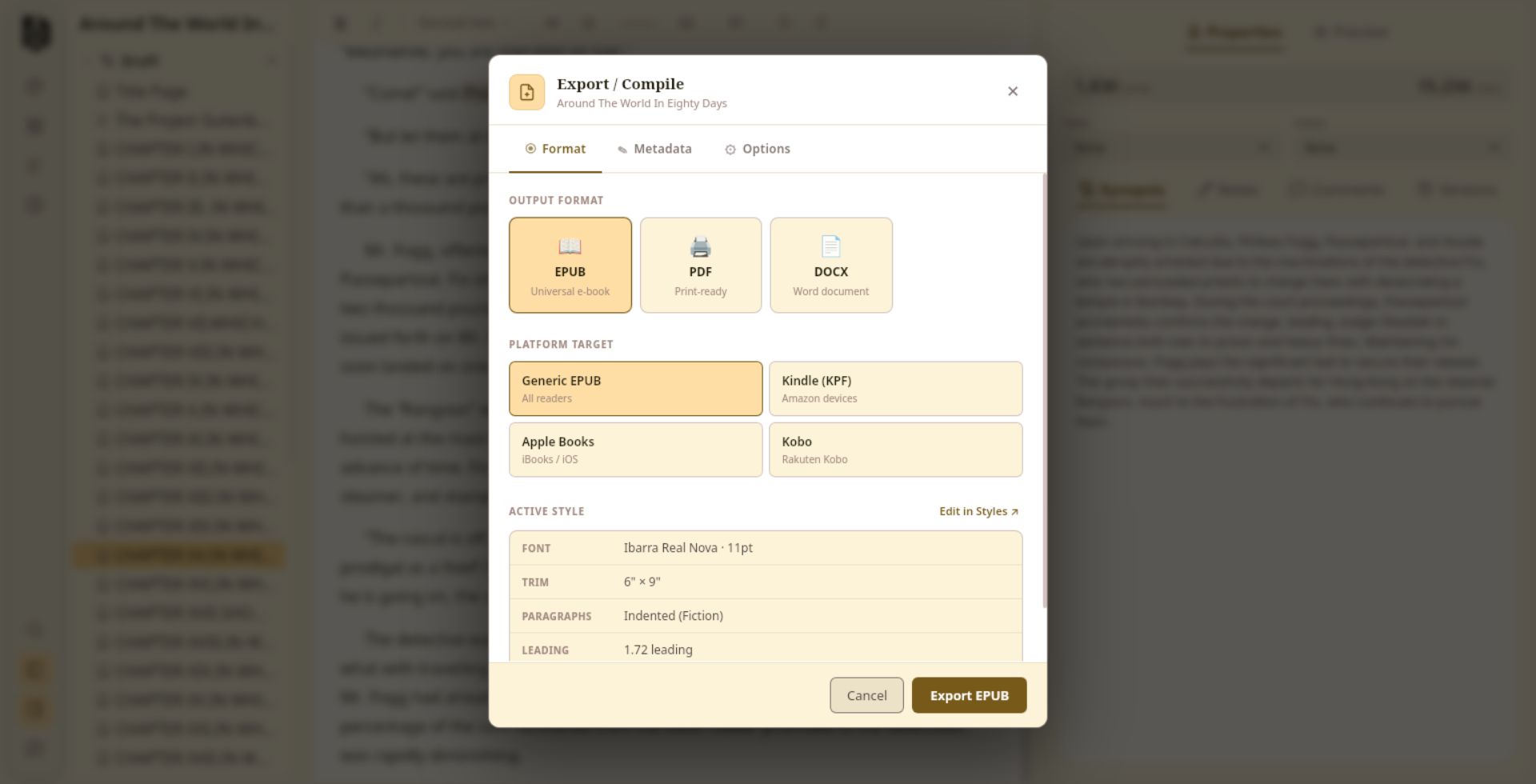
Deckle produces professionally typeset, publication-ready output (for print, for Kindle, for Apple Books, for your agent) all from the same place you wrote it. No separate formatting tool required.
Print-ready PDF for KDP & IngramSpark: passes KDP preflight, fonts fully embedded, paperback and hardcover
EPUB for every platform: four separate export targets, each optimised for its store: Kindle, Apple Books, Kobo, and generic EPUB. All EPUBCheck validated.
DOCX: clean novel-manuscript formatting for agents and editors
Typographic theme engine: 26 presets plus deep per-element control over every detail of how your book looks
Professional typesetting is built into Deckle, no separate purchase required.
◆
The Typographic Studio
Your book should look exactly how you imagine it.
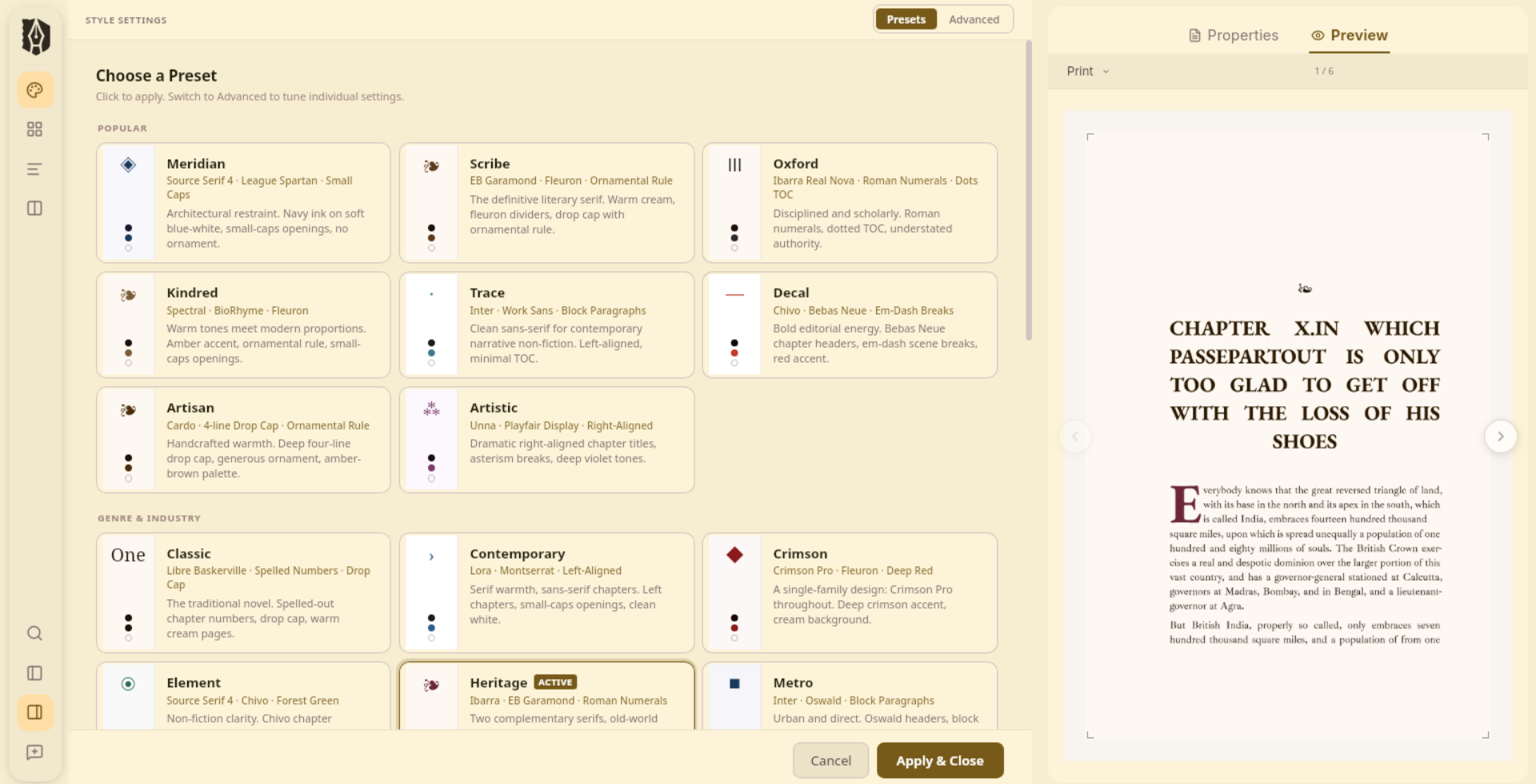
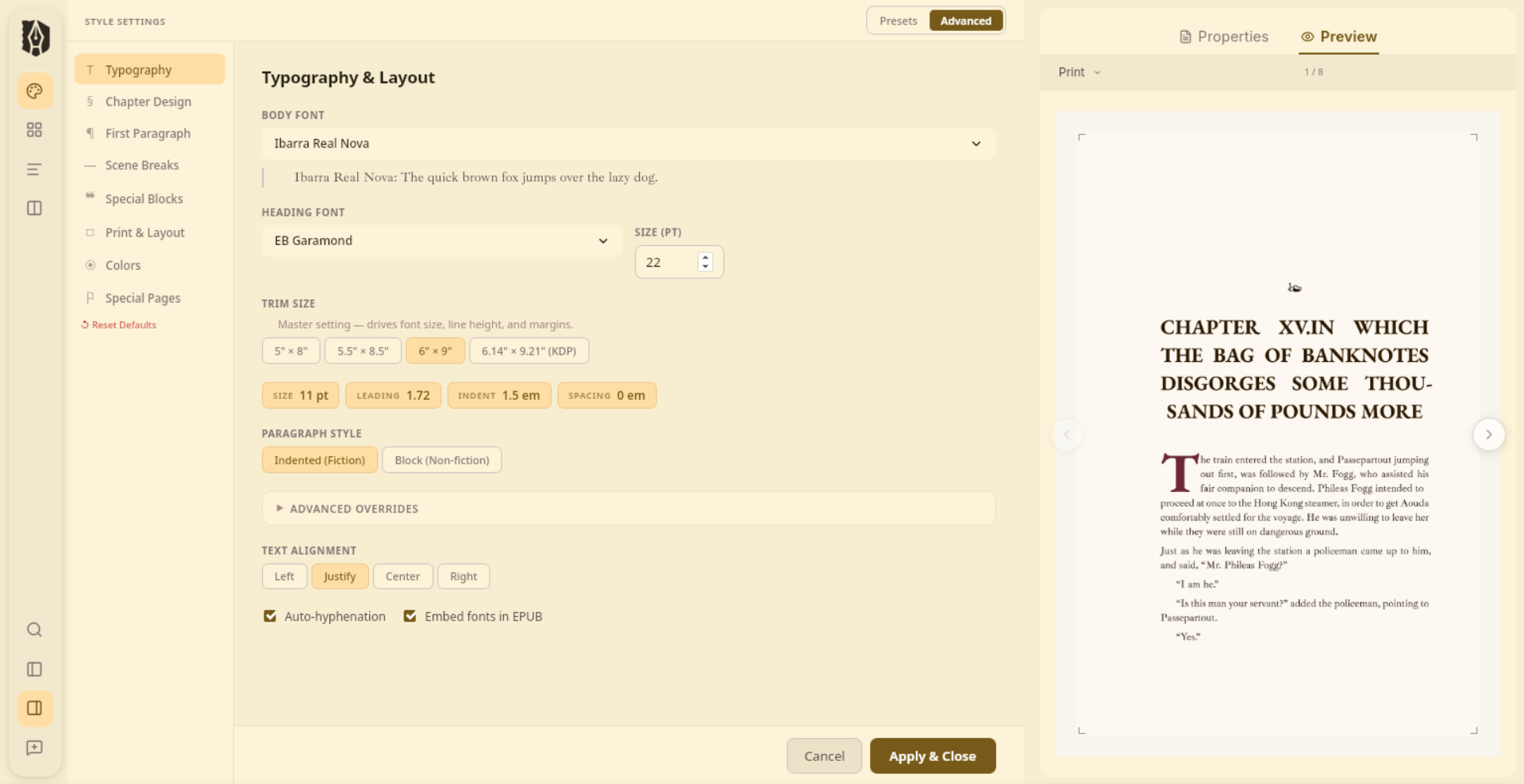
Most formatting tools give you a handful of styles and call it done. Deckle's Styler is a full typographic control room: 26 curated presets to start from, and a deep advanced mode that puts every detail in your hands. All built right into your writing app.
◈
26 Curated Presets
From classical serifs to bold editorial sans, from romantic fleurons to clean screen-first layouts. Every preset is a complete, considered design: typeface pairing, spacing, colours, chapter ornament, and scene break style all set together. Includes dedicated options for dyslexia-friendly and high-legibility reading.
§
Advanced Mode
When a preset isn't quite right, Advanced Mode exposes every layer of the design. Chapter header sink, number format, ornament glyph, title alignment. Drop cap size, colour, and font. Running header content, page number position. Widow and orphan control. Margin overrides. Per-block styling for blockquotes, verse, dialogue, insets, and more, each with its own font, size, border, background, and spacing controls.
◉
One Style, Every Format
Your style settings drive the editor, the EPUB, and the print PDF simultaneously. Change your body font and it updates everywhere: what you see while writing, what your ebook readers see, and what comes out of the printer. No separate formatting pass. No re-exporting to check.
❧
Front & Back Matter
Title page, copyright, dedication, epigraph, table of contents, foreword, about the author, acknowledgments, also by, glossary, each with its own layout options. The TOC is generated automatically from your chapter hierarchy. Copyright year, position, and preset are all configurable. Nothing is hard-coded.
ScribeOxfordArtisanMeridianNoirEpicKindredVanguardMuseClassicTraceCrimsonLegibleDyslexic+ 12 more
Simple mode: pick a preset and go
Advanced mode: every detail, your way
◆
Make It Yours
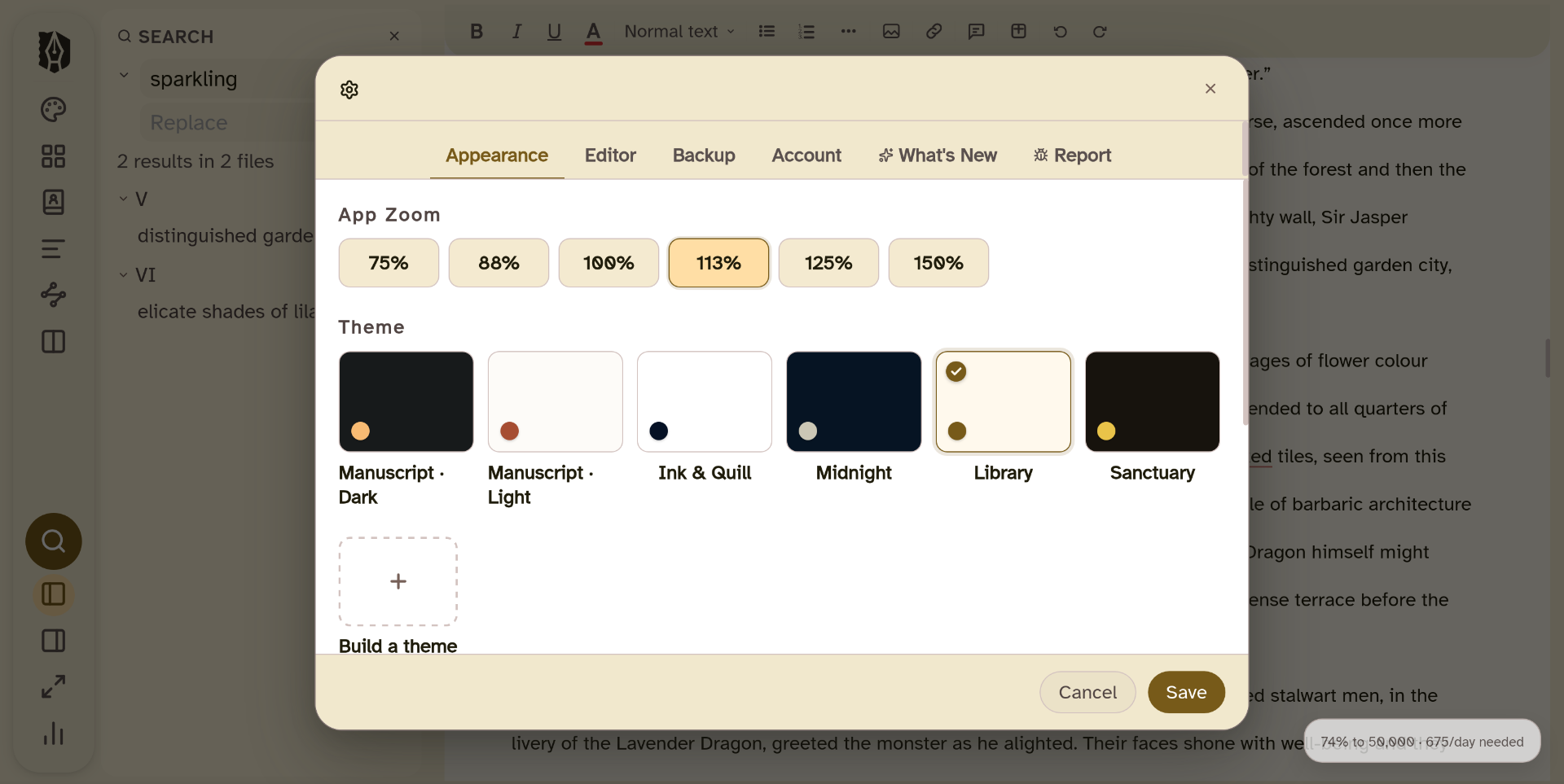
Six themes. Write in whichever one feels right.
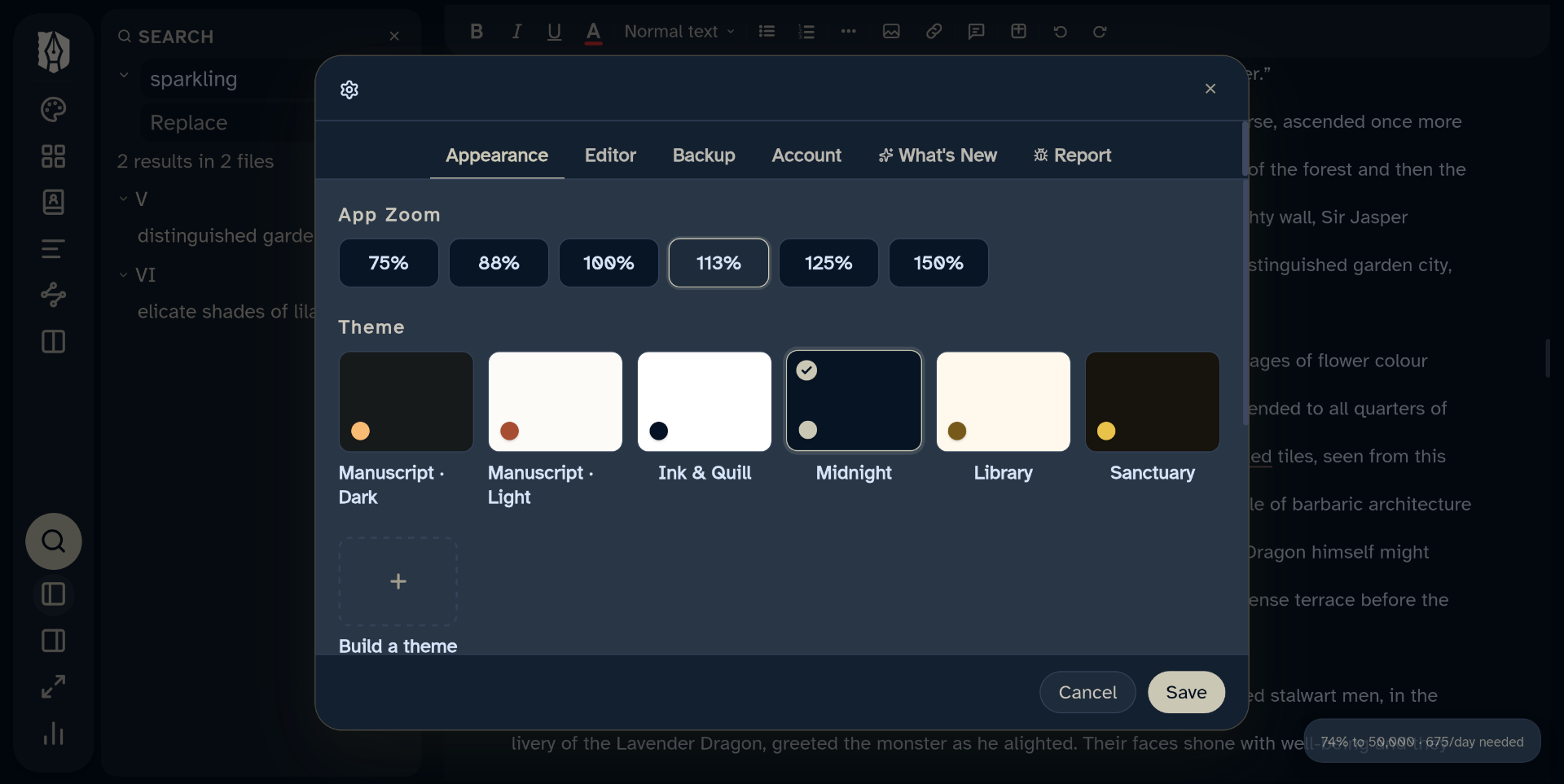
This is the app itself, not your book: six full themes for the Deckle interface, from a bright parchment page to a true dark mode, so the app looks right whether you're writing at your desk at noon or in bed at midnight. Zoom from 75% to 150% independently of your writing text size.
Yes. Deckle is a complete, fully functional application, not a concept or a waitlist. Every feature on this page is in the product today. You're buying a working tool, not a promise.
What if I try it and it's not right for me?
You're covered by a 30-day, no-questions-asked money-back guarantee. If Deckle doesn't earn its place in your workflow within 30 days of purchase, email us and you'll get a full refund: no hassle, no fine print.
Will I have to pay for updates?
No. Updates to Deckle are free. In the future, we may introduce new, optional functionality available for an additional purchase. But you will not need to pay for updated versions of the software.
How is Deckle different from Scrivener?
Scrivener is excellent for writing and organising, and it stops at the manuscript. When it's time to publish, you need another tool. Deckle is the one place to write, format, and publish: professional print PDF, Kindle-optimised EPUB, Apple Books, Kobo, DOCX for agents, all without leaving the app you wrote in. And if you're already in Scrivener, you can import your project directly: chapters, synopses, notes, and research all come across in one step.
How is Deckle different from Atticus?
Atticus is a browser-based Progressive Web App that runs in Chrome and stores your work on its servers. It has an offline mode, but you must load your book online first and some features (import, export, local saving) aren't available offline. Deckle is a native desktop application: your work is stored on your computer, and you can write, save, and export completely offline. No internet required.
Can I import my existing Scrivener project?
Yes. Deckle imports Scrivener projects directly from the .zip export. Your chapter and scene structure, synopses, notes, inline comments, and research all come across. You don't start over, you pick up where you left off, in a tool that can take you the rest of the way.
Where are my files stored?
Your Deckle project is stored as a folder on your computer. You can back it up, move it, or open it with any text editor. It's yours, no cloud server required.
What platforms does Deckle run on?
Windows, Mac, and Linux. Your purchase covers all platforms at no extra cost. One license activates on up to 2 devices.
Can I export a Kindle-ready file?
Yes. Deckle exports four separate EPUB targets, each optimised for its platform: Kindle, Apple Books, Kobo, and a generic EPUB for everything else. All four are validated against the EPUB 3.3 spec. Hyphenation, chapter breaks, and metadata are tuned per platform so you upload the right file to the right store without any manual adjustments.
What about submitting to a literary agent?
Deckle exports clean DOCX using the conventions novel manuscripts are typically submitted in: double-spaced body text with a 0.5" first-line indent, an unindented opening paragraph for each chapter or scene, centered scene breaks, and clearly distinct chapter headings. Manuscript format does vary by form and by agent or publisher (a short story or poetry submission looks different from a novel), so it's always worth checking specific submission guidelines. For novel-length work, Deckle's defaults line up with what most agents and editors expect.
I already own Scrivener. Is switching worth it?
If you're happy with Scrivener for writing, Deckle can save you money the moment you need to publish. Instead of adding a separate formatting tool like Vellum ($249) or Atticus ($147), Deckle provides both writing and professional formatting, for $197. And you can import your existing Scrivener project directly, so nothing you've already built is lost.
Why can I only preview one document at a time?
This is intentional, and it comes down to a fundamental difference in how Deckle is built compared to most writing tools.
In traditional writing apps, exporting is a slow, heavy process you only do when your manuscript is completely finished. Because of that, they built full in-app previews so you could see what your book looks like without going through a painful export step. It made sense given their limitations.
Deckle is built differently. Export takes under a second or two for an entire book. That changes the workflow entirely. Export is no longer the big final step you save for the end. It's something you can do anytime, instantly, to see exactly what your manuscript looks like.
So in Deckle, the preview is designed to show you what your current document looks like as you write, whether that's a chapter, scene, part, or special page. When you want to see multiple chapters, a full part, or your entire book, just export it. It takes two seconds and what you get is the real output, not an approximation.
Once that clicks, it's actually a faster and more accurate workflow than anything you'd get from a slow in-app preview.
Using Deckle across multiple devices (Google Drive / Dropbox)
Deckle is fully local software. Your project lives on your computer, not on a server, which is great for privacy but does mean there's no automatic live sync between devices like you'd get with a cloud based app.
The good news: you can still work across multiple devices easily. Just keep your project folder inside your Google Drive or Dropbox folder, and let that service carry the file between your computers for you.
The one rule: close the project on one device before opening it on the other.
Here's why. Deckle saves your work automatically as you type, but only to the device you're actually using. If you switch to a second device and keep it open on the first one too, the first device won't know about your newer changes until you close and reopen it there.
How to do it right:
Finish up on Device A and close Deckle normally (or just close the window).
Give your sync app a moment to finish uploading (check that Dropbox/Drive shows everything synced, not still spinning).
Open the project on Device B and keep working.
If you forget: nothing breaks. Worst case, whichever device you save on most recently is the version that's kept, the other device's most recent changes just won't carry over. No corrupted files, no crashes.
Extra safety net: Deckle automatically saves a local backup copy on your computer, both when you close a project and periodically during a long writing session. That backup lives on the specific device where it was made, so if you ever need to recover something, check the device you were actually writing on at the time, not the other one.
A couple of things to double check if something seems off:
Make sure Dropbox or Google Drive is actually running and signed in on both devices, not just installed.
If you're not sure a sync finished, wait a minute before opening the project on the other device, especially right after closing your laptop lid.
Can I have multiple books in one project?
It depends on what you're going for. There are two common versions of this question, so here's both.
"I want to write a series, each book as its own file" (most common)
For this, use a separate Deckle project per book, not one project for the whole series. Here's why: each project only has one title page, one set of front/back matter, and one Book Details entry (title, author, etc), so it's built around being one published book. Trying to cram three books into one project would mean they all share a single title page and can't be exported as separate files.
For carrying your cast and story bible into Book 2, save Book 1 as a Project Template once its Codex, Timeline, and styling are set up the way you like. Starting Book 2 from that template packages the binder structure, Codex entries, and style settings together, so the new project begins with the same characters, locations, and look already in place instead of a blank slate.
One thing worth knowing: a template is a one-time starting point, not a live link. Once Book 2 is created from it, its Codex and Timeline are independent copies, so changes you make in Book 1 afterward won't carry over automatically; you'd update both projects separately.
"I want multiple short books combined into one file" (an omnibus or anthology)
This one's the opposite: use a single project. Structure each book as a Part, with its chapters nested underneath it. When you export, Deckle compiles the whole thing into one file in order, exactly what you want for a combined edition. Just know the whole project still only gets one title page and one set of front matter, so that title page should represent the omnibus as a whole (e.g. "The Complete Trilogy"), not any one book inside it. You can still label each section clearly using its Part name.
Edge cases worth knowing about:
There's no built in way to split one project into several later. If there's any chance you'll want each book to be its own standalone release, start with separate projects from the beginning. Merging or splitting after the fact means manually copying chapter text between projects.
Export always compiles everything in Draft that isn't marked excluded. If you only want one book's worth of content in a given export, mark the other books' folders as excluded from export first, run your export, then switch them back on.
From the Deckle Blog
Honest advice for the deciding author.
Still deciding? We've written the honest comparisons you're looking for: no affiliate bias, just facts.
All product names, logos, and brands are property of their respective owners. Deckle is not affiliated with or endorsed by any of the companies mentioned. All comparison claims are based on publicly available information as of early 2026. Use of competitor names is for identification and factual comparison only.